


The Best Free
Online PlantUML Editor for Professional Diagramming
Finding a fast, easy, and versatile text to diagram tool can be a challenge for modern teams. While many basic options exist, users often struggle with rigid features, clunky interfaces, or tools that only handle one specific layout. If you need a simple solution that makes turning text into clear visuals effortless, Visual Paradigm VPasCode is built to deliver the ultimate diagramming experience.
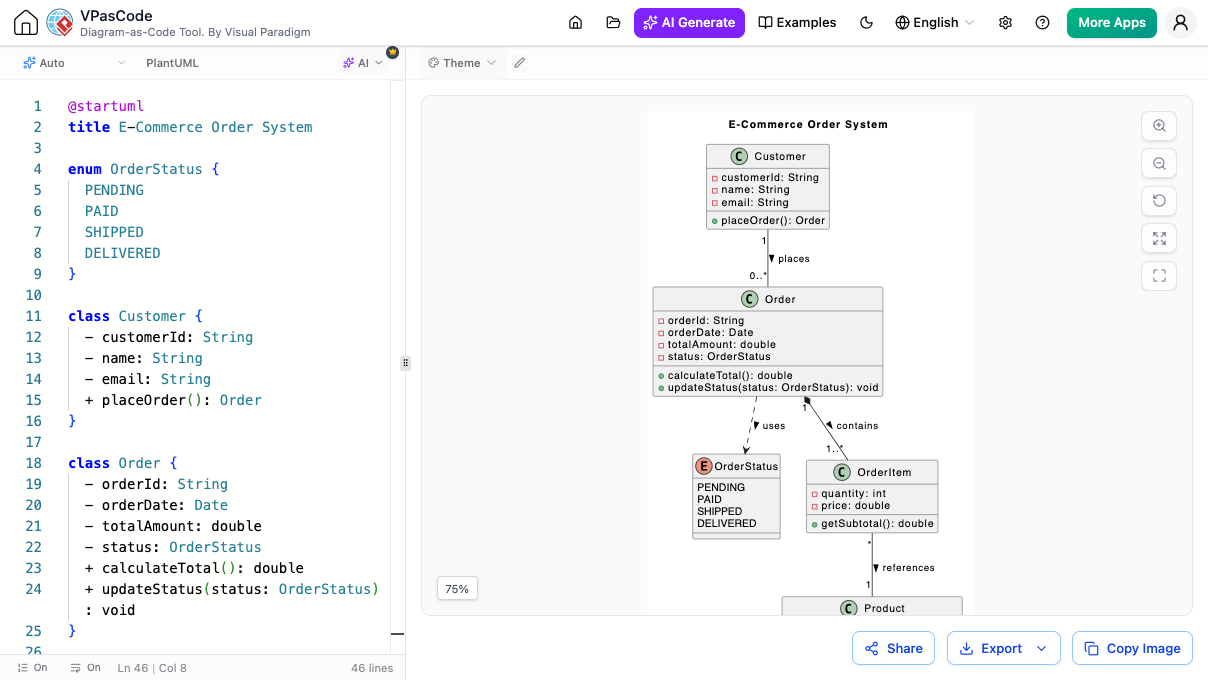
Why VPasCode is the Best PlantUML Editor Available
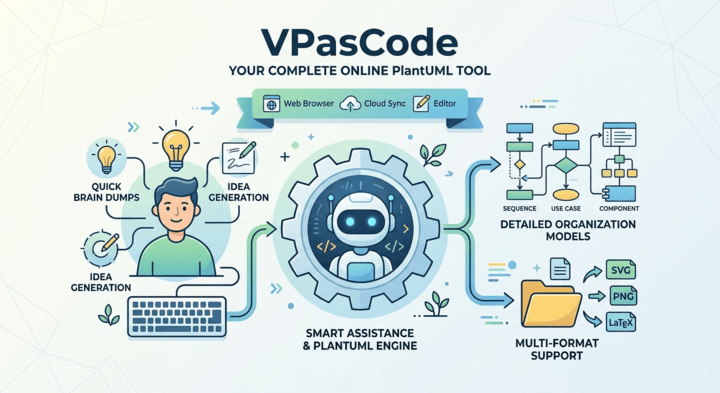
Instant AI Diagram Generation & AI Modifier
跳過從頭撰寫程式碼或進行繁瑣手動編輯的麻煩。VPasCode 引入內建AI 輔助以加速您的視覺創作:
-
AI Diagram Generation
Simply type a plain-language prompt describing what you need (e.g., "Create a user login flow with 2-factor authentication"), and our AI instantly generates the complete PlantUML code for you.
-
AI Diagram Modifier
Need to update an existing chart? Instead of editing lines of code manually, give simple text instructions to the AI modifier (e.g., "Add an email verification step after signup"), and it will refine and expand your diagram script automatically.
Smart AI Diagnostics & Connected Team Docs
當您的專案需要超越標準編輯功能時,VPasCode 提供可選的進階 AI 功能與文件工具,以加速您的日常作業。
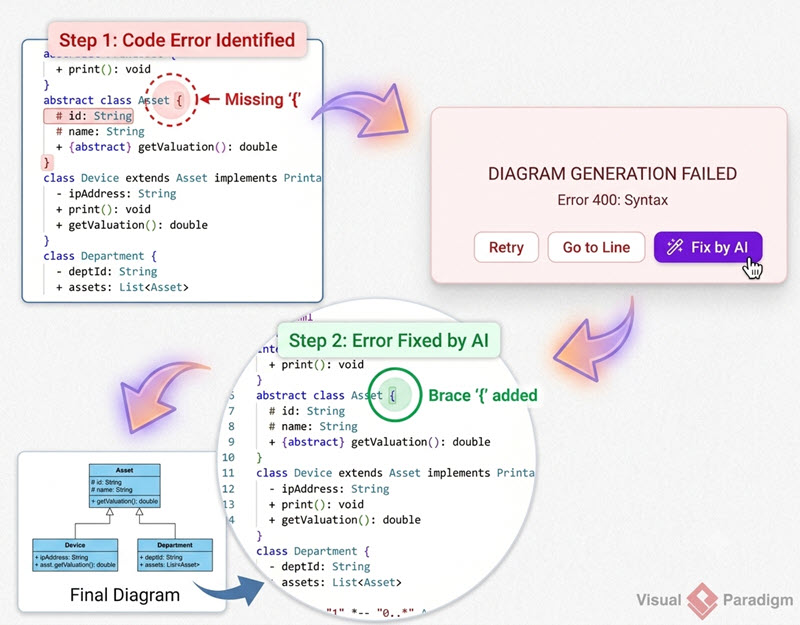
AI 錯誤修復
一鍵修復:卡在拼字錯誤或遺漏語法符號上嗎?我們的 AI 會檢查您的文字,自動修正拼字錯誤,並說明修正內容。
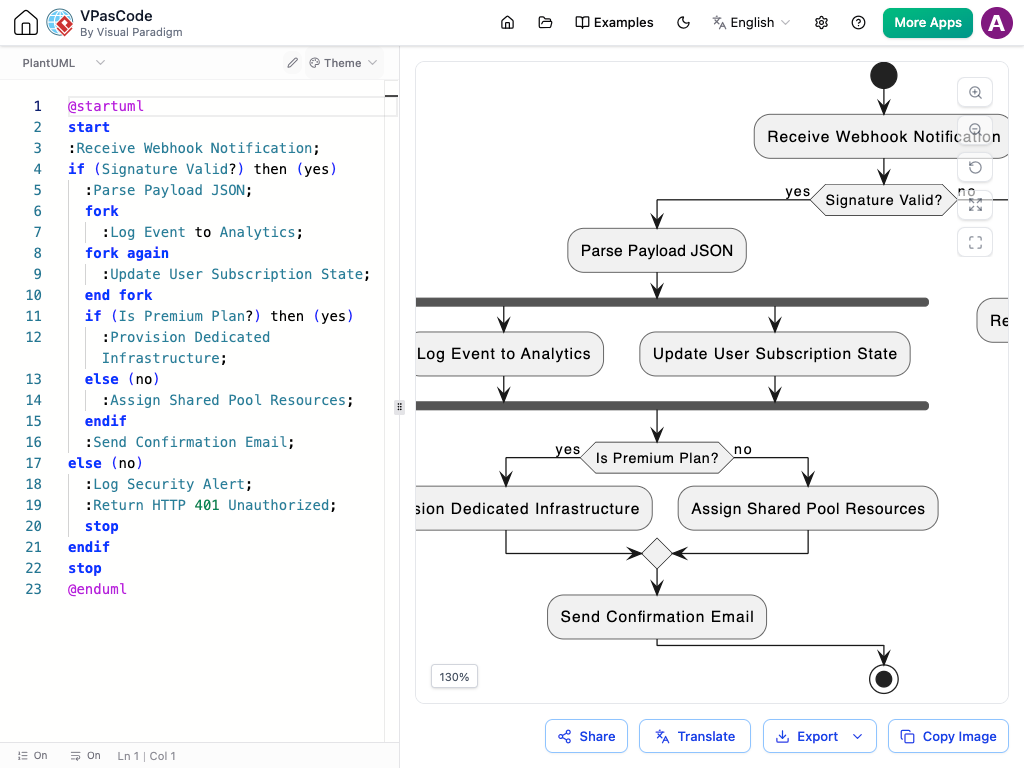
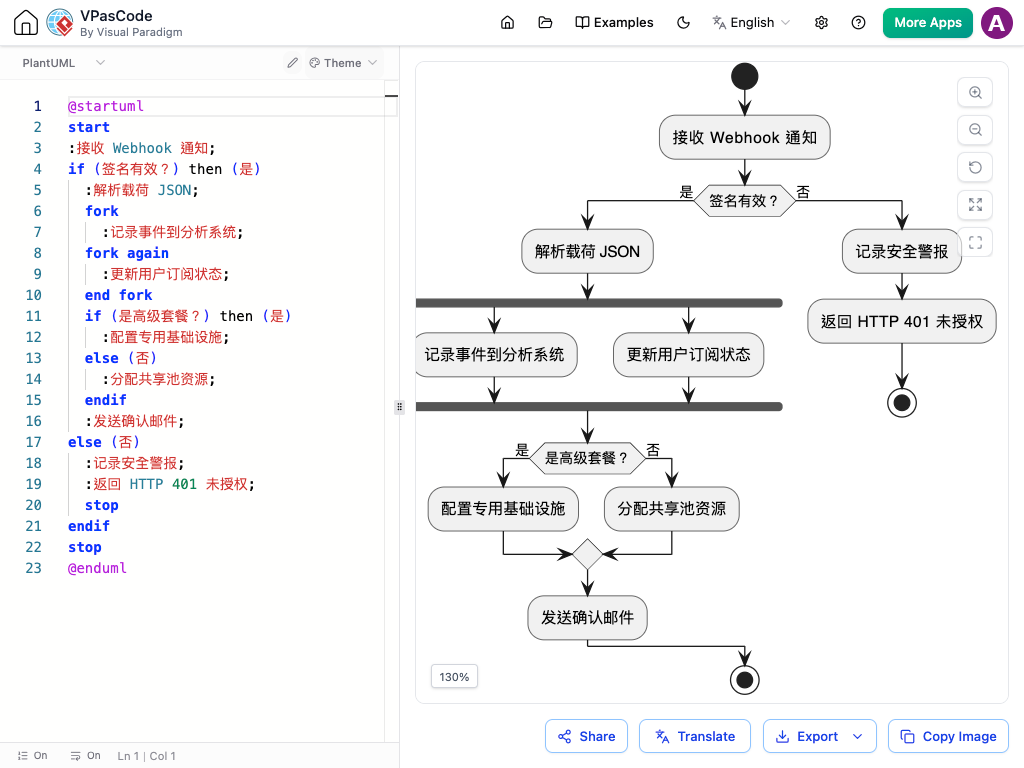
AI 驅動的即時翻譯
Complete Core Features & Easy Output
-
Live Real-Time Rendering
See your text transform into clean visual pictures as you type.
-
High-Quality Image Export
Download your finished charts in crisp SVG or PNG formats for slide decks, reports, and PDFs.
-
Instant Sharing
Share your designs instantly with colleagues via direct web links or QR codes.
-
Built-in Theme Selector
Effortlessly switch between popular built-in PlantUML themes (such as Materia, Cerulean, Amethyst, and CRT) with a single click.
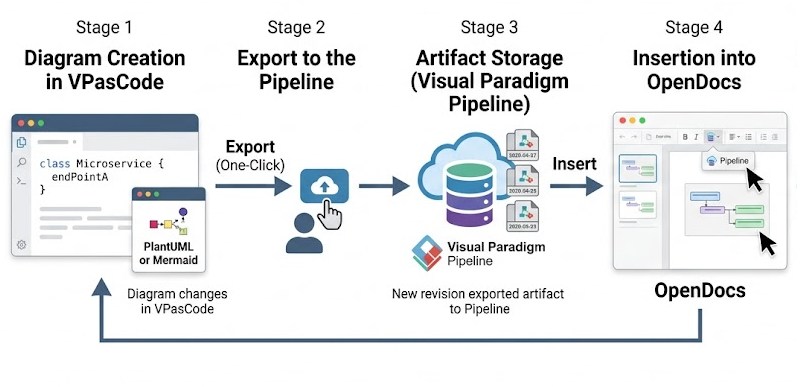

A True One-Stop-Shop Text to Diagram Tool
為什麼要在四個不同的網路工具之間切換?使用一個整合的工作空間即可。與單一功能的網路應用程式不同,VPasCode 超越了 PlantUML 的範疇,作為一個全方位的文字轉圖示工具,讓您在完全相同的應用程式中創建多種流行的圖表風格:
-
Mermaid.js
Flowcharts, Gantt project charts, Sequence flows
-
Graphviz / DOT
Network structures and connections
-
ECharts
Interactive data charts and visual stats
-
Data Visualizer
Turn data directly from SQL, JSON, and YAML into charts
Frequently Asked Questions
是的!核心功能——包括文字編輯、即時預覽、影像匯出與連結分享——完全免費。進階 AI 工具與連結文件功能則可在升級方案中取得。
無需安裝或設定。VPasCode 作為基於網路的線上 PlantUML 編輯器,所有視覺創作皆直接在您的網頁瀏覽器中完成。
VPasCode 將多個視覺工具整合於同一介面。除了 PlantUML 外,您可輸入或貼上 Mermaid 文字、Graphviz 程式碼、圖表設定或結構化資料,以創建視覺內容,無需切換軟體。
VPasCode 支援完整的 PlantUML 規格,包括順序圖、類別圖、用例圖、活動圖、元件圖、狀態圖、物件圖、部署圖、時序圖、ArchiMate、C4 模型、ERD、WBS、甘特圖與思維導圖。
您以自然語言輸入提示,描述您的工作流程或系統架構。內建的 AI 會直接將您的描述轉換為乾淨的 PlantUML 程式碼,並立即在預覽視窗中即時呈現。
Diagram-as-Code Editor
Start Editing PlantUML Now
No sign-up or installation required. Start writing PlantUML or diagram code in seconds.