


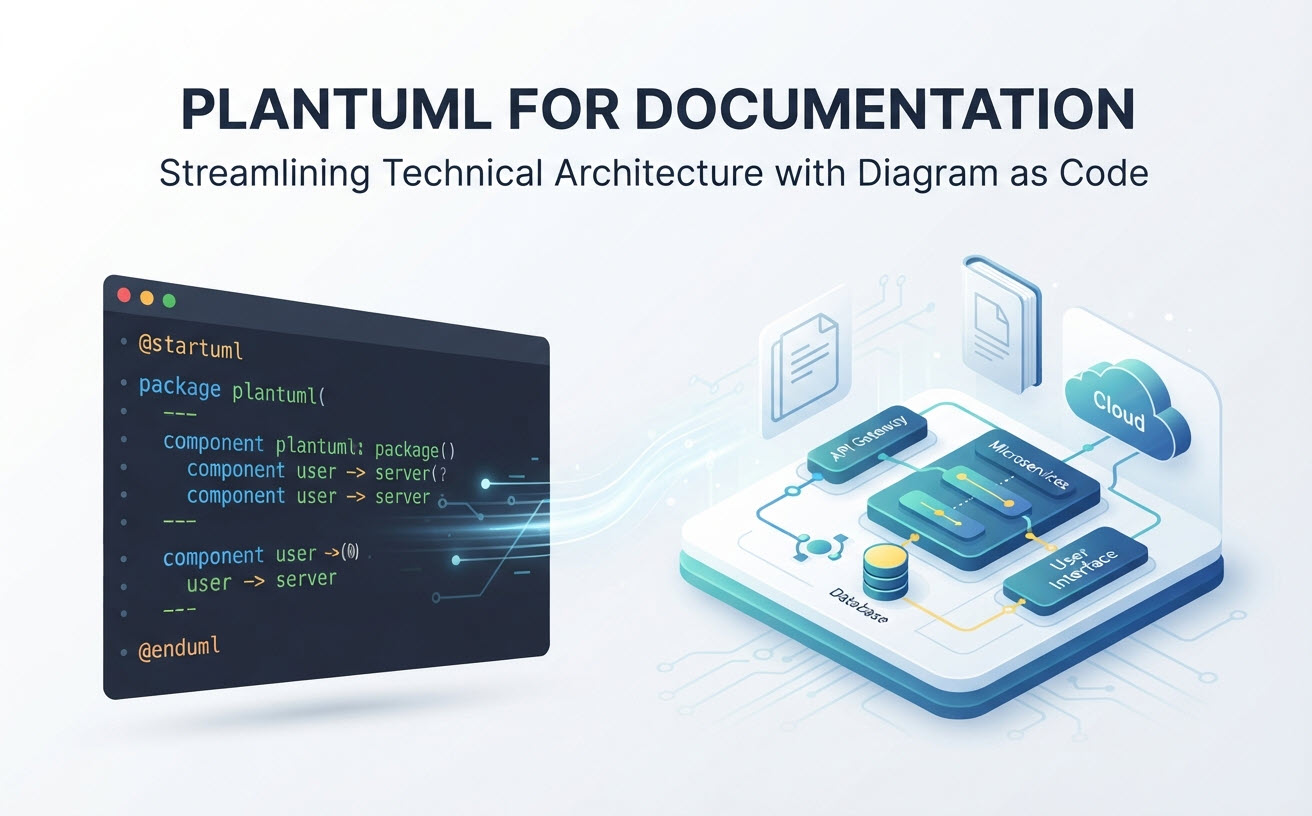
PlantUML ist außergewöhnlich gut für technische Dokumentation und bietet Softwareingenieuren und Systemarchitekten eine leistungsstarke Möglichkeit, lebendige Dokumentation mit Hilfe von Klartext zu pflegen. Durch die Nutzung der Diagramm als Code Methodik können Teams Diagramme gemeinsam mit dem Quellcode versionieren, manuelle Layout-Müdigkeit eliminieren und Dokumentationsdrift verhindern. Standard-Lokaleinstellungen bringen jedoch häufig Reibungspunkte wie Java-Abhängigkeiten und kryptische Syntaxfehler mit sich. Die Nutzung moderner Web-Tools wie des Visual Paradigm PlantUML-Editors hilft, diese Lücke zu schließen, indem es sofortiges Rendern, die Generierung von Diagrammen durch KI in natürlicher Sprache und KI-gestütztes Debugging bietet.
Was ist PlantUML und warum nutzen es Teams?
PlantUML ist ein Open-Source-Tool, das Benutzern ermöglicht, Sequenzdiagramme, Klassendiagramme, C4-Architekturmodelle und mehr mit einer einfachen und intuitiven Klartextsprache zu erstellen. Es wandelt Textskripte automatisch in klare visuelle Diagramme um.
Die Kernphilosophie von Diagramm als Code
Diagramm als Code verlagert die visuelle Erstellung vom manuellen Drag-and-Drop-Graphic-Design hin zur textbasierten Skriptierung. Diese Kernphilosophie löst das ewige Problem veralteter Dokumentation, indem sie Architekturdiagramme innerhalb von versionierten Repositories mit dem Anwendungscode synchron hält.
Wichtige Dokumenttypen, die Sie erstellen können
PlantUML unterstützt eine Vielzahl technischer und geschäftlicher Modellierungsformate und ist daher für umfassende Dokumentationspakete äußerst vielseitig:
- Softwarearchitektur: C4-Modelle, Sequenz-, Klassen-, Objekt- und Komponentendiagramme.
- Systemtechnik: Bereitstellungs-, Zustands-, Aktivitäts- und Timing-Diagramme.
- Projektplanung: Work Breakdown Structures (WBS), Gantt-Diagramme und Mind Maps.
- Datenmodellierung: Entity-Relationship-Diagramme (ERD) und Netzwerktopologien.
Die Vorteile der Nutzung von PlantUML für technische Dokumentation
Die Einführung von PlantUML verändert die Art und Weise, wie Engineering-Teams Wissen verwalten, indem Grafiken direkt in standardmäßige Code-Review-Workflows eingebettet werden.
Versionskontrolle und nahtlose Git-Integration
Da PlantUML-Dateien im Klartextformat gespeichert werden, kann jede Architekturaktualisierung mit Git verfolgt, verzweigt und zusammengeführt werden. Pull Requests können visuelle Aktualisierungen enthalten, sodass Teammitglieder Designänderungen gemeinsam mit der Code-Logik überprüfen.
Wartbarkeit und keine manuelle Layout-Müdigkeit
Traditionelle Zeichenwerkzeuge zwingen Ingenieure dazu, bei jeder Änderung eines Systems Boxen manuell auszurichten, Formen zu skalieren und Verbindungen zu verlegen. PlantUML automatisiert den Layoutprozess vollständig und ermöglicht es Autoren, sich rein auf die strukturelle Logik zu konzentrieren, anstatt Pixel zu verschieben.
Einschränkungen und häufige Schmerzpunkte bei Standard-PlantUML-Arbeitsabläufen
Trotz seiner technischen Leistungsfähigkeit führen native PlantUML-Arbeitsabläufe zu spezifischen Adoptionshürden für Dokumentationsautoren und Entwickler.
Umgebungs-Einrichtung und Abhängigkeitsprobleme
Das Standard-Lokale-Rendering erfordert die Konfiguration von Java-Laufzeitumgebungen (JRE), Graphviz-Binärdateien und lokalen IDE-Plugins. Dieser Einrichtungsaufwand kann nicht-technische Mitwirkende blockieren, die lediglich ein Diagramm aktualisieren möchten.
Fehlersuche bei kryptischen Syntaxfehlern
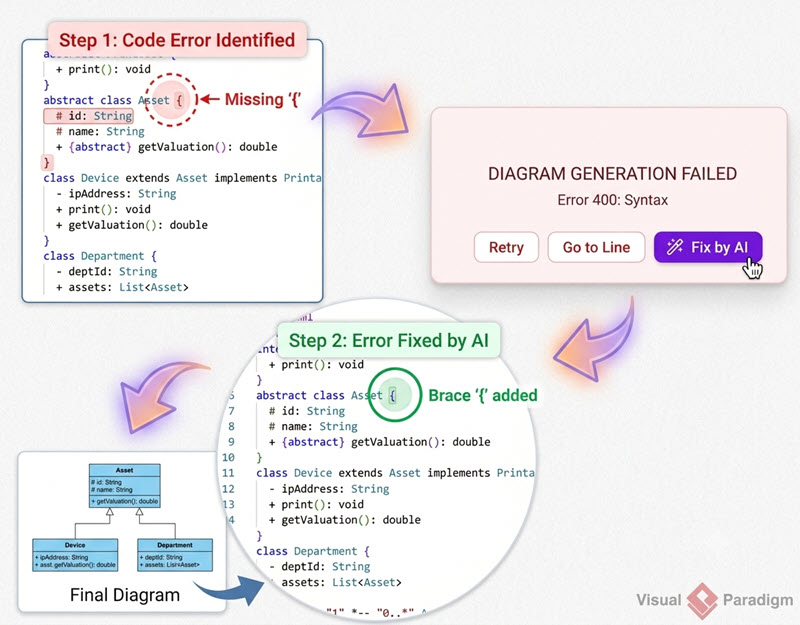
Ein einziger falsch platzierter Klammer oder ein Tippfehler in einem komplexen Skript kann die gesamte Build-Ausgabe zerstören, was oft zu unbrauchbaren Fehlermeldungen führt, die mühsame manuelle Fehlersuche erfordern.
Modernisierung Ihres PlantUML-Dokumentationsarbeitsablaufs mit VPasCode & KI
Teams können lokale Einrichtungsprobleme und Syntaxfrust umgehen, indem sie Visual Paradigm VPasCode, eine einheitliche Diagramm-als-Code-Plattform mit einem kostenlosen Online-Editor, einem Echtzeit-Renderer und nativen KI-Automatisierungstools.
Sofortige KI-Diagrammerstellung & -Modifikation
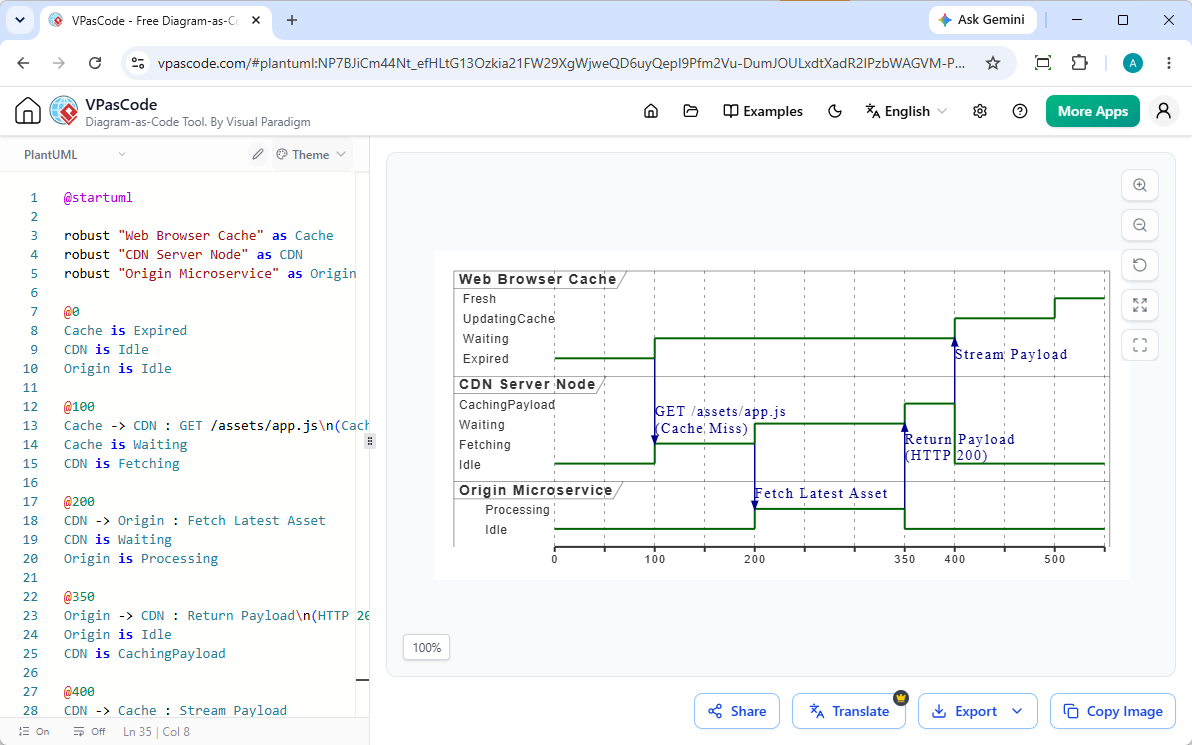
Wie in unserem Großes VPasCode-Update: Diagramme sofort mit KI generieren und modifizieren, können Sie das Schreiben von Code von Grund auf ganz umgehen. Geben Sie einfach natürliche Sprachanweisungen ein – wie zum Beispiel „Erstellen Sie ein Komponentendiagramm in PlantUML für eine Microservices-Architektur“—und lassen Sie die native KI der Plattform die Diagrammsyntax in Ihrem Browser sofort generieren und verfeinern.
Sofortiges Rendern ohne lokale Einrichtung
VPasCode bietet eine installationsfreie Online-Umgebung unter vpascode.com. Mit automatischer Formaterkennung können Sie rohe PlantUML- oder Mermaid-Skripte direkt in den Browser einfügen und das Diagramm sofort rendern sehen, ohne lokale Java-Binärdateien verwalten zu müssen.
Sofortige Behebung von Syntaxfehlern mit KI
Wenn Syntaxfehler auftreten, ermöglichen die KI-gestützten Funktionen von VPasCode Ihnen, auf „Mit KI reparieren“zu klicken, um Skripte automatisch zu reparieren. Transparente Code-Diffs nebeneinander und detaillierte Erklärungen helfen Entwicklern, Syntaxregeln schneller zu lernen und Dokumentations-Pipelines offen zu halten.
(Hinweis: Erweiterte Funktionen zur KI-Diagrammerstellung, Code-Modifikation und Fehlerbehebung sind in der Visual Paradigm Online Deluxe Edition / Visual Paradigm Desktop Professional Edition+ verfügbar).
Integration von PlantUML-Diagrammen in umfassende technische Dokumentationen
Das Erstellen von Diagrammen ist nur die halbe Miete; deren erfolgreiche Einbettung in zugängliche Dokumentationsportale bestimmt den Gesamtnutzen.
Export skalierbarer Assets für jede Plattform
VPasCode ermöglicht es Teams, fertige Diagramme sofort als skalierbare SVG-Vektorgrafiken oder hochauflösende PNGs zu exportieren und garantiert so kristallklare visuelle Qualität in Wikis, Markdown-Repositories und statischen Site-Generatoren.
Zentralisierung von Wissen durch OpenDocs-Integration
Für Organisationen, die ihr Wissensmanagement skalieren möchten, integriert sich VPasCode direkt mit Visual Paradigm OpenDocs und ermöglicht es technischen Teams, Diagramme nahtlos in umfassende, kollaborative Dokumentationszentren zu integrieren.
Fazit: Ist PlantUML die richtige Wahl für Ihr nächstes Dokumentationsprojekt?
PlantUML ist ein unschätzbares Werkzeug für technische Teams, die nach wartbarer, code-naher Dokumentation streben. Während lokale Tools Reibungsverluste verursachen können, beseitigen moderne Cloud-Plattformen diese Hindernisse vollständig. Probieren Sie aus, Ihr nächstes Diagramm in Sekunden zu schreiben, zu rendern und zu exportieren, indem Sie den Visual Paradigm VPasCode-Editor.