


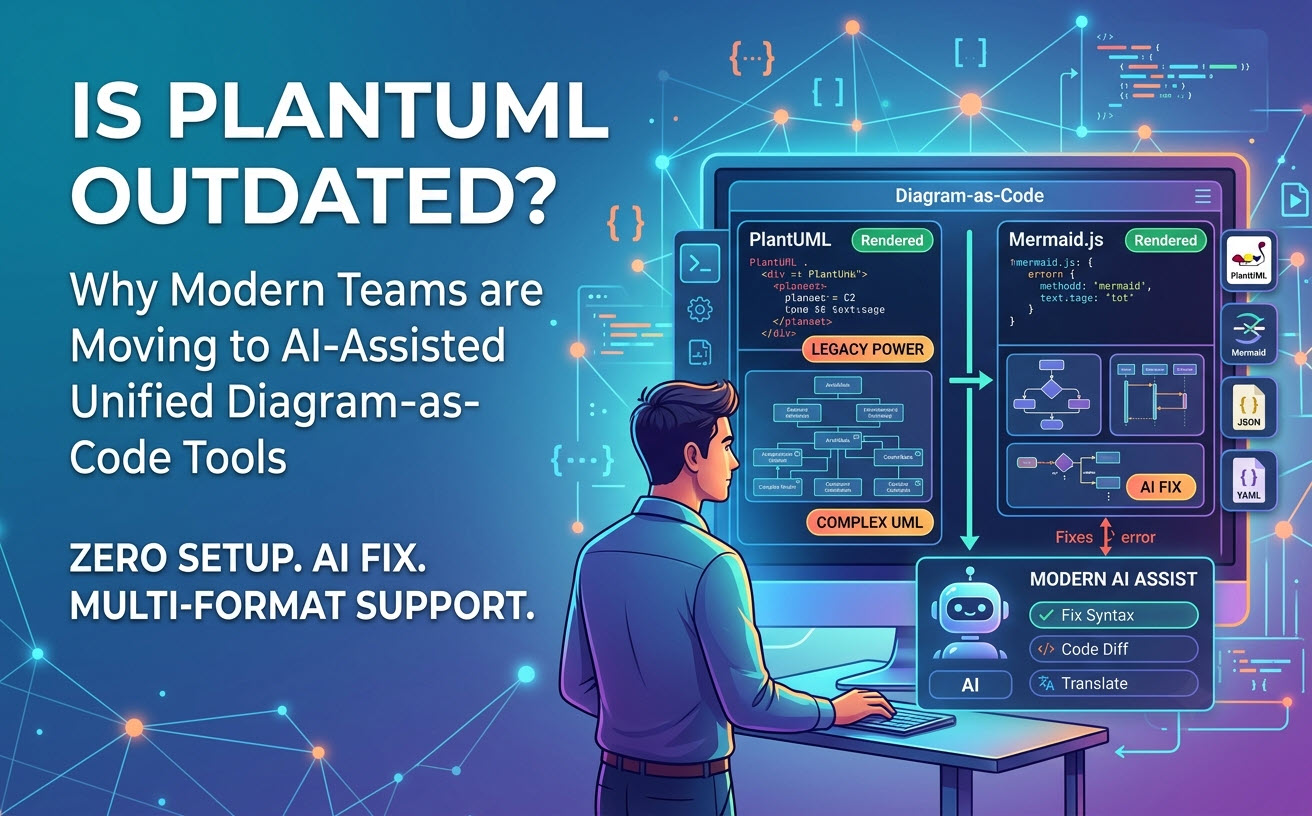
Si te estás preguntando si un editor de PlantUML sigue siendo relevante hoy en día, la respuesta corta es no, PlantUML no ha muerto, pero la forma en que los desarrolladores lo utilizan ha cambiado fundamentalmente. Aunque motores de sintaxis más nuevos como Mermaid.js han ganado popularidad para documentación ligera, PlantUML sigue siendo el estándar de oro para la arquitectura de software empresarial, el modelado UML complejo y el diseño profundo de sistemas técnicos. Además, con mejoras recientes como las descritas en nuestro Gran actualización de VPasCode: Genera y modifica diagramas instantáneamente con IA, aprovechar PlantUML es más rápido e intuitivo que nunca.
La respuesta breve: ¿Vale la pena PlantUML hoy en día?
PlantUML sigue siendo altamente relevante en 2026 para el diagramado complejo y a gran escala, pero su flujo de trabajo de configuración local tradicional está obsoleto. Los desarrolladores ya no quieren gestionar entornos de ejecución locales de Java o dependencias de Graphviz solo para renderizar un diagrama de secuencia. Los equipos modernos requieren un editor de editor de diagramado como código que admita PlantUML junto con formatos de sintaxis más nuevos, sin necesidad de configuración y con capacidades de IA nativas integradas.
Por qué los desarrolladores están cuestionando el futuro de PlantUML
La frustración en torno a PlantUML rara vez proviene de sus capacidades de modelado estructural. En cambio, surge de las expectativas modernas sobre la experiencia del desarrollador, la fricción en la configuración y la estética visual.
Dependencias de Java y fricción en la configuración local
Históricamente, ejecutar PlantUML localmente requería instalar un Kit de Desarrollo de Java (JDK) junto con Graphviz. En entornos de desarrollo modernos nativos de la nube, contenedores de desarrollo contenerizados o equipos de ingeniería de rápido movimiento, configurar tuberías de renderizado locales genera fricción innecesaria.
Competidores modernos de DSL frente a sintaxis heredada
Marcos como Mermaid.js han ganado una adopción masiva porque se renderizan nativamente en navegadores web utilizando JavaScript y se integran directamente en plataformas como GitHub y Notion. La sintaxis de PlantUML, aunque expresiva, puede parecer verbosa para bocetos rápidos e informales.
UI/UX y estética de renderizado predeterminada
Fuera de la caja, los diagramas estándar de PlantUML presentan parámetros de piel clásicos que parecen anticuados en comparación con el estilo limpio y minimalista que se encuentra en sitios modernos de documentación técnica.
Dónde PlantUML aún domina las pilas tecnológicas modernas
A pesar de la competencia, PlantUML conserva ventajas claras que las herramientas de diagramado web nativo más simples no pueden replicar.
Cobertura arquitectónica inigualable (ArchiMate, C4, UML complejo)
PlantUML admite una amplia gama de marcos arquitectónicos, incluidas representaciones del modelo C4, ArchiMate, diagramas de temporización, Chen ERD, WBS y gráficos de Gantt. Para arquitectos de software que construyen modelos empresariales detallados, las alternativas más simples a menudo alcanzan un límite de características.
PlantUML frente a motores modernos de diagramado como código
Entender dónde brilla cada herramienta ayuda a los equipos de ingeniería a elegir el flujo de trabajo adecuado para su pila técnica:
| Capacidad | PlantUML | Mermaid.js | Editores unificados modernos |
|---|---|---|---|
| Mejor utilizado para | Arquitectura empresarial, C4, UML complejo | Documentación rápida, GitHub Markdown, diagramas de flujo simples | Renderizado multi-formato y edición asistida por IA |
| Motor de renderizado | Backend Java / Graphviz | JavaScript nativo del navegador | Renderizador en la nube instantáneo con múltiples motores |
| Configuración requerida | Alta (JDK local/Graphviz) o servidor API | Cero (en el navegador) | Cero (aplicaciones web en el navegador) |
| Soporte avanzado de sintaxis | Extensivo (ArchiMate, C4, Estado, Temporización) | Moderado (Diagrama de flujo, Secuencia, DER) | Soporte completo en todos los principales lenguajes específicos de dominio (DSL) |
La solución real: moderniza tu flujo de trabajo, no abandones PlantUML
No necesitas reescribir tus scripts heredados de PlantUML a otro lenguaje para obtener una experiencia de desarrollador moderna. La solución es adoptar un entorno en línea flexible que elimine los puntos de dolor de la configuración local mientras te da acceso a herramientas de desarrollo de próxima generación.
Eliminando la fricción de configuración con renderizado en línea sin instalación
Al mover el renderizado de diagramas a un editor nativo de la nube, los desarrolladores eliminan el mantenimiento de Java y Graphviz mientras mantienen una compatibilidad completa con los existentes .puml bases de código.
Atravesando la brecha de sintaxis con detección automática de formato
Los ingenieros a menudo trabajan en múltiples proyectos utilizando diferentes lenguajes específicos de dominio (DSL). Las plataformas modernas eliminan los menús de selección de idiomas detectando automáticamente si las entradas de script son PlantUML, Mermaid, Graphviz o formatos de datos estructurados en bruto como JSON, YAML o SQL.
Acelerando la creación y el mantenimiento con IA nativa
En lugar de comenzar desde un lienzo en blanco o ajustar manualmente líneas de sintaxis complejas, las plataformas modernas admiten generación de diagramas con IA nativa y modificación interactiva de código. Puedes escribir indicaciones en lenguaje natural (como “Generar un diagrama de casos de uso en PlantUML para un sistema de cajero automático”) o instruir a la IA para refactorizar directamente el código de arquitectura existente dentro del editor. (Nota: Las funciones avanzadas de generación, modificación y corrección de errores de diagramas con IA están disponibles en Visual Paradigm Online Deluxe Edition / Visual Paradigm Desktop Professional Edition+).
Modernice su flujo de trabajo de diagramas como código con Visual Paradigm VPasCode
Si necesita una herramienta moderna y rica en funciones PlantUMLque conecta archivos de arquitectura heredados con flujos de trabajo de desarrolladores modernos impulsados por IA, Visual Paradigm VPasCodeofrece una experiencia todo en uno en el navegador.
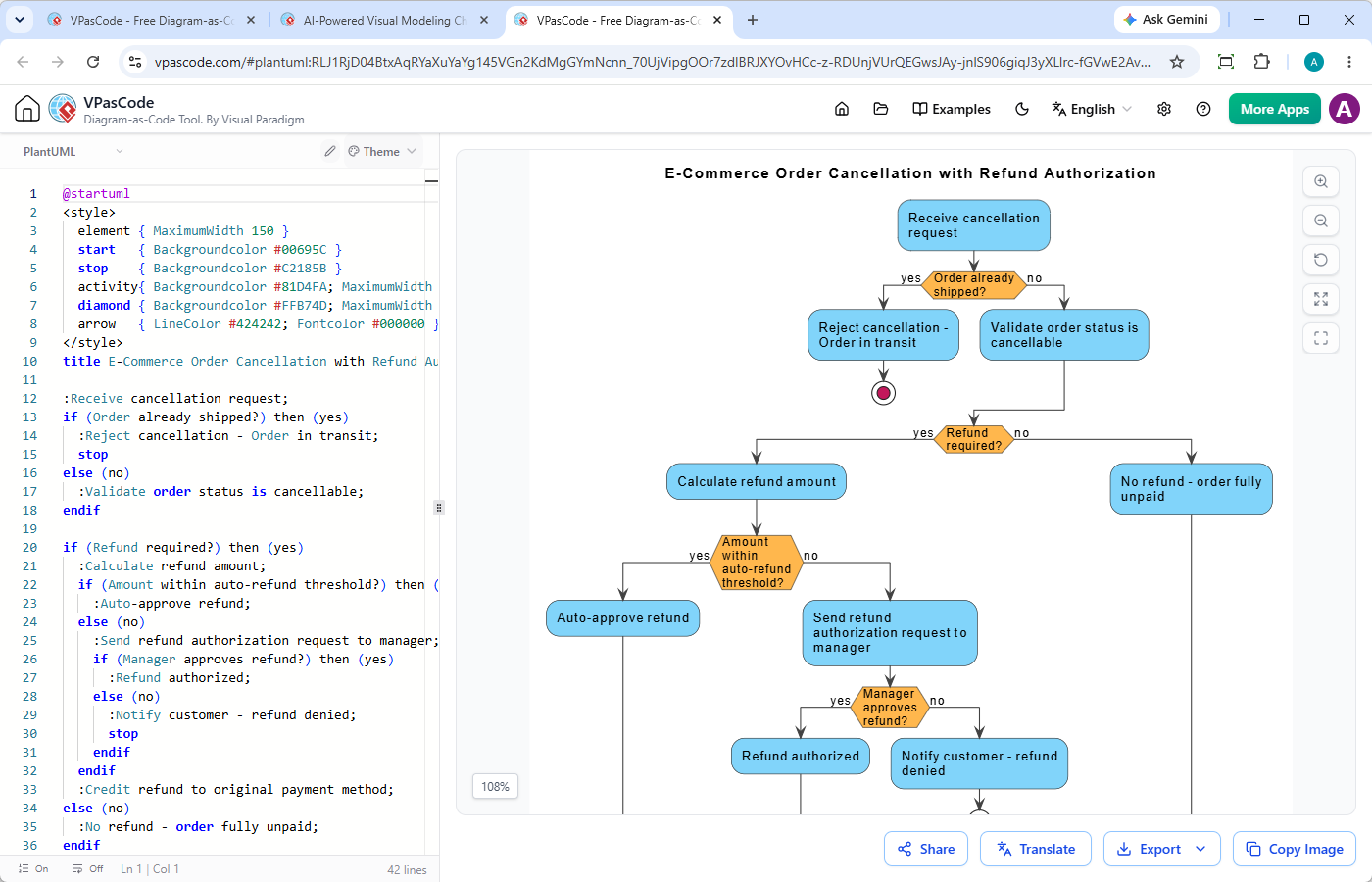
VPasCode es una plataforma unificada de diagramas como código diseñada para desarrolladores, redactores técnicos y arquitectos de software:
- Generación y modificación nativa con IA:Cree diagramas completos de PlantUML, Mermaid o Graphviz a partir de indicaciones en lenguaje natural, o instruya a la IA para que modifique el código existente al instante.
- Soporte instantáneo para múltiples DSL:Genere diagramas estándar de PlantUML (incluyendo ArchiMate, C4, Secuencia, Clase, Estado y Actividad) junto con Mermaid, Graphviz, Markmap y ECharts sin cambiar de herramienta.
- Detección automática de lenguaje:Pegue su script directamente en el editor: VPasCode reconoce instantáneamente el formato DSL y genera vistas previas en vivo en tiempo real.
- Corrección de errores de código con IA y comparación de código:Resuelva la sintaxis rota con un solo clic en “Corregir con IA”, acompañado de comparaciones de código lado a lado que le ayudan a aprender la sintaxis más rápido.
- Traducción nativa con IA:Traduzca etiquetas de diagramas y texto de documentación en varios idiomas directamente dentro del editor de código.
- Exportación y compartición sin interrupciones:Genere URLs compartibles, códigos QR directos o descargue archivos vectoriales SVG y PNG de alta resolución completamente gratis.
- Integración con OpenDocs:Conecte diagramas directamente a Visual Paradigm OpenDocs para construir sistemas de documentación de ingeniería mantenibles y completos.
Veredicto final: Cómo elegir la herramienta adecuada para su equipo
PlantUML está lejos de estar obsoleto; sigue siendo uno de los motores de texto a diagrama más potentes disponibles. Sin embargo, obligar a los desarrolladores a gestionar instalaciones locales de Java en 2026 es un cuello de botella innecesario.
Para archivos README simples, los motores de Markdown nativos funcionan bien. Para arquitectura de nivel empresarial, diagramas estructurales profundos y colaboración fluida entre equipos, el uso de un editor versátil de diagramas como códigocomo VPasCode le otorga el mismo poder de PlantUML combinado con la velocidad, la comodidad en la nube y las capacidades nativas de IA de las herramientas modernas.