
If you are asking whether a
PlantUML editor is still relevant today, the short answer is
no, PlantUML is not dead, but the way developers use it has fundamentally changed. While newer syntax engines like Mermaid.js have gained popularity for lightweight documentation, PlantUML remains the gold standard for enterprise software architecture, complex UML modeling, and deep technical systems design. Furthermore, with recent enhancements like those outlined in our
Major VPasCode Update: Generate and Modify Diagrams Instantly with AI, leveraging PlantUML is faster and more intuitive than ever.
The Short Answer: Is PlantUML Still Worth It Today?
PlantUML remains highly relevant in 2026 for complex, large-scale diagramming, but its traditional local setup workflow is outdated. Developers no longer want to manage local Java runtimes or Graphviz dependencies just to render a sequence diagram. Modern teams require a browser-based, multi-format
diagram-as-code editor that supports PlantUML alongside newer syntax formats with zero setup required and native AI capabilities built right in.
Why Developers Are Questioning PlantUML’s Future
The frustration surrounding PlantUML rarely stems from its structural modeling capabilities. Instead, it comes from modern expectations around developer experience, setup friction, and visual aesthetics.
Java Dependencies & Local Setup Friction
Historically, running PlantUML locally required installing a Java Development Kit (JDK) alongside Graphviz. In modern cloud-native development environments, containerized dev containers, or fast-moving engineering teams, configuring local rendering pipelines creates unnecessary friction.
Modern DSL Competitors vs. Legacy Syntax
Frameworks like Mermaid.js have gained massive adoption because they render natively in web browsers using JavaScript and integrate directly into platforms like GitHub and Notion. PlantUML’s syntax, while expressive, can feel verbose for quick, informal sketching.
UI/UX & Default Rendering Aesthetics
Out of the box, standard PlantUML diagrams feature classic skin parameters that look dated compared to the clean, minimalist styling found in modern technical documentation sites.
Where PlantUML Still Dominates Modern Tech Stacks
Despite competition, PlantUML retains clear advantages that simpler web-native diagramming tools cannot replicate.
Unrivaled Architectural Coverage (ArchiMate, C4, Complex UML)
PlantUML supports an extensive range of architectural frameworks—including C4 Model representations, ArchiMate, Timing diagrams, Chen ERD, WBS, and Gantt charts. For software architects building detailed enterprise models, simpler alternatives often hit a feature ceiling.
PlantUML vs. Modern Diagram-as-Code Engines
Understanding where each tool excels helps engineering teams choose the right workflow for their technical stack:
| Capability |
PlantUML |
Mermaid.js |
Modern Unified Editors |
| Best Used For |
Enterprise Architecture, C4, Complex UML |
Quick Docs, GitHub Markdown, Simple Flowcharts |
Multi-format rendering & AI-assisted editing |
| Rendering Engine |
Java / Graphviz backend |
Browser-native JavaScript |
Instant multi-engine cloud renderer |
| Setup Required |
High (Local JDK/Graphviz) or API server |
Zero (In-browser) |
Zero (In-browser web apps) |
| Advanced Syntax Support |
Extensive (ArchiMate, C4, State, Timing) |
Moderate (Flowchart, Sequence, ERD) |
Full support across all major DSLs |
The Real Solution: Modernize Your Workflow, Don’t Abandon PlantUML
You don’t need to rewrite your legacy PlantUML scripts into another language to get a modern developer experience. The solution is adopting a flexible online environment that removes local setup pain points while giving you access to next-generation developer tooling.
Eliminating Setup Friction with Zero-Install Online Rendering
By moving diagram rendering to a cloud-native editor, developers eliminate Java and Graphviz maintenance while maintaining complete compatibility with existing
.puml codebases.
Bridging the Syntax Gap with Automatic Format Detection
Engineers often work across multiple projects using different Domain Specific Languages (DSLs). Modern platforms remove language selection menus by automatically detecting whether script inputs are PlantUML, Mermaid, Graphviz, or raw structured data formats like JSON, YAML, or SQL.
Accelerating Creation and Maintenance with Native AI
Rather than starting from a blank canvas or manually tweaking complex syntax lines, modern platforms support
native AI diagram generation and interactive code modification. You can type plain-language prompts (such as
“Generate a use case diagram in PlantUML for an ATM system”) or instruct the AI to refactor existing architecture code directly within the editor.
(Note: Advanced AI diagram generation, modification, and error-fixing features are available in Visual Paradigm Online Deluxe Edition / Visual Paradigm Desktop Professional Edition+).
Modernize Your Diagram-as-Code Workflow with Visual Paradigm VPasCode
If you need a modern, feature-rich
PlantUML tool that bridges legacy architecture files with modern AI-driven developer workflows,
Visual Paradigm VPasCode delivers an all-in-one browser experience.
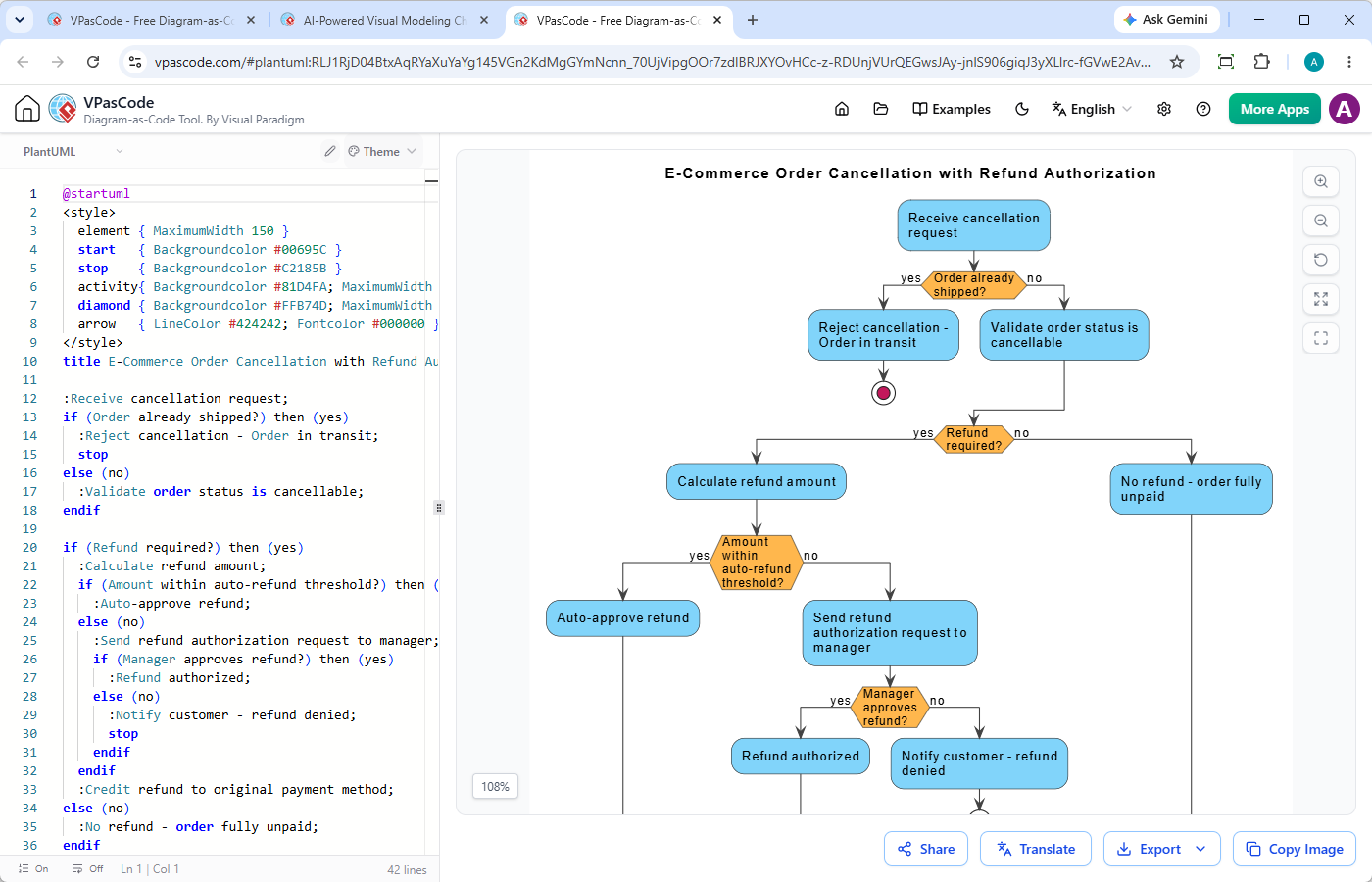
VPasCode is a unified diagram-as-code platform engineered for developers, technical writers, and software architects:
- Native AI Generation & Modification: Create full PlantUML, Mermaid, or Graphviz diagrams from natural language prompts, or instruct AI to modify existing code instantly.
- Instant Multi-DSL Support: Render standard PlantUML (including ArchiMate, C4, Sequence, Class, State, and Activity) alongside Mermaid, Graphviz, Markmap, and ECharts without changing tools.
- Automatic Language Detection: Paste your script directly into the editor—VPasCode instantly recognizes the DSL format and renders live previews in real-time.
- AI Code Error Fixing & Code Diff: Resolve broken syntax with a single click on “Fix by AI”, accompanied by side-by-side code diffs that help you learn syntax faster.
- Native AI Translation: Translate diagram labels and documentation text across multiple languages directly inside the code editor.
- Seamless Export & Sharing: Generate shareable URLs, direct QR codes, or download high-resolution vector SVG and PNG files completely free.
- OpenDocs Integration: Connect diagrams directly to Visual Paradigm OpenDocs to build maintainable, comprehensive engineering documentation systems.
Final Verdict: How to Choose the Right Tool for Your Team
PlantUML is far from outdated—it remains one of the most powerful text-to-diagram engines available. However, forcing developers to manage local Java installations in 2026 is an unnecessary bottleneck.
For simple README files, native Markdown engines work well. For enterprise-grade architecture, deep structural diagrams, and effortless team collaboration, using a versatile
diagram-as-code editor like
VPasCode gives you the exact power of PlantUML paired with the speed, cloud convenience, and native AI capabilities of modern tools.


