


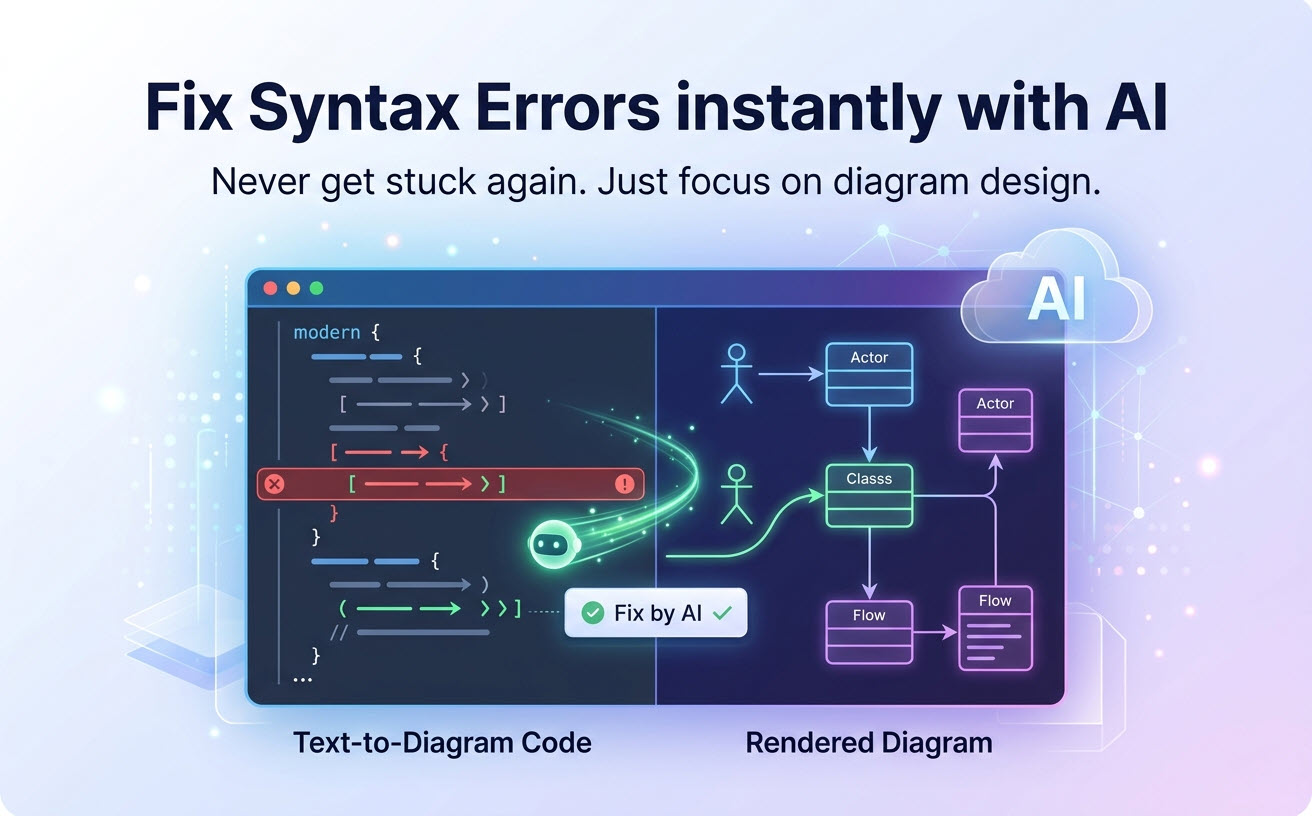
Синтаксические ошибки являются универсальным источником трения для любого инструмента для диаграмм как кода. Одна неправильно расставленная скобка, одна забытая двоеточие — и ваша изящно созданная последовательная диаграмма PlantUML превращается в загадочное сообщение об ошибке.
Эта трение нарушает рабочий процесс, отнимает время и отбивает у команд желание переходить на диаграммирование на основе текста. Будучи продвинутым решением для преобразования текста в диаграммы, VPasCode устраняет эту проблему с помощью интеллектуального помощника, который не просто указывает на ошибки, но и исправляет их, одновременно обучая вас правильному синтаксису.
Синтаксические ошибки как узкое место в рабочих процессах диаграмм как кода
Независимо от того, преобразуете ли вы текст в структуры диаграмм с помощью PlantUML, Mermaid или Graphviz, каждый синтаксис имеет свои правила. Даже опытные разработчики, использующие инструменты для диаграмм как кода, тратят значительное время на отладку. Рассмотрим следующие распространённые сценарии:
- Отсутствующий
@startumlили@endumlтег нарушает всю диаграмму - Строгие требования Mermaid к пробелам и отступам для подграфов
- Чувствительность языка DOT в Graphviz к точкам с запятой и соответствию фигурных скобок
Это не концептуальные непонимания — это механические ошибки которые прерывают творческий поток. Каждая минута, потраченная на отладку синтаксиса в вашем инструменте для диаграмм как кода, — это минута, не потраченная на проектирование архитектуры.
Человеческая цена:Исследования показывают, что переключение контекста, включая отладку синтаксиса, может стоить разработчикам до 23 минут времени концентрации. Исправление ошибок с помощью ИИ в VPasCode предотвращает это нарушение, мгновенно устраняя ошибки.
Как работает исправление ошибок с помощью ИИ в VPasCode
VPasCode интегрирует специализированный движок ИИ, разработанный для современных рабочих процессов преобразования текста в диаграммы, обученный на полных спецификациях синтаксиса PlantUML, Mermaid и Graphviz. Когда вы пишете код в этом инструменте для диаграмм как кода, ИИ непрерывно анализирует ваш ввод в реальном времени.
Процесс исправления ошибок состоит из трёх простых шагов:
- Обнаружение ошибок—ИИ выявляет нарушения синтаксиса по мере ввода, подсвечивая проблемные строки
- Мгновенное предложение исправления—Рядом с ошибкой появляется кнопка «Исправить с помощью ИИ», предлагающая решение в один клик
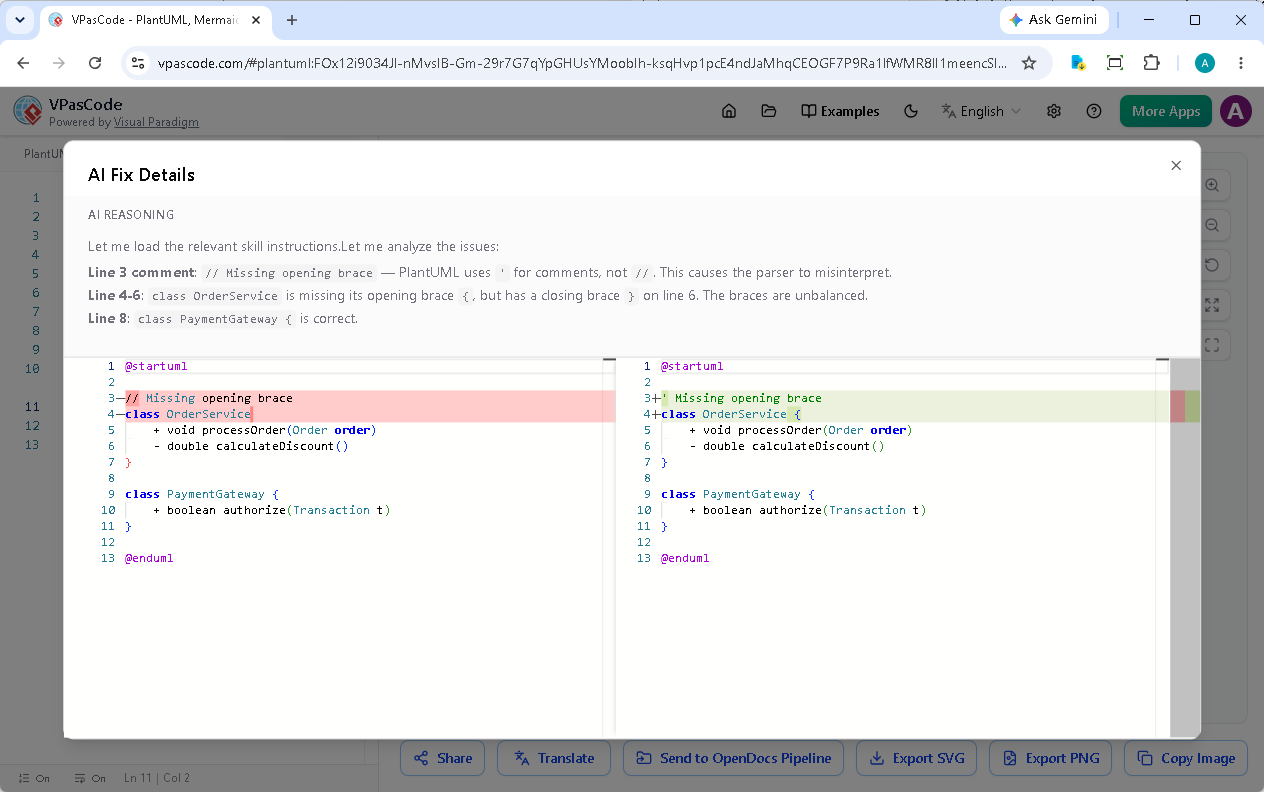
- Объяснение для обучения—После исправления ИИ показывает, в чём заключалась ошибка и почему исправление работает
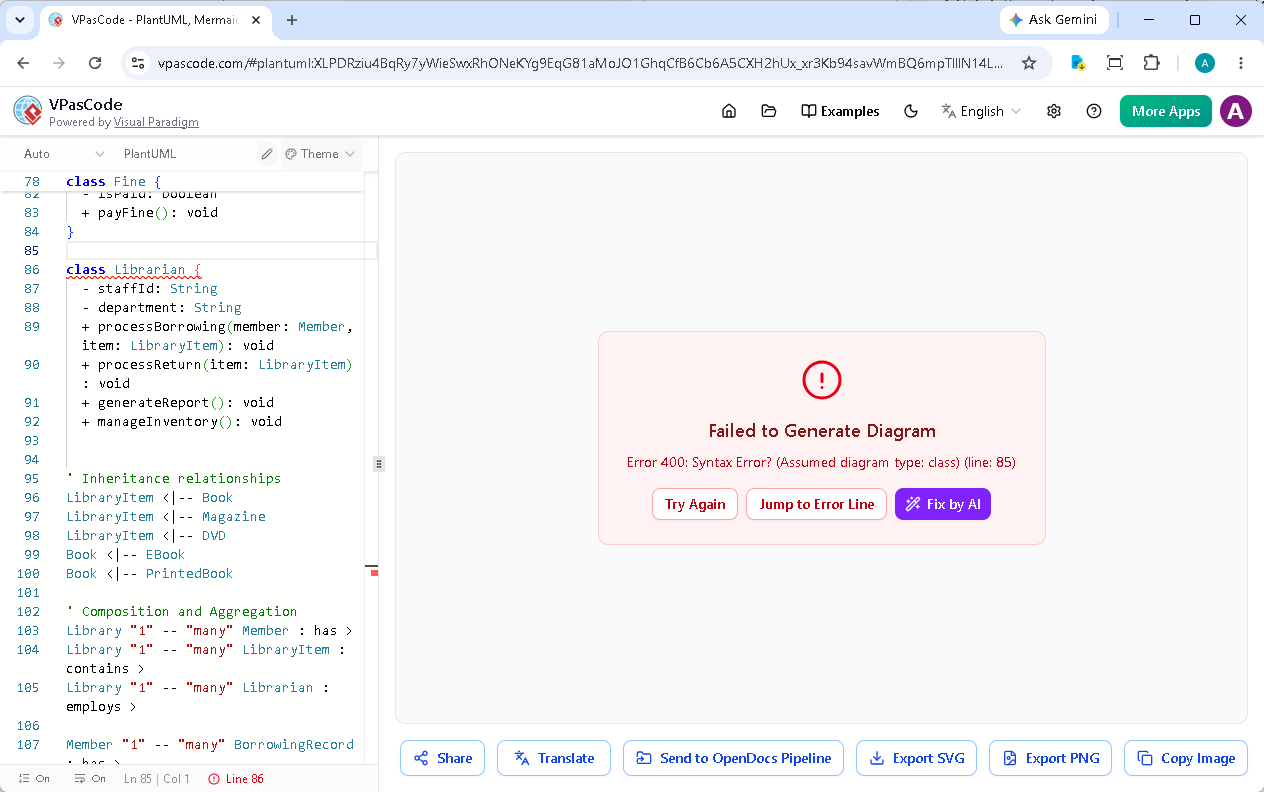
Пример: Исправление ошибки в диаграмме классов PlantUML
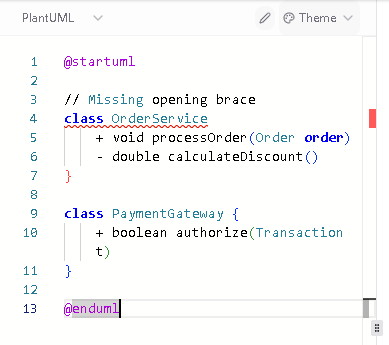
Рассмотрим типичный сценарий ошибки. Предположим, вы пишете диаграмму классов PlantUML и случайно пропускаете открывающую фигурную скобку:
@startuml

// Отсутствует открывающая фигурная скобка
class OrderService
    + void processOrder(Order order)
    - double calculateDiscount()
}

class PaymentGateway {
    + boolean authorize(Transaction t)
}

@endumlОбычно PlantUML выдаёт общую ошибку «синтаксис» без чётких указаний. Искусственный интеллект VPasCode:
- Подсвечивает место отсутствующей фигурной скобки
- Автоматически добавляет открывающую фигурную скобку при нажатии кнопки «Исправить с помощью ИИ»
Это превращает отладку из разочаровывающих догадок в активное обучение. Со временем пользователи усваивают эти паттерны и совершают меньше ошибок.
За пределами PlantUML: поддержка ИИ для нескольких синтаксисов
Искусственный интеллект VPasCode не ограничивается только PlantUML. Он так же хорошо понимает уникальные правила синтаксиса Mermaid и Graphviz, обеспечивая последовательное исправление ошибок во всех трёх движках:
- Mermaid—Решает типичные проблемы, такие как отсутствующие квадратные скобки в последовательностях, неправильная отступность в подграфах и некорректно закрытые узлы
- Graphviz—Исправляет отсутствующие точки с запятой, несоответствия скобок в определениях кластеров и ошибки форматирования меток
Эта кросс-синтаксическая способность делает VPasCode уникально ценным для команд, использующих несколько языков диаграммирования. ИИ устраняет когнитивную нагрузку, связанную с необходимостью запоминать особенности каждого языка.
Дизайн, ориентированный на обучение: почему важны пояснения
VPasCode ставит образование наравне с автоматизацией. Когда ИИ исправляет ошибку, он даёт чёткое пояснение:
- Что пошло не так—Конкретное нарушение синтаксиса
- Почему это важно—Цель правильного синтаксиса
- Советы по предотвращению—Как избежать подобных ошибок в будущем
Это превращает ИИ из костыля в постоянного спутника в обучении. Пользователи, которые часто сталкиваются с определёнными ошибками, получают повторяющиеся пояснения, что закрепляет правильное использование до тех пор, пока это не станет второй натурой.
От ошибки до исправления за секунды
Весь процесс исправления ошибок занимает несколько секунд. Вот как выглядит типичная сессия:
- Вы вставляете диаграмму последовательности PlantUML из своей кодовой базы
- Появляется ошибка синтаксиса — возможно, отсутствует объявление участника
- Вы нажимаете кнопку «Исправить с помощью ИИ»
- Ошибка устранена, и появляется объяснение
- Ваша диаграмма отображается корректно, и вы узнали что-то новое
Эта скорость превращает создание диаграмм из потенциального источника разочарования в плавный и приятный процесс.
Практические сценарии использования исправления ошибок с помощью ИИ
Использование VPasCode в качестве основного инструмента «диаграммы как код» для генерации диаграмм из текста особенно эффективно в нескольких распространённых сценариях:
- Введение новых членов команды—Новые пользователи, изучающие PlantUML или Mermaid, получают мгновенную обучающую обратную связь
- Миграция устаревших диаграмм—Конвертация старых диаграмм с устаревшим синтаксисом становится проще
- Сложные многоязычные рабочие процессы—Команды, использующие PlantUML для архитектуры и Mermaid для блок-схем, получают единообразную поддержку в обоих случаях
- Создание диаграмм с помощью ИИ—Объедините исправление ошибок с помощью ИИ в VPasCode с сгенерированными фрагментами кода от больших языковых моделей для бесшовного конвейера
Почему это важно для внедрения в корпоративном секторе
Для организаций, рассматривающих внедрение подхода «диаграммы как код», синтаксические сложности являются значительным барьером. Разработчики и архитекторы, не знакомые с PlantUML или Mermaid, сталкиваются с крутой кривой обучения.
Исправление ошибок с помощью ИИ в VPasCode снижает этот барьер, позволяя командам внедрять подход «диаграммы как код» с меньшими первоначальными затратами на обучение. Это ускоряет переход от традиционных инструментов для создания диаграмм к текстовым рабочим процессам, позволяя в полной мере воспользоваться преимуществами версионно-контролируемой документации архитектуры, готовой к работе с ИИ.
Начало работы с созданием диаграмм с помощью ИИ
Функция исправления ошибок с помощью ИИ встроена в наш бесплатный редактор для генерации диаграмм из текста. Просто посетите сайт, начните писать код вашей диаграммы и позвольте ИИ помочь вам. Этот бесплатный тариф обеспечивает немедленную ощутимую выгоду, делая использование инструмента «диаграммы как код» доступным для всех.
Для команд, требующих расширенных функций — включая повышенные лимиты использования ИИ и интеграцию с более широкой экосистемой Visual Paradigm — доступны платные тарифы через Visual Paradigm Online Combo Edition или VP Desktop Professional Edition (или выше) с активным обслуживанием.
Синтаксические ошибки не должны нарушать ваш творческий процесс. Попробуйте исправление ошибок с помощью ИИ в VPasCode на vpascode.com и измените подход к созданию диаграмм.
Попробуйте инструмент «диаграммы как код» с ИИ бесплатно
Без усилий преобразовывайте текст в макеты диаграмм и автоматически исправляйте синтаксические ошибки в реальном времени с помощью VPasCode.