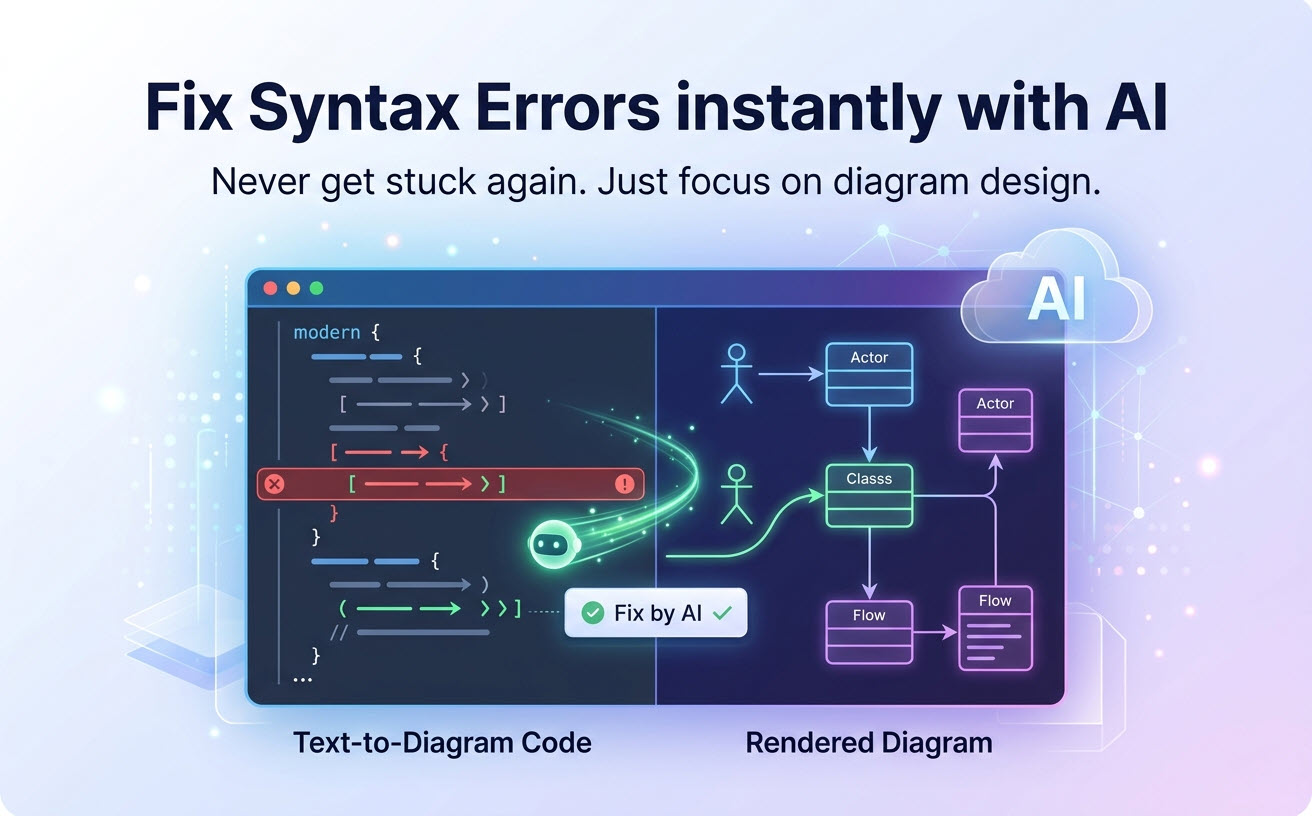
 Syntax errors are the universal friction point of any diagram-as-code tool. One misplaced bracket, one forgotten colon, and your beautifully crafted PlantUML sequence diagram collapses into a cryptic error message.
This friction breaks flow, consumes time, and discourages teams from adopting text-based diagramming. As an advanced text to diagram solution, VPasCode eliminates this pain with an intelligent assistant that doesn’t just flag errors—it fixes them while teaching you the correct syntax.
The Syntax Error Bottleneck in Diagram-as-Code Workflows
Whether you are converting text to diagram structures using PlantUML, Mermaid, or Graphviz, each syntax has its own rules. Even experienced developers using a diagram-as-code tool spend significant time debugging. Consider these common scenarios:
- A missing
@startumlor@endumltag breaks the entire diagram - Mermaid’s strict spacing and indentation requirements for subgraphs
- Graphviz DOT language’s sensitivity to semicolons and brace matching
These aren’t conceptual misunderstandings—they’re mechanical errors that interrupt creative flow. Every minute spent debugging syntax in your diagram-as-code tool is a minute not spent on architecture design.
The Human Cost: Research shows that context switching—including debugging syntax—can cost developers up to 23 minutes of focus time. VPasCode’s AI error fixing prevents this disruption by resolving errors instantly.
How VPasCode’s AI Error Fixing Works
VPasCode integrates a specialized AI engine designed for modern text to diagram workflows, trained on the full syntax specifications of PlantUML, Mermaid, and Graphviz. When you write code in this diagram-as-code tool, the AI continuously analyzes your input in real-time.
The error-fixing workflow follows three simple steps:- Error Detection—The AI identifies syntax violations as you type, highlighting problematic lines
- Instant Fix Suggestion—A “Fix by AI” button appears next to the error, offering a one-click resolution
- Learning Explanation—After fixing, the AI displays what the error was and why the correction works
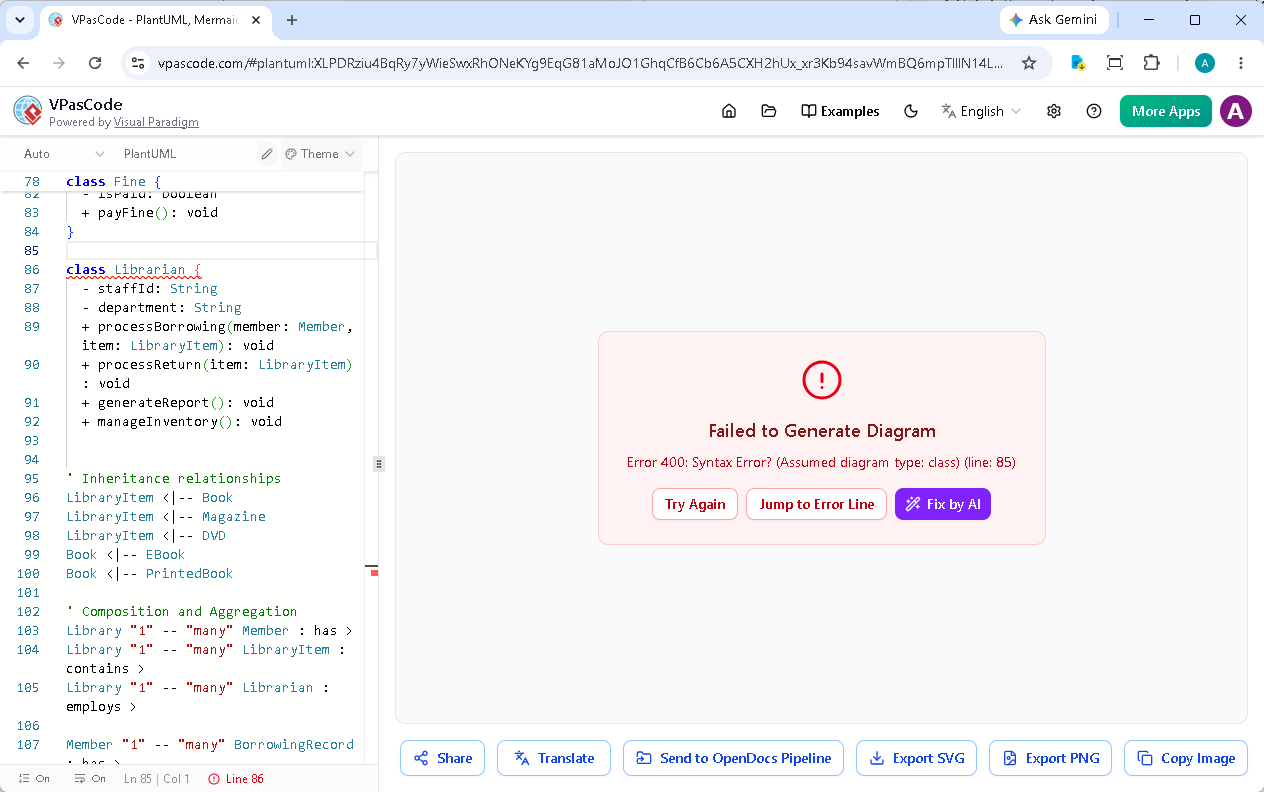
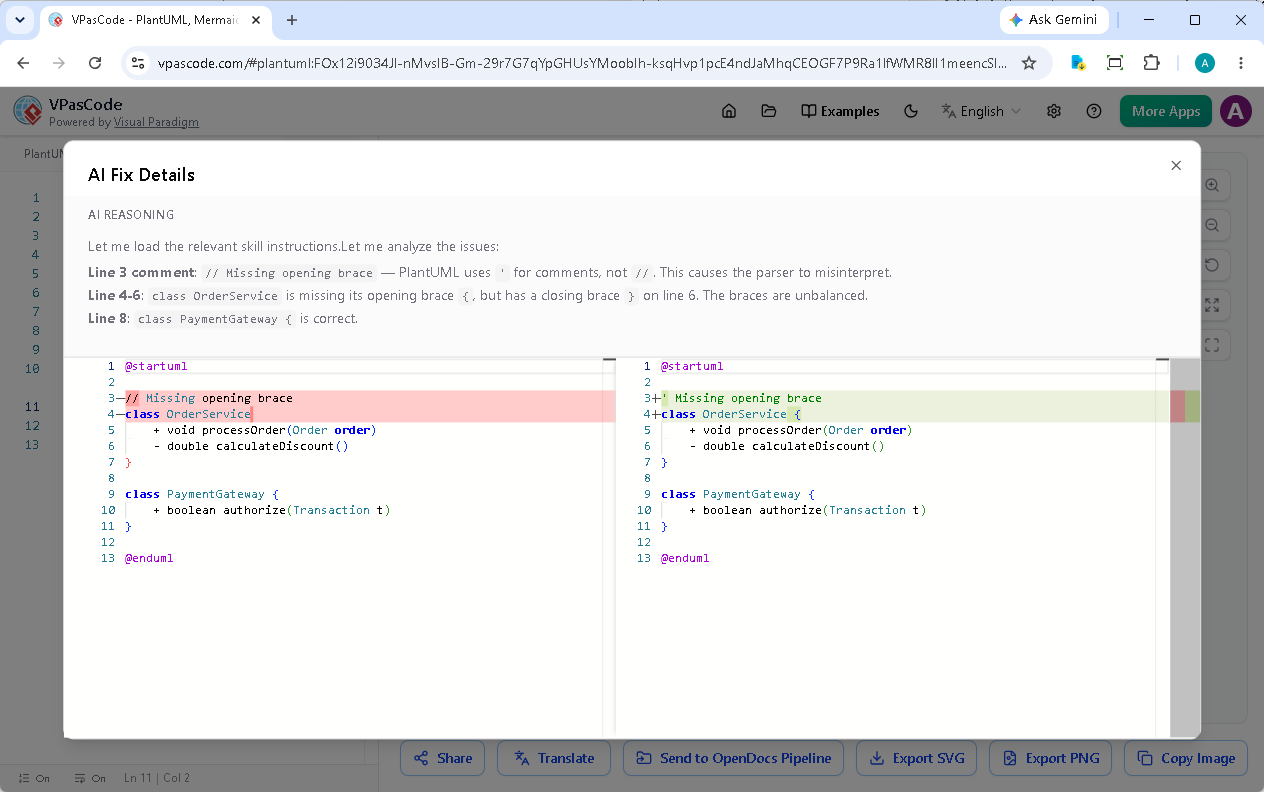
Example: Fixing a PlantUML Class Diagram Error
Let’s examine a typical error scenario. Suppose you’re writing a PlantUML class diagram and accidentally omit a opening brace:@startuml
// Missing opening brace
class OrderService
+ void processOrder(Order order)
- double calculateDiscount()
}
class PaymentGateway {
+ boolean authorize(Transaction t)
}
@enduml- Highlights the missing brace location
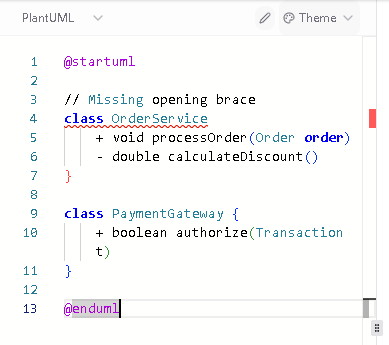
- Adds the opening brace automatically when you click “Fix by AI”
Beyond PlantUML: Multi-Syntax AI Support
VPasCode’s AI is not limited to PlantUML. It understands the unique syntax rules of Mermaid and Graphviz equally well, providing consistent error-fixing across all three engines:- Mermaid—Handles common issues like missing square brackets in sequences, incorrect indentation in subgraphs, and improperly closed nodes
- Graphviz—Corrects missing semicolons, bracket mismatches in cluster definitions, and label formatting errors
Learning-Oriented Design: Why Explanations Matter
VPasCode prioritizes education alongside automation. When the AI fixes an error, it provides a clear explanation of:- What went wrong—The specific syntax violation
- Why it matters—The purpose of the correct syntax
- Prevention tips—How to avoid similar errors in the future
From Error to Fix in Seconds
The entire error-fixing workflow takes seconds. Here’s what a typical session looks like:- You paste a PlantUML sequence diagram from your codebase
- A syntax error appears—perhaps a missing participant declaration
- You click “Fix by AI”
- The error is resolved, and an explanation appears
- Your diagram renders correctly, and you’ve learned something
Practical Use Cases for AI Error Fixing
Using VPasCode as your primary diagram-as-code tool for text to diagram generation shines in several common scenarios:- Onboarding New Team Members—New users learning PlantUML or Mermaid benefit from instant, educational feedback
- Legacy Diagram Migration—Converting older diagrams with outdated syntax becomes easier
- Complex Multi-Language Workflows—Teams using PlantUML for architecture and Mermaid for flowcharts get consistent support across both
- AI-Assisted Diagram Creation—Combine VPasCode’s AI fixing with generated code snippets from LLMs for a seamless pipeline
Why This Matters for Enterprise Adoption
For organizations considering diagram-as-code adoption, syntax friction is a significant barrier. Developers and architects who aren’t already familiar with PlantUML or Mermaid face a steep learning curve. VPasCode’s AI error fixing reduces this barrier, allowing teams to adopt diagram-as-code with lower upfront training overhead. This accelerates the transition from traditional diagramming tools to text-based workflows, enabling the full benefits of version-controlled, AI-ready architecture documentation.Getting Started with AI-Powered Diagramming
The AI error fixing feature is built into our free text to diagram editor. Simply visit the site, start writing your diagram code, and let the AI assist you. This free tier provides an immediate, tangible benefit that makes using a diagram-as-code tool accessible to everyone. For teams requiring advanced features—including higher AI usage limits and integration with Visual Paradigm’s broader ecosystem—paid tiers are available through Visual Paradigm Online Combo Edition or VP Desktop Professional Edition (or higher) with active maintenance.Syntax errors don’t have to disrupt your creative flow. Experience VPasCode’s AI error fixing at vpascode.com and transform how you create diagrams.
Try the AI Diagram-as-Code Tool Free
Effortlessly convert text to diagram layouts and automatically fix syntax errors in real time with VPasCode.
Start Diagram-as-Code for FREE