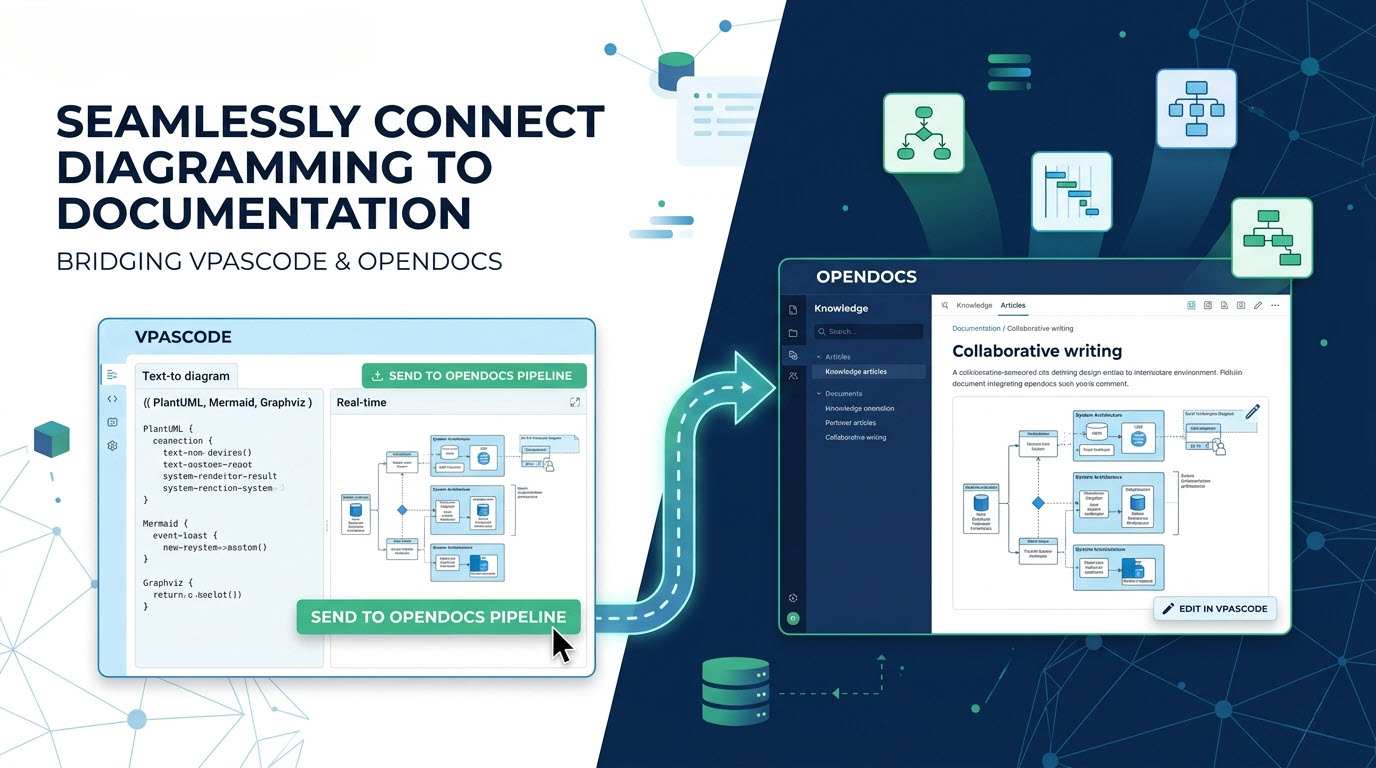
 VPasCode solves this by functioning as a versatile diagram-as-code tool that integrates directly with Visual Paradigm OpenDocs, streamlining your text to diagram workflows. This integration transforms static diagrams into living documentation assets that evolve alongside your system.
The Documentation Dilemma
Consider a typical scenario: your team creates a UML class diagram to document a new microservice architecture. The diagram is exported as a PNG and uploaded to your internal wiki. Over the next few sprints, the architecture evolves—new endpoints are added, dependencies shift, and services are refactored. The diagram, however, remains unchanged. Within weeks, it’s not just outdated; it’s actively misleading. This is known as “doc-rot”—the gradual decay of documentation accuracy over time. Traditional workflows create a vicious cycle:- Manual exports consume developer time and are prone to error
- Re-uploading on every change becomes a chore, so updates are deferred
- Outdated diagrams lead to miscommunication and architectural drift
How VPasCode Connects to OpenDocs
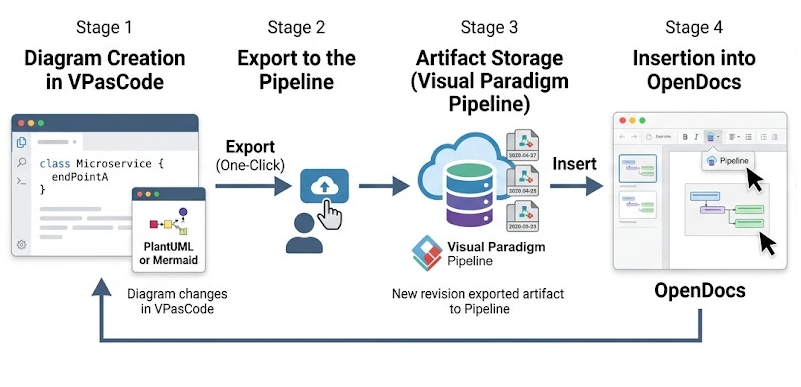
As an intuitive diagram-as-code tool, VPasCode acts as the critical bridge between text to diagram creation and documentation publication through Visual Paradigm’s Pipeline. Here’s how the workflow works:- Create Your Diagram—Create Your Diagram—Use our diagram-as-code tool to quickly convert PlantUML, Mermaid, or Graphviz text to diagram code in the VPasCode editor
- Send to Pipeline—Export your diagram to the Pipeline with a single click
- Insert into OpenDocs—Place the diagram directly into any OpenDocs document page
- Update Instantly—When the diagram changes, swap to the latest revision without re-uploading
From Concept to Docs in Seconds
The export process is remarkably simple and takes less than few seconds:Step 1: Export Your Diagram from VPasCode
Once your text to diagram code renders correctly in our diagram-as-code tool, use the export function to send it to the OpenDocs Pipeline.Step 2: Insert into Your Documentation
In OpenDocs, open the document page you want to edit. Click where you want the diagram to appear, select Pipeline from the toolbar to reveal the Pipeline pane. Your diagram will be waiting in the asset list. Click on Insert latest revision to add the image into the document.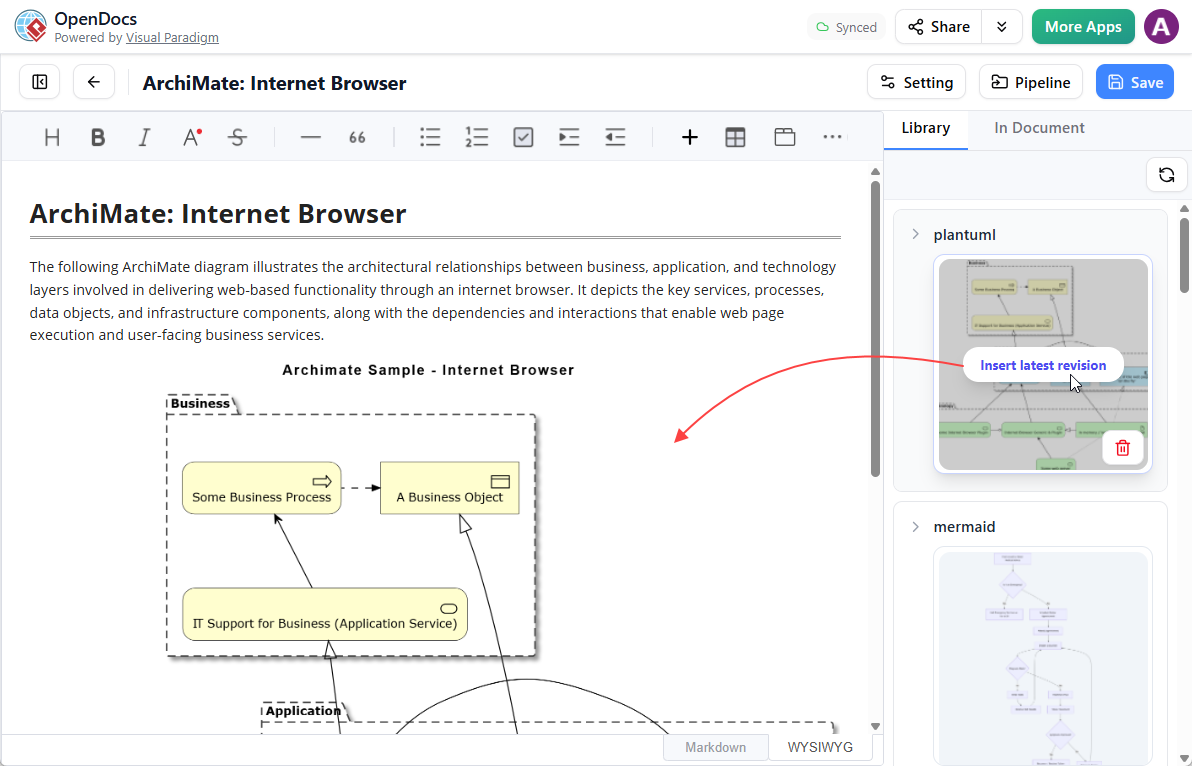
Step 3: Keep Documentation in Sync
When your architecture evolves, updating the diagram in your OpenDocs document is frictionless:- Open the source diagram in VPasCode and make your changes
- Re-export it to the Pipeline
- In OpenDocs, re-perform the previous steps to replace the image in OpenDocs.
Transforming Documentation from Static to Living
The integration between VPasCode and OpenDocs fundamentally changes the nature of documentation:Contextual Enrichment
Within OpenDocs, diagrams become part of a richer knowledge ecosystem. Teams can wrap each diagram with:- Design rationale—why specific architectural choices were made
- User stories—connecting technical implementations to business requirements
- Technical constraints—documenting limitations and assumptions
- Related resources—linking to API documentation and deployment guides
Getting Started with the Integration
To begin connecting your VPasCode diagrams to OpenDocs documentation, simply:- Create your diagram in the free VPasCode editor
- Export it to the OpenDocs Pipeline
- Insert it into your OpenDocs knowledge base
Stop treating diagrams and documentation as separate concerns. Experience our powerful diagram-as-code tool at vpascode.com to optimize your text to diagram integration with OpenDocs and transform your architecture documentation into a living asset.
Connect Your Diagrams to OpenDocs
Speed up your documentation process using a modern diagram-as-code tool that turns text to diagram code effortlessly.
Start Diagram-as-Code for FREE