The Localization Challenge in Diagramming
Consider a typical enterprise scenario: your headquarters are in Germany, with development centers in India and the United States. The architecture team in Berlin creates detailed PlantUML component diagrams with German-language labels and descriptions. Engineers in Bangalore need to understand these diagrams to implement the services, but they’re more comfortable with English. Without translation, they either:- Struggle with language barriers leading to misinterpretation of component responsibilities
- Request manual translations that delay projects and introduce errors
- Maintain separate diagrams for different regions, creating synchronization nightmares
How VPasCode’s AI Translation Works
VPasCode’s AI translation is designed specifically for diagram code. As a dedicated diagram-as-code tool, it streamline how you convert text to diagram elements without breaking syntax or rendering logic. Here’s what the translation process looks like:- Content Detection—The AI identifies all human-readable text within your diagram-as-code tool script, enabling smooth text to diagram translations for class names, descriptions, and flow chart labels.
- Contextual Translation—It translates these elements into the target language while maintaining technical terminology consistency
- Syntactical Preservation—The AI ensures that all diagram syntax remains valid and the structure is untouched
Example: Translating a PlantUML Class Diagram
Let’s examine a concrete example. Suppose you have a PlantUML class diagram with German-language labels:
PlantUML
Edit PlantUML in VPasCode
@startuml
class "Benutzerkonto" as User {
    + String benutzername
    - String passwortHash
    + boolean anmelden(String eingabe)
    + void abmelden()
}

class "Bestellung" as Order {
    + String bestellnummer
    - Date erstellungsdatum
    + double gesamtbetrag()
}

User "1" --> "0..*" Order : "erstellt und besitzt"
@enduml
PlantUML
Edit PlantUML in VPasCode
@startuml
class "User Account" as User {
    + String username
    - String passwordHash
    + boolean login(String input)
    + void logout()
}

class "Order" as Order {
    + String orderNumber
    - Date creationDate
    + double totalAmount()
}

User "1" --> "0..*" Order : "creates and owns"
@endumlBeyond Direct Translation: Maintaining Meaning
Effective diagram translation requires more than word-for-word conversion. VPasCode’s AI employs several advanced techniques:- Technical Glossary Consistency—The AI maintains consistency in technical terms, ensuring that “benutzername” always translates to “username” and not occasionally to “userName”
- Domain-Specific Understanding—It recognizes software engineering terminology and applies appropriate translations
- Contextual Sensitivity—The AI understands that the word “Klasse” in German translates to “class” in the UML context, not “category” or “type”
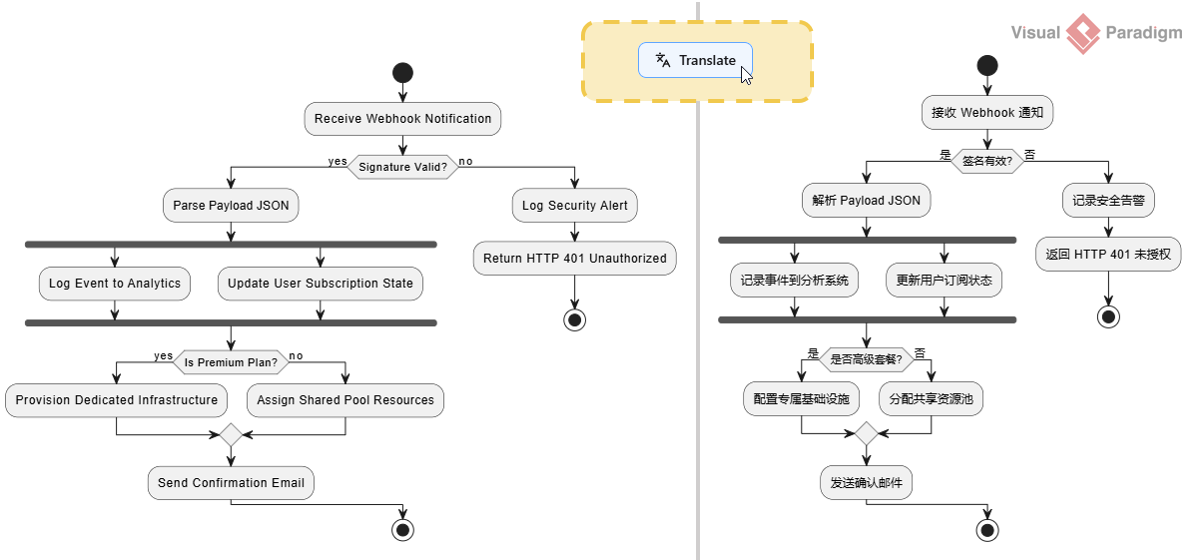
AI Translation in Action: Real-World Use Cases
The AI translation capability supports various practical scenarios across different roles and industries:Multinational Architecture Reviews
When conducting architecture reviews with stakeholders from different regions, using an AI-powered diagram-as-code tool ensures your text to diagram workflow easily adapts to each participant’s preferred language.Global Team Onboarding
New team members can translate existing architectural documentation into their primary language, dramatically accelerating the onboarding process. For distributed teams, this means new engineers can understand system architecture without waiting for manual translations.Open-Source Project Collaboration
Open-source projects with contributors from multiple countries often adopt English as the common language—but not everyone is equally fluent. Translation allows contributors to work in their most comfortable language while contributing to the project.Integrating AI Translation into Your Workflow
VPasCode’s translation feature is designed to fit seamlessly into your existing development workflow:- Code Repositories—You can maintain diagram code in one language and generate translations on-demand for specific purposes (documentation, presentations, reviews)
- Documentation Generation—When generating OpenDocs from your VPasCode diagrams, you can choose to output multilingual documentation automatically
- Collaborative Sessions—During pair programming or collaborative design sessions, participants can work in their own languages simultaneously
Connected AI Capabilities: Visual Paradigm’s AI ecosystem extends beyond translation. For example, the AI-Powered Use Case Modeling Studio can generate use case descriptions in multiple languages, which can then be complemented by VPasCode’s diagram translation to create comprehensive, multilingual documentation packages.
Language Support and Future Expansion
VPasCode’s AI translation supports a growing range of languages, including all major languages used in software development teams globally:- European Languages—English, German, French, Spanish, Italian, Portuguese
- Asian Languages—Chinese (Simplified and Traditional), Japanese, Korean
- Additional Languages—Russian, Arabic, Dutch, Polish, Swedish
Getting Started with AI Translation in VPasCode
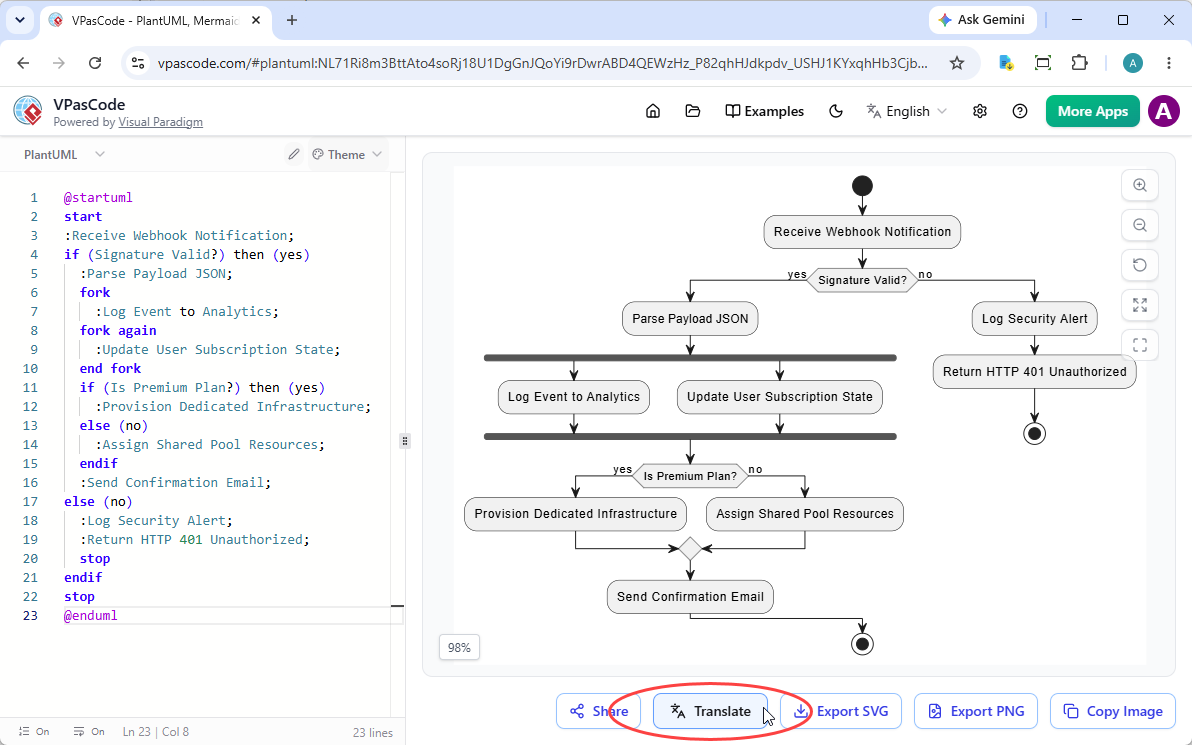
Using AI translation in the VPasCode editor is straightforward:- Create your diagram in the editor
- Locate the “Translate” button below the diagram viewer and click on it
- Select your target language from the dropdown list
- Review the translated diagram code and rendered preview
Conclusion
AI translation in VPasCode removes language barriers from software architecture, enabling truly global teams to collaborate effectively. By automatically translating diagram content while preserving structural integrity, it ensures that design decisions are communicated clearly across linguistic boundaries. Experience AI translation in action with our diagram-as-code tool at vpascode.com to transform text to diagram workflows for your global engineering teams.Translate & Collaborate with VPasCode
Streamline your text to diagram workflow with our all-in-one diagram-as-code tool featuring instant AI translation.
Start Diagram-as-Code for FREE