From Text to Vision: How VPasCode Unifies Diagram-as-Code

In modern software development, architectural diagrams are too often treated as secondary artifacts—drawn once, quickly outdated, and rarely revisited. The gap between implementation and documentation widens with every sprint, leaving teams with stale visuals that no longer reflect reality.

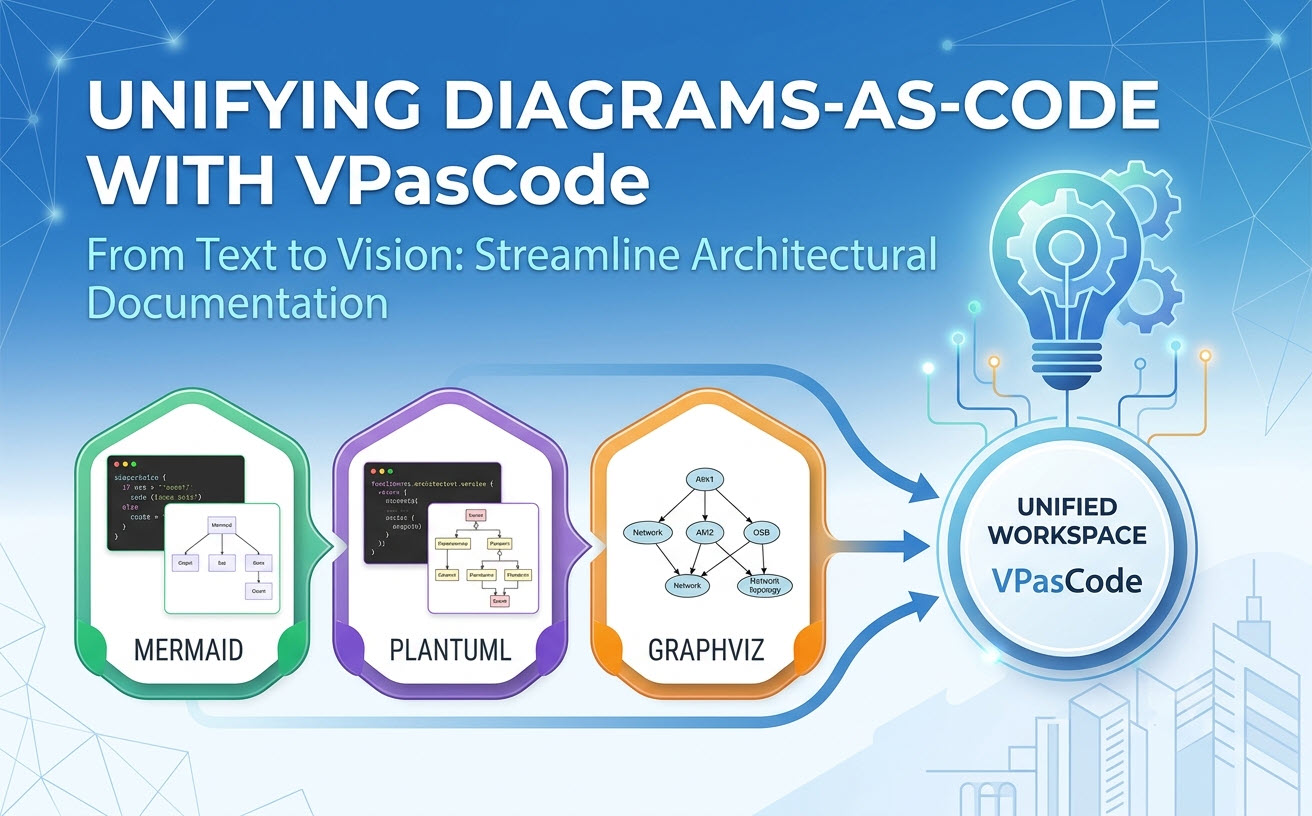
This is the problem VPasCode solves. VPasCode is Visual Paradigm’s unified diagram-as-code platform, bringing together PlantUML, Mermaid.js, and Graphviz in a single cloud-native workspace. By treating diagrams as code, it transforms documentation from a tedious afterthought into a living, version-controlled asset that evolves alongside your system.

The Documentation Gap in Modern Software Engineering

Software architecture changes daily. Pull requests merge, services scale, dependencies shift. Yet most teams rely on static diagramming tools that live outside the codebase, requiring manual updates that are inevitably postponed or forgotten.

Traditional drag-and-drop tools create several persistent challenges:

  • Version control friction—diagram files are binary or proprietary, making diffs and merges nearly impossible
  • Manual synchronization—updating diagrams requires re-drawing, not re-compiling
  • Collaboration barriers—sharing and reviewing diagrams demands exporting images or granting tool access

Diagram-as-code (DaC) eliminates these friction points by treating diagrams as plain-text artifacts that live in your repository, follow your branching strategy, and participate in your CI/CD pipeline.

Key Insight: When architecture lives as code, it becomes versioned, reviewable, automatable, and AI-ready. VPasCode embodies this shift, making diagramming an integral part of the development workflow rather than a separate documentation chore.
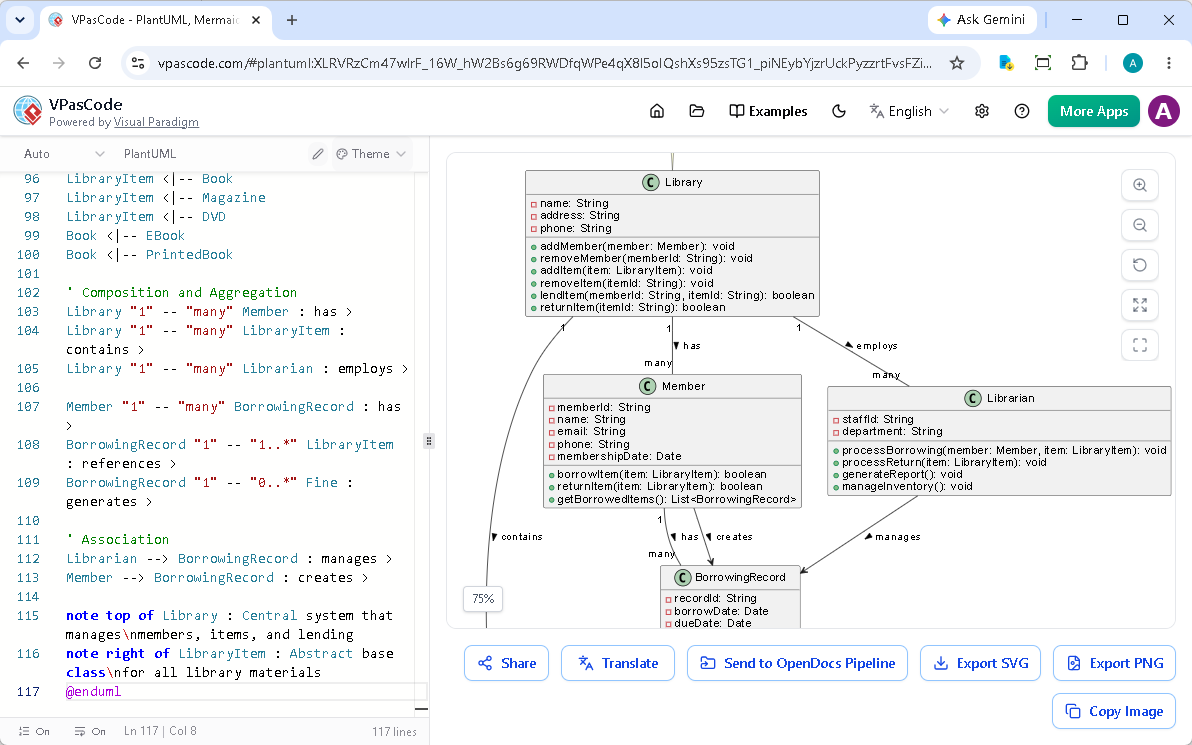
VPasCode dual-panel editor showing code on the left and real-time diagram preview on the right

Unified Engine Ecosystem: One Platform, Multiple Syntaxes

The developer community has widely adopted three powerful open-source diagramming engines, each with distinct strengths:

  • PlantUML—enterprise-grade UML compliance, ideal for class diagrams, sequence diagrams, component diagrams, and C4 models
  • Mermaid.js—lightweight, markdown-friendly syntax perfect for flowcharts, user journeys, and Git graphs
  • Graphviz (DOT)—advanced network topology, dependency graphs, and directed graphs

Historically, leveraging these engines meant juggling fragmented environments—installing local dependencies, switching between disconnected web tools, or maintaining separate workspaces for each language. VPasCode eliminates this fragmentation by unifying them in a single, cloud-native workspace that auto-detects syntax and renders instantly.

This unification delivers three tangible benefits:

  1. No syntax lock-in—teams can use the language best suited to each task without switching tools
  2. Zero local setup—no Java runtimes, Node modules, or IDE extensions required
  3. Seamless mixed workflows—Complex UML and lightweight flowcharts coexist in the same environment

Example: PlantUML Class Diagram for an E-Commerce Domain

Here’s a representative example of a PlantUML class diagram—the kind of model that serves as the foundation for code engineering and architectural documentation:

@startuml
class User {
    - String userId
    - String hashedSecret
    + Boolean verifyLogin(String input)
}

class Order {
    + String orderId
    + Date timestamp
    - Double calculateTotal()
}

User "1" --> "0..*" Order : "places and owns"
@enduml

This text snippet—immediately renderable in VPasCode—captures visibility modifiers, multiplicities, and relationships. It’s reviewable in pull requests, diffable in version control, and reproducible across environments.

For more advanced scenarios, VPasCode handles complex inheritance and interface implementations without breaking a sweat:

@startuml
interface IPaymentProcessor {
    + Boolean authorizeAmount(Double cash)
    + void captureFunds()
}

abstract class BaseGateway {
    # String merchantApiKey
    # String endpointUrl
    + void logTransaction(String payload)
}

class StripeGateway {
    - String stripeToken
    + Boolean authorizeAmount(Double cash)
    + void captureFunds()
}
BaseGateway ..|> IPaymentProcessor
StripeGateway --|> BaseGateway
@enduml

This demonstrates interface implementation, abstract classes, and inheritance—exactly the kind of structural modeling that enterprise teams rely on for system design and code generation.

AI-Readiness: Why Diagram-as-Code is the Foundation for Intelligent Modeling

Perhaps the most compelling reason to embrace diagram-as-code is its native compatibility with Artificial Intelligence. Large language models excel at generating and interpreting structured text—but struggle with visual canvases. DaC bridges this gap.

Consider this natural language description:

“Create a microservice pipeline where an API gateway routes requests to a user service with a Redis cache.”

An AI assistant can instantly translate this into precise Mermaid syntax:

graph TD
    A[Client Request] --> B{API Gateway}
    B --> |Valid Token| C[Auth Service]
    B --> |Invalid Token| D[Access Denied]
    C --> E[(User Database)]

This synergy unlocks powerful capabilities:

  • AI-assisted diagram generation—describe your architecture in plain English, get a structured diagram instantly
  • Automated documentation—AI can transform existing diagrams into structured textual reports for specifications, test cases, or design documents
  • Conversational architecture design—iterate on designs through natural language prompts rather than manual dragging

Related Capability: Visual Paradigm’s AI ecosystem extends beyond VPasCode. Tools like the Use Case Modeling Studio generate Activity Diagrams directly from use case descriptions, while the C4 PlantUML Studio guides teams through architectural modeling with step-by-step AI assistance. These integrated AI features complement VPasCode’s code-to-diagram workflow.

From Zero to Diagram in 60 Seconds

VPasCode is entirely cloud-native—no installation, no configuration. Here’s the quickstart path:

  1. Open the live editor—access the VPasCode playground in your browser
  2. Paste or write your code—VPasCode auto-detects PlantUML, Mermaid, or Graphviz syntax
  3. Export and share—download SVG or PNG, or copy a shareable URL (diagram text encoded directly in the URL, zero database storage)
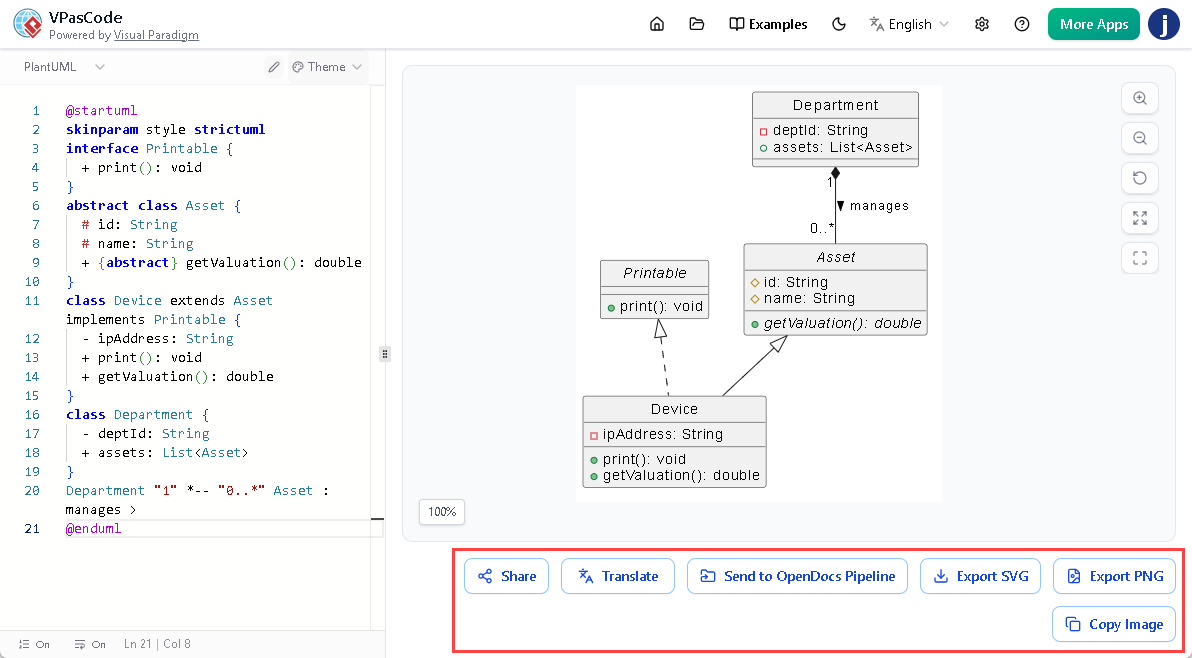

VPasCode toolbar showing export options for SVG, PNG, and shareable URL

Connecting to the Visual Paradigm Ecosystem

VPasCode integrates seamlessly with Visual Paradigm OpenDocs, allowing diagrams to be embedded directly into documentation workflows—from specifications to user guides. For teams using Visual Paradigm Desktop, models created through VPasCode can transition to code engineering, preserving traceability from architecture to implementation.

This means your diagram-as-code assets aren’t isolated artifacts—they become part of a comprehensive modeling ecosystem that spans design, documentation, and code generation.

Best Practices for Production-Ready Diagrams

To maximize the value of diagram-as-code workflows, consider these practices that have emerged from enterprise adoption:

  • Separate concerns with abstract classes and interfaces—use abstract class and interface keywords to visually distinguish structural boundaries from concrete implementations
  • Label multiplicities explicitly—add cardinality markers (“1”, “0..*”) to relationship arrows to make data constraints clear for developers and reviewers
  • Embed diagrams in documentation—use exported SVGs or direct VPasCode links in README files, Confluence pages, and engineering wikis
  • Leverage AI prompting—train your team to describe architectures in natural language, using AI assistants to generate initial DaC syntax

The Future of Architecture Documentation is Text-Driven

VPasCode represents more than a new tool—it embodies a paradigm shift in how engineering teams conceptualize, communicate, and maintain system architecture.

By embracing diagram-as-code, organizations gain:

  • Agility—diagrams evolve alongside code with no manual synchronization overhead
  • Consistency—automated layout and styling eliminate visual debt across documentation
  • AI-readiness—structured syntax unlocks the full potential of LLMs for architecture generation and analysis
  • Accessibility—cloud-native, zero-install deployment lowers adoption barriers across roles and locations

The message is clear: when architecture lives as code, it becomes versioned, reviewable, automatable, and AI-friendly. VPasCode doesn’t just draw diagrams—it future-proofs your engineering documentation.


Ready to experience diagram-as-code? Try VPasCode‘s free editor to create your first diagram in 60 seconds. Paid features are available through Visual Paradigm Online Combo Edition or VP Desktop Professional Edition (or higher) with active maintenance.

Scroll to Top