Starting a technical diagram from scratch is often one of the most time-consuming parts of software architecture and system design. Staring at an empty canvas, trying to remember specific domain-specific syntax, or manually placing shapes can quickly stall productivity. Visual Paradigm’s VPasCode has introduced a major upgrade to solve this exact challenge: direct AI diagram generation paired with real-time code modification.
Known primarily as a free, high-performance diagram as code tool, VPasCode enables developers, system architects, and technical writers to write scripts and visualize systems instantly. With the addition of its conversational AI engine, users can now go from a quick conceptual prompt to a fully rendered visual model in seconds.
The End of Blank-Canvas Friction in Technical Documentation
Traditional visual modeling usually forces teams into one of two paths: drag-and-drop tools that require tedious alignment, or manual code editors that demand memorization of various Domain-Specific Languages (DSLs). VPasCode bridges this gap by acting as an all-in-one AI diagram editor that writes, renders, and modifies diagram scripts automatically.
Whether a project requires an AI PlantUML tool, an AI Mermaid generator, or dynamic mind maps via Graphviz and Markmap, VPasCode removes the syntax barrier. Technical creators can focus entirely on system architecture rather than line-by-line syntax rules.
How the Instant AI Diagram Generator Works
The feature is designed to fit directly into an engineer’s existing workflow without complex setup or mandatory local installations.
Creating a new visual spec involves a few simple steps within the web editor:
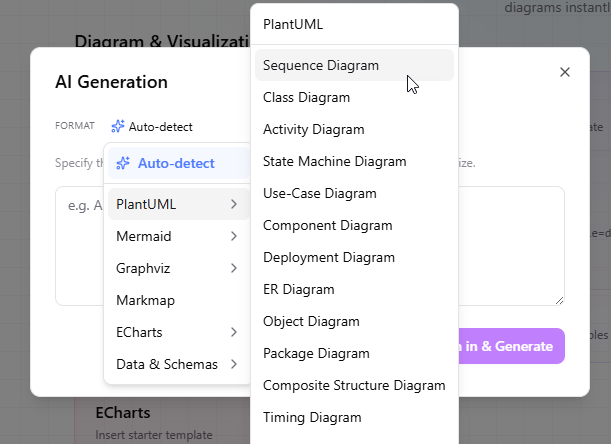
- Access the Generator: Click the AI Generate option located on the top toolbar of the editor.

- Format Selection: By default, the engine uses automatic format detection. However, users can manually select target outputs such as PlantUML (Sequence, Class, C4, Activity), Mermaid (Flowcharts, ERD, State), ECharts, or structural data formats (JSON, YAML, SQL).
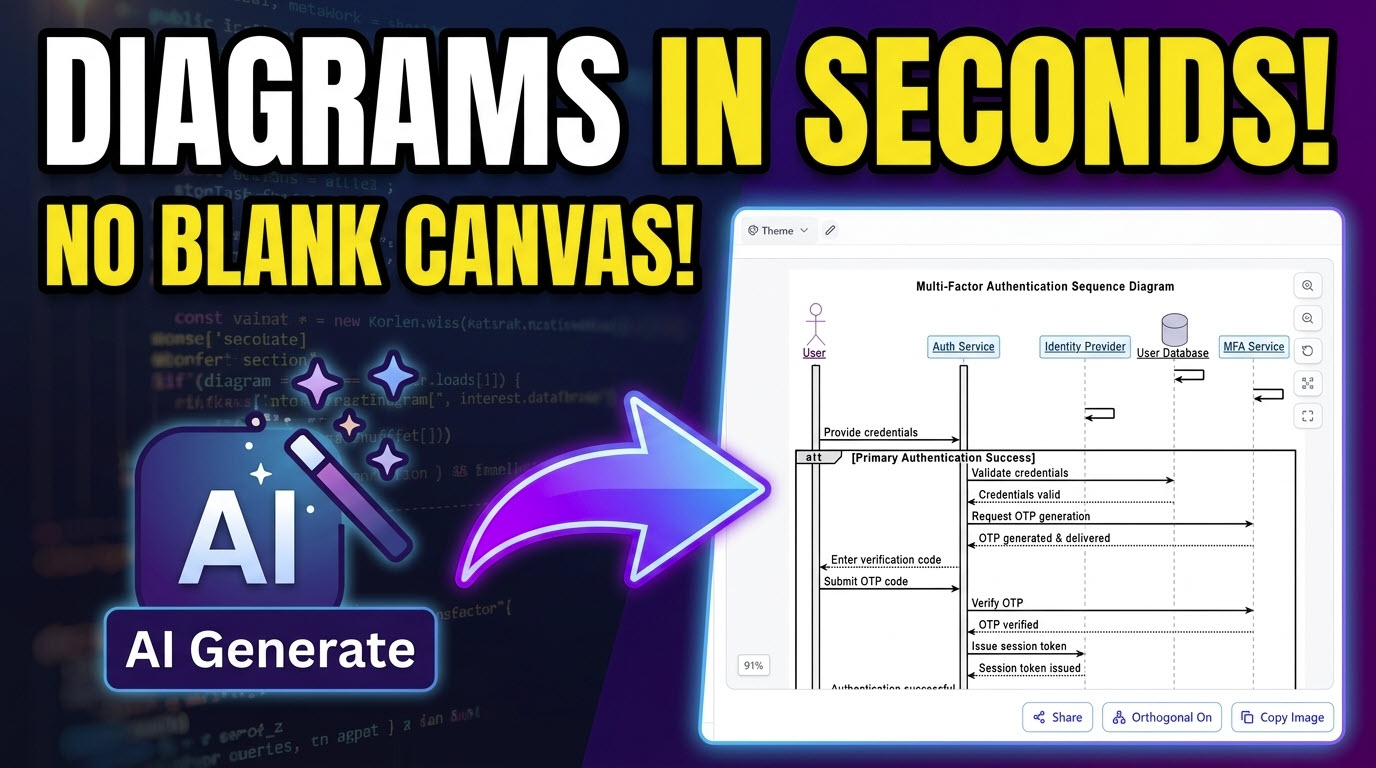
- Provide a Prompt: Type a plain-English description of the desired workflow or structure. For example, asking the tool to “Generate a sequence diagram for a multi-factor authentication flow” provides enough context for the engine.
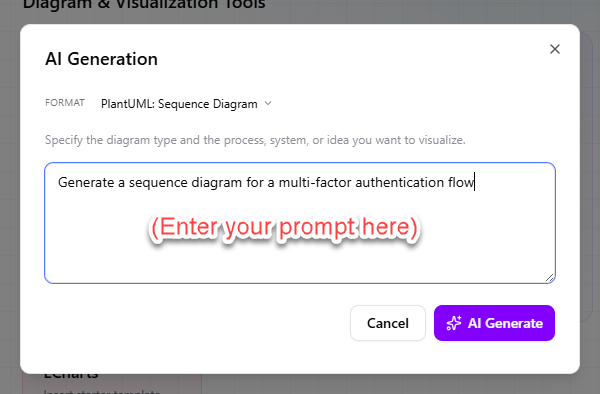
- Render and Edit: The platform instantly generates the raw code on the left pane while simultaneously displaying the live visual preview on the right.
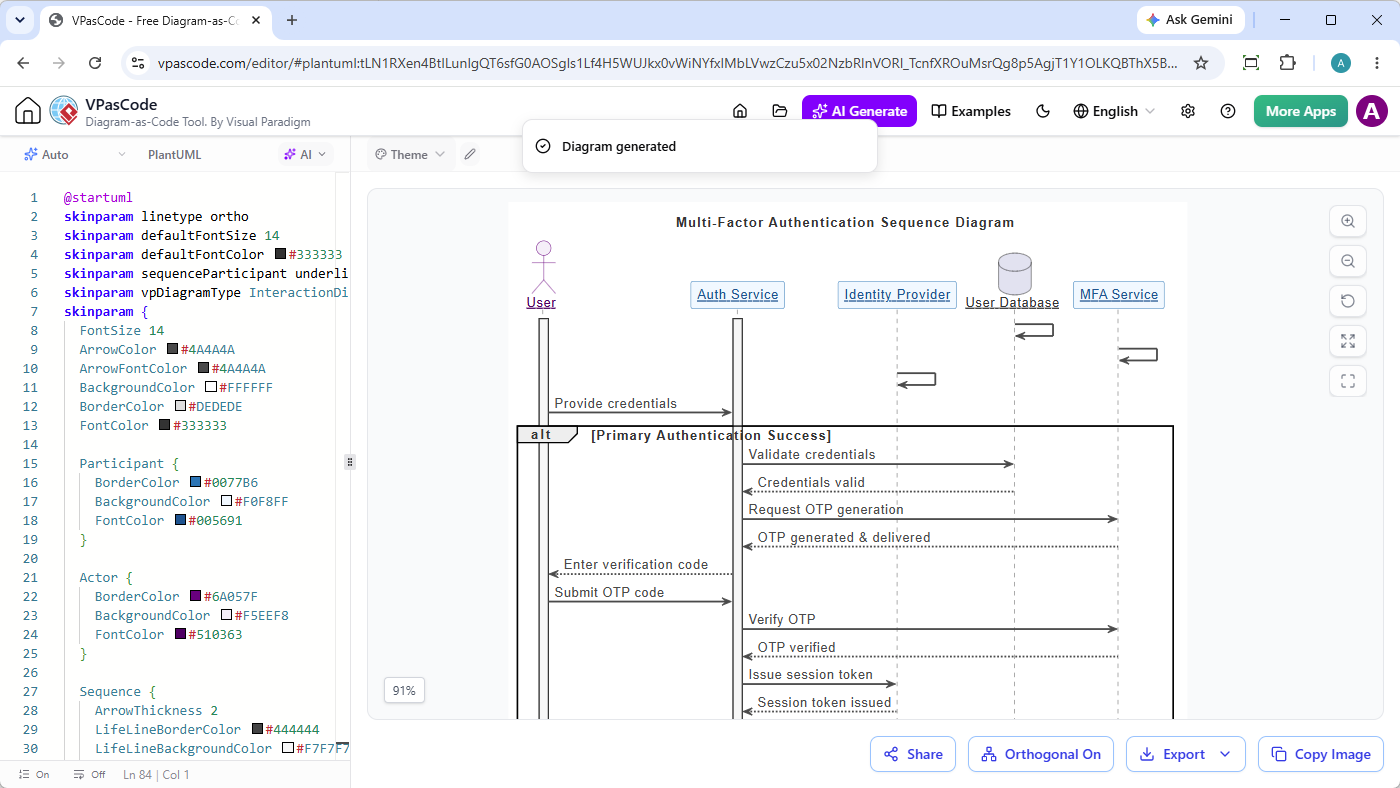 Plantuml Edit Plantuml in VPasCodePlantUML Edit PlantUML in VPasCode
@startuml skinparam linetype ortho skinparam defaultFontSize 14 skinparam defaultFontColor #333333 skinparam sequenceParticipant underline skinparam vpDiagramType InteractionDiagram skinparam { FontSize 14 ArrowColor #4A4A4A ArrowFontColor #4A4A4A BackgroundColor #FFFFFF BorderColor #DEDEDE FontColor #333333 Participant { BorderColor #0077B6 BackgroundColor #F0F8FF FontColor #005691 } Actor { BorderColor #6A057F BackgroundColor #F5EEF8 FontColor #510363 } Sequence { ArrowThickness 2 LifeLineBorderColor #444444 LifeLineBackgroundColor #F7F7F7 BoxBorderColor #AAAAAA BoxBackgroundColor #FFFFFF BoxFontColor #333333 } } title Multi-Factor Authentication Sequence Diagram actor "User" as USR participant "Auth Service" as AUTH participant "Identity Provider" as IDP database "User Database" as DB participant "MFA Service" as MFA activate USR activate AUTH DB -> DB MFA -> MFA IDP -> IDP USR -> AUTH : Provide credentials alt Primary Authentication Success AUTH -> DB : Validate credentials DB --> AUTH : Credentials valid AUTH -> MFA : Request OTP generation MFA --> AUTH : OTP generated & delivered AUTH --> USR : Enter verification code USR -> AUTH : Submit OTP code AUTH -> MFA : Verify OTP MFA --> AUTH : OTP verified AUTH -> IDP : Issue session token IDP --> AUTH : Session token issued AUTH --> USR : Authentication successful else Primary Authentication Failure AUTH -> DB : Validate credentials DB --> AUTH : Credentials invalid AUTH --> USR : Invalid credentials else MFA Verification Error AUTH -> DB : Validate credentials DB --> AUTH : Credentials valid AUTH -> MFA : Request OTP generation MFA --> AUTH : OTP generated & delivered AUTH --> USR : Enter verification code USR -> AUTH : Submit wrong OTP code AUTH -> MFA : Verify OTP MFA --> AUTH : OTP mismatch AUTH --> USR : Verification failed, retry end deactivate USR deactivate AUTH @enduml
Interactive Modification: Refactoring Existing Code
Generating an initial diagram is only half the battle. Software systems evolve continuously, requiring updates to sequence flows, database schemas, and component maps. Beyond standard prompt-to-diagram capabilities, VPasCode functions as an interactive AI code modification tool.
Engineers can highlight an existing script and pass natural language refactoring instructions—such as adding failure handling branches, converting class diagrams into C4 container models, or consolidating redundant service steps.
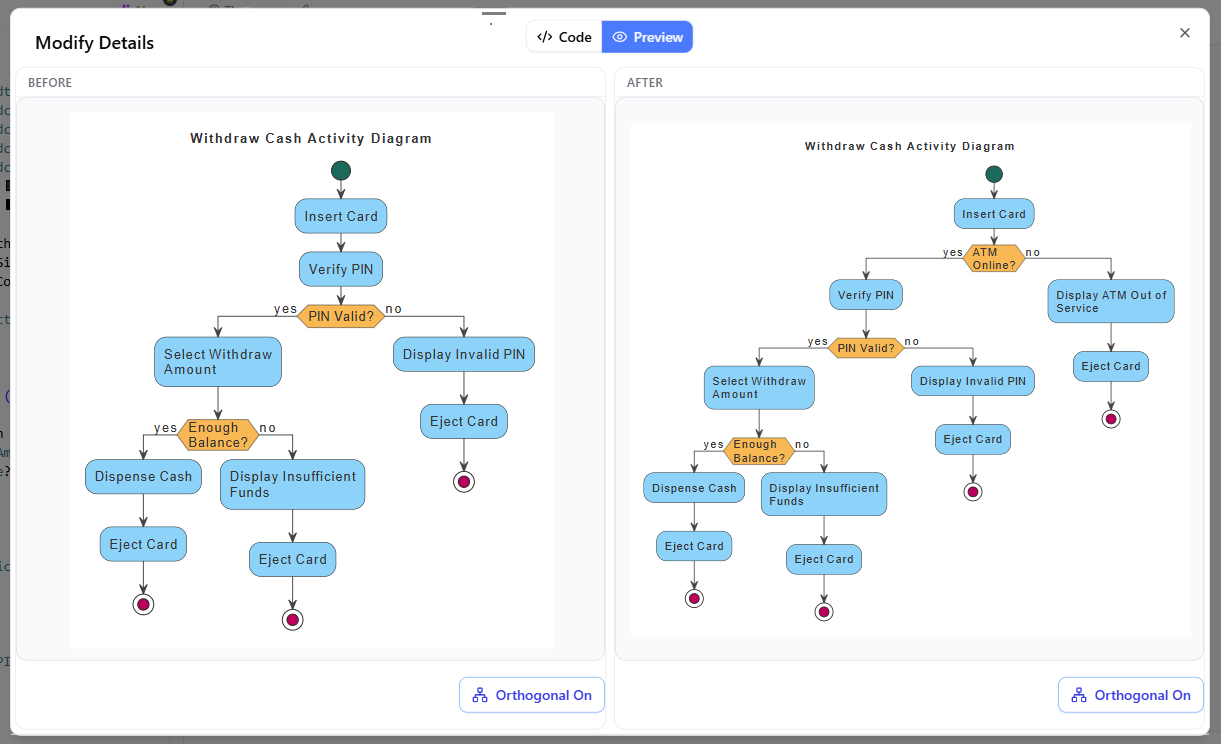
To ensure accuracy, the platform features a side-by-side visual code diff tool. Clicking “View Details” opens a comparative view showing line-by-line code adjustments alongside a before-and-after visual inspection window. This guarantees that AI-assisted edits remain transparent, predictable, and fully under developer control.
Why Engineering Teams Are Adopting AI-Assisted Diagramming
- Accelerated Onboarding & Documentation: Teams can document complex microservice interactions or database relationships in under a minute during design reviews.
- Full Ownership of Code: Unlike static AI image generators, VPasCode yields standard, human-readable text scripts that can be version-controlled in Git, exported to SVG/PNG, or embedded into documentation suites like Visual Paradigm OpenDocs.
- Built-in Error Recovery: If hand-written or generated code encounters syntax errors, the built-in AI error fixing tool pinpoints issues and applies corrections automatically.
By blending full conversational generation with precise script-level editing, VPasCode modernizes technical documentation for modern development teams. You can try the features directly in your browser by visiting the VPasCode Diagram Editor.