Supercharge Your Technical Workflow with
AI-Powered & Advanced
Productivity Features
AI Chatbot Integration
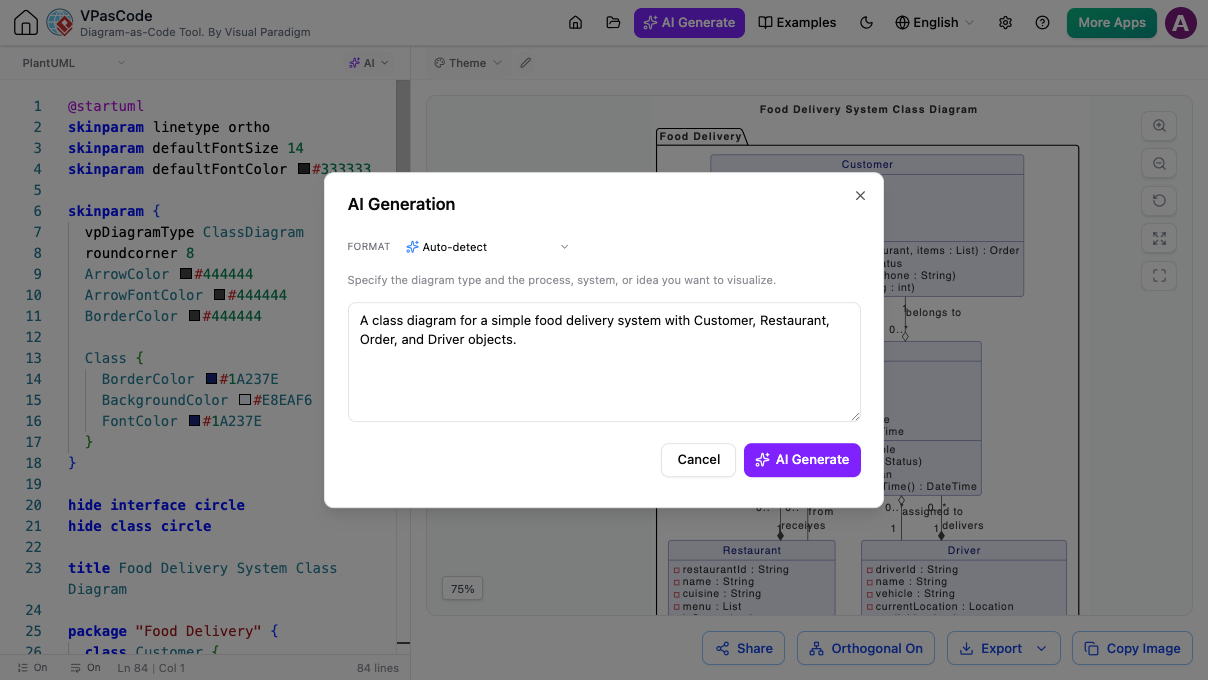
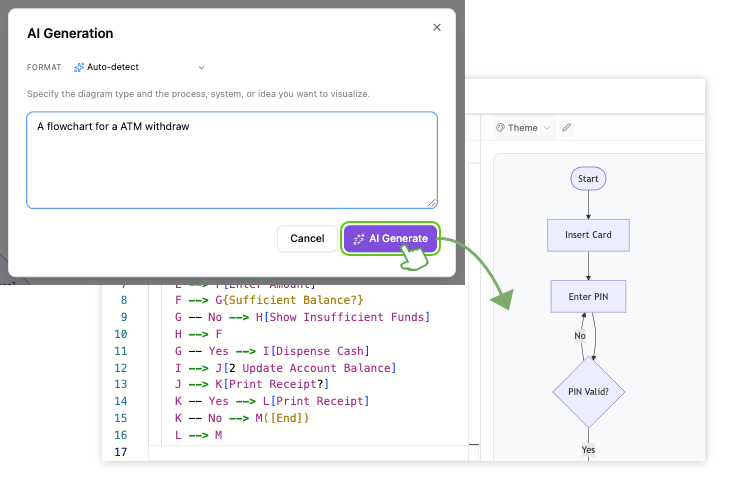
AI-Powered Conversational Diagram Creation
Skip manual syntax typing completely by describing your application logic, C4 containers, or database schemas in plain English. The integrated AI Chatbot converts your text prompts directly into structured diagram scripts on the fly. You can refine existing visuals through conversational commands like adding payment services or renaming entities without ever breaking your code logic.
Automated Troubleshooting
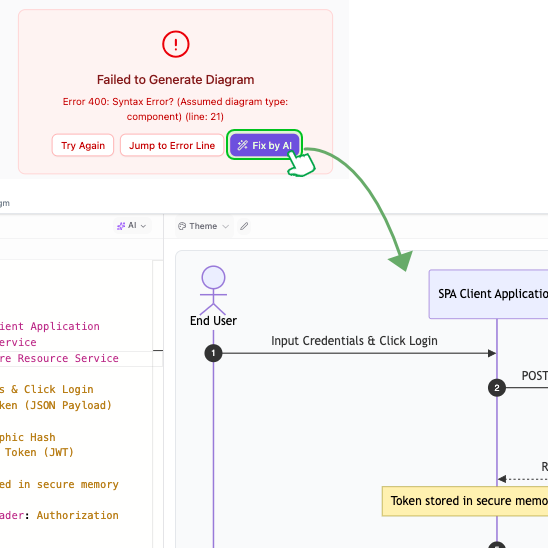
Instant Syntax Error Repair
Never get stuck debugging broken code syntax again. When a missing bracket or typo prevents your script from rendering, click the Fix by AI button inside the error overlay to auto-fix your code instantly with AI-powered error resolution. The AI Syntax Fix Details panel displays a side-by-side code diff and natural language explanation, showing you exactly what lines were modified so you learn as you work.
Localization & Collaboration
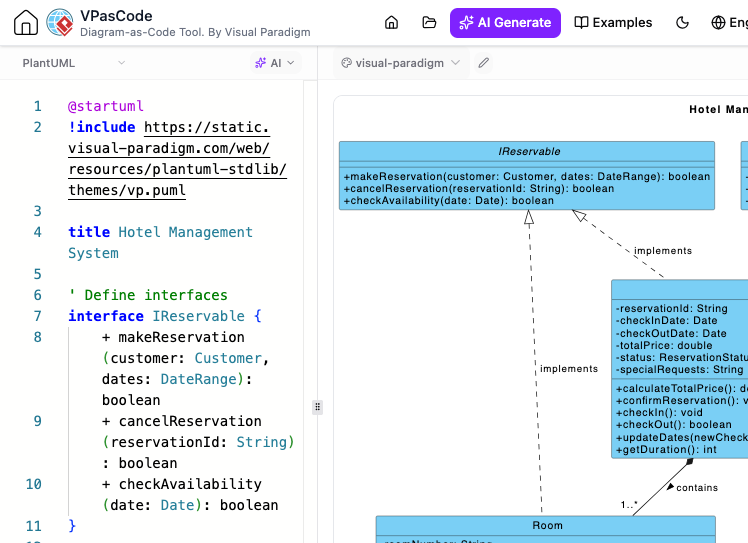
Native AI-Powered Diagram Body Translation
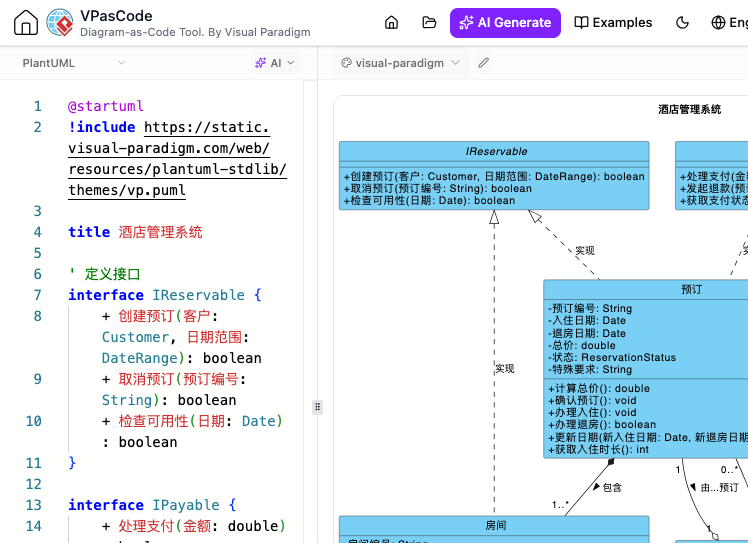
Break down language barriers across global engineering teams without manual rewriting. The native AI Diagram Translation tool translates all titles, node labels, variables, and comments into your chosen target language in two clicks. The underlying code structure, arrows, and PlantUML or Mermaid syntax remain perfectly intact while the diagram updates on the fly.
Static pixel into Editable Code
AI C4 Model Image Import
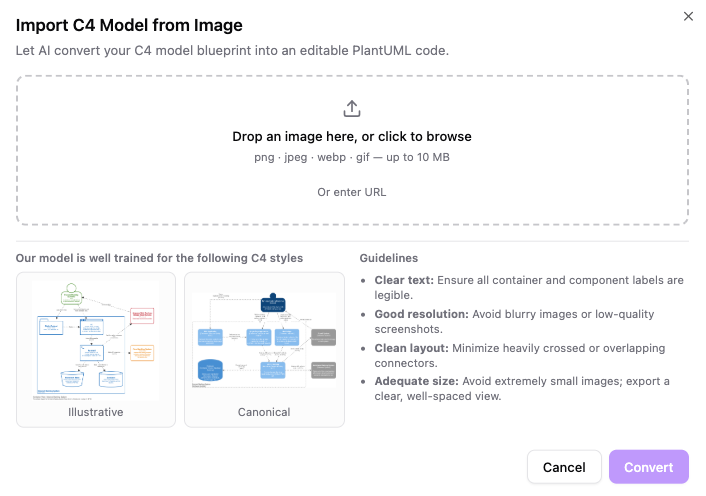
Don’t waste time manually recreating legacy architecture diagrams or whiteboard snapshots from scratch. By leveraging advanced optical character recognition (OCR) and AI-powered C4 model imports, our engine reads static design files and instantly translates flat pixels into standard, reusable PlantUML code.
-
Drop or Link Any Architecture Image
Easily drag and drop PNG, JPEG, webp, or gif files directly into the import dialog, or paste a web URL to let the OCR engine scan your diagram instantly.
-
Side-by-Side Validation and Editing
Review your original layout alongside the live-rendered preview using a split-screen interface, then immediately refine components, update container names, or tweak relationship paths right inside the code editor.
-
Instant Code Adjustments
Modify container titles, shift component blocks, and fine-tune connection routes right inside the workspace the moment your file finishes processing.
-
Platform Integration
Send your updated scripts directly into OpenDocs to keep technical documentation centralized, or transition to Visual Paradigm Desktop when you need advanced enterprise architecture modeling.
AI INFRASTRUCTURE & SECURITY
Custom AI Endpoint for Diagram Generation
-
Enterprise Data Governance
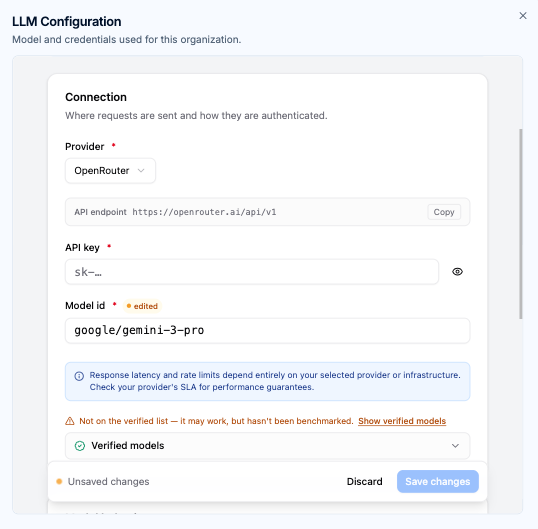
Keep architectural prompts and system designs strictly within corporate boundaries by routing requests through your organization-managed API keys.
-
Flexible Provider & Model Selection
Choose from leading providers like OpenAI, Anthropic, Google, and DeepSeek, selecting high-throughput models for speed or deep-reasoning models for complex system architectures.
-
Fine-Tuned Output Parameters
Adjust max output tokens and enable reasoning effort / thinking modes to handle detailed, large-scale diagram outputs with ease.
-
Centralized Workspace Control
Workspace managers can deploy a unified endpoint configuration across all team members, backed by instant automatic system fallback.
Powerful Utilities to Streamline Your Workflow
Secondary features built to bridge visual modeling, system documentation, and team collaboration.
Automatic Syntax Detection
Paste raw code snippets into the editor and let the parser auto-detect PlantUML, Mermaid, or Graphviz formats automatically.

Transparency & Learning
Inspect AI modifications line-by-line using code diff highlights to learn correct syntax syntax rules for future modeling.

Multi-Format Deliverables
Export fully healed and localized visual charts into vector SVG, high-res PNG, or PDF formats for team wikis.
How Your Workflow Transforms
Step 1: Prompt or Paste Code
Describe your workflow in plain text or paste your source code directly into the prompt box. The AI parser automatically reads your input without requiring manual configuration.
Step 2: Instant Real-Time Render
The editor turns your ideas into clean code and renders a live visual preview right beside your editor text, letting you spot visual errors instantly.
Step 3: Refine with AI Assistance
Use the AI Modifier to add new components, or modify structural nodes
Step 4: Export and Share
Copy your map directly as markdown text for external tools, or export high-resolution PNG, SVG vector files, and PDFs for your project documentation.
Ready to Experience AI-Driven Diagramming?