


In the complex ecosystem of Wealth Management, clarity in process flow is not just a convenience—it is a regulatory requirement. When an investor initiates a mutual fund subscription, a cascade of backend services must coordinate to validate eligibility, allocate units, settle funds, and record transactions. Without a precise visual model, misunderstandings between development teams, compliance officers, and financial administrators can lead to costly errors.
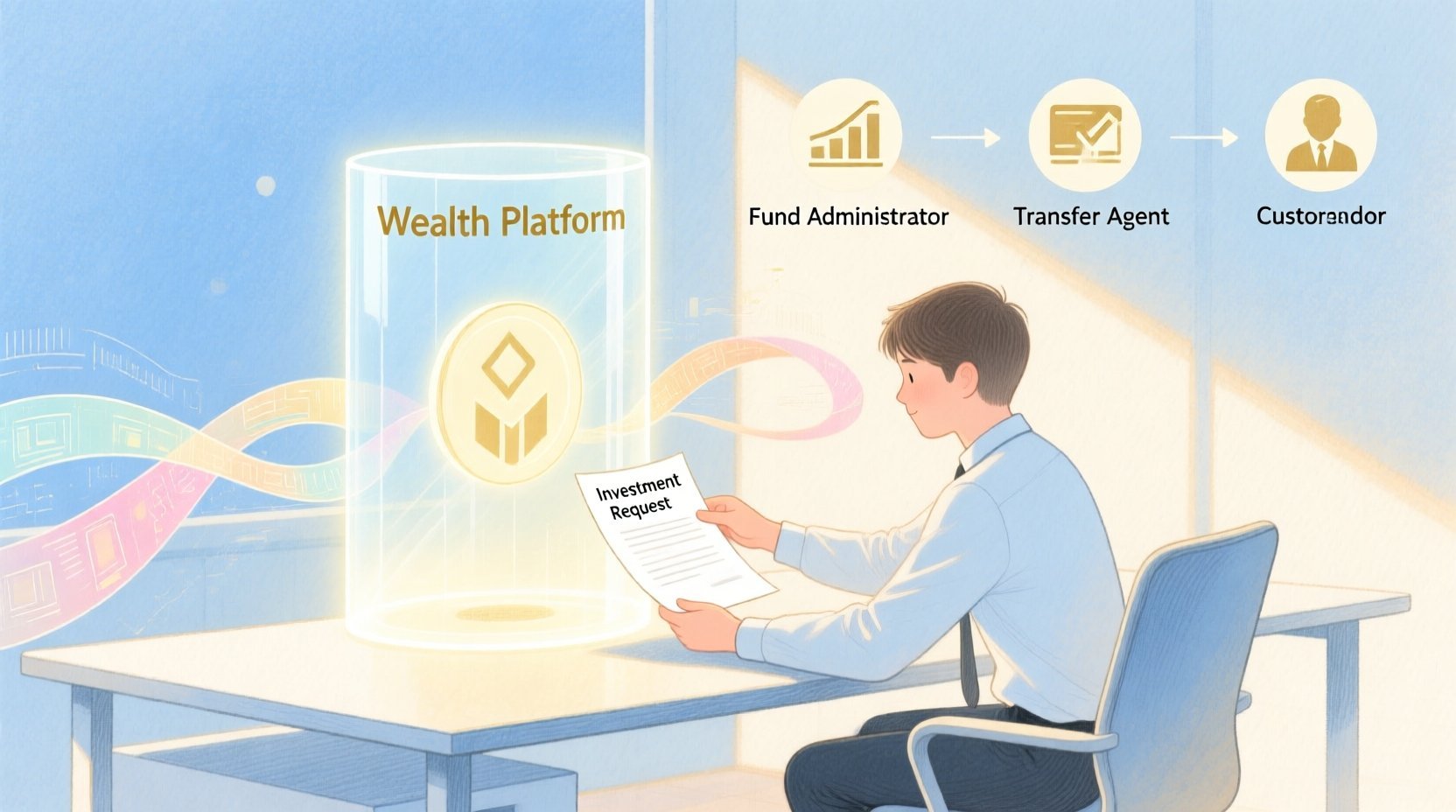
This tutorial leverages VPasCode, the free web-based diagram-as-code editor, to build a professional PlantUML sequence diagram. By modeling the mutual fund subscription scenario, we establish a single source of truth for the interaction between the Investor, Wealth Platform, Fund Administrator, Transfer Agent, Custodian, and Investment Records. This approach enhances architectural clarity, enables rapid visual prototyping, and ensures your technical documentation remains living and accurate.
Understanding the Model: Purpose, Scope & Problem Framing
Diagram Abstraction & Representation
A sequence diagram is the ideal tool for modeling time-based interactions between system components. Unlike static architecture diagrams, this notation captures the when and how of data exchange. In this finance scenario, lifelines represent the actors and services involved, while horizontal arrows represent synchronous or asynchronous messages. Vertical activation bars indicate the period during which an object is performing an action, providing insight into processing bottlenecks or parallel operations.
Target Domain Scope & Scenario
The scope of this model is strictly the subscription lifecycle. It begins when the Investor submits a request and ends when the Wealth Platform returns confirmation. Key dependencies include the eligibility check against the Investment Records database and the financial settlement handled by the Custodian. This model intentionally excludes secondary flows like redemption or dividend reinvestment to maintain focus on the core onboarding workflow.
Key Takeaways & Educational Insights
By constructing this diagram, you will gain a deeper understanding of:
- Boundary Management: How to clearly delineate the Wealth Platform from external entities like the Transfer Agent.
- Conditional Logic: Using combined fragments to handle eligibility rejections versus successful allocations.
- State Persistence: When and how the Investment Records database is accessed to validate and store data.
Complete Diagram & Full Source Code
Below is the finished blueprint for the Mutual Fund Subscription workflow. You can view the rendered result immediately in the VPasCode editor.
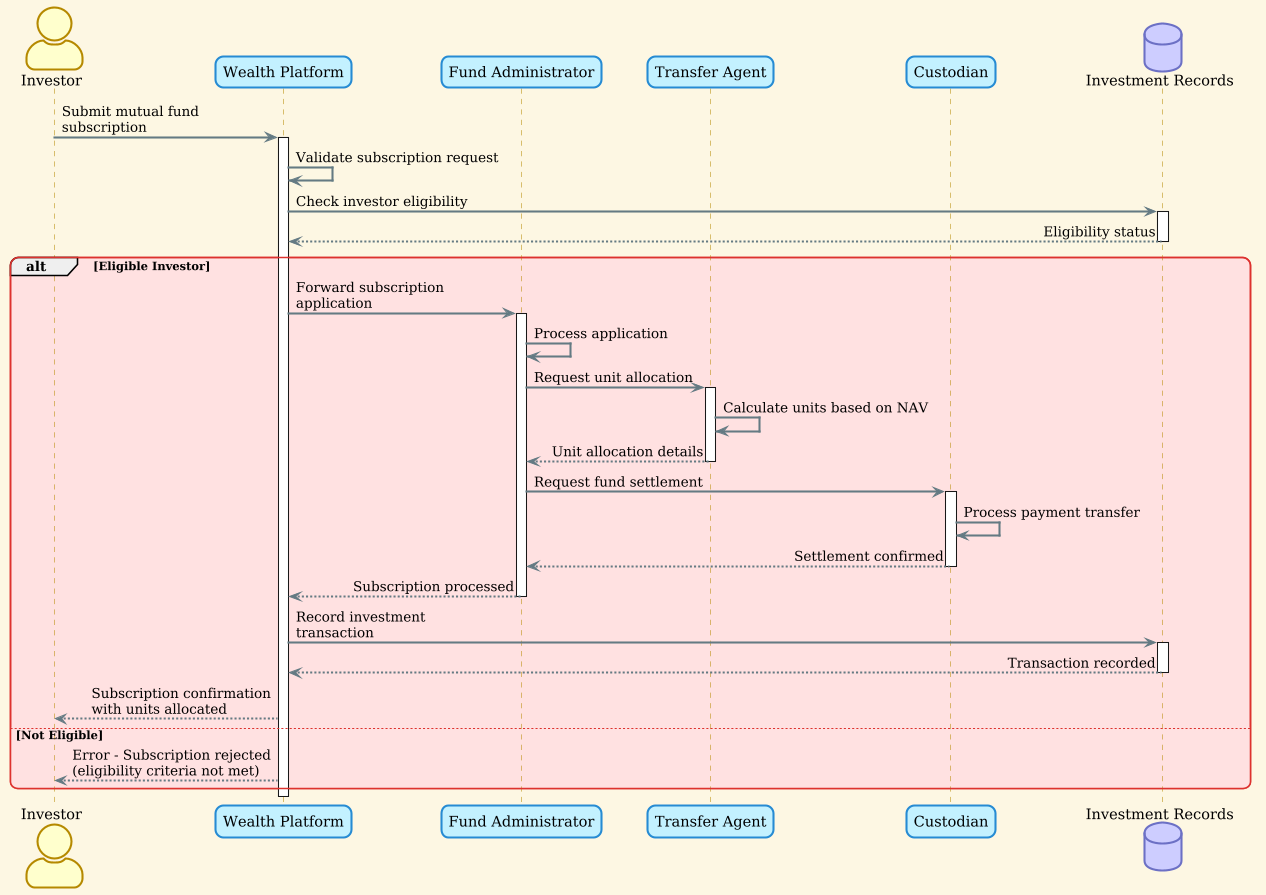
Copy the following complete source code to test and customize it in VPasCode:
@startuml
!theme sunlust

actor Investor as I
participant "Wealth Platform" as WP
participant "Fund Administrator" as FA
participant "Transfer Agent" as TA
participant "Custodian" as C
database "Investment Records" as IR

I -> WP: Submit mutual fund subscription
activate WP
WP -> WP: Validate subscription request
WP -> IR: Check investor eligibility
activate IR
IR --> WP: Eligibility status
deactivate IR

alt Eligible Investor
    WP -> FA: Forward subscription application
    activate FA
    FA -> FA: Process application
    FA -> TA: Request unit allocation
    activate TA

    TA -> TA: Calculate units based on NAV
    TA --> FA: Unit allocation details
    deactivate TA

    FA -> C: Request fund settlement
    activate C
    C -> C: Process payment transfer
    C --> FA: Settlement confirmed
    deactivate C

    FA --> WP: Subscription processed
    deactivate FA

    WP -> IR: Record investment transaction
    activate IR
    IR --> WP: Transaction recorded
    deactivate IR

    WP --> I: Subscription confirmation with units allocated
else Not Eligible
    WP --> I: Error - Subscription rejected (eligibility criteria not met)
end

deactivate WP
@endumlStep-by-Step Architectural Walkthrough
Phase 1: Canvas Configuration & Layout Directives
Every professional PlantUML diagram begins with setup directives that define the visual theme and layout. For this finance workflow, we selected the sunlust theme to provide a clean, high-contrast look suitable for technical documentation.
@startuml
!theme sunlust
The @startuml tag initializes the sequence diagram engine, while !theme sunlust applies the styling globally. This ensures consistency across all actors, participants, and notes without manual styling.
Phase 2: Declaring Core Entities, Actors, and Boundaries
Next, we define the participants involved in the transaction. In PlantUML, we use specific keywords to distinguish between human actors, software components, and data stores.
actor Investor as I
participant "Wealth Platform" as WP
participant "Fund Administrator" as FA
participant "Transfer Agent" as TA
participant "Custodian" as C
database "Investment Records" as IR
Key Definitions:
actor: Represents the human user initiating the process.participant: Represents backend services or microservices (e.g., Wealth Platform).database: Represents persistent storage systems (e.g., Investment Records).
Phase 3: Mapping Data Flows & Key Interactions
The core logic is expressed through message arrows. We start with the initial trigger from the Investor to the Wealth Platform.
I -> WP: Submit mutual fund subscription
activate WP
The -> arrow indicates a synchronous message. The activate WP directive draws a vertical bar on the Wealth Platform lifeline, indicating it is busy processing. We then model the internal validation and external database check:
WP -> IR: Check investor eligibility
activate IR
IR --> WP: Eligibility status
deactivate IR
Note the use of --> for the return message from the database, indicating a response rather than a new request.
Phase 4: Grouping, Annotations & Visual Polish
To handle business logic variations (like eligibility checks), we use combined fragments. The alt block allows us to model the success path versus the error path cleanly.
alt Eligible Investor
    [Success Flow Steps...]
else Not Eligible
    [Error Flow Steps]
end
This structure ensures the diagram remains readable even when multiple outcomes are possible. Finally, we ensure all activations are properly deactivated to close the scope of the interaction.
Syntax & Keyword Deep Dive
Understanding the specific PlantUML syntax is crucial for maintaining complex diagrams. Here is a breakdown of the keywords used in this finance model:
actor: Defines a human user or external system interacting with the software. Used here for the Investor.participant: Defines a system component or service. Used for the Wealth Platform and Fund Administrator.database: Defines a data store. Used for Investment Records to distinguish it from application logic.->: Represents a synchronous message call where the sender waits for a response.-->: Represents a return message or an asynchronous response.activate/deactivate: Controls the visual representation of the activation bar (lifeline focus) to show processing duration.alt/else/end: Defines a combined fragment for alternative flows, essential for modeling conditional business logic like eligibility.
Best Practices & Pitfalls to Avoid
To maintain high-quality technical documentation, follow these modeling best practices:
- Maintain Abstraction Levels: Do not mix high-level business flows with low-level code logic. Keep this diagram focused on service interactions, not method implementations.
- Name Entities Clearly: Use descriptive names like
"Fund Administrator"instead ofFAin the visual representation, even if you use short aliases in code. - Manage Complexity with Fragments: Always use
altoroptblocks for conditional logic rather than drawing multiple separate diagrams for every outcome. - Close All Activations: Ensure every
activatehas a correspondingdeactivateto prevent visual clutter and confusion regarding lifeline states.
Try It Yourself with VPasCode
Start Building Sequence Diagrams Faster with VPasCode
Design professional finance workflows instantly in your browser with VPasCode, the free PlantUML editor for architects.