


L’UML est-il mort ? L’évolution de la conception logicielle dans les flux de travail modernes Agile et IA
Réponse courte : Non, l’UML n’est pas mort, mais la manière traditionnelle dont les développeurs l’utilisaient est obsolète. Les outils lourds de glisser-déposer d’UML qui produisaient une documentation statique monolithique ont en grande partie été remplacés. Aujourd’hui, les équipes logicielles modernes s’appuient sur des flux de travail légers de texte vers diagramme (Diagramme-en-Code) combinés à des capacités d’IA natives, en utilisant un éditeur UML gratuit ou éditeur PlantUML gratuit pour maintenir l’agilité tout en gardant les systèmes complexes transparents.
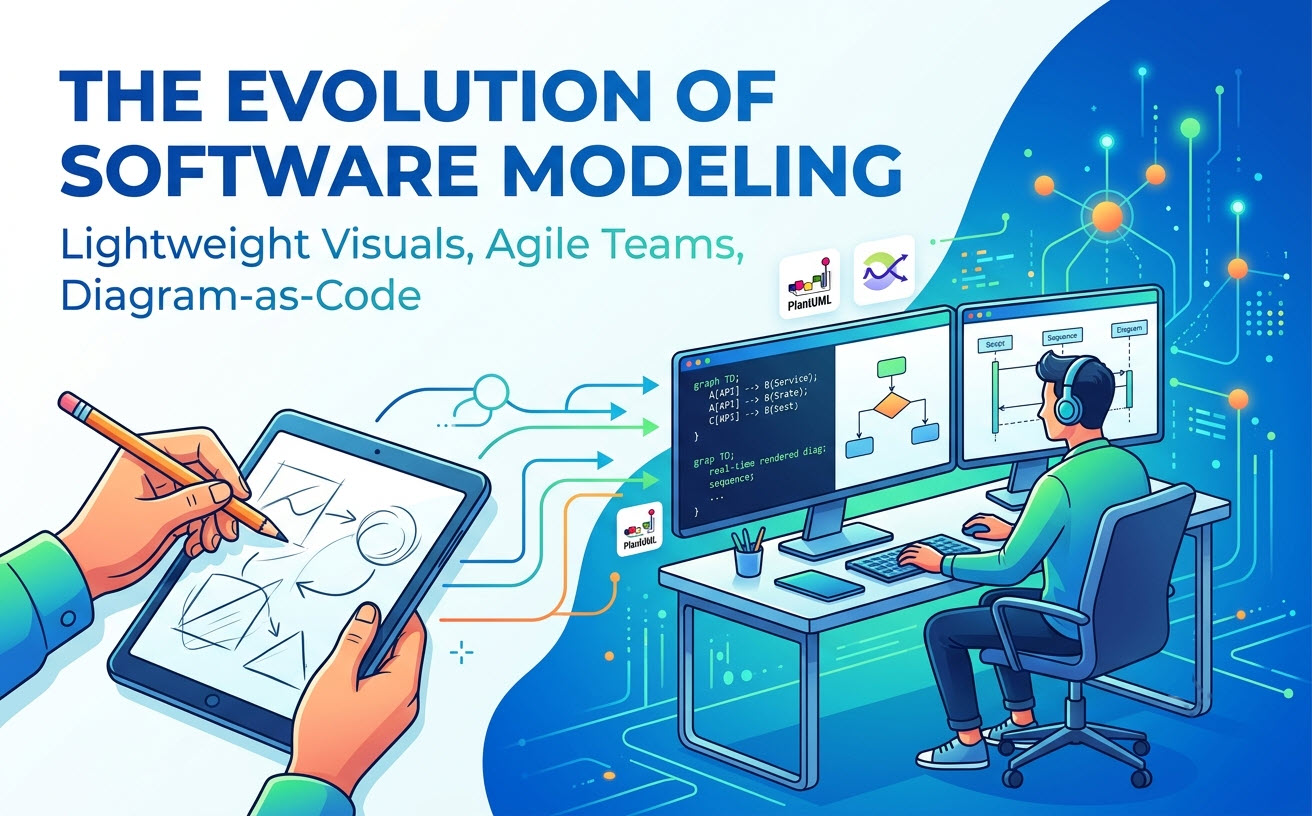
Le changement : pourquoi les développeurs pensent que l’UML est obsolète
La perception selon laquelle le Langage de Modélisation Unifié (UML) est mort provient de la frustration de gérer des artefacts de conception logicielle traditionnels dans des environnements de développement rapides.
La mort des outils lourds de modélisation d’entreprise
Les premiers outils UML nécessitaient des installations lourdes sur ordinateur, des ajustements manuels fastidieux de la mise en page et des mises à jour manuelles constantes à chaque changement de code. Ces plateformes héritées ont dissocié la conception de l’implémentation, transformant le dessin de diagrammes en une corvée plutôt qu’en un atout.
Le malentendu Agile : « Un logiciel fonctionnel avant une documentation complète »
De nombreuses équipes ont mal interprété les principes Agile pour signifier aucune documentation du tout. Alors que le déploiement continu a accéléré les cycles de release, passer des jours à sculpter des diagrammes de classes complets avant d’écrire du code est devenu inacceptable. Par conséquent, la modélisation rigide en amont a perdu de sa faveur.
La réalité : l’UML n’est pas mort, il a simplement évolué vers le code et l’IA
Bien que la conception visuelle complète en amont soit rare aujourd’hui, le besoin sous-jacent de visualiser l’architecture logicielle reste essentiel. L’UML n’a pas disparu ; il a migré vers des formats textuels natifs pour les développeurs et est désormais accéléré par des assistants IA intelligents.
L’essor du dessin de diagrammes basé sur le texte (PlantUML & Mermaid)
Les équipes d’ingénierie modernes traitent les diagrammes comme du code. Au lieu d’utiliser des outils de canevas visuel, les développeurs écrivent des scripts déclaratifs en utilisant des langages spécifiques au domaine (DSL) standards directement à côté du code source.
| Fonctionnalité | UML hérité de glisser-déposer | Diagramme-en-Code moderne (DaC) |
|---|---|---|
| Stockage et versioning | Fichiers binaires propriétaires | Texte brut stocké dans des dépôts Git |
| Maintenance | Réarrangement visuel manuel | Rendu automatique de scripts |
| Intégration des flux de travail | Application de bureau distincte | Intégré aux IDE, aux pipelines CI/CD et aux plateformes web |
La crise silencieuse : la dette architecturale dans les systèmes invisibles
L’abandon total de la modélisation visuelle a créé un nouveau problème : une dette architecturale élevée. Sans diagrammes de haut niveau, l’intégration de nouveaux ingénieurs prend des semaines, la logique inter-microservices devient opaque et les dépendances du système restent invisibles jusqu’à ce qu’un problème survienne en production.
Comment les équipes d’ingénierie modernes modélisent l’architecture aujourd’hui
Pour équilibrer rapidité et clarté, les équipes de développement modernes utilisent des plateformes flexibles qui rendent instantanément les scripts basés sur du texte tout en éliminant les frictions liées à la configuration des langages.
Unification des flux de travail multi-formats avec VPasCode
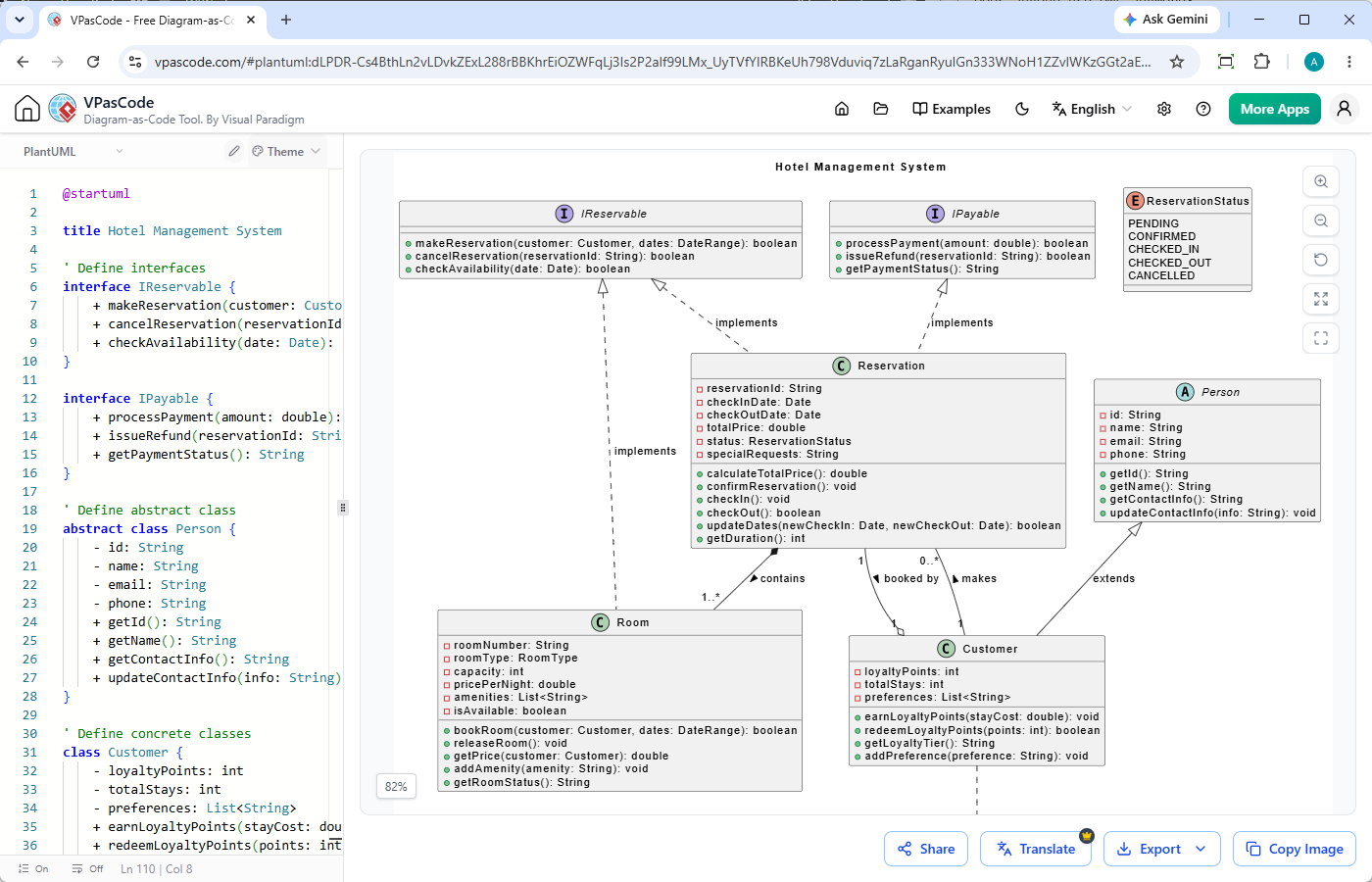
L’utilisation d’outils disparates pour différents types de syntaxe ralentit les équipes.Visual Paradigm VPasCodesimplifie cela en agissant comme un éditeur web tout-en-un doté d’une détection automatique de format. Que vous colliez des données brutes PlantUML, Mermaid, Graphviz ou des données structurées JSON/YAML, l’éditeur détecte instantanément le format d’entrée et met à jour un aperçu vectoriel en temps réel sans sélection manuelle.
- Configuration instantanée :Entièrement basé sur le web, édition et rendu en direct gratuits.
- Prise en charge multi-format :Fonctionne comme un éditeur PlantUML gratuit, compilateur Mermaid et convertisseur de code en diagramme.
- Export de haute qualité :Exportez des vecteurs SVG évolutifs ou des actifs PNG pour les PR, les spécifications et la documentation.
Élimination des frictions syntaxiques grâce à la modélisation assistée par IA et pilotée par des invites
L’apprentissage des variations de syntaxe entre les DSL ou la construction de modèles à partir de zéro peut entraver l’adoption. VPasCode surmonte cet obstacle grâce à des outils puissants de génération de diagrammes par IAet d’édition :
- Création de diagrammes à partir d’invites:Tapez une invite en langage naturel—telle que “Générez un diagramme de cas d’utilisation en PlantUML pour un système de distributeur automatique”—pour générer du code et rendre l’architecture instantanément.
- Correction automatique des erreurs de code par IA: Cliquez « Correction par IA » pour réparer automatiquement la syntaxe cassée ou les balises manquantes.
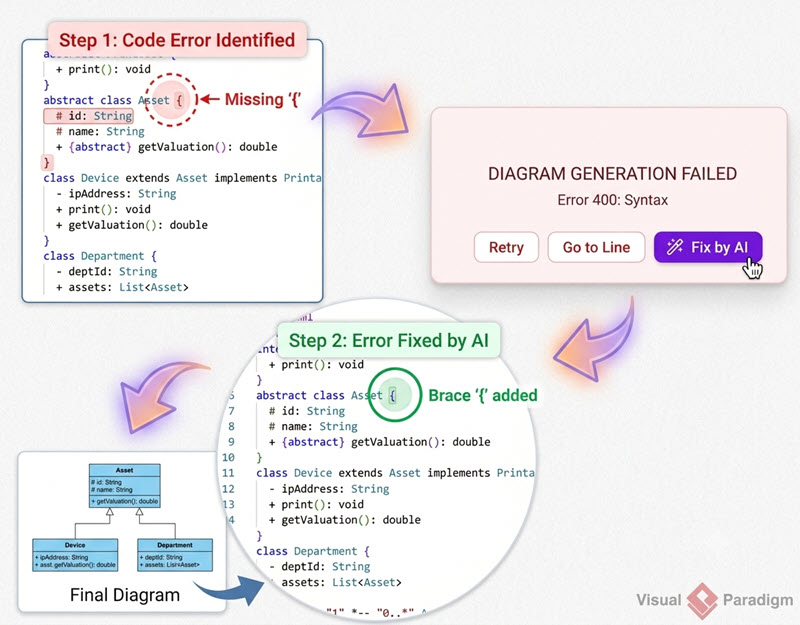
- Différences de code et explications : Examinez les différences de syntaxe côte à côte pour comprendre comment les erreurs ou les modifications de code ont été résolues.
- Traduction native par IA : Traduisez les libellés des diagrammes et le texte interne dans plusieurs langues en un seul clic.
(Note : Les fonctionnalités avancées de génération, de modification et de correction d’erreurs de diagrammes par IA sont disponibles dans l’édition Deluxe de Visual Paradigm Online / l’édition Professional+ de Visual Paradigm Desktop).
Bonnes pratiques pour une documentation architecturale légère et moderne
Pour intégrer avec succès les concepts UML dans des pipelines modernes, concentrez-vous sur une modélisation minimale et ciblée qui s’intègre directement à votre outil existant.
Traiter les spécifications d’architecture comme des artefacts versionnés
Stockez vos scripts de diagrammes dans vos dépôts de code. Lorsqu’un système change, mettez à jour le script de diagramme en texte brut dans la même demande de tirage. L’intégration d’actifs rendus avec des outils comme Visual Paradigm OpenDocs garantit que la documentation technique reste précise, visible et synchronisée avec les builds actifs.
Choisir le bon niveau de détail : quand modéliser (et quand ne pas le faire)
Évitez de modéliser chaque classe ou fonction triviale. Au lieu de cela, réservez UML pour des points de contrôle architecturaux à haute valeur :
- Diagrammes de séquence : Essentiels pour cartographier les interactions complexes d’API multi-services et les conditions de course.
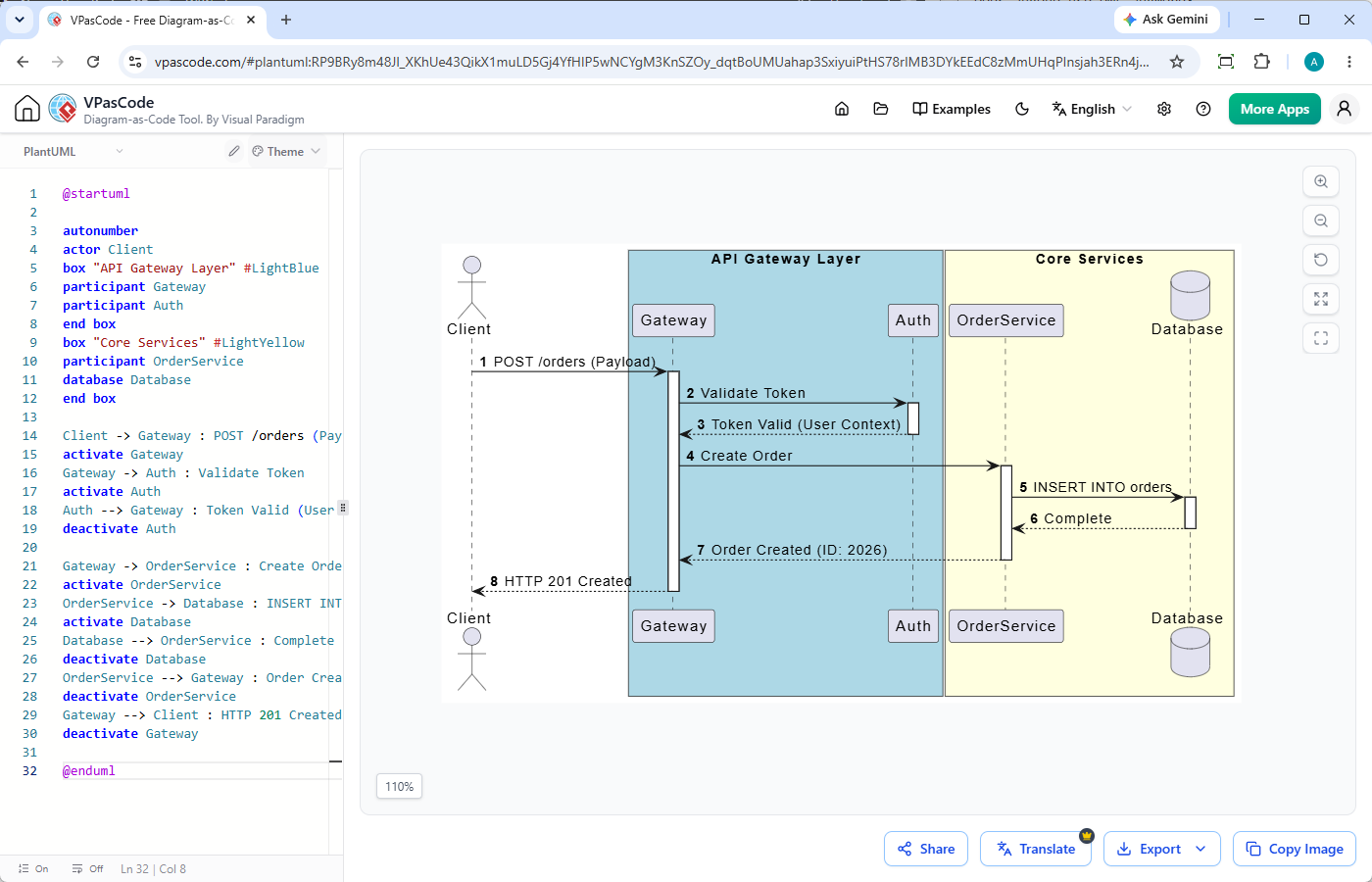
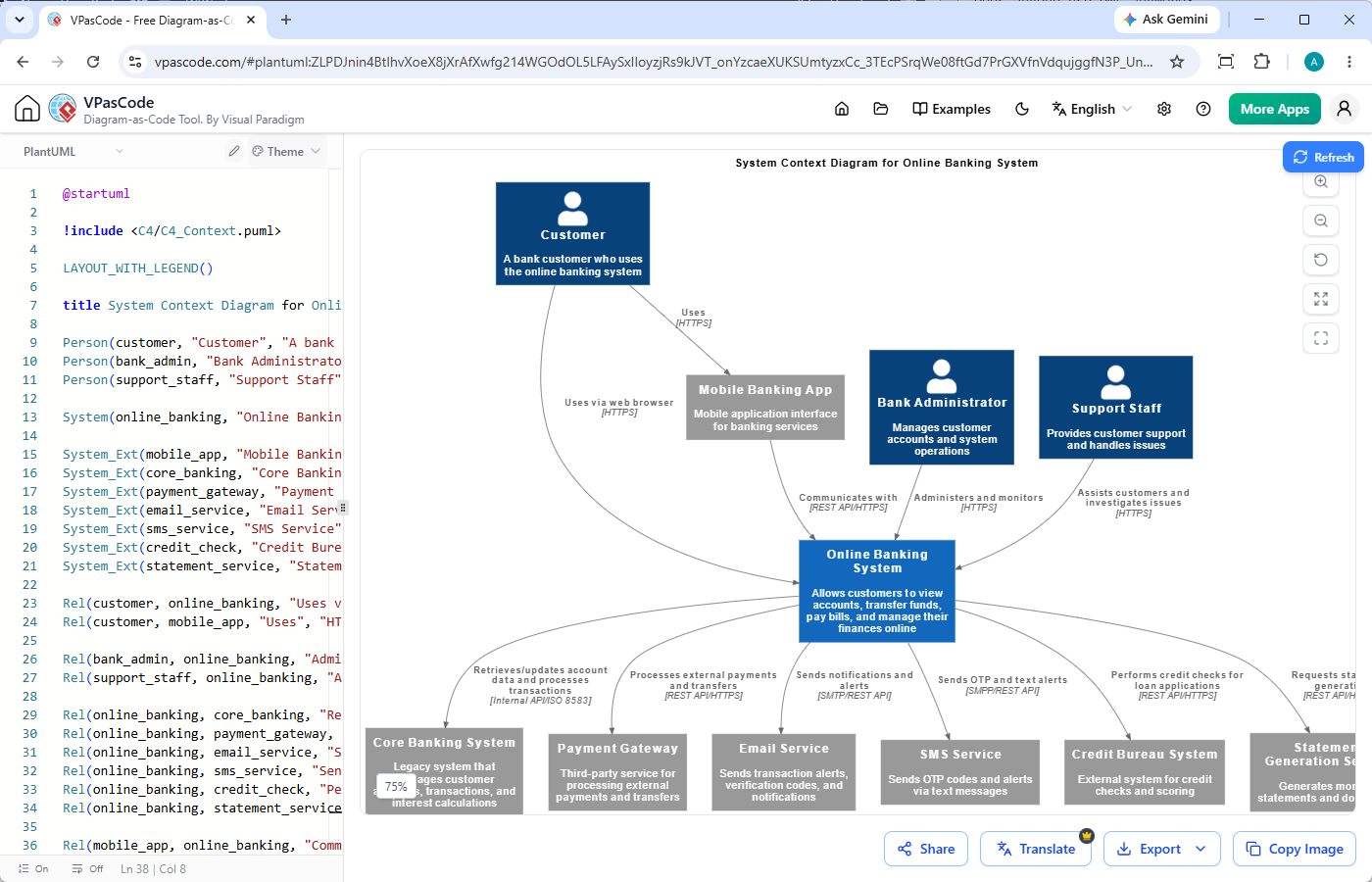
- Modèles C4 et composants : Idéaux pour les limites de microservices de haut niveau et la cartographie de l’infrastructure.
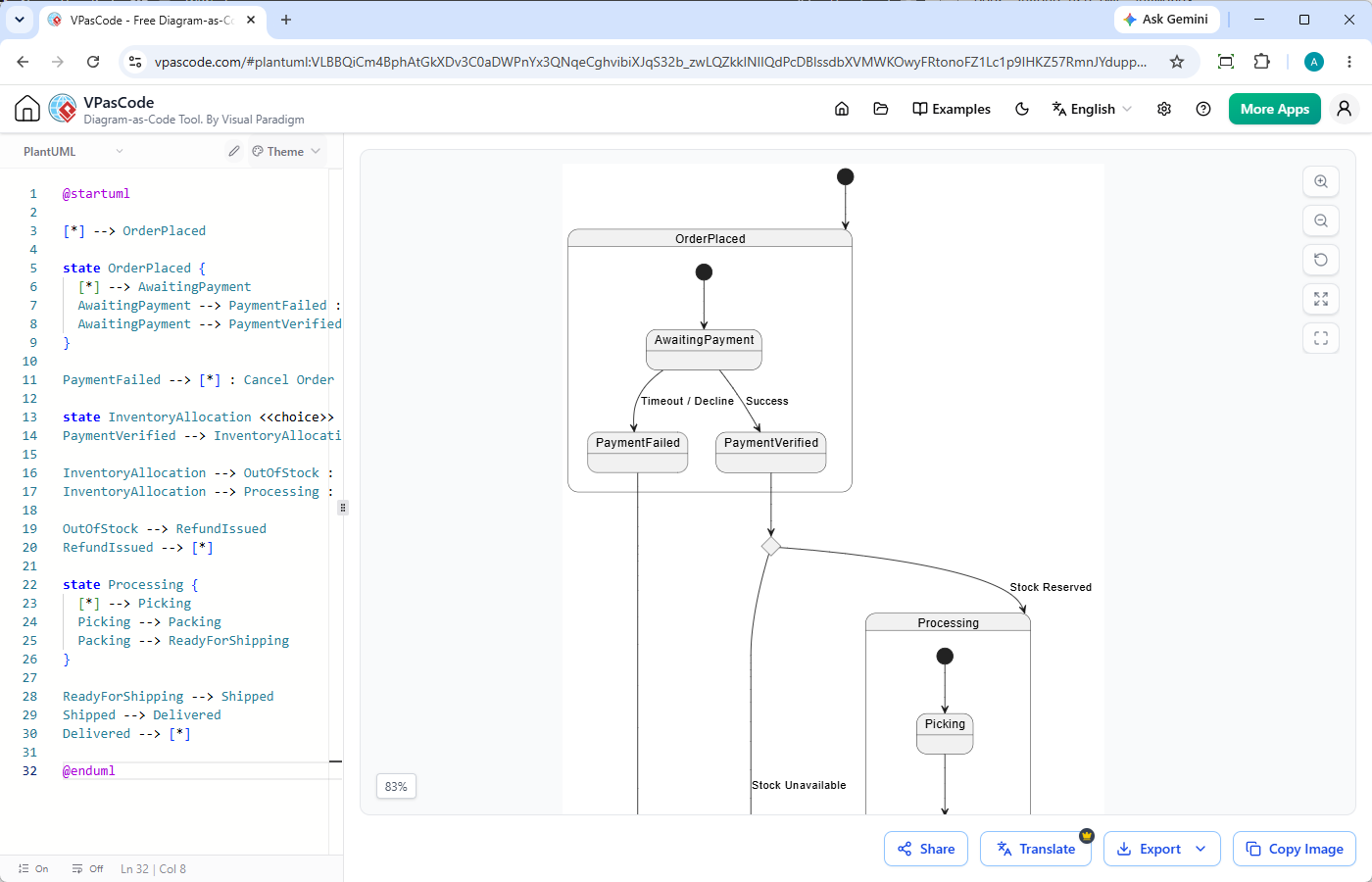
- Machines à états : Cruciaux pour valider les flux de paiement, les vérifications d’autorisation et les pipelines de données multi-étapes.
Ressources connexes
- Terrain de jeu interactif Visual Paradigm VPasCode: Essayez Visual Paradigm VPasCode dans le terrain de jeu interactif VPasCode
- Aperçu de VPasCode: En savoir plus sur VPasCode
- Mise à jour majeure de VPasCode : Générez et modifiez des diagrammes instantanément avec l’IA