


Quel âge a PlantUML ? Histoire, évolution et avenir du diagramme en tant que code
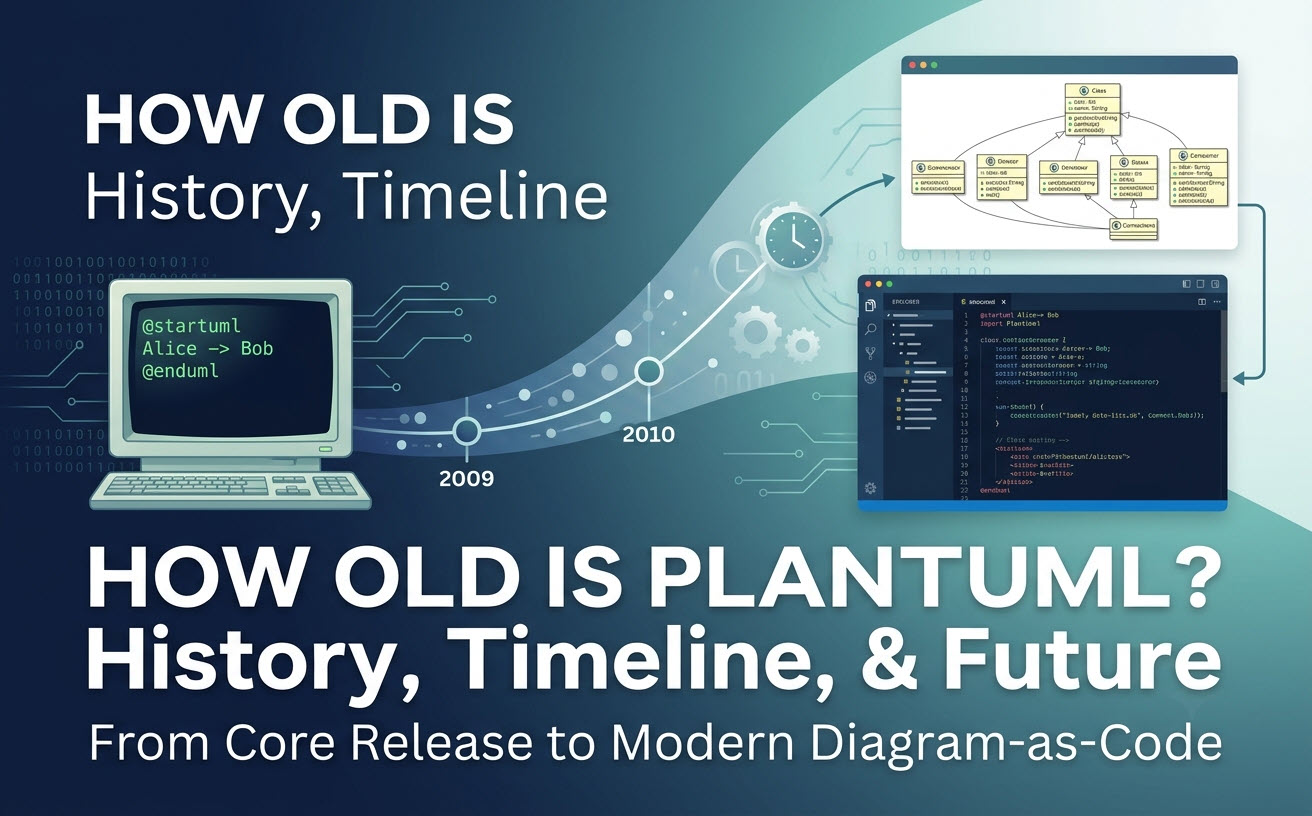
PlantUML a été officiellement lancé le 17 avril 2009.Créé par Arnaud Roques, PlantUML a plus de 17 ans et reste l’une des technologies de diagramme en tant que code open source les plus largement adoptées en architecture logicielle. Conçu pour générer des diagrammes du langage de modélisation unifié (UML) à partir de scripts en texte brut, il a fondamentalement transformé la manière dont les développeurs documentent les systèmes logiciels. Si vous recherchez un éditeur UML efficaceUML gratuit ou un outil UML en ligneoutil UML pour exécuter des scripts PlantUML, les outils web modernes ont évolué pour rendre le rendu plus rapide, sans configuration et enrichi de capacités d’intelligence artificielle natives.
1. La réponse courte : Quel âge a PlantUML ?
PlantUML a été lancé pour la première fois en avril 2009 pour résoudre un problème d’ingénierie spécifique : éliminer la charge manuelle de dessin de diagrammes dans les éditeurs visuels. En convertissant une syntaxe simple en texte brut en modèles visuels structurés à l’aide de Graphviz, PlantUML a introduit une approche programmatique et versionnable de la documentation technique.
1.1 L’histoire de l’origine : Lancé le 17 avril 2009
En 2009, le créateur Arnaud Roques a publié PlantUML pour apporter les principes des langages spécifiques au domaine (DSL) à la conception logicielle. Au lieu de faire glisser et déposer des formes sur une toile, les ingénieurs pouvaient définir des relations dans le code, permettant ainsi la génération automatique de la mise en page des diagrammes.
1.2 Jalons de publication et évolution de PlantUML (2009–À ce jour)
| Année | Jalon | Impact architectural |
|---|---|---|
| 2009 | Lancement initial | Introduction de la syntaxe de base des diagrammes de séquence, de cas d’utilisation et de classes basée sur Java et Graphviz. |
| 2012–2015 | Expansion des DSL | Ajout de la prise en charge des formats d’activité, d’état, de composant, de déploiement et de schéma de base de données (ERD). |
| 2018 | Visualisations non-UML | Extension aux cartes mentales, WBS (Work Breakdown Structure) et diagrammes de Gantt. |
| 2021+ | Cadres d’architecture | Intégration de l’architecture du modèle C4 et des définitions standard ArchiMate dans la syntaxe de base. |
| À ce jour | Intégration cloud et IA native | Adoption dans des moteurs de rendu natifs du cloud, des extensions d’IDE et des éditeurs de code IA basés sur le navigateur avec une génération pilotée par des invites. |
2. Pourquoi PlantUML a été créé (et les problèmes fondamentaux qu’il a résolus)
La modélisation traditionnelle reposait sur des outils graphiques hérités qui stockaient les diagrammes dans des formats binaires propriétaires ou des XML complexes. PlantUML a comblé le fossé entre les dépôts de code et la documentation architecturale.
2.1 Le changement de paradigme : des outils graphiques lourds au texte contrôlé par version
- Compatibilité avec Git :Les scripts de diagrammes basés sur du texte peuvent être versionnés, validés et fusionnés via des Pull Requests standard.
- Mises en page automatisées :Le moteur de rendu gère automatiquement l’alignement des éléments et le routage des lignes.
- Vitesse de refactorisation :Renommer une classe ou un service dans un diagramme de système complexe nécessite une simple recherche et substitution de texte.
2.2 Pourquoi les développeurs s’appuient toujours sur PlantUML aujourd’hui
Bien qu’il ait près de deux décennies d’existence, PlantUML reste une référence en la matière grâce à son écosystème massif, à son support de spécifications UML complètes et à son intégration profonde dans les pipelines de construction, les systèmes CI/CD et les plateformes de documentation des développeurs.
3. Les défis des flux de travail PlantUML traditionnels aujourd’hui
Bien que le langage PlantUML reste robuste, la gestion de sa pile d’exécution locale traditionnelle introduit des frictions techniques pour les équipes de développement modernes.
3.1 Frictions de l’environnement local : Graphviz, Java et dépendances CLI
L’exécution locale de PlantUML nécessite généralement l’installation et la configuration de :
- Un environnement d’exécution Java (JRE).
- Graphviz (moteur Dot) pour le calcul de la mise en page.
- Des plugins d’IDE ou des wrappers en ligne de commande.
Les erreurs de chemin interplateformes, les dépendances Java manquantes et les versions de Graphviz incompatibles entraînent fréquemment des échecs de rendu lors de la configuration locale.
3.2 La courbe d’apprentissage : débogage des erreurs de syntaxe et de formatage complexes
À mesure que l’architecture du système évolue, les scripts PlantUML deviennent longs. Une seule accolade manquante ou une syntaxe de flèche incorrecte peut entraîner l’échec de blocs de rendu entiers sans retour visuel clair ligne par ligne, ralentissant ainsi la vélocité de la documentation.
4. L’évolution moderne du diagramme en tant que code et de l’intégration IA
Les flux de travail d’ingénierie modernes privilégient des outils légers, accessibles dans le cloud et sans installation, qui éliminent les obstacles de configuration locale tout en améliorant l’édition de scripts grâce à des capacités de compilateur modernes et d’IA native.
4.1 Rendu cloud sans friction : élimination de la configuration locale
Les moteurs d’exécution basés sur le navigateur suppriment les exigences système locales Java/Graphviz. Les développeurs peuvent coller du code brut dans unéditeur PlantUML gratuit et inspecter instantanément les sorties SVG ou PNG rendues.
4.2 Renforcer PlantUML grâce à la génération native d’IA et à la correction d’erreurs
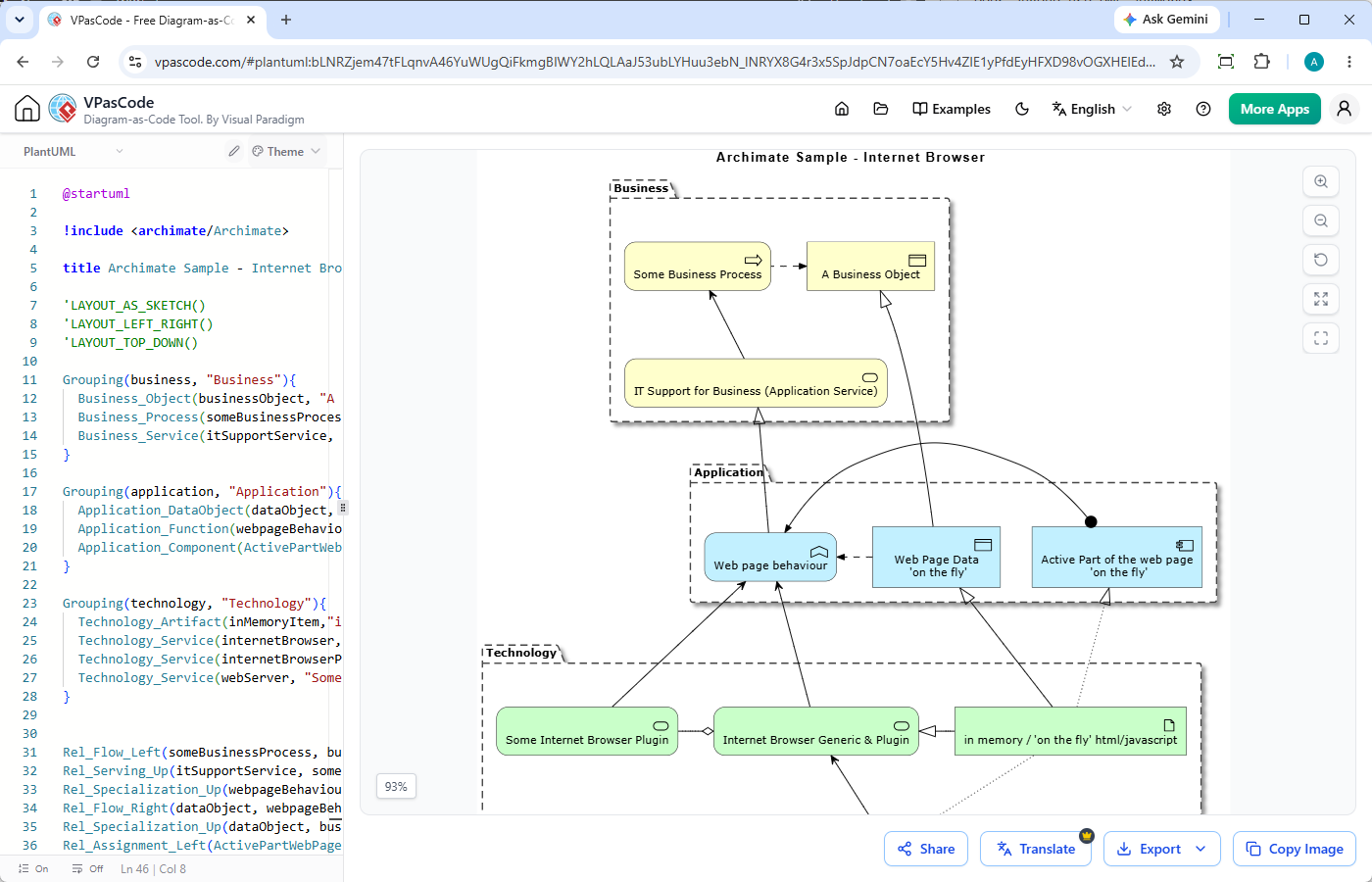
Des plateformes commeVisual Paradigm VPasCode simplifiez le flux de travail diagramme-as-code en unifiant le rendu, la gestion de la syntaxe et la génération de diagrammes par IA dans un éditeur de navigateur :
- Création de diagrammes à partir d’invites : Saisissez une invite en langage naturel—telle que « Générer un diagramme de cas d’utilisation en PlantUML pour un système de distributeur automatique »—pour générer du code et afficher l’architecture instantanément.
- Détection automatique du format :Collez du code PlantUML standard—ou d’autres DSL alternatives—et VPasCode identifie automatiquement le langage.
- Aperçu en temps réel :Les visuels sont rendus dynamiquement côte à côte pendant que vous tapez ou modifiez votre script.
- Correction automatique des erreurs de code par IA :Rencontrez-vous un bug de syntaxe ? Cliquez sur « Corriger par IA » pour réparer automatiquement le code défectueux, avec des explications de différence côte à côte.
- Traduction native et export :Traduisez les libellés des diagrammes dans plusieurs langues directement dans l’éditeur et exportez instantanément des fichiers PNG haute résolution ou SVG vectoriels.
(Note : Les fonctionnalités avancées de génération, de modification et de correction d’erreurs de diagrammes par IA sont disponibles dans l’édition Deluxe de Visual Paradigm Online / l’édition Professional+ de Visual Paradigm Desktop).
5. Au-delà de PlantUML : Prise en charge multi-format pour l’architecture logicielle moderne
Les équipes logicielles modernes standardisent rarement sur un seul format de diagramme. Les équipes polyglottes utilisent souvent différents DSL selon les besoins spécifiques de documentation.
5.1 Quand utiliser PlantUML par rapport à Mermaid par rapport aux DSL standards
| Format / Langage | Meilleur utilisé pour | Avantage clé |
|---|---|---|
| PlantUML | Conception logicielle complexe (Classe, État, Séquence, C4) | Couverture approfondie des normes UML et options de syntaxe matures. |
| Mermaid | Documents Markdown dans le dépôt, diagrammes de flux simples | Rendu natif sur des plateformes comme GitHub/GitLab. |
| Graphviz / Markmap | Graphes de réseaux, cartes mentales automatisées | Capacités supérieures de mise en page automatique mathématique. |
5.2 Création d’une documentation technique unifiée avec VPasCode
Plutôt que de sauter entre différents rendus à usage unique, Visual Paradigm VPasCodeagit comme un hub unifié. Il prend en charge PlantUML aux côtés de Mermaid, Graphviz, ECharts, SQL et de formats de données structurés comme JSON/YAML. Les diagrammes terminés peuvent être partagés via des URL directes ou publiés directement sur Visual Paradigm OpenDocs pour une documentation technique complète.
6. Questions fréquemment posées (FAQ)
6.1 PlantUML est-il toujours activement mis à jour ?
Oui, PlantUML est activement maintenu par sa communauté open-source, recevant des mises à jour régulières pour de nouvelles fonctionnalités, des correctifs de sécurité et des raffinements de syntaxe.
6.2 Puis-je rendre PlantUML sans installer Java ou Graphviz ?
Oui. Vous pouvez utiliser un éditeur UML gratuit comme VPasCode pour coller, modifier, rendre, interroger l’IA et exporter des diagrammes PlantUML entièrement dans votre navigateur, sans aucune installation locale.
Ressources connexes
- Terrain d’essai interactif Visual Paradigm VPasCode: Essayez Visual Paradigm VPasCode dans le terrain d’essai interactif VPasCode
- Aperçu de VPasCode: En savoir plus sur VPasCode
- Mise à jour majeure de VPasCode : Générez et modifiez des diagrammes instantanément avec l’IA