


PlantUML は何歳か?歴史、進化、そして図形-as-コードの未来
PlantUML は 2009 年 4 月 17 日に正式にリリースされました。Arnaud Roques によって作成された PlantUML は 17 年以上の歴史を持ち、ソフトウェアアーキテクチャにおいて最も広く採用されているオープンソースの図形-as-コード技術の一つです。プレーンテキストスクリプトから統一モデリング言語(UML)図をレンダリングするために設計され、開発者がソフトウェアシステムを文書化する方法を根本的に変革しました。効率的な「無料の UML エディタまたはオンラインの「UML ツールを実行するための、現代の Web ツールは、レンダリングを高速化し、セットアップ不要とし、ネイティブ AI 機能を強化する形で進化しています。
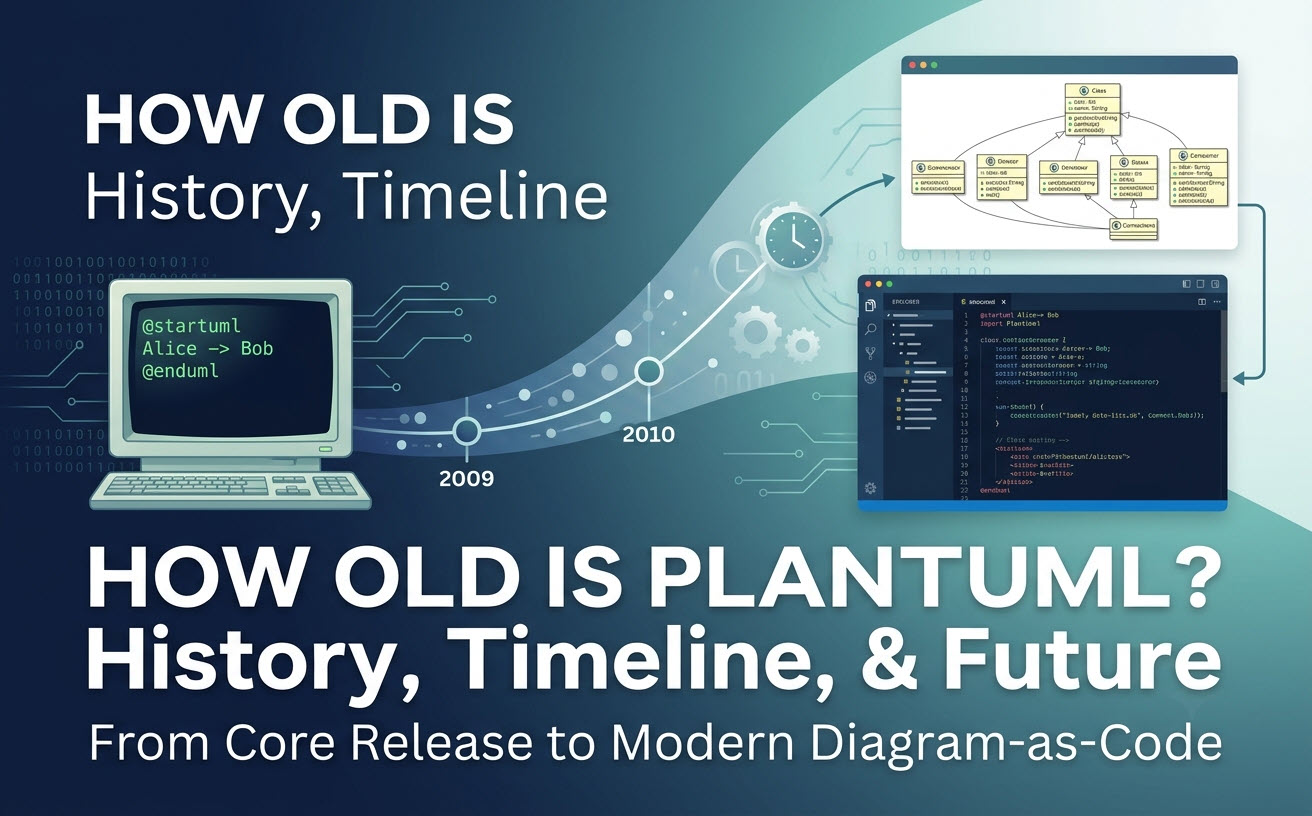
1. 簡潔な答え:PlantUML は何歳か?
PlantUML は 2009 年 4 月に、ビジュアルエディタでの図の描画に伴う手作業の負担を排除するという特定のエンジニアリング課題を解決するために初めてリリースされました。Graphviz を使用して単純なプレーンテキスト構文を構造化された視覚モデルに変換することで、PlantUML は技術文書化に対するプログラム可能でバージョン管理可能なアプローチを導入しました。
1.1 誕生の物語:2009 年 4 月 17 日リリース
2009 年、創業者の Arnaud Roques は、ドメイン固有言語(DSL)の原則をソフトウェア設計にもたらすために PlantUML を公開しました。キャンバス上で図形をドラッグ&ドロップするのではなく、エンジニアはコードで関係性を定義できるようになり、図のレイアウトを自動生成することが可能になりました。
1.2 PlantUML のリリースマイルストーンと進化(2009 年~現在)
| 年 | マイルストーン | アーキテクチャへの影響 |
|---|---|---|
| 2009 | 初期リリース | Java と Graphviz に基づく基本的なシーケンス、ユースケース、クラス図の構文を導入しました。 |
| 2012–2015 | DSL の拡張 | アクティビティ、ステート、コンポーネント、デプロイメント、ERD(エンティティ関係図)形式のサポートを追加しました。 |
| 2018 | UML 以外の可視化 | マインドマップ、WBS(作業分解構造)、ガントチャートへと拡張しました。 |
| 2021+ | アーキテクチャフレームワーク | C4 モデルアーキテクチャと ArchiMate 標準定義をコア構文に統合しました。 |
| 現在 | クラウドおよびネイティブ AI の統合 | クラウドネイティブレンダラー、IDE 拡張機能、プロンプト駆動型生成を備えたブラウザベースの AI コードエディタへの採用。 |
2. PlantUML が作成された理由(およびそれが解決した中核的な課題)
従来のモデリングは、図を独自バイナリ形式または複雑な XML 形式で保存するレガシーな GUI ツールに依存していました。PlantUML は、コードリポジトリとアーキテクチャドキュメントの間のギャップを埋めました。
2.1 パラダイムシフト:重厚な GUI ツールからバージョン管理されたテキストへ
- Git 親和性:テキストベースの図スクリプトは、標準的なプルリクエストを通じてバージョン管理、コミット、マージが可能です。
- 自動レイアウト:レンダリングエンジンが自動的に要素の整列と線の経路処理を行います。
- リファクタリングの速度:複雑なシステム図全体でクラスやサービスの名前を変更するには、単純なテキスト検索と置換で済みます。
2.2 なぜ開発者は今日もなお PlantUML に依存しているのか
ほぼ 20 年の歴史を持つにもかかわらず、PlantUML はその巨大なエコシステム、包括的な UML 仕様のサポート、ビルドパイプライン、CI/CD システム、開発者ドキュメントプラットフォームへの深い統合により、依然としてゴールドスタンダードであり続けています。
3. 現代における従来の PlantUML ワークフローの課題
PlantUML 言語自体は堅牢ですが、従来のローカル実行スタックの管理は、現代の開発チームにとって技術的な摩擦をもたらします。
3.1 ローカル環境の摩擦:Graphviz、Java、および CLI 依存関係
PlantUML をローカルで実行するには、通常、以下のインストールと設定が必要です:
- Java ランタイム環境(JRE)。
- レイアウト計算用の Graphviz(Dot エンジン)。
- IDE プラグインまたはコマンドラインラッパー。
クロスプラットフォームでのパスエラー、Java 依存関係の欠落、Graphviz バージョンの不整合は、ローカル設定中にレンダリング失敗を頻繁に引き起こします。
3.2 学習曲線:複雑な構文とフォーマットエラーのデバッグ
システムアーキテクチャが複雑化するにつれ、PlantUML スクリプトは長くなります。中括弧の欠落 1 つや矢印構文の誤りが、行ごとの明確な視覚的フィードバックなしにレンダリングブロック全体を失敗させ、ドキュメント作成の速度を低下させます。
4. 図-as-コードと AI 統合の現代的な進化
現代のエンジニアリングワークフローは、ローカル設定の障壁を取り除きつつ、モダンなコンパイラーとネイティブ AI 機能でスクリプト編集を強化する、軽量でクラウドアクセス可能、インストール不要のツールを好みます。
4.1 摩擦のないクラウドレンダリング:ローカル設定の排除
ブラウザベースの実行エンジンにより、ローカルの Java/Graphviz システム要件が不要になります。開発者は、生コードを Web ベースの無料の PlantUML エディタに貼り付けて、レンダリングされた SVG または PNG 出力を即座に確認できます。
4.2 ネイティブ AI 生成とエラー修正による PlantUML の強化
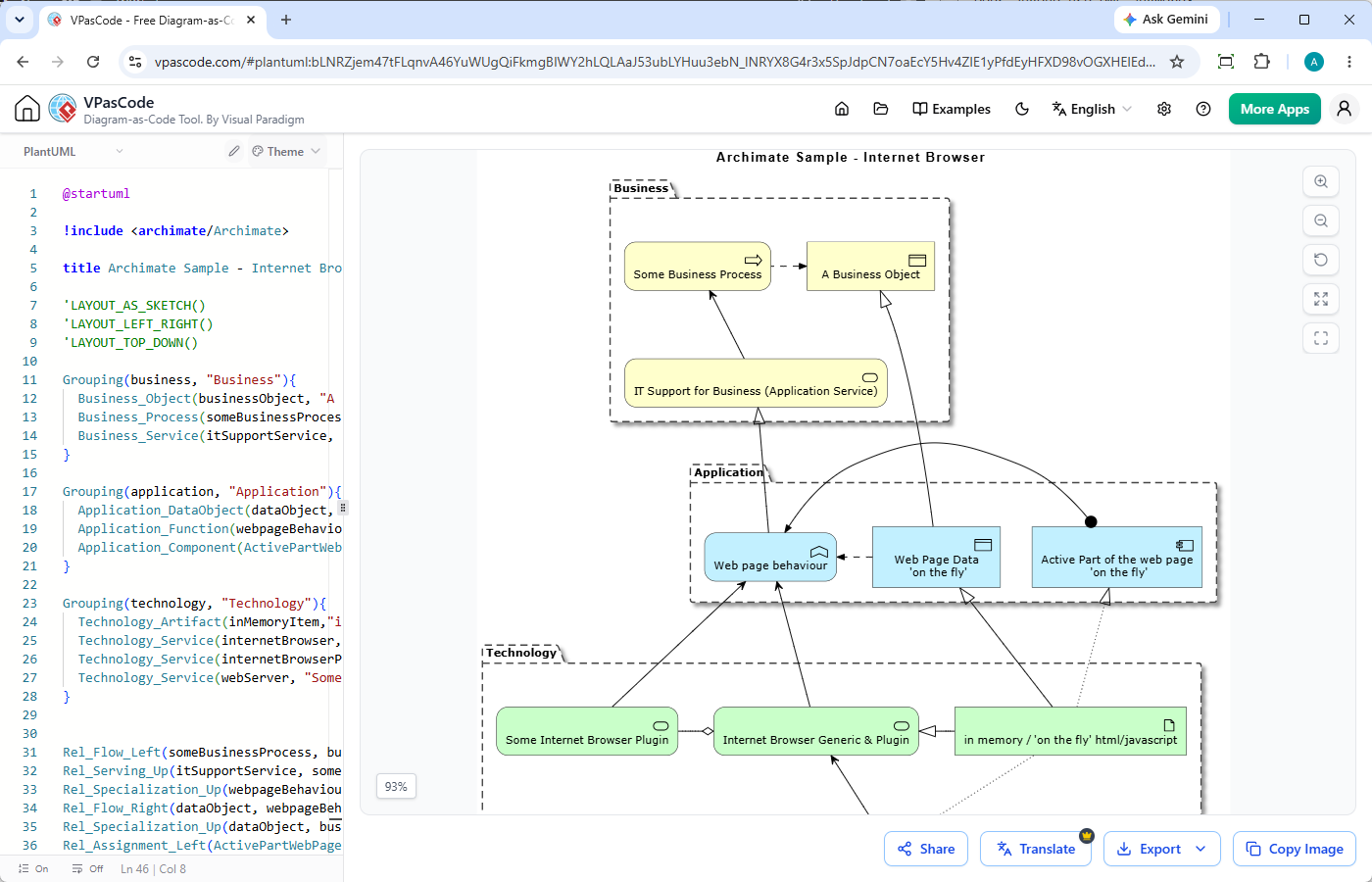
のようなプラットフォームVisual Paradigm VPasCodeレンダリング、構文管理、およびAIによる図の生成をブラウザエディタで統合し、図-as-codeワークフローを効率化します:
- プロンプトから図の作成:自然言語のプロンプトを入力します—例えば「ATMシステムのユースケース図をPlantUMLで生成する」—と入力することで、コードを生成し、アーキテクチャを即座にレンダリングします。
- 自動フォーマット検出:標準的なPlantUMLコード—または代替のDSL—を貼り付けると、VPasCodeが言語を自動的に検出します。
- リアルタイムライブプレビュー:スクリプトを入力したり調整したりする際、視覚化された図が横並びで動的にレンダリングされます。
- AIによるコードエラー修正:構文バグに遭遇しましたか?「AIで修正」をクリックすると、壊れたコードが自動的に修復され、横並びの差分説明付きで表示されます。
- ネイティブ翻訳とエクスポート:エディタ内で直接図のラベルを複数の言語に翻訳し、高解像度のPNGまたはベクターSVGファイルを即座にエクスポートできます。
(注:高度なAIによる図の生成、変更、エラー修正機能は、Visual Paradigm Online Deluxe Edition / Visual Paradigm Desktop Professional Edition+で利用可能です。)
5. PlantUMLを超えて:現代のソフトウェアアーキテクチャのためのマルチフォーマットサポート
現代のソフトウェアチームは、単一の図作成フォーマットに標準化することはめったにありません。ポリグロットチームは、特定のドキュメント作成のニーズに応じて、異なるDSLを利用することがよくあります。
5.1 PlantUML、Mermaid、標準DSLの使い分け
| フォーマット / 言語 | 最適な用途 | 主な利点 |
|---|---|---|
| PlantUML | 複雑なソフトウェア設計(クラス、状態、シーケンス、C4) | 深いUML標準のカバレッジと成熟した構文オプション。 |
| Mermaid | リポジトリ内のMarkdownドキュメント、シンプルなフローチャート | GitHubやGitLabなどのプラットフォームでのネイティブレンダリング。 |
| Graphviz / Markmap | ネットワークグラフ、自動生成のマインドマップ | 優れた数学的自動レイアウト機能。 |
5.2 VPasCodeによる統一技術ドキュメントの構築
異なる単一目的のレンダラー間を行き来するのではなく、Visual Paradigm VPasCode統合ハブとして機能します。PlantUMLの他にも、Mermaid、Graphviz、ECharts、SQL、JSON/YAMLなどの構造化データ形式をサポートしています。完成した図は、直接URLで共有したり、包括的な技術レポートのためにVisual Paradigm OpenDocsに直接公開したりできます。
6. よくある質問(FAQ)
6.1 PlantUMLは現在も積極的に更新されていますか?
はい、PlantUMLはオープンソースコミュニティによって積極的に維持されており、新機能、セキュリティパッチ、構文の改良のための定期的な更新が提供されています。
6.2 JavaやGraphvizをインストールせずにPlantUMLをレンダリングできますか?
はい。Webベースの無料UMLエディタであるVPasCodeを使用すれば、ローカルへのインストールを一切行うことなく、ブラウザ内でPlantUML図の貼り付け、編集、レンダリング、AIへのプロンプト、エクスポートをすべて完結させることができます。
関連リソース
- Visual Paradigm VPasCode インタラクティブプレイグラウンド: VPasCodeインタラクティブプレイグラウンドでVisual Paradigm VPasCodeを体験する
- VPasCode概要: VPasCodeについてさらに詳しく知る
- VPasCodeの主要アップデート:AIで図の生成と変更を瞬時に行う