


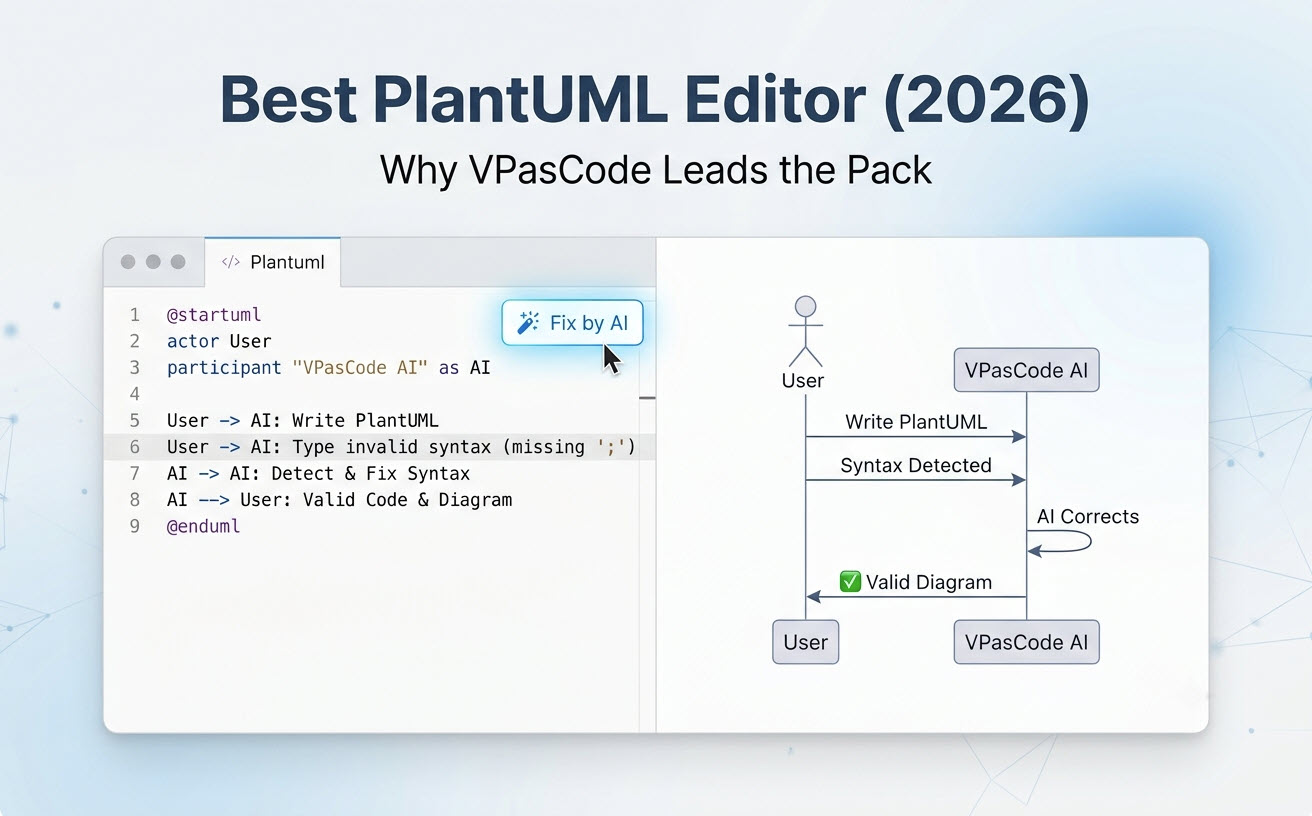
 Lorsque les développeurs, les architectes logiciels et les rédacteurs techniques recherchent lemeilleur éditeur PlantUML, ils ont besoin d’une plateforme qui élimine les tracas de configuration, accélère la création de diagrammes et simplifie le débogage de la syntaxe. Bien que les extensions d’IDE traditionnelles et les compilateurs web aient servi les équipes techniques pendant des années,Visual Paradigm VPasCode se distingue comme le seulmeilleur outil de diagrammes en tant que code pour PlantUML. En combinant un rendu navigateur sans configuration avec une réparation native de la syntaxe par IA, une génération automatisée et une détection automatique de format, VPasCode établit la référence pour les flux de travail modernes de diagrammation.
Matrice rapide : pourquoi VPasCode mène le peloton
Choisir le bon éditeur a un impact sur la productivité des développeurs et la vitesse de documentation. La comparaison suivante met en évidence comment VPasCode offre des fonctionnalités supérieures par rapport aux alternatives traditionnelles :
| Capacité / Fonctionnalité | VPasCode | VS Code + Extension | Plugin JetBrains | Serveur officiel |
|---|---|---|---|---|
| Configuration requise | Zéro (basé sur le navigateur) | Élevée (Java + Graphviz) | Élevée (Java + Graphviz) | Zéro (basé sur le navigateur) |
| Détection automatique de format | Oui (PlantUML, Mermaid, D2, etc.) | Non | Non | Non |
| Rendu en temps réel en direct | Instantané | Retardé / Dépendant du mode | Retardé | Génération manuelle par clic |
| Génération et modification de diagrammes par IA | Oui (invites en langage naturel) | Non | Non | Non |
| Correction des erreurs de syntaxe par IA | Oui (correction par IA en un clic) | Non | Non | Non |
| Différence de code et explication par IA | Oui | Non | Non | Non |
| Traduction native des étiquettes de diagramme | Oui | Non | Non | Non |
| Formats d’exportation | SVG et PNG haute résolution | Varie selon l’extension | Varie selon le plugin | PNG / SVG |
| Partage sans friction | URL et code QR | Nécessite Git / dépôt | Nécessite Git / dépôt | URL encodée de base |
Les problèmes fondamentaux des éditeurs PlantUML traditionnels
PlantUML est un langage spécifique au domaine (DSL) efficace pour définir des diagrammes d’architecture, des flux de séquence et des schémas de base de données en texte brut. Cependant, les environnements d’édition hérités introduisent des points de friction importants qui ralentissent les développeurs.
Le cauchemar de l’installation : Java, Graphviz et les dépendances d’environnement
Pour exécuter des éditeurs PlantUML traditionnels localement, les développeurs doivent installer et gérer un environnement d’exécution Java (JRE) local ainsi que Graphviz pour le rendu de la mise en page. La configuration des variables d’environnement (telles que “GRAPHVIZ_DOT) sur différents systèmes d’exploitation entraîne souvent des boucles de rendu, des erreurs de chemin et des problèmes de mismatch de version. Cette configuration complexe crée une friction inutile lorsqu’un développeur a simplement besoin de croquer ou de modifier rapidement un diagramme d’architecture.
Le goulot d’étranglement du débogage : erreurs de syntaxe cryptiques et flux de travail cassés
PlantUML impose des règles de syntaxe strictes. Une seule accolade manquante, une syntaxe de flèche invalide (comme une faute de frappe “-->) ou des blocs skinparameter non fermés provoqueront l’échec du moteur de rendu. Les éditeurs standards affichent des messages d’erreur de compilation obscurs ou échouent silencieusement avec un écran blanc, obligeant les développeurs à quitter leur état de flux pour scanner manuellement des lignes de code par rapport à la documentation.
Une puissance inégalée : ce qui fait de VPasCode l’éditeur PlantUML ultime
VPasCode a été conçu spécifiquement pour résoudre ces obstacles à la productivité, s’établissant comme le “meilleur outil PlantUMLdisponible aujourd’hui.
Génération et modification instantanées de diagrammes par IA
Comme mis en évidence dans notre “Mise à jour majeure de VPasCode : Générez et modifiez des diagrammes instantanément avec l’IA“, vous pouvez contourner entièrement la programmation manuelle en saisissant des invites en langage naturel—telles que ““Générez un diagramme de classes en PlantUML pour un système de commerce électronique”—vous permettant de créer, générer et refactoriser du code nativement dans l’éditeur en quelques secondes.
Rendu instantané sans configuration avec détection automatique du format
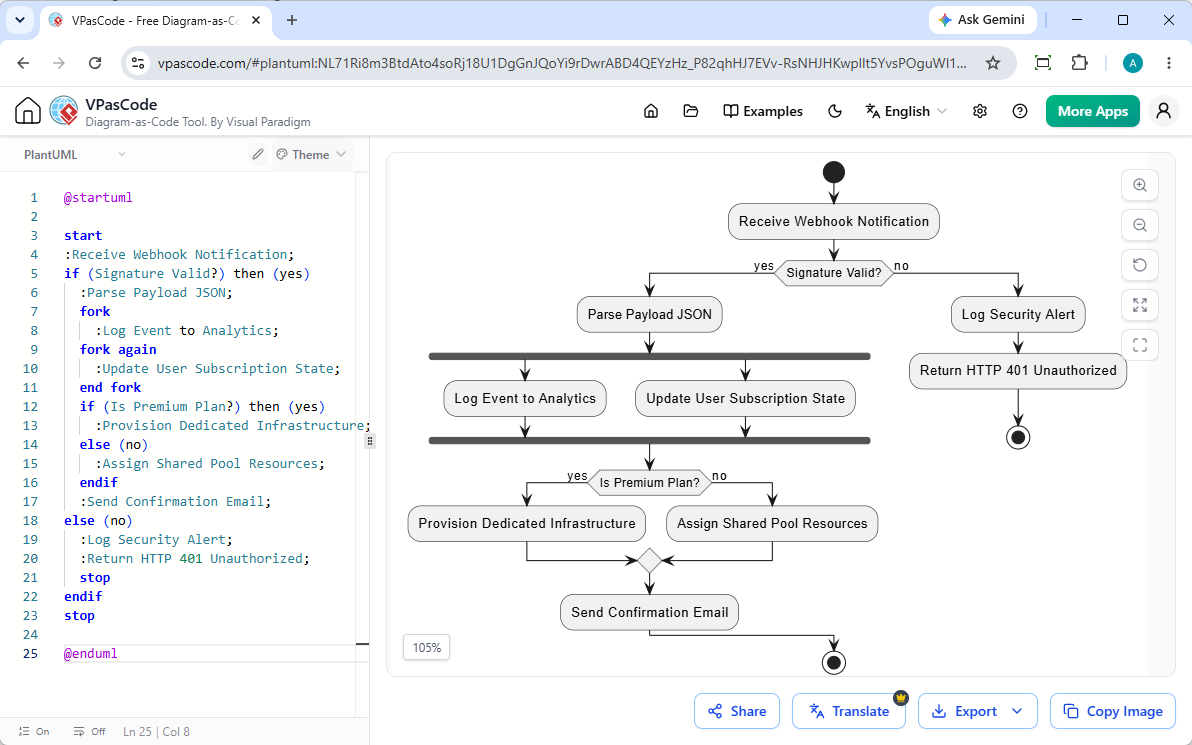
Avec VPasCode, il n’y a aucun compilateur à installer, aucun binaire Graphviz à configurer et aucun plugin local à mettre à jour. Les utilisateurs ouvrent leur navigateur, se rendent sur “vpascode.com“, et commencent à taper instantanément. VPasCode propose “Détection automatique du format“: collez n’importe quel script—qu’il s’agisse d’un diagramme de séquence PlantUML, ArchiMate, C4, de classe ou d’activité, ou même d’un script Mermaid ou D2—et la plateforme reconnaît automatiquement la syntaxe et rend le diagramme en temps réel sans nécessiter de basculement manuel de langue.
Correction instantanée des erreurs par IA : résolvez les problèmes de syntaxe en un clic
VPasCode révolutionne la maintenance du diagramme en code grâce à une capacité d’IA intégrée. Si un script contient des erreurs de syntaxe, les utilisateurs peuvent simplement cliquer sur ““Corriger par IA”. VPasCode analyse automatiquement la syntaxe, corrige le code et présente une comparaison côte à côte du code expliquant la correction. Cela élimine le processus de débogage fastidieux par essais et erreurs et aide les développeurs à maîtriser plus rapidement la syntaxe PlantUML.
Traduction native de diagrammes par IA pour les équipes d’ingénierie mondiales
Les équipes logicielles mondiales doivent souvent partager l’architecture technique entre différentes divisions internationales. VPasCode intègre une traduction native par IA directement dans l’éditeur. Les équipes peuvent traduire les libellés de nœuds, les rôles d’acteurs et les annotations textuelles dans plusieurs langues (par exemple, convertir « Submit Order » en « 提交订单 » ou « Enviar Pedido ») instantanément, sans avoir à modifier manuellement les lignes de script sous-jacentes.
(Note : Les fonctionnalités avancées de génération de diagrammes par IA, de modification de code et de correction d’erreurs sont disponibles dans l’édition Deluxe de Visual Paradigm Online / l’édition Professional+ de Visual Paradigm Desktop).
Comment se comparent les autres éditeurs PlantUML
Comprendre comment les outils alternatifs se comparent permet de clarifier pourquoi VPasCode est le choix privilégié pour les flux de travail d’ingénierie modernes.
Extensions VS Code et IDE : Capables, mais lourdes et dépendantes de l’environnement
Les extensions d’environnement de développement intégré (IDE) dans VS Code ou JetBrains sont populaires car les développeurs peuvent rester dans leur environnement de code. Cependant, ces extensions souffrent d’une consommation élevée de ressources, nécessitent des installations locales de Java/Graphviz et ne disposent pas de réparation d’erreurs par IA en temps réel. Le partage de diagrammes avec des parties prenantes externes nécessite également des exports d’images manuels ou l’engagement de fichiers dans un référentiel.
Alternatives web et serveurs officiels : éditeurs de base manquant de flux de travail avancés
Le serveur web officiel de PlantUML propose une compilation de script de base, mais son interface manque de commodités d’éditeur modernes. Les compilateurs web hérités ne disposent pas de mises à jour d’aperçu en temps réel, ne prennent pas en charge les multi-DSL (comme le passage dynamique entre PlantUML, Mermaid et D2) et n’offrent aucune fonctionnalité de diagnostic intelligent par IA.
Collaboration sans effort : partage, export et intégration OpenDocs
La création de diagrammes n’est qu’une partie du processus ; leur partage avec les membres de l’équipe et les parties prenantes techniques est essentiel.
Partage sans friction avec exports vectoriels, URL partageables et codes QR
VPasCode permet aux utilisateurs d’exporter des actifs visuels sous forme d’images vectorielles SVG évolutives pour les écrans haute résolution ou de graphiques PNG nets pour les présentations. De plus, les diagrammes peuvent être partagés instantanément via des URL partageables générées ou des codes QR, permettant une collaboration visuelle immédiate sur les appareils mobiles et de bureau sans barrières de paiement à l’export.
Passage à l’échelle vers des spécifications techniques complètes avec Visual Paradigm OpenDocs
Lorsque des diagrammes logiciels doivent être intégrés dans des spécifications d’architecture plus larges, VPasCode se connecte de manière transparente avec Visual Paradigm OpenDocs. Les développeurs peuvent transformer des diagrammes individuels directement en suites complètes de documentation technique en ligne, en maintenant les diagrammes d’architecture liés à la documentation produit de l’entreprise.
Conclusion : Commencez à éditer PlantUML plus rapidement avec VPasCode
Si vous recherchez le meilleur éditeur PlantUML qui élimine la configuration de l’environnement, répare automatiquement les erreurs de code, génère des diagrammes via l’IA et offre un rendu instantané, VPasCode est la solution de premier choix. Essayez-le gratuitement dès aujourd’hui à vpascode.com et découvrez un flux de travail de diagramme-as-code plus rapide et moderne.
Essayez VPasCode dès maintenant à : https://www.vpascode.com/editor/