


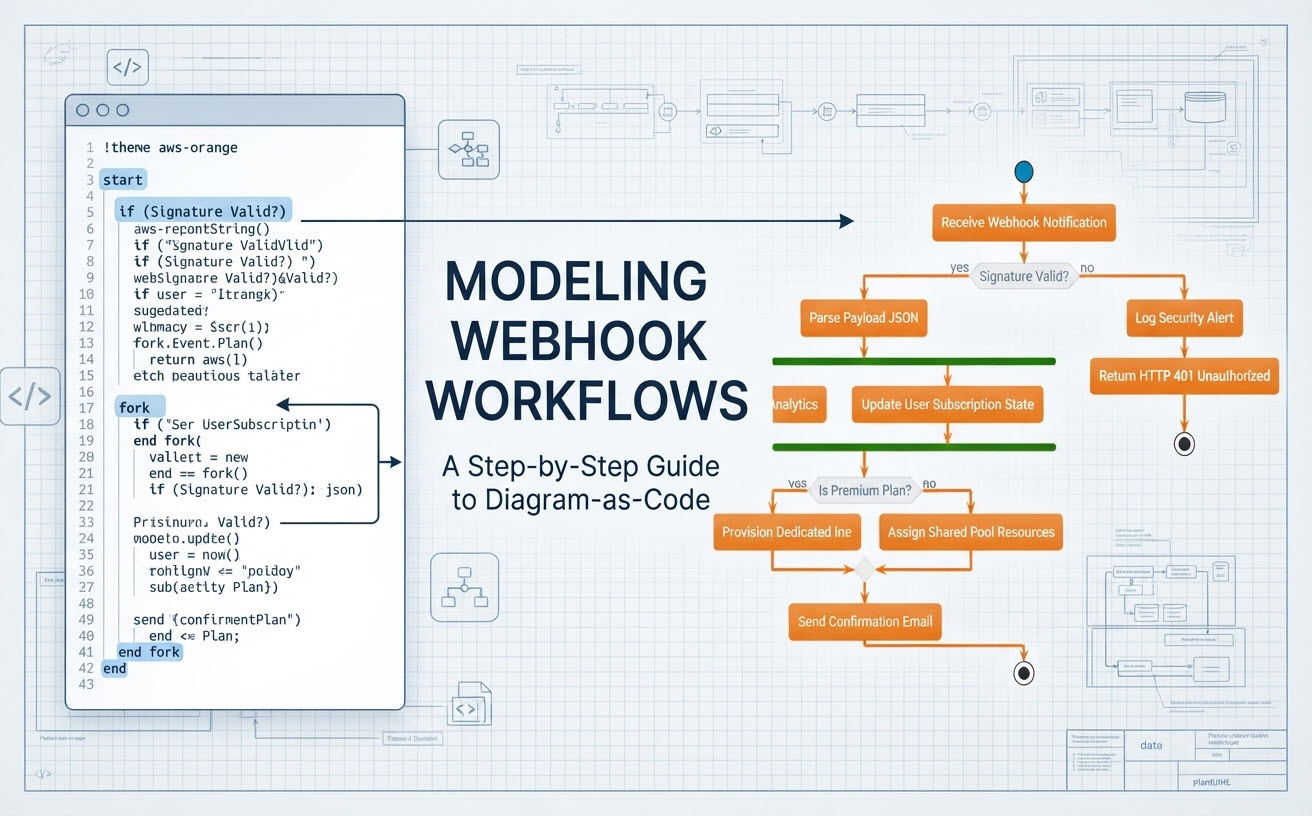
Como desarrolladores y arquitectos de sistemas, constantemente necesitamos visualizar lógica de backend compleja, especialmente flujos asíncronos impulsados por eventos como el procesamiento de webhooks. Al construir estos flujos de trabajo, escribir código para generar visuales es un enfoque fantástico porque mantiene la documentación clara y programática. Hoy, voy a guiarte a través de mi proceso de pensamiento exacto mientras diseño una tubería de ingestión y procesamiento de webhooks de nivel de producción utilizando PlantUML dentro de Visual Paradigm VPasCode.
1. Configuración de la estructura fundamental y el tema
Comienzo configurando la estructura fundamental del diagrama de actividad. Cada script robusto de actividad de PlantUML requiere un punto de entrada claro y un tema visual unificado para mantener estándares profesionales en toda la documentación técnica.
En lugar de ceñirme a las cajas predeterminadas y de aspecto simple, elijo incorporar el tema integrado aws-orange tema. Esto otorga instantáneamente al diagrama una estética limpia y nativa de la nube que resuena bien con las arquitecturas de infraestructura modernas.
@startuml
!theme aws-orange

start
:Recibir notificación de webhook;
2. Manejo de autenticación y ramificación condicional
A continuación, necesito definir el guardián de seguridad central de nuestro manejador de webhooks. Cuando llega un webhook desde un servicio externo (como Stripe, GitHub o AWS), la primera verificación operativa debe validar la firma de la solicitud para prevenir suplantación o inyección de carga no autorizada.
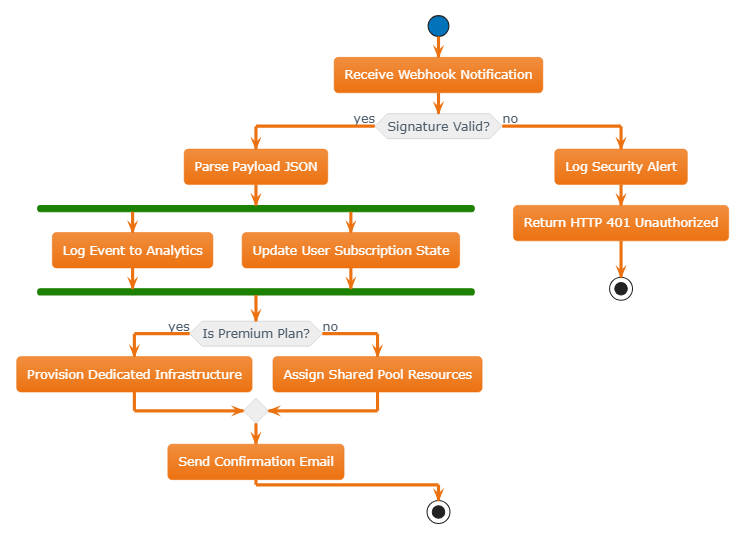
Para capturar esta lógica de decisión, utilizo la sintaxis condicional de PlantUML (if / then / else). Si la firma es válida, el flujo de trabajo avanza por la ruta de ejecución principal. Si falla, el sistema debe abortar inmediatamente, registrar una alerta de seguridad, devolver un código de estado HTTP 401 Unauthorized y terminar de forma segura.
if (¿Firma válida?) then (sí)
  :Analizar JSON de carga útil;
  ' Los pasos de procesamiento paralelo van aquí...
else (no)
  :Registrar alerta de seguridad;
  :Devolver HTTP 401 Unauthorized;
  stop
endif
3. Orquestación de tareas asíncronas con bifurcaciones
Una vez que la carga útil JSON se analiza correctamente, las aplicaciones de backend del mundo real rara vez procesan tareas estrictamente en serie. Por ejemplo, queremos registrar el evento en nuestro almacén de análisis y simultáneamente actualizar el estado de suscripción del usuario en nuestra base de datos principal sin bloquearse mutuamente.
Para representar esta concurrencia, introduzco un bloque fork bloque. Esto divide visualmente el flujo de trabajo en rutas de ejecución paralelas antes de sincronizarlas nuevamente. Es una técnica esencial para modelar con precisión arquitecturas de microservicios impulsadas por eventos.
  fork
    :Registrar evento en análisis;
  fork again
    :Actualizar estado de suscripción del usuario;
  end fork
4. Evaluación de niveles de suscripción y aprovisionamiento de recursos
Después de completar nuestro seguimiento paralelo y las actualizaciones de estado, el flujo de trabajo debe inspeccionar los atributos del usuario para determinar la asignación de infraestructura. Aquí, nos encontramos con una estructura de decisión anidada: verificar si el cliente pertenece a un nivel premium.
Si son suscriptores premium, aprovisionamos recursos de infraestructura dedicados para garantizar un rendimiento de baja latencia. De lo contrario, les asignamos de manera elegante recursos de un pool compartido. Ambas ramas eventualmente convergen antes de enviar un correo electrónico de confirmación final al usuario.
  if (¿Es plan premium?) then (sí)
    :Provisionar infraestructura dedicada;
  else (no)
    :Asignar recursos de pool compartido;
  endif
  :Enviar correo de confirmación;
5. Finalización del diagrama completo
Juntar todas estas piezas produce una hoja de ruta técnica integral y altamente legible.
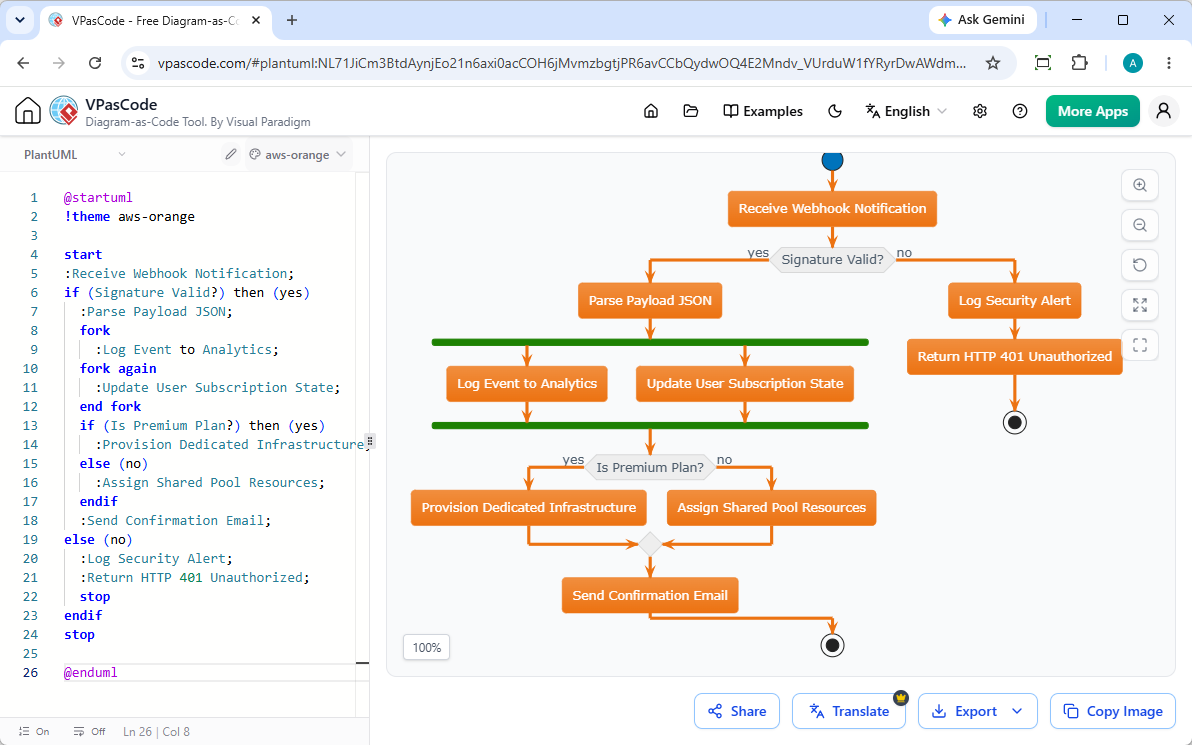
Aquí tienes el código fuente completo, listo para producción, que puedes copiar, pegar y renderizar al instante:
@startuml
!theme aws-orange

start
:Recibir notificación de webhook;
if (¿Firma válida?) then (sí)
  :Analizar JSON de la carga útil;
  fork
    :Registrar evento en Analytics;
  fork again
    :Actualizar estado de suscripción del usuario;
  end fork
  if (¿Es plan premium?) then (sí)
    :Provisionar infraestructura dedicada;
  else (no)
    :Asignar recursos de pool compartido;
  endif
  :Enviar correo de confirmación;
else (no)
  :Registrar alerta de seguridad;
  :Devolver HTTP 401 No autorizado;
  stop
endif
stop

@enduml¿Por qué crear diagramas con VPasCode?
Diseñar flujos de trabajo como código ofrece un enfoque rápido y basado en texto para la documentación técnica. Con Visual Paradigm VPasCode, obtienes un ciclo de retroalimentación instantáneo para todos tus diagramas:
- Detección automática de formato:Pega tu script de PlantUML, Mermaid o D2 directamente en el editor sin configurar manualmente selectores de idioma.
- Renderizado en tiempo real:Observa cómo tus diagramas visuales se actualizan al instante, tecla por tecla, mientras refinas tu lógica.
- Opciones de exportación flexibles:Descarga gráficos vectoriales SVG nítidos y escalables o imágenes PNG de alta resolución para presentaciones y wikis de documentación.
- Asistencia impulsada por IA:¿Te encuentras con un error de sintaxis? Haz clic en «Corregir con IA» para resolver automáticamente los errores con diferencias de código transparentes lado a lado.
¿Listo para optimizar tu documentación técnica?
Experimenta un renderizado de texto a diagrama ultrarrápido, corrección automática de errores y un intercambio fluido, todo completamente gratis.