


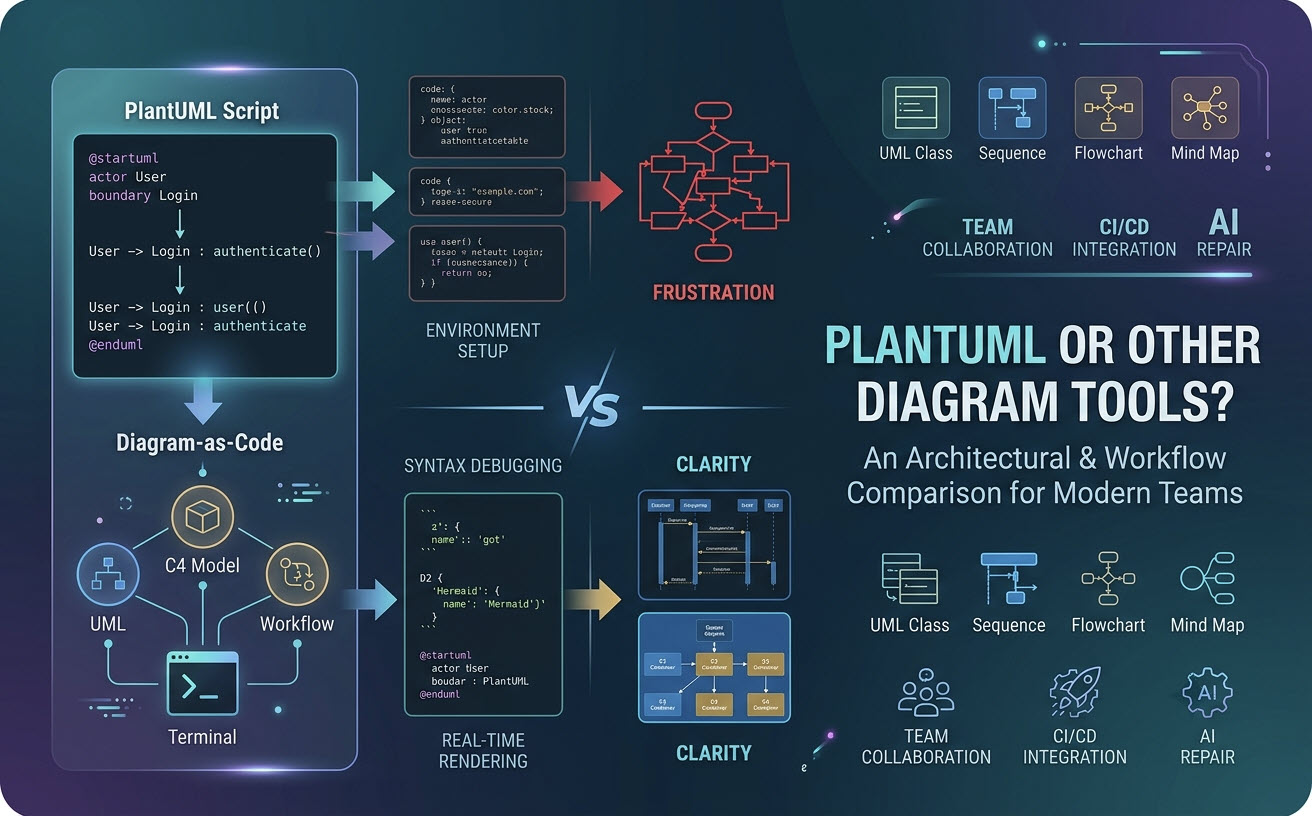
Le choix du bon outil de diagramme-as-code (DaC) dépend fortement de la complexité architecturale de votre équipe, de votre pile de documentation et de l’expérience de rendu souhaitée. Bien que PlantUMLreste une norme industrielle dominante pour la modélisation technique complexe, des langages spécifiques au domaine (DSL) alternatifs comme Mermaid, D2 et Graphviz ont gagné une traction significative. Utiliser un éditeur PlantUML moderne, éditeur PlantUML gratuitpeut considérablement résoudre les frictions de configuration traditionnelles, rendant la modélisation basée sur du texte fluide à travers différents projets.
1. Introduction : Le passage au diagramme-as-code (DaC)
Diagramme-as-code (DaC)est la pratique qui consiste à définir l’architecture logicielle, les flux de données et la conception des systèmes à l’aide de scripts en texte brut plutôt que d’éditeurs visuels manuels de glisser-déposer.
La création de diagrammes basée sur du texte offre trois avantages principaux aux équipes d’ingénierie :
- Contrôle de version :Stockez les fichiers de diagramme directement dans les dépôts Git aux côtés du code source pour un suivi clair des révisions.
- Pipelines CI/CD automatisés :Rendez la documentation architecturale mise à jour de manière programmatique lors des processus de construction.
- Efficacité des développeurs :Gardez les mains sur le clavier sans perdre des heures à aligner manuellement des boîtes et des flèches.
2. Forces et limites principales de PlantUML
PlantUML est un outil open source qui transforme des descriptions textuelles en diagrammes structurels et comportementaux formels grâce à une syntaxe riche et expressive.
2.1 Où PlantUML excelle : UML expressif et capacités de modélisation approfondie
Contrairement aux moteurs de syntaxe de diagrammes de flux basiques, PlantUML prend nativement en charge une modélisation structurelle étendue à travers des systèmes d’entreprise complexes :
- Types de diagrammes complets :Prise en charge native des modèles ArchiMate, C4, de séquence, de classe, de composant, de déploiement, d’activité, d’état, de chronologie, de DRE (ERD), de WBS, de Gantt et de cartes mentales.
- Relations structurelles avancées :Contrôle précis des implémentations d’interfaces, de l’héritage multi-objets, du stéréotypage de composants et de la portée architecturale approfondie.
2.2 Les points de friction : configuration complexe, erreurs de syntaxe et surcharge du rendu
Malgré sa puissance, l’adoption traditionnelle de PlantUML rencontre souvent des obstacles techniques spécifiques :
- Surcharge de l’environnement :Le rendu local standard nécessite l’installation et la configuration de l’environnement d’exécution Java (JRE) et des dépendances Graphviz.
- Erreurs cryptiques :Une seule parenthèse manquante peut entraîner des échecs de mise en page frustrants ou des traces d’erreurs de compilation peu utiles.
- Style et maintenance :Le style par défaut peut sembler désuet sans modifications manuelles des paramètres de peau ou de thèmes personnalisés.
3. PlantUML vs. Alternatives populaires : une matrice de comparaison
Pour évaluer si PlantUML est plus adapté à votre flux de travail, examinez comment il se compare directement aux autres langages de description de diagrammes (DSL) textuels de premier plan :
| Fonctionnalité / Paramètre | PlantUML | Mermaid | D2 | Graphviz (DOT) |
|---|---|---|---|---|
| Objectif principal | UML complet et architecture logicielle | Documentation web légère et organigrammes | Architecture logicielle moderne et mise en page automatique | Graphes de réseaux et arbres de nœuds complexes |
| Complexité de la syntaxe | Modérée à élevée | Faible (conviviale pour les débutants) | Modérée | Élevée |
| Intégration native à la plateforme | Nécessite un plugin, un serveur ou un moteur | Moteurs d’analyse Markdown natifs (GitHub/GitLab) | CLI / API autonome | Moteur en ligne de commande |
| Écosystème et profondeur de modélisation | Extrêmement élevé (C4, ArchiMate, UML standard) | Modéré (diagrammes de base et organigrammes) | En croissance (moteur moderne) | Élevé (axé sur les graphes) |
3.1 PlantUML vs. Mermaid : simplicité de la syntaxe vs. profondeur architecturale
Mermaid excelle dans la documentation simple en ligne au sein de GitHub ou Notion grâce à sa syntaxe minimale. Cependant, lors de la construction de modèles C4 d’entreprise complexes ou de machines à états, PlantUML offre une précision de modélisation nettement supérieure, des définitions de relations étendues et une personnalisation plus approfondie des composants.
3.2 PlantUML vs. D2 & Graphviz : Contrôle de la mise en page et visuels modernes
Graphviz offre une puissance brute de mise en page mathématique pour des graphes de réseaux massifs, tandis que D2 propose des sorties visuelles modernes et soignées dès la sortie de la boîte. PlantUML trouve un équilibre en exploitant les moteurs Graphviz en interne tout en fournissant des abstractions de niveau supérieur, orientées logiciel, adaptées aux architectes logiciels.
4. Le goulot d’étranglement caché : pourquoi changer de DSL de syntaxe n’est pas toujours la solution
Les équipes débattent souvent de la nécessité de changer de langage de syntaxe lorsqu’elles rencontrent des frictions dans la documentation, mais le vrai problème réside généralement dans l’éditeur et la chaîne d’outils plutôt que dans le langage lui-même.
4.1 Outils fragmentés et verrouillage DSL
Différents développeurs au sein d’une équipe préfèrent souvent des formats différents : un ingénieur écrit des diagrammes de séquence PlantUML, un autre ébauche des organigrammes Mermaid, et une équipe de données utilise Graphviz ou des scripts de schémas SQL. Forcer l’utilisation d’un seul langage étouffe souvent la productivité.
4.2 Les véritables tueurs de productivité : débogage de la syntaxe et obstacles à la collaboration
Lorsqu’on travaille avec des diagrammes basés sur du code, la vélocité de l’ingénierie est entravée par deux goulots d’étranglement spécifiques :
- Le débogage des fautes de frappe de syntaxe dans de longs scripts.
- La conversion des scripts en formats exportables (PNG/SVG) pour les partager avec des parties prenantes non techniques ou des chefs de produit.
5. La solution hybride : exploiter la prise en charge multi-DSL avec un rendu cloud sans configuration
Plutôt que de restreindre votre équipe à une seule syntaxe, les architectures modernes bénéficient le plus d’un espace de travail web flexible multi-DSL.
5.1 Rendu instantané et détection automatique du format avec VPasCode
Visual Paradigm VPasCode sert d’outil robuste gratuit pour PlantUML et moteur multi-langues qui élimine complètement les exigences de configuration locale de Java ou de Graphviz. En collant le script directement dans l’éditeur, VPasCode détecte automatiquement si votre code est en PlantUML, Mermaid, D2, Graphviz ou ECharts, générant des aperçus visuels en direct instantanément sans commutation manuelle.
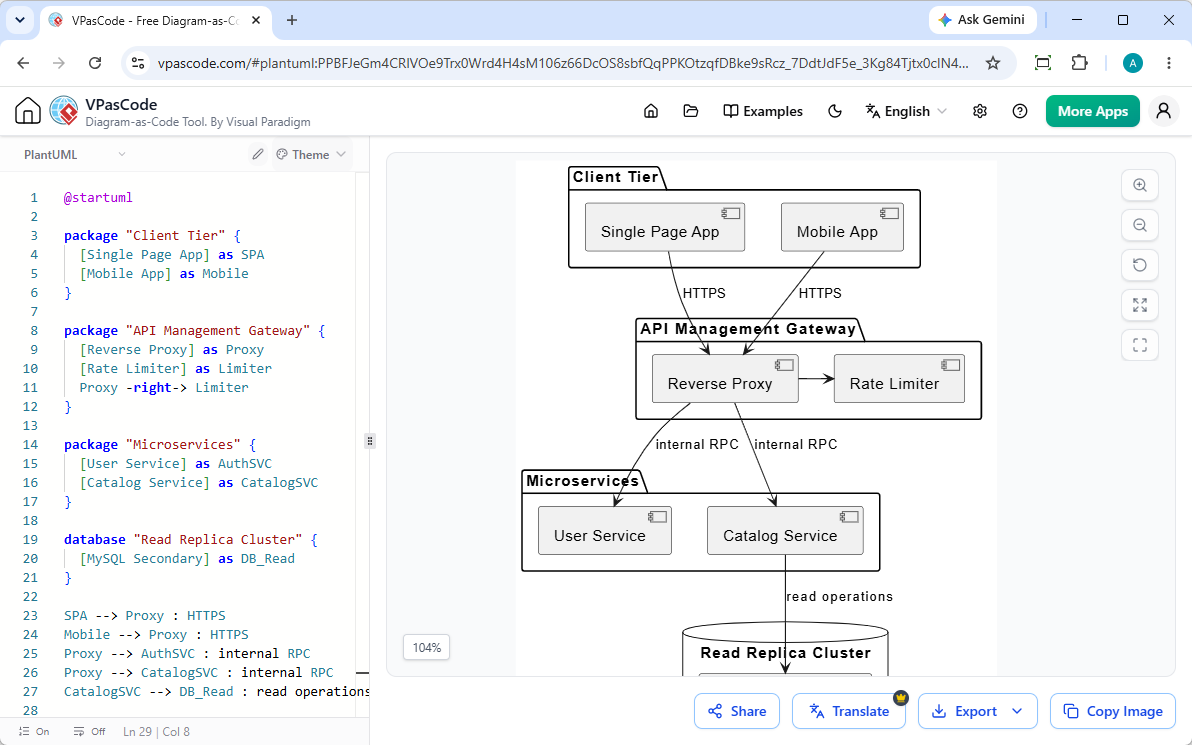
5.2 Correction des erreurs de syntaxe et comparaisons de code assistées par IA
Lorsque des erreurs de syntaxe interrompent votre rendu, VPasCode simplifie le dépannage grâce à une assistance IA intégrée :
- Correction par IA : Détecte et répare automatiquement la syntaxe PlantUML ou Mermaid cassée en un seul clic.
- Comparaisons de code transparentes : Comparez le code original et le code corrigé côte à côte pour comprendre immédiatement les ajustements de syntaxe.
5.3 Localisation multi-langues et intégration à OpenDocs
Pour soutenir les équipes d’entreprise mondiales, VPasCode propose une traduction native par IA, permettant aux développeurs de traduire les étiquettes des diagrammes dans plusieurs langues directement dans l’éditeur. Les diagrammes terminés peuvent être exportés sans problème sous forme de SVG vectoriels haute résolution, partagés via des URL ou des codes QR légers, ou publiés directement sur Visual Paradigm OpenDocs pour la gestion de la documentation d’entreprise.
6. Comment choisir le bon outil de diagramme pour votre équipe
PlantUML reste le choix supérieur pour la conception architecturale complète, les spécifications UML complexes et la modélisation de systèmes C4. Au lieu de perdre du temps à configurer des compilateurs locaux ou à imposer une transition de syntaxe, utiliser un espace de travail en ligne puissant comme “VPasCode”offre un rendu immédiat sans configuration, une flexibilité multi-DSL et une réparation de syntaxe pilotée par l’IA pour tous vos besoins de diagrammes techniques.
Essayez VPasCode dès maintenant à : https://www.vpascode.com/editor/