


The Best Free
Online PlantUML Editor
for Professional Diagramming
Finding a fast, easy, and versatile text to diagram tool can be a challenge for modern teams. While many basic options exist, users often struggle with rigid features, clunky interfaces, or tools that only handle one specific layout. If you need a simple solution that makes turning text into clear visuals effortless, Visual Paradigm VPasCode is built to deliver the ultimate diagramming experience.
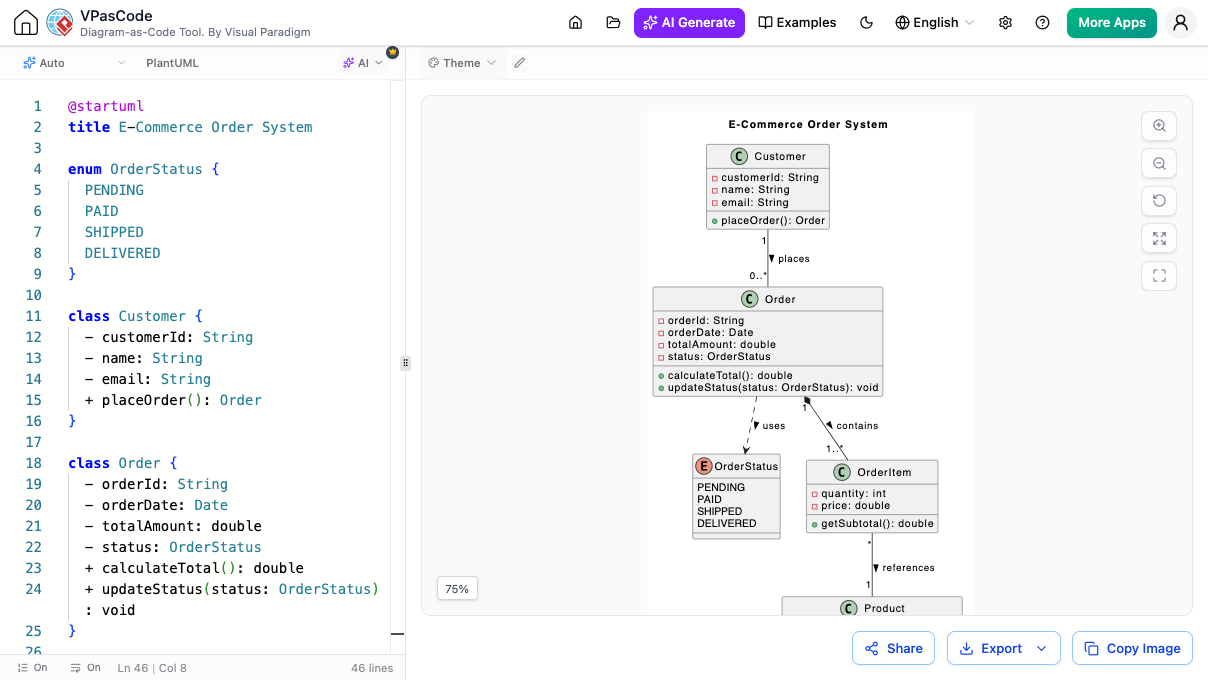
Why VPasCode is the Best PlantUML Editor Available
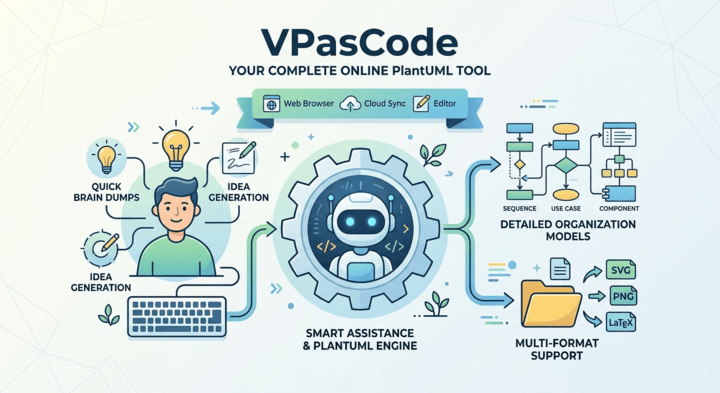
Instant AI Diagram Generation & AI Modifier
Skip the hassle of writing code from scratch or making tedious manual edits. VPasCode introduces built-in AI assistance to speed up your visual creation:
-
AI Diagram Generation
Simply type a plain-language prompt describing what you need (e.g., "Create a user login flow with 2-factor authentication"), and our AI instantly generates the complete PlantUML code for you.
-
AI Diagram Modifier
Need to update an existing chart? Instead of editing lines of code manually, give simple text instructions to the AI modifier (e.g., "Add an email verification step after signup"), and it will refine and expand your diagram script automatically.
Smart AI Diagnostics & Connected Team Docs
When your project demands more than standard editing, VPasCode provides optional advanced AI features and document tools to speed up your daily work.
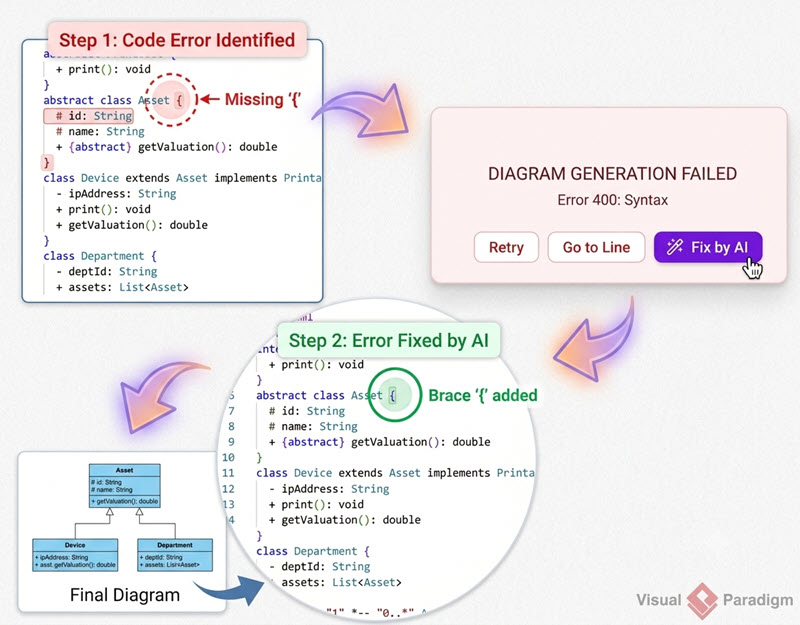
AI Error Fixing
One-Click Fixes: Stuck on a typo or missing syntax symbol? Our AI checks your text, fixes typos automatically, and explains what was corrected.
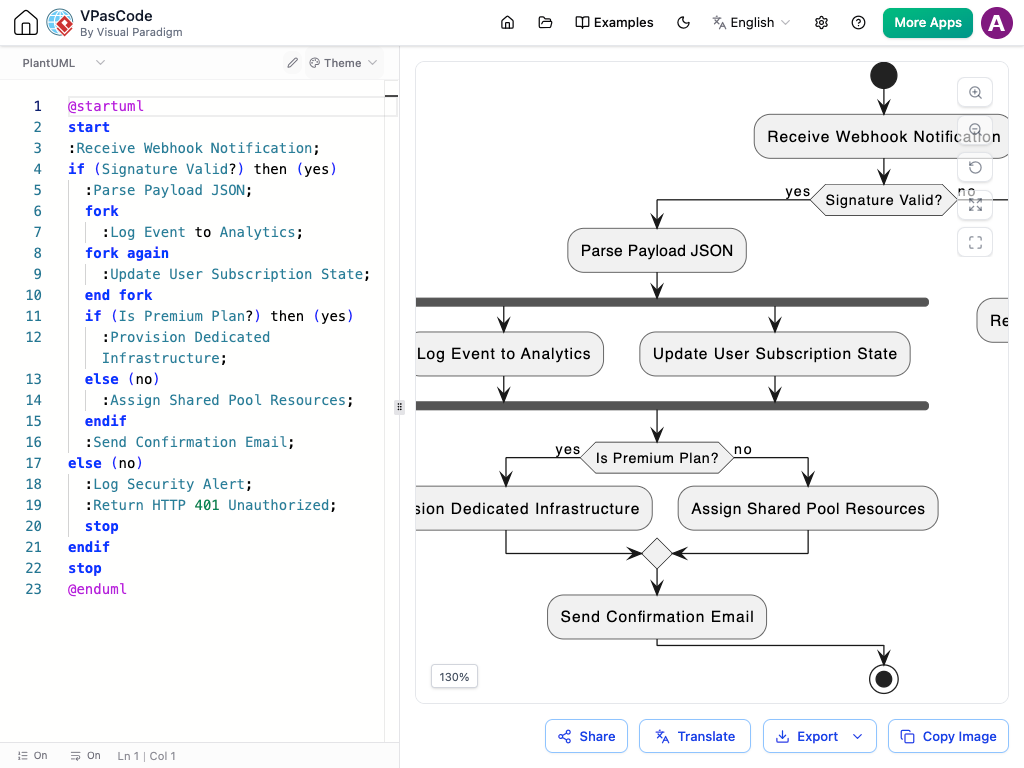
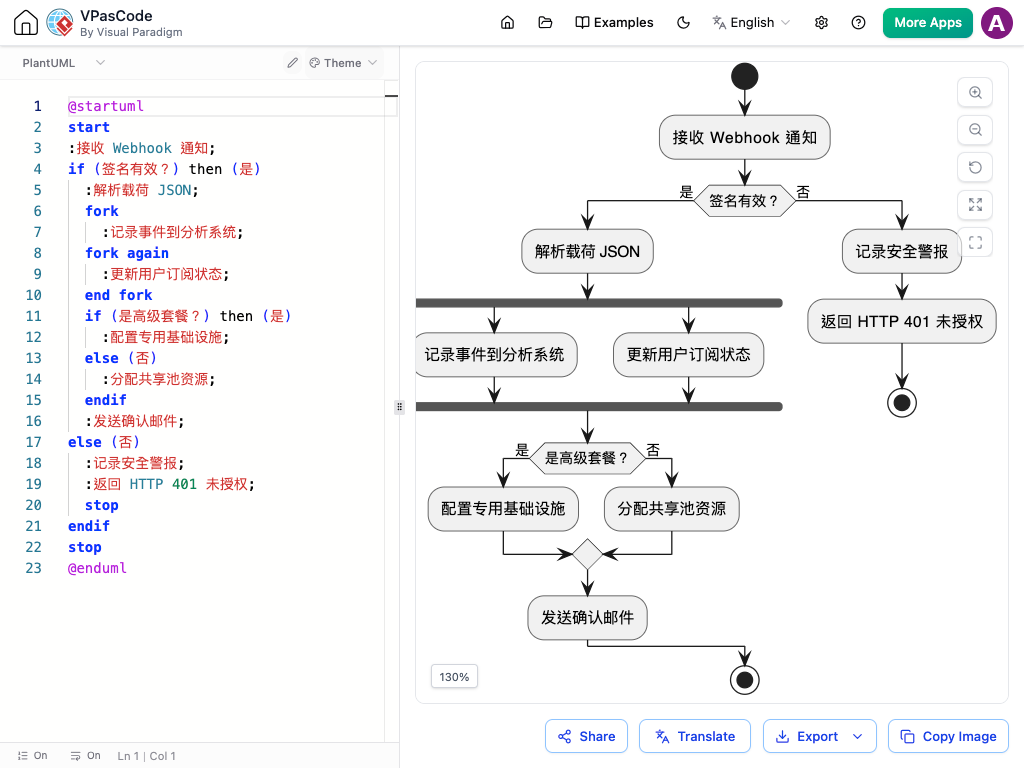
AI-Powered Instant Translation
Complete Core Features & Easy Output
-
Live Real-Time Rendering
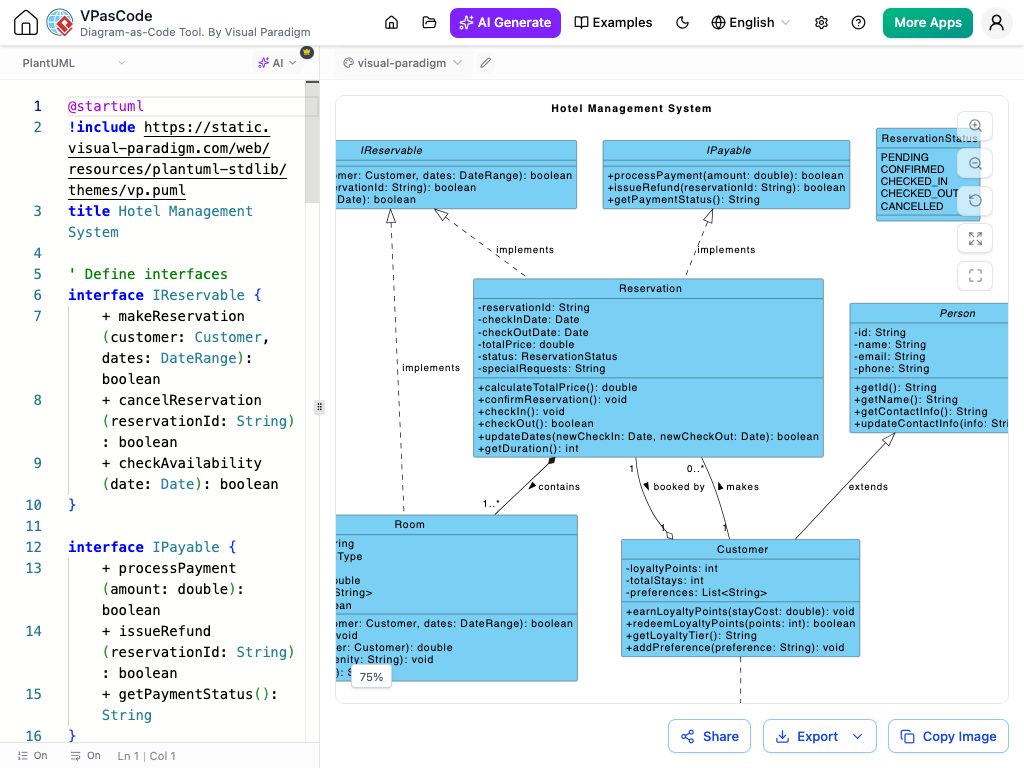
See your text transform into clean visual pictures as you type.
-
High-Quality Image Export
Download your finished charts in crisp SVG or PNG formats for slide decks, reports, and PDFs.
-
Instant Sharing
Share your designs instantly with colleagues via direct web links or QR codes.
-
Built-in Theme Selector
Effortlessly switch between popular built-in PlantUML themes (such as Materia, Cerulean, Amethyst, and CRT) with a single click.

A True One-Stop-Shop Text to Diagram Tool
Why switch between four different web tools when you can use one unified workspace? Unlike single-purpose web apps, VPasCode goes beyond PlantUML. It serves as an all-in-one text to diagram tool, allowing you to create multiple popular chart styles in the exact same application:
-
Mermaid.js
Flowcharts, Gantt project charts, Sequence flows
-
Graphviz / DOT
Network structures and connections
-
ECharts
Interactive data charts and visual stats
-
Markmap
Transform text-based notes into dynamic visual trees for instant brainstorming and concept mapping.
-
Data Visualizer
Turn data directly from SQL, JSON, and YAML into charts
Frequently Asked Questions
Yes! Core features—including text editing, live previews, image exports, and link sharing—are completely free. Advanced AI tools and connected documentation features are available in upgraded packages.
No installation or setup is required. VPasCode operates as a web-based online PlantUML editor, handling all visual creation directly inside your web browser.
VPasCode combines multiple visual tools into one interface. Beyond PlantUML, you can type or paste Mermaid text, Graphviz scripts, chart configs, or structured data to create visuals without changing software.
VPasCode supports the complete PlantUML specification, including Sequence, Class, Use Case, Activity, Component, State, Object, Deployment, Timing, ArchiMate, C4 models, ERD, WBS, Gantt charts, and Mind Maps.
You type a prompt in plain language describing your workflow or system architecture. The built-in AI converts your description directly into clean PlantUML code, which live-renders in the preview window immediately.
Diagram-as-Code Editor
Start Editing PlantUML Now
No sign-up or installation required. Start writing PlantUML or diagram code in seconds.