


Introduction
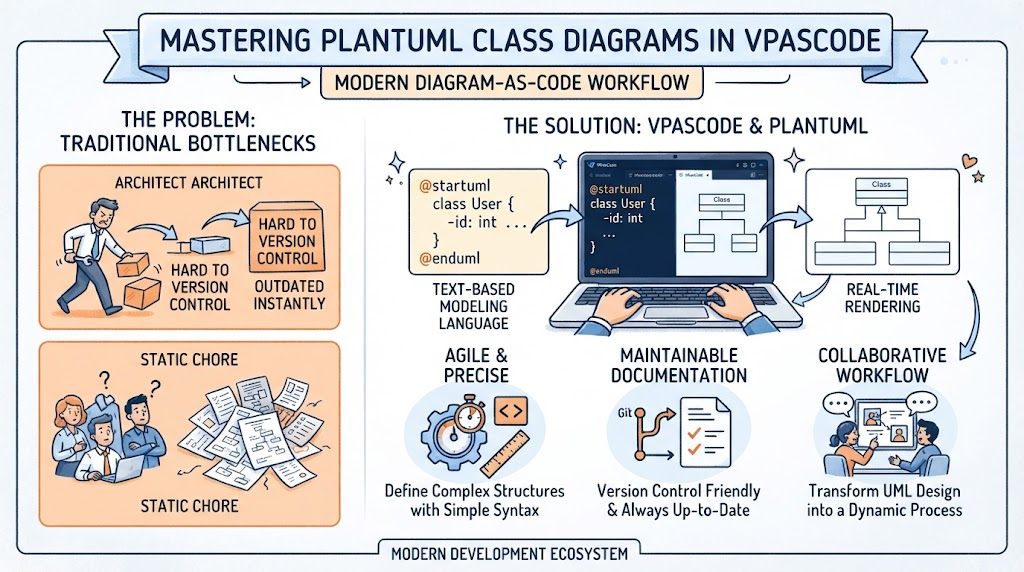
In the fast-paced world of software architecture and product management, clarity is currency. Traditional drag-and-drop diagramming tools often create a bottleneck: they are slow to update, difficult to version control, and prone to becoming outdated the moment code changes. For professionals like Angus, who bridge the gap between technical execution and strategic product roadmapping, the need for agile, precise, and maintainable documentation is critical.
Enter VPasCode, Visual Paradigm’s browser-based, multi-engine diagram-as-code platform. By leveraging PlantUML, a powerful text-based modeling language, developers and architects can define complex class structures using simple syntax. When combined with VPasCode’s real-time rendering and AI integration, this approach transforms UML design from a static chore into a dynamic, collaborative workflow. This guide explores how to master PlantUML class diagrams within VPasCode, highlighting why this toolset stands out in the modern development ecosystem.
Why VPasCode Stands Out
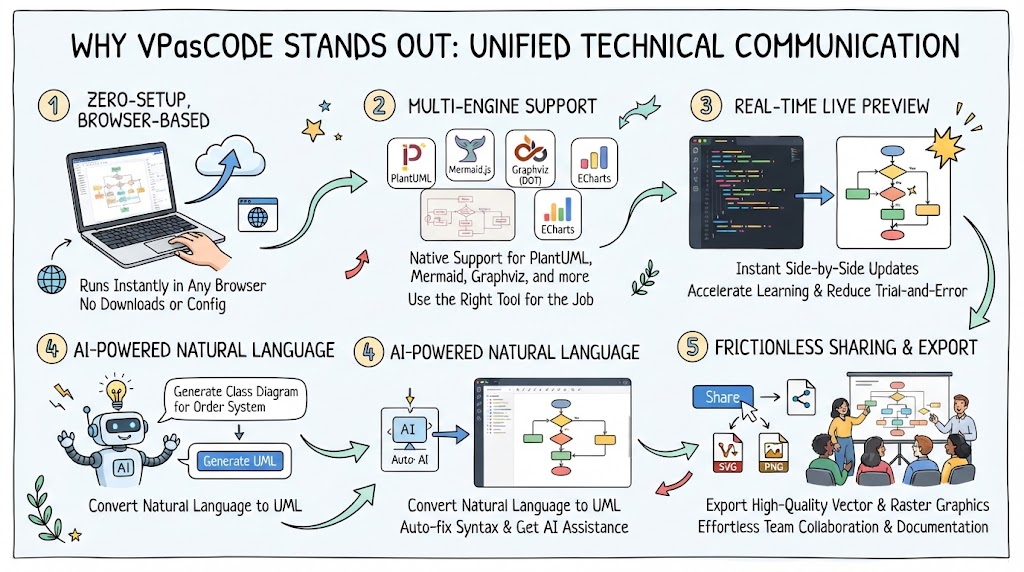
VPasCode is not just another editor; it is a unified environment designed to eliminate friction in technical communication. Here is why it is the recommended tooling for modern UML design:
1. Zero-Setup, Browser-Based Efficiency
Unlike traditional desktop applications that require heavy installations and license management, VPasCode runs entirely in your browser. There are no local configurations or manual setups required. This “zero setup” philosophy means you can start diagramming instantly from any device, making it ideal for remote teams or quick architectural sketches during meetings.
2. Multi-Engine Support in a Single Interface
While this guide focuses on PlantUML, VPasCode natively supports Mermaid.js, Graphviz (DOT), Markmap, and ECharts. This flexibility allows teams to use the best tool for the job without switching platforms. You can render a PlantUML class diagram alongside a Mermaid flowchart in the same workspace, ensuring comprehensive documentation.
3. Real-Time Live Preview
The core value proposition of VPasCode is its instant side-by-side live preview. As you adjust script configurations or data strings, the diagram updates immediately. This feedback loop accelerates learning and reduces the trial-and-error time associated with syntax-heavy languages like PlantUML.
4. AI-Powered Natural Language Integration
VPasCode integrates seamlessly with the Visual Paradigm AI Chatbot. You can convert plain text prompts into precise UML notation, auto-fix syntax errors, or translate existing diagrams using natural language. The “VPasCode Bridge” allows you to push generated schemas directly from the AI chat into the editor for line-level precision adjustments, significantly reducing manual coding effort.
5. Frictionless Sharing and Export
Generated diagrams can be exported as high-quality vector (SVG) or raster (PNG) graphics, perfect for technical documentation, presentations, or Confluence pages. Sharing is effortless—simply share code blocks or visual representations across team spaces, ensuring everyone is looking at the same up-to-date architecture.
Key Concepts: PlantUML Class Diagrams
PlantUML uses a simple, intuitive syntax to define classes, relationships, and attributes. Below are the foundational concepts you need to know.
Basic Class Structure
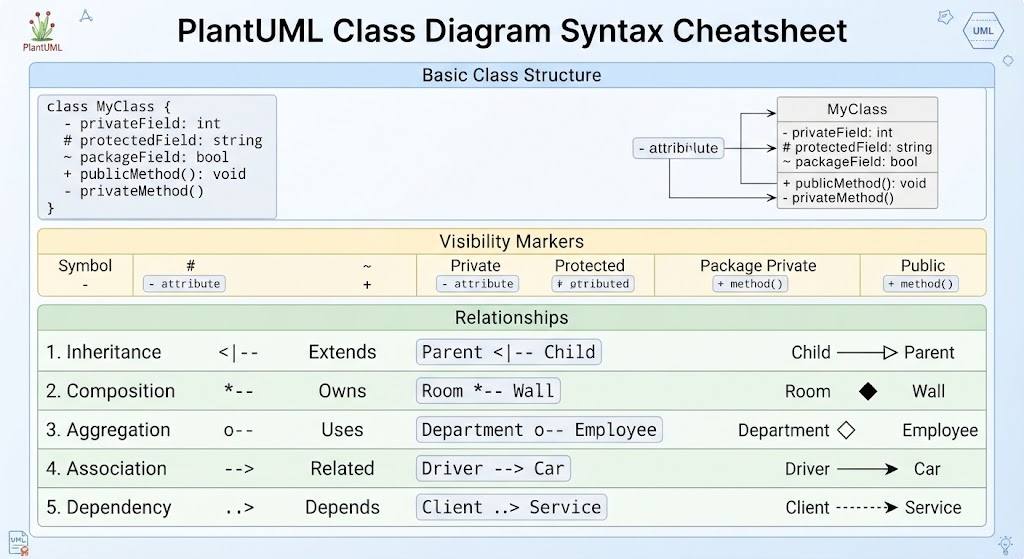
A class is defined using the class keyword, followed by the class name. Attributes and methods are listed inside curly braces or using standard visibility markers.
-
Visibility Markers:
-
-: Private -
#: Protected -
~: Package Private -
+: Public
-
Relationships
PlantUML supports various UML relationships using specific arrows:
-
Inheritance:
<|-- -
Composition:
*-- -
Aggregation:
o-- -
Association:
--> -
Dependency:
..>
Diagram Examples
Below are practical examples of PlantUML class diagrams, rendered conceptually for VPasCode. You can copy these code blocks directly into the VPasCode editor to see the live results.
Example 1: Basic Class Definition
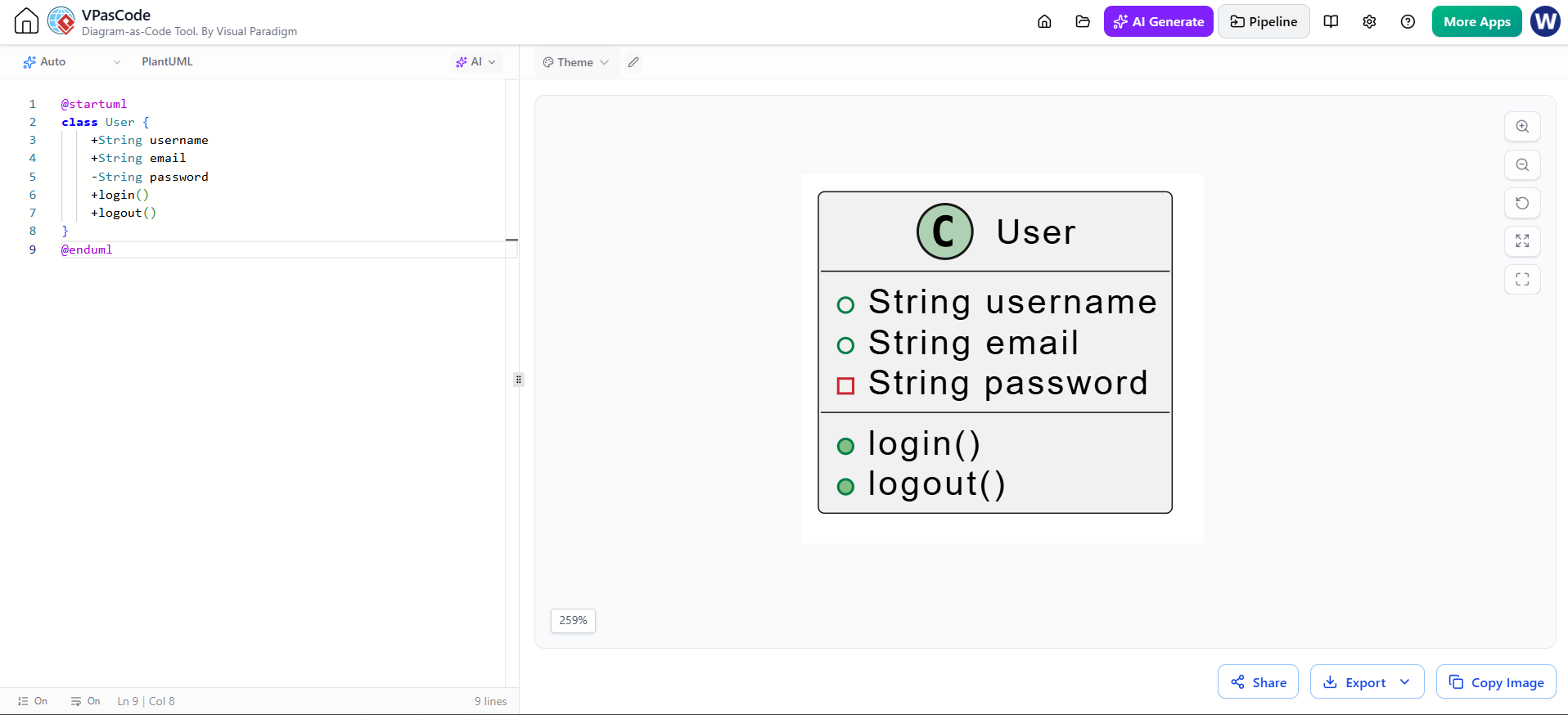
This example demonstrates a simple User class with public and private attributes.
@startuml
class User {
    +String username
    +String email
    -String password
    +login()
    +logout()
}
@enduml
Benefits: Clear visibility of data encapsulation. Ideal for initial entity modeling.
Example 2: Inheritance and Interfaces
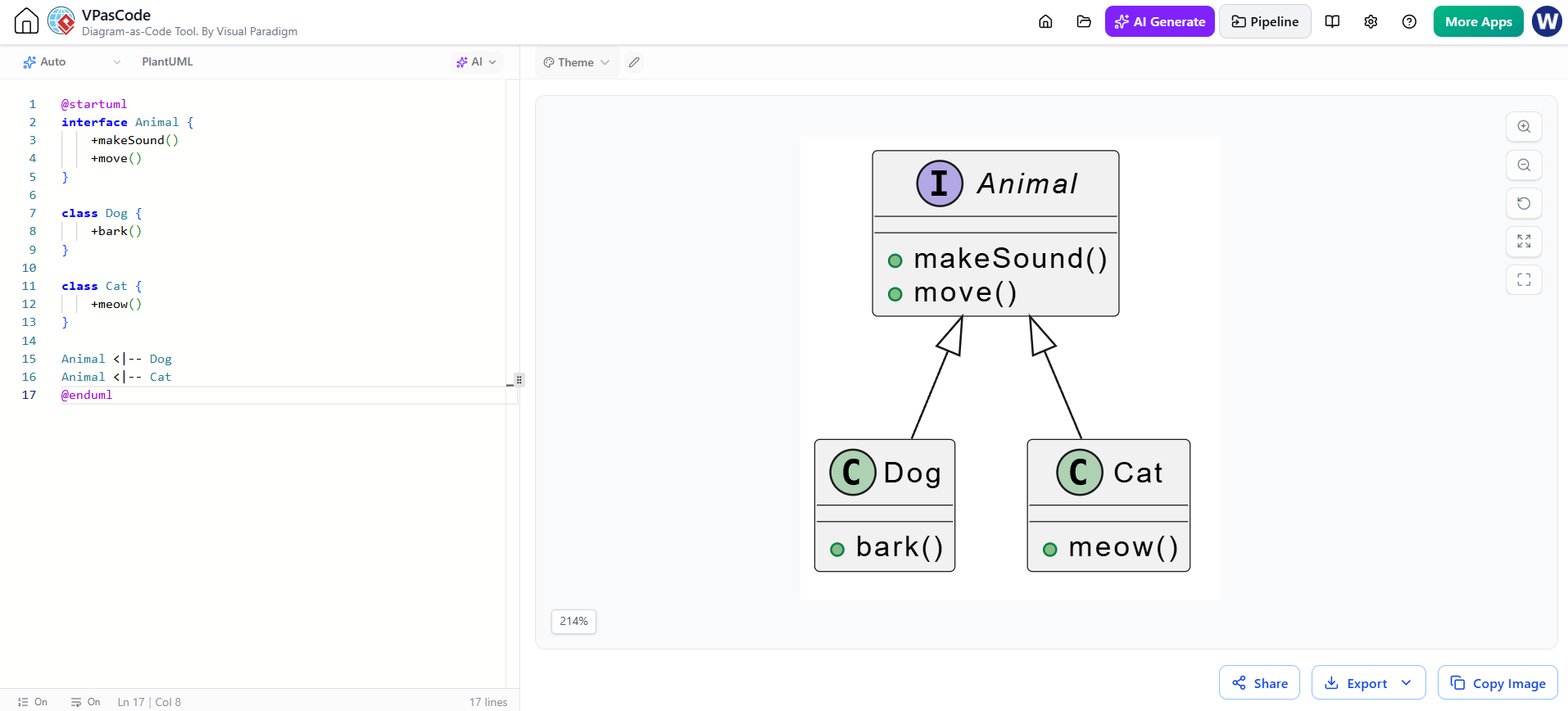
This example shows an Animal interface implemented by Dog and Cat classes, demonstrating inheritance hierarchies.
@startuml
interface Animal {
    +makeSound()
    +move()
}

class Dog {
    +bark()
}

class Cat {
    +meow()
}

Animal <|-- Dog
Animal <|-- Cat
@enduml
Benefits: Visualizes polymorphism and contract adherence, crucial for object-oriented design reviews.
Example 3: Composition and Aggregation
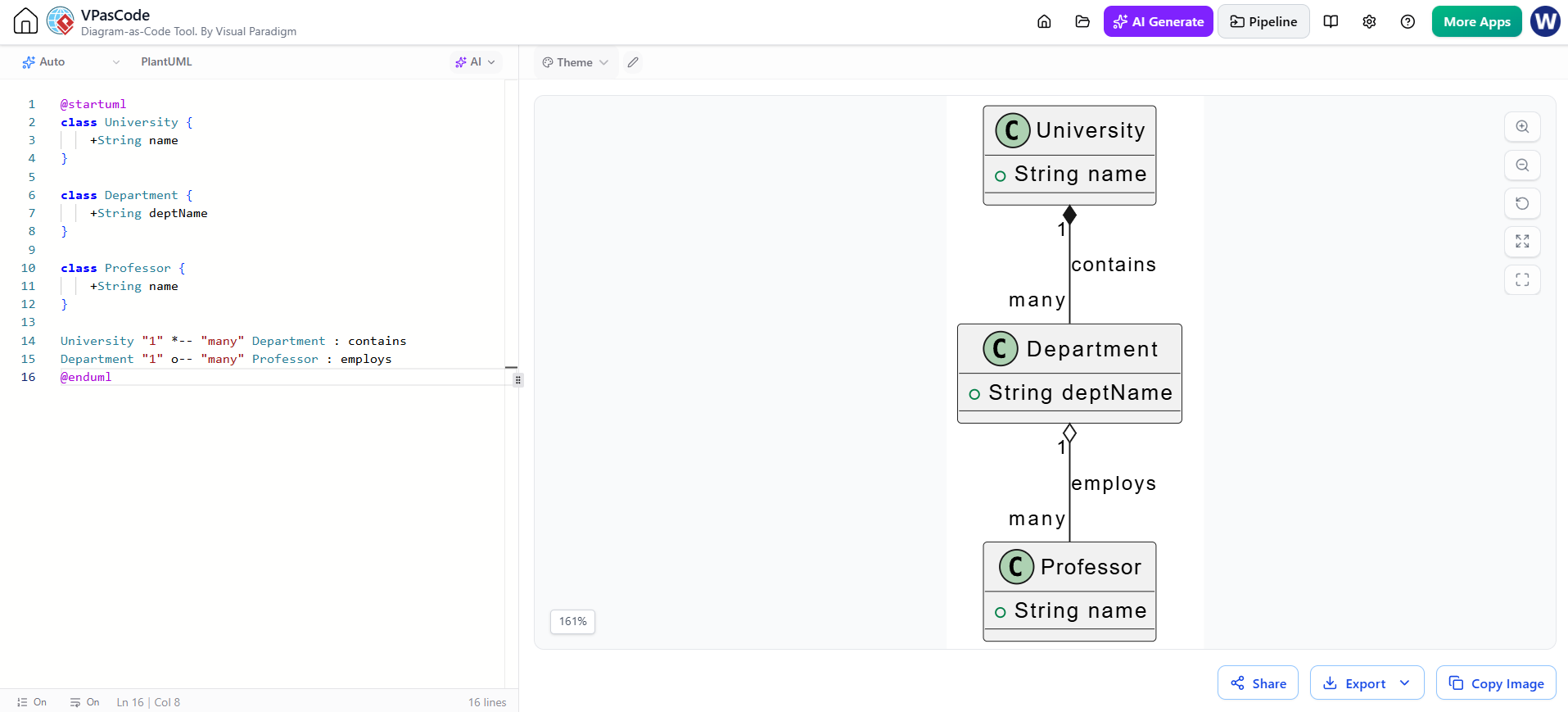
This example illustrates the relationship between a University, Department, and Professor, showing strong (composition) and weak (aggregation) ownership.
@startuml
class University {
    +String name
}

class Department {
    +String deptName
}

class Professor {
    +String name
}

University "1" *-- "many" Department : contains
Department "1" o-- "many" Professor : employs
@enduml
Benefits: Clarifies lifecycle dependencies. If the University is deleted, Departments are too (composition). If a Department is removed, Professors may still exist (aggregation).
Example 4: Complex System Architecture
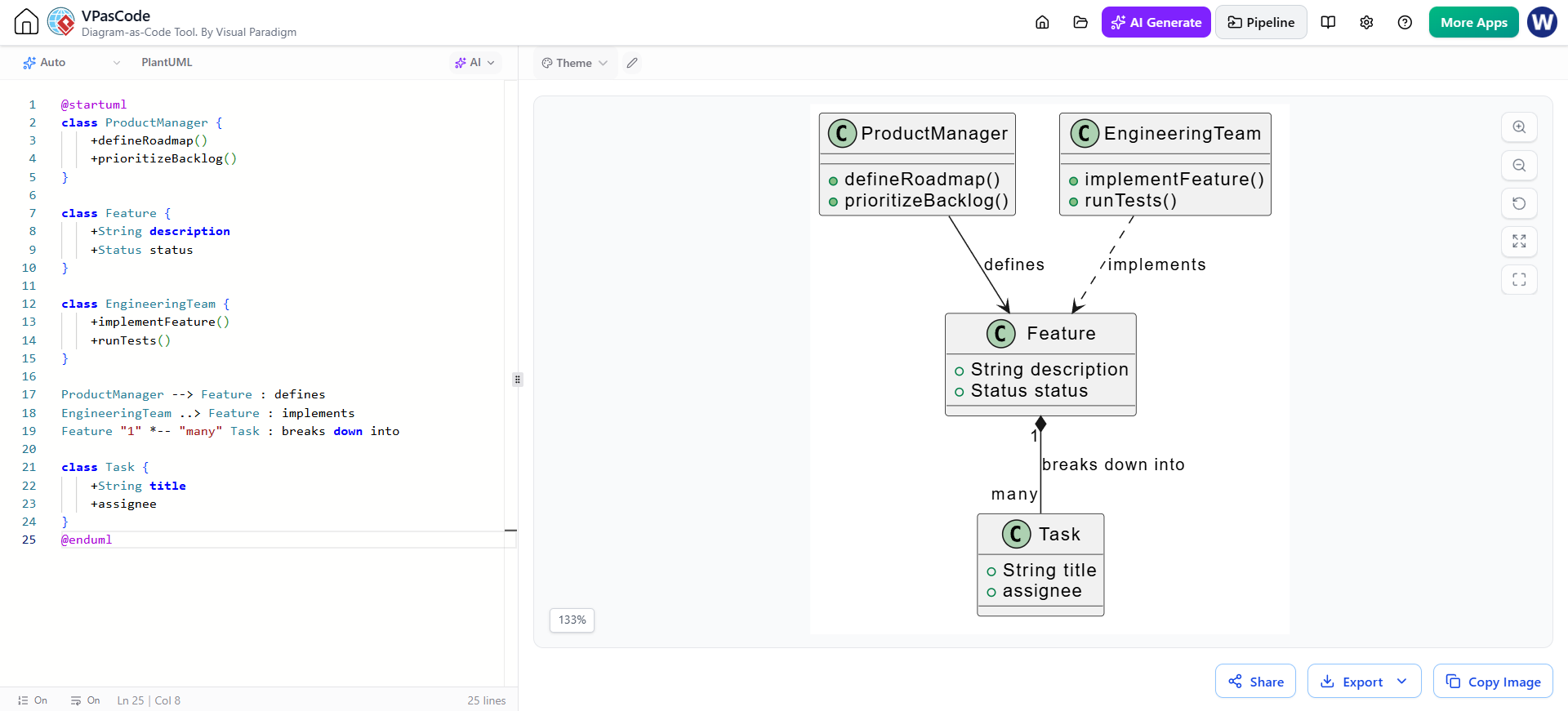
A more realistic example involving a ProductManager, Feature, and EngineeringTeam to reflect typical product-development workflows.
@startuml
class ProductManager {
    +defineRoadmap()
    +prioritizeBacklog()
}

class Feature {
    +String description
    +Status status
}

class EngineeringTeam {
    +implementFeature()
    +runTests()
}

ProductManager --> Feature : defines
EngineeringTeam ..> Feature : implements
Feature "1" *-- "many" Task : breaks down into

class Task {
    +String title
    +assignee
}
@enduml
Benefits: Maps cross-functional responsibilities, helping teams like those at Acme Cloud or Bright Labs align on delivery ownership.
Integrating with Visual Paradigm Ecosystem
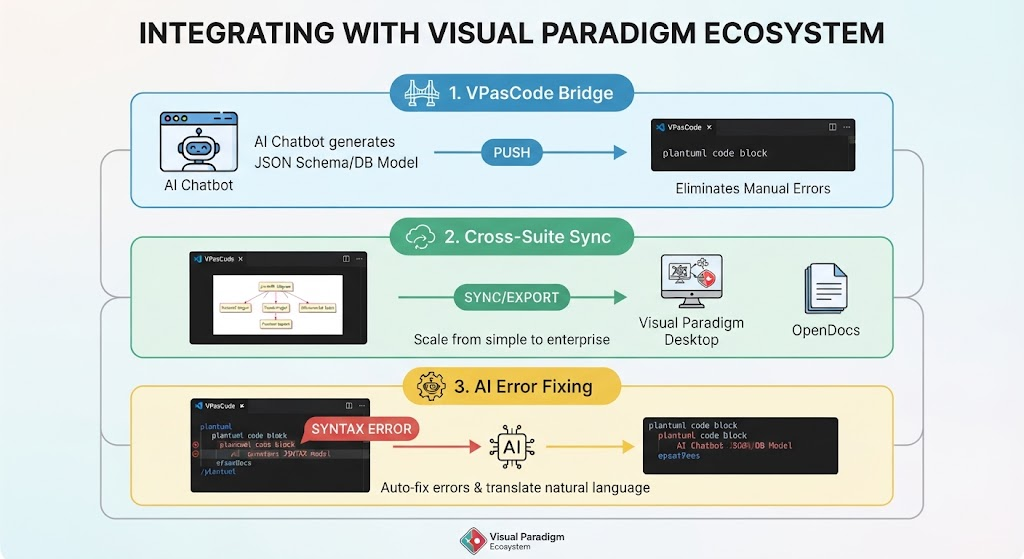
VPasCode is not an isolated tool; it is part of the broader Visual Paradigm suite. Here is how it enhances your workflow:
-
VPasCode Bridge: If you use the AI Chatbot to generate a JSON schema or database model, you can push it directly into VPasCode. This eliminates manual transcription errors and ensures your diagrams match your actual data structures.
-
Cross-Suite Sync: Once your PlantUML diagram is finalized in VPasCode, you can sync it with Visual Paradigm Desktop for advanced modeling features or export it to OpenDocs for collaborative editing. This flexibility allows you to start simple in the browser and scale up to enterprise-grade modeling when needed.
-
AI Error Fixing: Struggling with PlantUML syntax? Use the native AI editing features to auto-fix errors or translate natural language descriptions into correct PlantUML code. This is particularly useful for team members who are new to diagram-as-code practices.
Conclusion
VPasCode represents a significant leap forward in how we approach UML design. By combining the precision of PlantUML with the accessibility of a browser-based, AI-enhanced platform, it removes the traditional barriers to effective architectural documentation. For product managers, engineers, and architects, this means faster iteration, better version control, and clearer communication.
Whether you are defining simple class structures or mapping complex system interactions, VPasCode’s real-time rendering and zero-setup environment ensure that your diagrams remain living documents that evolve with your code. Embrace the diagram-as-code paradigm, and transform your UML design process from a bottleneck into a competitive advantage.
Recommended Reading: Visual Paradigm Resources
- Introducing VPasCode: The Ultimate Unified Text-to-Diagram Platform: Official release announcement detailing the core features and multi-engine support of VPasCode.
- The Ultimate Text-Based UML Tool: How VPasCode Is Redefining Diagram-as-Code in 2026: In-depth blog post exploring the shift towards text-based diagramming and VPasCode’s role in modern development workflows.
- Revolutionize Your Workflow: Introducing Native AI Diagram Generation in VPasCode: Guide on leveraging AI chatbots to generate and edit diagrams using natural language prompts.
- Mastering VPasCode: The Ultimate Guide to AI-Powered Diagram-as-Code with Multi-Engine Support: Comprehensive tutorial covering PlantUML, Mermaid, and other engines within the VPasCode environment.
- From Code to Clarity: A Beginner’s Guide to Seamless Diagramming with VPasCode and OpenDocs: Step-by-step guide for beginners on integrating VPasCode with OpenDocs for collaborative documentation.
- Generate & Visualize JSON with AI Chatbot & VPasCode: Tutorial on using the VPasCode Bridge to convert JSON schemas into visual diagrams automatically.