


VPasCode est un outil intuitif de diagramme-as-code et une plateforme unifiée texte vers diagramme plateforme qui vous permet de créer des diagrammes en utilisant des formats populaires comme PlantUML, Mermaid et Graphviz. Grâce à des capacités d’IA natives intégrées directement, vous pouvez désormais générer des visuels instantanément à partir du langage naturel.
Qu’est-ce que VPasCode ?
VPasCode (la plateforme diagramme-as-code de Visual Paradigm) est une plateforme unifiée de texte vers diagramme qui vous permet de créer des diagrammes en utilisant des formats populaires comme PlantUML, Mermaid et Graphviz. Que vous documentiez une architecture logicielle, planifiiez des projets ou visualisiez des flux de données, VPasCode offre un éditeur de code gratuit, un rendu en temps réel et une IA intégrée pour donner vie à vos idées.
Le meilleur ? Vous pouvez commencer à créer des diagrammes immédiatement à www.vpascode.com – aucune inscription n’est requise pour les fonctionnalités de base. Pour une vue d’ensemble complète des dernières fonctionnalités d’IA natives, consultez notre Annonce majeure de mise à jour de VPasCode.
Étape 1 : Accéder à VPasCode
Accédez à www.vpascode.com dans votre navigateur web. Vous verrez une interface épurée avec un éditeur de code à gauche et un panneau d’aperçu en direct à droite. La plateforme se charge instantanément avec un diagramme d’exemple pour vous aider à comprendre la syntaxe.
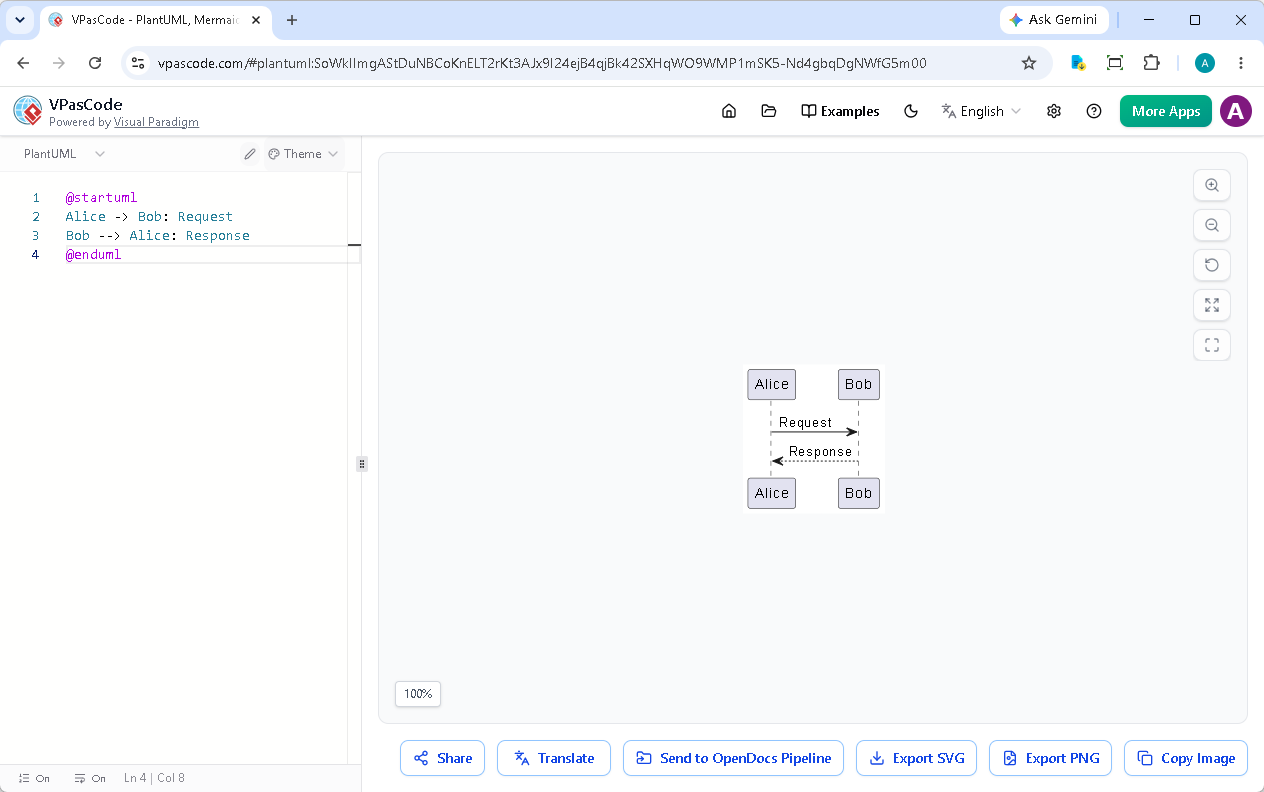
Invite pour l’image : Capture d’écran de l’interface web de VPasCode montrant une mise en page en écran partagé avec l’éditeur de code à gauche affichant la syntaxe Mermaid et le diagramme de flux rendu à droite, une interface utilisateur moderne et épurée avec une barre d’outils en haut
Étape 2 : Créer votre diagramme (via une invite d’IA ou du code)
VPasCode sert d’outil polyvalent de diagramme-as-code prenant en charge plusieurs formats. Vous avez deux méthodes principales pour créer vos diagrammes : écrire du code manuellement ou les générer instantanément en utilisant l’IA intégrée.
Option A : Générer instantanément avec l’IA native
Au lieu de partir de zéro, vous pouvez taper une invite en langage naturel directement dans l’interface de l’application. Par exemple, essayez de saisir :
« Générer un diagramme de cas d’utilisation en PlantUML pour un système de distributeur automatique »
VPasCode créera instantanément le diagramme nativement pour vous en quelques secondes. Pour voir ce flux de travail en action, regardez notre vidéo de démonstration : Créer et modifier des diagrammes rapidement avec l’IA sur YouTube.
Option B : Écrire le code du diagramme de flux manuellement
Sinon, vous pouvez écrire ou coller du code manuellement. Effacez l’éditeur et utilisez cet exemple simple de diagramme de flux Mermaid :
graph TD
    A[Début] --> B{Est-ce que ça marche ?}
    B -->|Oui| C[Super !]
    B -->|Non| D[Débogage]
    D --> B
C --> F[Fin]Cette syntaxe Mermaid crée un organigramme de décision de base. Voici ce que cela signifie :
graph TD– Crée un graphe de haut en basA[Début]– Définit un nœud étiqueté « Début »-->– Crée une connexion par flècheB{Est-ce que cela fonctionne ?}– Crée un losange de décision|Oui|et|Non|– Étiquettes pour les chemins de décision
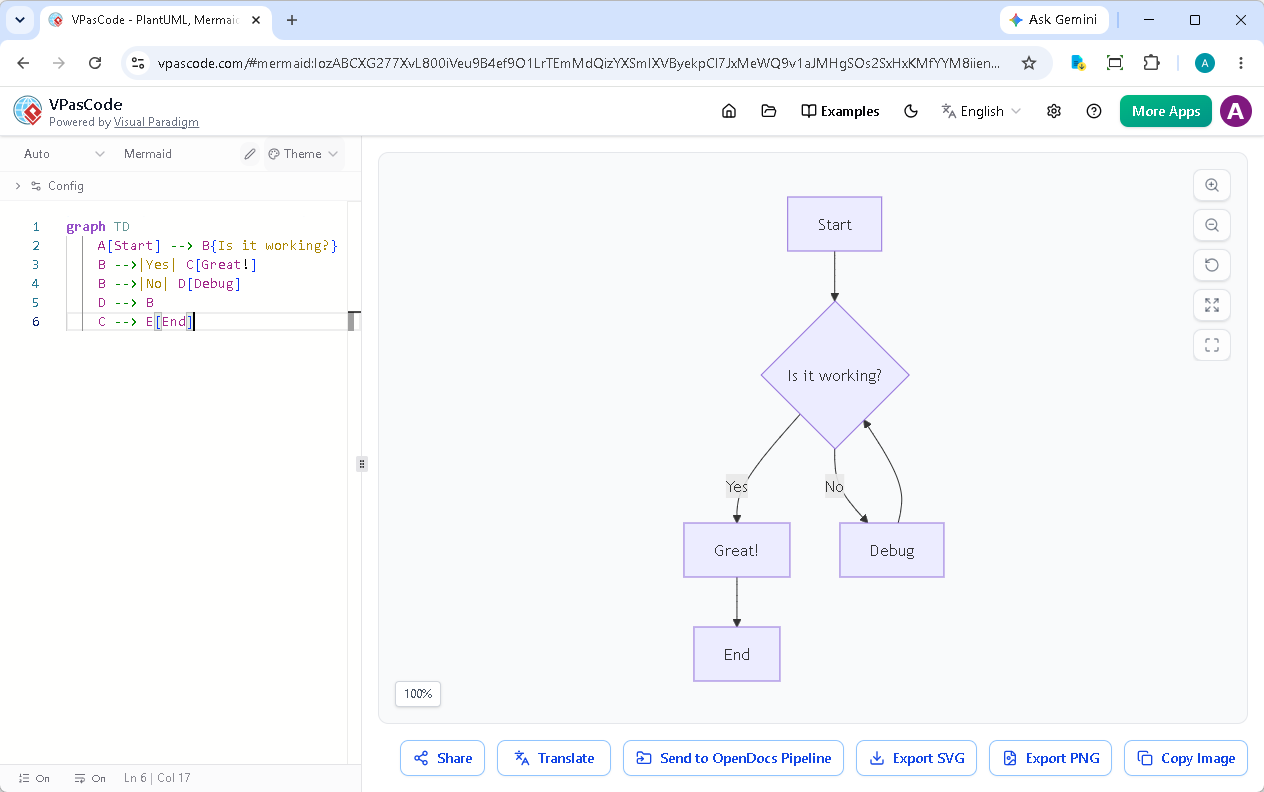
Invitation pour l’image :Gros plan de l’éditeur VPasCode montrant du code d’organigramme Mermaid avec mise en évidence de la syntaxe, curseur positionné dans la zone de code, police monospace épurée
Étape 3 : Voir l’aperçu en temps réel
À mesure que vous tapez ou donnez des instructions, cet outil de diagramme sous forme de code affiche instantanément votre visuel sur le côté droit. Inutile de cliquer sur « compiler » ou « actualiser » : le moteur de conversion texte en diagramme en temps réel se met à jour automatiquement.
Étape 4 : Exporter et partager votre diagramme
Une fois satisfait de votre diagramme, vous avez plusieurs options :
Exporter en tant qu’image
Cliquez sur le bouton « Exporter » et choisissez votre format préféré :
- SVG – Format vectoriel idéal pour les présentations et la documentation (évolutif sans perte de qualité)
- PNG – Format d’image matricielle compatible avec toutes les applications
Partager via une URL
VPasCode génère une URL unique pour votre diagramme. Copiez simplement le lien depuis la barre d’adresse de votre navigateur et partagez-le avec vos collègues. Toute personne disposant du lien peut afficher votre diagramme – aucun compte n’est requis.
Bonus : Exploitez les capacités d’IA intégrées à l’application
VPasCode intègre une IA profondément intégrée. Au-delà de la génération de diagrammes complets à partir d’invites textuelles comme “Générer un diagramme de cas d’utilisation en PlantUML pour un système de distributeur automatique de billets”, il comprend également Correction d’erreurs alimentée par l’IA. Lorsque l’analyseur détecte une erreur de syntaxe, cliquez simplement sur le bouton « Corriger par l’IA » pour corriger votre code et recevoir une explication utile.
L’IA comprend en profondeur la syntaxe de PlantUML, Mermaid et Graphviz, offrant un support fluide que vous rédigiez des requêtes à partir de zéro ou que vous débogiez du code.
Quelle est la suite ?
Vous venez d’explorer les fondamentaux de VPasCode ! Voici quelques idées pour poursuivre votre parcours :
- Explorez différents types de diagrammes – Essayez de créer des diagrammes de séquence, des diagrammes de classes ou des modèles C4 en utilisant des requêtes en langage naturel
- Expérimentez avec d’autres formats – Passez de manière fluide entre Mermaid, PlantUML et Graphviz
- Utilisez la traduction par IA – Traduisez votre diagramme les étiquettes dans différentes langues avec l’assistance de l’IA
- Intégrez avec la documentation – Envoyez vos diagrammes à Visual Paradigm OpenDocs pour une documentation complète
Rappelez-vous que toutes les fonctionnalités de base – édition de diagrammes, rendu en direct et exportation – sont entièrement gratuites. Les fonctionnalités avancées d’IA sont disponibles avec l’édition Combo en ligne de Visual Paradigm ou l’édition Professionnelle de bureau de Visual Paradigm avec une maintenance active.
Commencez à créer des diagrammes dès aujourd’hui
Prêt à découvrir la puissance d’un outil moderne de diagramme en tant que code ? Visitez www.vpascode.com pour transformer du texte en diagramme en quelques secondes. Aucune installation, aucune inscription – juste une productivité pure en matière de diagrammation.
Que vous soyez un développeur documentant du code, un chef de projet créant des calendriers ou un analyste d’affaires cartographiant des processus, VPasCode fournit les outils dont vous avez besoin pour communiquer visuellement vos idées.
Créez votre premier diagramme en quelques secondes
Essayez dès aujourd’hui notre outil gratuit de diagramme en tant que code. Transformez votre texte en diagramme sans effort grâce à l’aperçu en direct, à la génération par IA et à des options d’exportation fluides.