


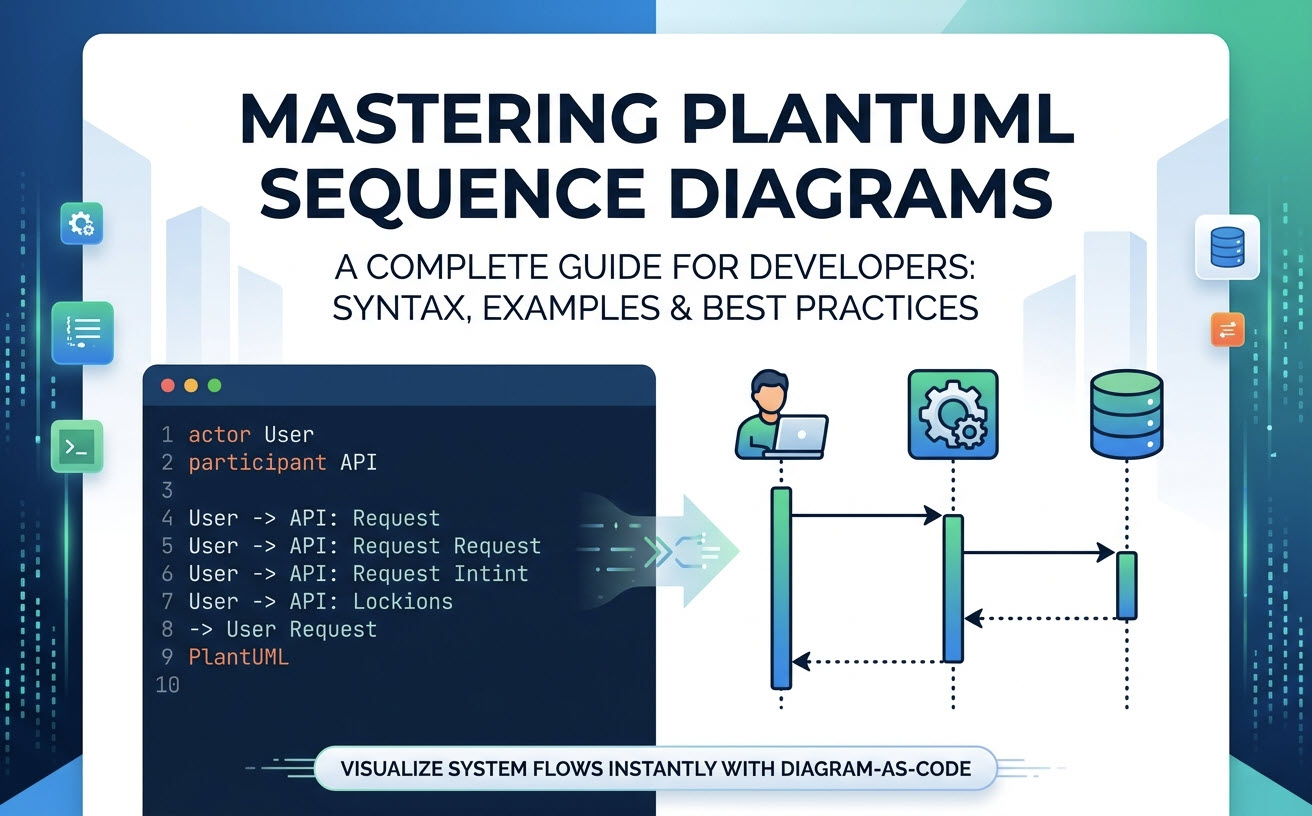
What is a PlantUML Sequence Diagram? (And Why Use Diagram-as-Code)
A PlantUML sequence diagram illustrates the step-by-step exchange of messages between participants in a system during a specific execution scenario. Unlike traditional drag-and-drop design tools, PlantUML follows the Diagram-as-Code paradigm, allowing software architects and engineers to write readable script files (such as.puml) that render programmatically into diagrams.
Key Benefits: Version Control, Speed, and Consistency
- Version Control Ready: Because diagrams exist as plain text, they can be stored in Git repositories, diffed, and merged alongside your application code.
- Maintenance Speed: Updating a workflow takes seconds—simply edit a line of text rather than repositioning boxes and reconnecting arrows manually.
- Visual Consistency: Rendering tools automatically calculate layout, alignment, and spacing, ensuring consistent styling across all team documentation.
Core Syntax Basics: How to Create Your First Sequence Diagram
PlantUML uses simple, human-readable keywords to define system entities and interaction paths.Declaring Participants, Actors, and Boundaries
You can define participants explicitly using keywords that match their role in the system architecture:
PlantUML
Edit PlantUML in VPasCode
@startuml
actor User
participant "API Gateway" as Gateway
database "PostgreSQL" as DB
boundary "Web App" as UI

User -> UI: Clicks Submit
UI -> Gateway: POST /api/submit
Gateway -> DB: Save Record
@endumlMessaging and Arrows: Synchronous vs. Asynchronous Calls
The direction and appearance of arrows indicate how communication flows between components:| Syntax | Visual Output | Communication Type |
|---|---|---|
A -> B |
Solid arrow with solid head | Synchronous message call |
A --> B |
Dotted arrow with solid head | Response / Return message |
A ->> B |
Solid arrow with open head | Asynchronous message call |
A -\ B |
Half-headed arrow | Unidirectional / Event message |
Real-World PlantUML Sequence Diagram Examples
Copy and adapt these common architectural patterns into your technical documentation.Example 1: User Authentication & JWT Token Flow
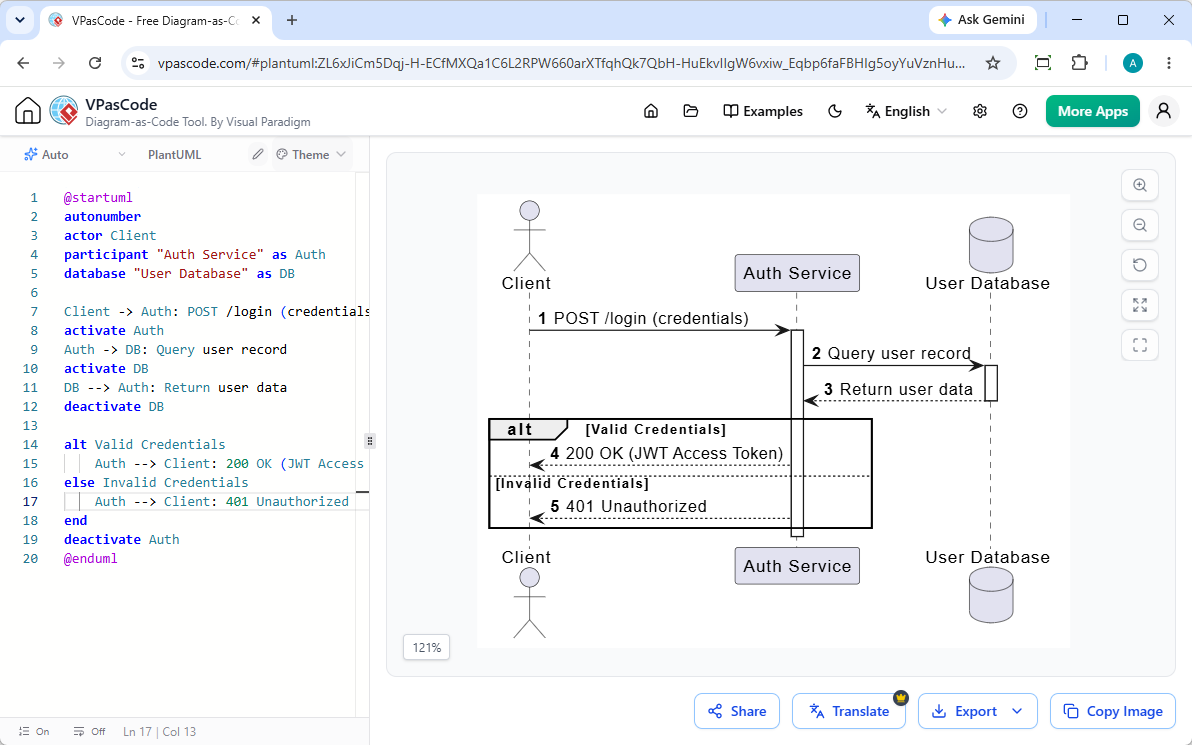 Corresponding PlantUML code:
PlantUML
Edit PlantUML in VPasCode
@startuml
autonumber
actor Client
participant "Auth Service" as Auth
database "User Database" as DB

Client -> Auth: POST /login (credentials)
activate Auth
Auth -> DB: Query user record
activate DB
DB --> Auth: Return user data
deactivate DB

alt Valid Credentials
    Auth --> Client: 200 OK (JWT Access Token)
else Invalid Credentials
    Auth --> Client: 401 Unauthorized
end
deactivate Auth
@enduml
Example 2: E-Commerce Payment Gateway Integration
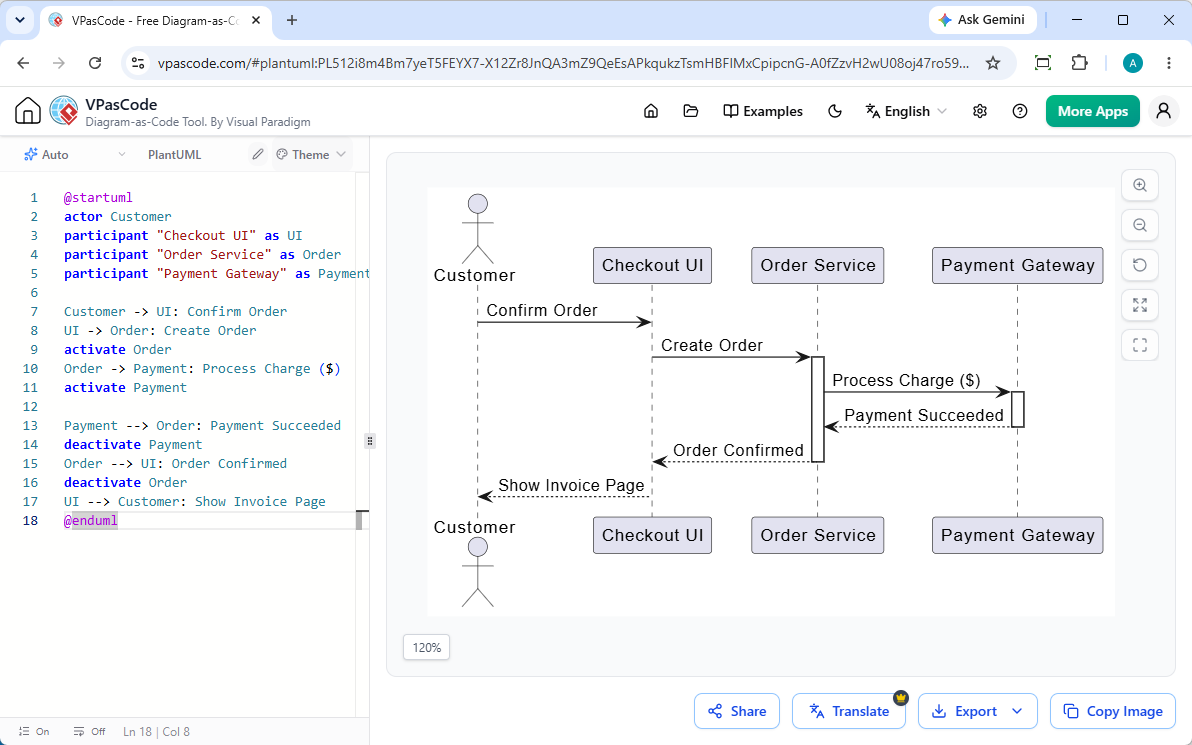
PlantUML
Edit PlantUML in VPasCode
@startuml
actor Customer
participant "Checkout UI" as UI
participant "Order Service" as Order
participant "Payment Gateway" as Payment

Customer -> UI: Confirm Order
UI -> Order: Create Order
activate Order
Order -> Payment: Process Charge ($)
activate Payment

Payment --> Order: Payment Succeeded
deactivate Payment
Order --> UI: Order Confirmed
deactivate Order
UI --> Customer: Show Invoice Page
@endumlAdvanced PlantUML Features: Loops, Conditions, and Grouping
To accurately capture complex business logic, PlantUML provides built-in control structures that wrap sequences into clear visual frames.Representing Logic with alt, opt, and loop Blocks
alt / else: Represents conditional branching (similar toif-elseconstructs).opt: Represents optional steps that run only when a condition is met.loop: Represents repeated interactions or polling tasks.
Activating and Deactivating Lifelines (activate / deactivate)
To clearly show when a component is actively performing work, use activate and deactivate statements, or append ++ and -- shorthand to arrow targets. This creates vertical execution bars on the participant’s lifeline, highlighting execution duration and system load.
Common PlantUML Pain Points (And How to Fix Them)
While PlantUML is immensely powerful, setting up local dependencies like Java and Graphviz can introduce unnecessary developer friction.Fixing PlantUML Syntax Errors Without Local Java Setup
Configuring local rendering pipelines often leads to environment mismatches or missing dependency errors. Using a modern online free Sequence Diagram editor like VPasCode eliminates environment setup completely. If you run into syntax mistakes, VPasCode features built-in AI code error fixing that pinpoints invalid lines and corrects them instantly.Exporting and Embedding Diagrams into Technical Documentation
Sharing static diagrams across technical teams often breaks documentation workflows. To keep documentation updated, export your rendered diagrams as scalable vector graphics (SVG) or high-resolution PNGs. For deeper docs integration, VPasCode connects directly with Visual Paradigm OpenDocs to maintain your diagrams natively alongside project specs.Render, Generate, and Edit PlantUML Sequence Diagrams Instantly with VPasCode & AI
Visual Paradigm VPasCode is a unified diagram-as-code platform engineered for developers, technical writers, and software architects, featuring powerful native AI tools.Instant AI Diagram Generation & Modification
As highlighted in our Major VPasCode Update: Generate and Modify Diagrams Instantly with AI, you can bypass manual coding altogether by entering natural language prompts—such as “Generate a sequence diagram in PlantUML for an OAuth login flow”—allowing you to create and refactor sequence logic natively inside the editor in seconds.Live Preview and Automatic Format Detection
VPasCode features a zero-install browser environment equipped with automatic format detection. Simply paste your raw PlantUML script or prompt your request into the editor—the browser automatically identifies the language and renders a real-time interactive preview as you type.One-Click AI Code Repair and Side-by-Side Diff Explanations
When working with dense sequence logic, typos happen. With VPasCode’s Fix by AI engine, you can resolve broken code in a single click while viewing transparent side-by-side code diffs and syntax explanations to help you master PlantUML syntax faster. (Note: Advanced AI diagram generation, code modification, and error-fixing features are available in Visual Paradigm Online Deluxe Edition / Visual Paradigm Desktop Professional Edition+).PlantUML vs. Mermaid Sequence Diagrams: Which Should You Choose?
| Feature | PlantUML | Mermaid |
|---|---|---|
| Syntax Flexibility | Extensive; supports advanced styling and complex constructs | Streamlined; easy to learn with minimal syntax overhead |
| Native Ecosystem | Requires Java/Graphviz for local compilation | Runs natively in JavaScript-supported environments |
| VPasCode Support | Full support with real-time browser rendering | Full support with real-time browser rendering |