


Bezpośrednia odpowiedź: Tak, do uruchomienia PlantUML lokalnie potrzebny jest Java, ponieważ jego samodzielny silnik jest napisany w Javie i skompilowany jako .jar plik. Jednakże, jeśli nie potrzebujesz Javy renderujesz diagramy za pomocą online edytora diagramów jako kodu takiego jak Visual Paradigm VPasCode, który obsługuje renderowanie w chmurze lub przeglądarce bez lokalnej instalacji.
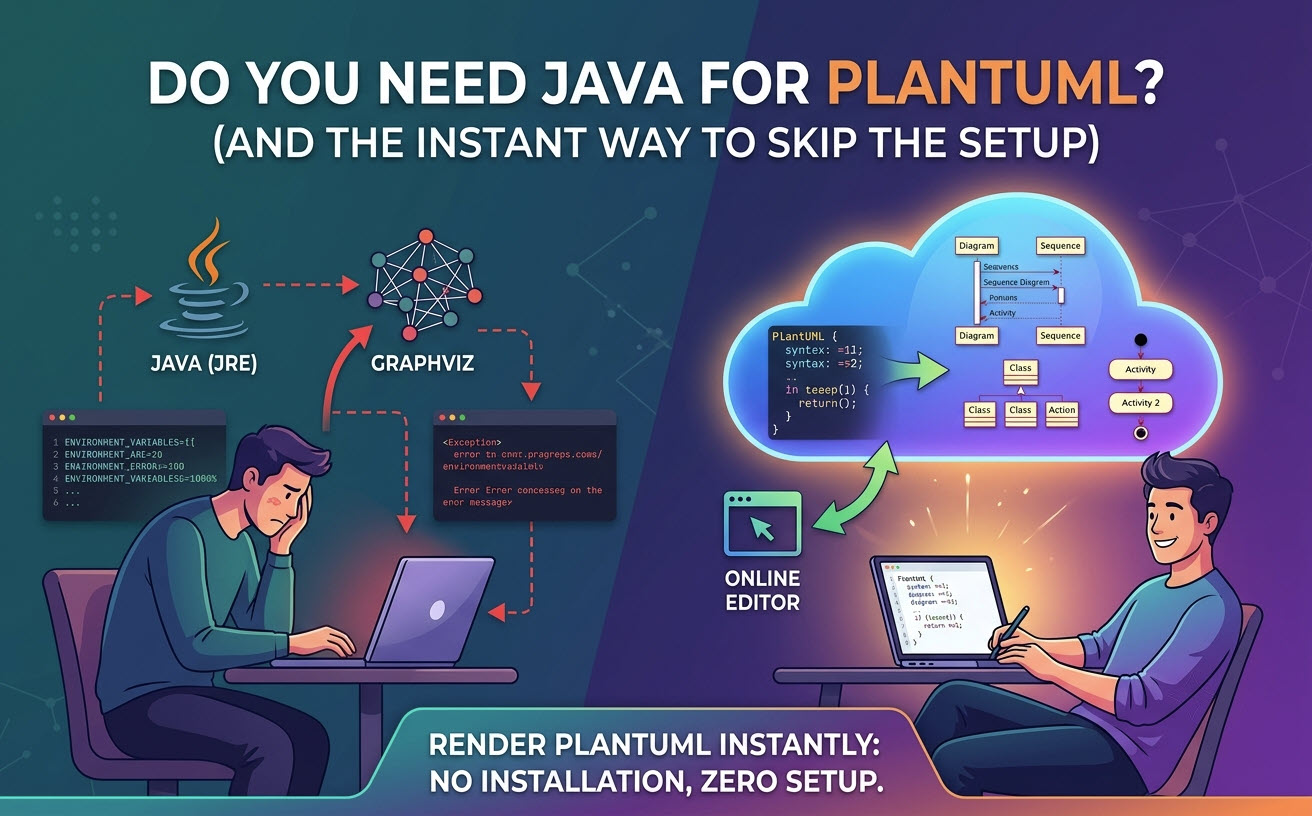
1. Krótka odpowiedź: Kiedy Java jest (i nie jest) wymagana
Czy Java jest obowiązkowa, zależy całkowicie od tego, gdzie i jak przetwarzane są Twoje skrypty diagramów:
- Lokalny wiersz poleceń (CLI) / Rozszerzenia IDE (Wymagana Java):Jeśli uruchamiasz plik JAR PlantUML bezpośrednio z terminala lub używasz lokalnych wtyczek IDE (takich jak VS Code lub JetBrains), które wywołują lokalny proces Javy, Java (JRE/JDK) musi być zainstalowana.
- Edytory oparte na sieci i chmurze (Brak wymogu Javy): Jeśli używasz przeglądarkowego darmowego edytora PlantUMLrenderowanie diagramów odbywa się na zdalnych serwerach lub silnikach WebAssembly. Potrzebujesz tylko nowoczesnej przeglądarki.
1.1 Dlaczego PlantUML tradycyjnie zależy od Javy i Graphviz
PlantUML polega na Maszynie Wirtualnej Javy (JVM) do wykonania swojej podstawowej logiki parsowania. Dodatkowo, dla złożonych układów, takich jak diagramy sekwencji, klas lub aktywności, PlantUML deleguje rzeczywiste pozycjonowanie węzłów do Graphviz (otwartoźródłowego oprogramowania do wizualizacji grafów, które dostarcza dot wykonywalnego).
1.2 Problemy z lokalną konfiguracją: Zależności, ścieżki środowiskowe i nakład
Uruchamianie PlantUML na Twoim lokalnym komputerze często wprowadza nieoczekiwane trudności w konfiguracji:
- Konfiguracja JAVA_HOME:Niezgodne wersje JRE lub brakujące zmienne ścieżki środowiskowej prowadzą do błędów wykonania.
- Brakujące zależności Graphviz: Użytkownicy często instalują Javę, uruchamiają PlantUML i napotykają przerażający komunikat “
Graphviz nie znaleziony"komunikat błędu. - Nadmiarowe zużycie zasobów:Uruchamianie lokalnego środowiska JVM w celu wprowadzenia prostych poprawek w diagramach zużywa niepotrzebne zasoby pamięci i cykle procesora.
2. Opcja A: Uruchamianie PlantUML lokalnie (tradycyjna metoda z Javą)
Jeśli ograniczenia projektu wymagają renderowania offline, musisz poprawnie skonfigurować środowisko lokalne.
2.1 Wymagania minimalne: Java Runtime Environment (JRE) vs. JDK
Nie potrzebujesz pełnego pakietu Java Development Kit (JDK), chyba że kompilujesz oprogramowanie w Javie. Standardowa wersja Java Runtime Environment (JRE) w wersji 8 lub nowszej jest wystarczająca do uruchomienia plantuml.jar biblioteki.
2.2 Instalowanie Graphviz dla złożonych układów wizualnych
Aby uniknąć błędów renderowania układu, zainstaluj Graphviz obok Javy:
- macOS (Homebrew):
brew install graphviz - Ubuntu/Debian:
sudo apt install graphviz - Windows (Chocolatey):
choco install graphviz
3. Opcja B: Jak używać PlantUML bez instalowania Javy lub Graphviz
Dla programistów, którzy chcą całkowicie pominąć zarządzanie zależnościami, alternatywy typu cloud-native zapewniają natychmiastową produktywność.
3.1 Natychmiastowe renderowanie w przeglądarce za pomocą VPasCode
Visual Paradigm VPasCode to zintegrowane, darmowe online edytor PlantUML który pozwala natychmiastowo pisać, podglądać i eksportować diagramy bez instalowania Javy, Graphviz ani rozszerzeń IDE.
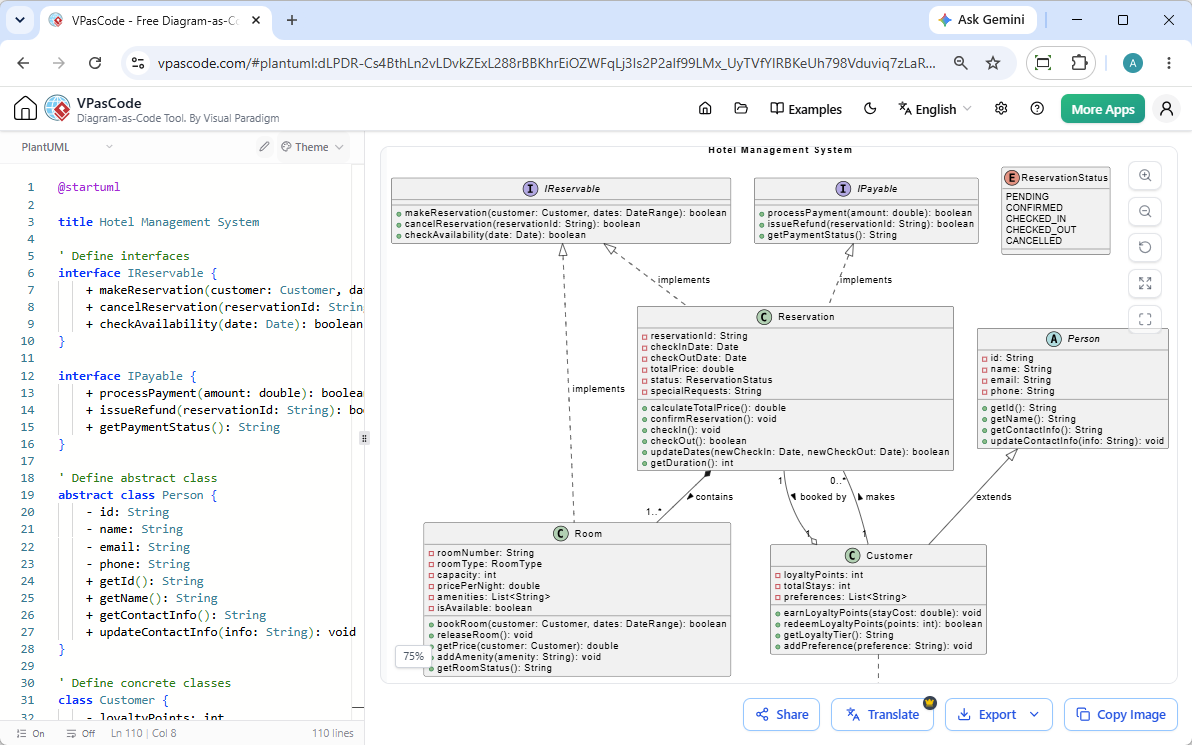
3.2 Kluczowe zalety diagramów typu “kod jako diagram” w przeglądarce
Korzystanie ze specjalistycznej platformy internetowej usprawnia Twój przepływ pracy dzięki wbudowanym ułatwieniom:
- Automatyczne wykrywanie formatu:Wklej surowy skrypt do edytora — VPasCode automatycznie wykrywa, czy jest to PlantUML, Mermaid, D2 lub Graphviz, bez konieczności ręcznego przełączania języka.
- Podgląd na żywo w czasie rzeczywistym:Grafiki renderowane są dynamicznie w czasie rzeczywistym podczas pisania kodu.
- Brak problemów z systemem:Zyskaj miejsce na dysku i całkowicie unikaj konfiguracji środowiska systemowego.
- Elastyczne eksportowanie obrazów:Natychmiast eksportuj czyste wektorowe
.svgobrazy lub wysokiej rozdzielczości.pngpliki.
4. Odblokowanie prac przepływowych PlantUML nowej generacji dzięki VPasCode AI
Wykraczając poza podstawowe renderowanie, nowoczesne platformy internetowe eliminują częste frustracje składniowe dzięki inteligentnej automatyzacji.
4.1 Naprawianie błędów składni PlantUML jednym kliknięciem przy użyciu AI
Ręczne wpisywanie składni PlantUML może prowadzić do brakujących nawiasów, literówek lub nieprawidłowych słów kluczowych. W VPasCode kliknięcie„Napraw przez AI”automatycznie diagnozuje błędy składni, poprawia Twój kod i wyświetla przejrzysty porównawczy różnicowy kod (diff) obok siebie, abyś mógł szybciej nauczyć się poprawnej składni.
4.2 Tłumaczenie diagramów wielojęzycznych i eksport dokumentacji
Zespoły globalne często potrzebują zlokalizowanych diagramów architektonicznych. VPasCode oferuje natywne tłumaczenie przy użyciu AI, które pozwala tłumaczyć etykiety diagramów na wiele języków bezpośrednio wewnątrz edytora. Co więcej, gotowe diagramy można bezpośrednio przekazywać doVisual Paradigm OpenDocsw celu scentralizowanej dokumentacji technicznej.
5. Porównanie: Lokalne środowisko Java vs. Renderowanie w chmurze VPasCode
| Cecha / Uwaga | Lokalne środowisko (Java + Graphviz) | VPasCode (Silnik webowy) |
|---|---|---|
| Wymagania dotyczące Javy | Tak (JRE 8+) | Nie |
| Czas konfiguracji | 10–30 minut | 0 sekund (natychmiast) |
| Zależność od Graphviz | Wymagana ręczna instalacja | Wstępnie skonfigurowane / Wbudowane |
| Pomoc w przypadku błędów składni | Ręczne debugowanie | Naprawa błędów przez AI jednym kliknięciem oraz porównanie kodu |
| Udostępnianie i eksport | Ręczne zarządzanie plikami | Natychmiastowy udostępnianie przez URL, eksport SVG i PNG |
| Cennik | Darmowy / Otwartoźródłowy | Darmowy dostęp do funkcji podstawowych |
6. Najczęściej zadawane pytania (FAQ)
Czy mogę używać PlantUML w VS Code bez Javy?
Większość rozszerzeń VS Code dla PlantUML polega na lokalnym środowisku uruchomieniowym Javy lub zdalnym serwerze PlantUML. Jeśli nie masz zainstalowanej Javy lokalnie, musisz skonfigurować rozszerzenie tak, aby wskazywało na zewnętrzny serwer WWW, lub użyć przeglądarkowego edytora online, takiego jak VPasCode.
Czy Mermaid DSL wymaga Javy tak jak PlantUML?
Nie. Mermaid.js jest napisany w JavaScript i działa natywnie w przeglądarkach internetowych oraz środowiskach Node.js bez konieczności posiadania maszyny wirtualnej Javy. Jeśli wolisz nie zarządzać Javą lokalnie, zarówno Mermaid, jak i PlantUML są w pełni obsługiwane na platformie VPasCode.
Czy VPasCode jest darmowy dla programistów indywidualnych?
Tak. Podstawowe funkcje VPasCode – w tym edycja kodu, renderowanie podglądu w czasie rzeczywistym, automatyczne wykrywanie języka oraz eksport wektorów i obrazów – są całkowicie darmowe w wersji online.