


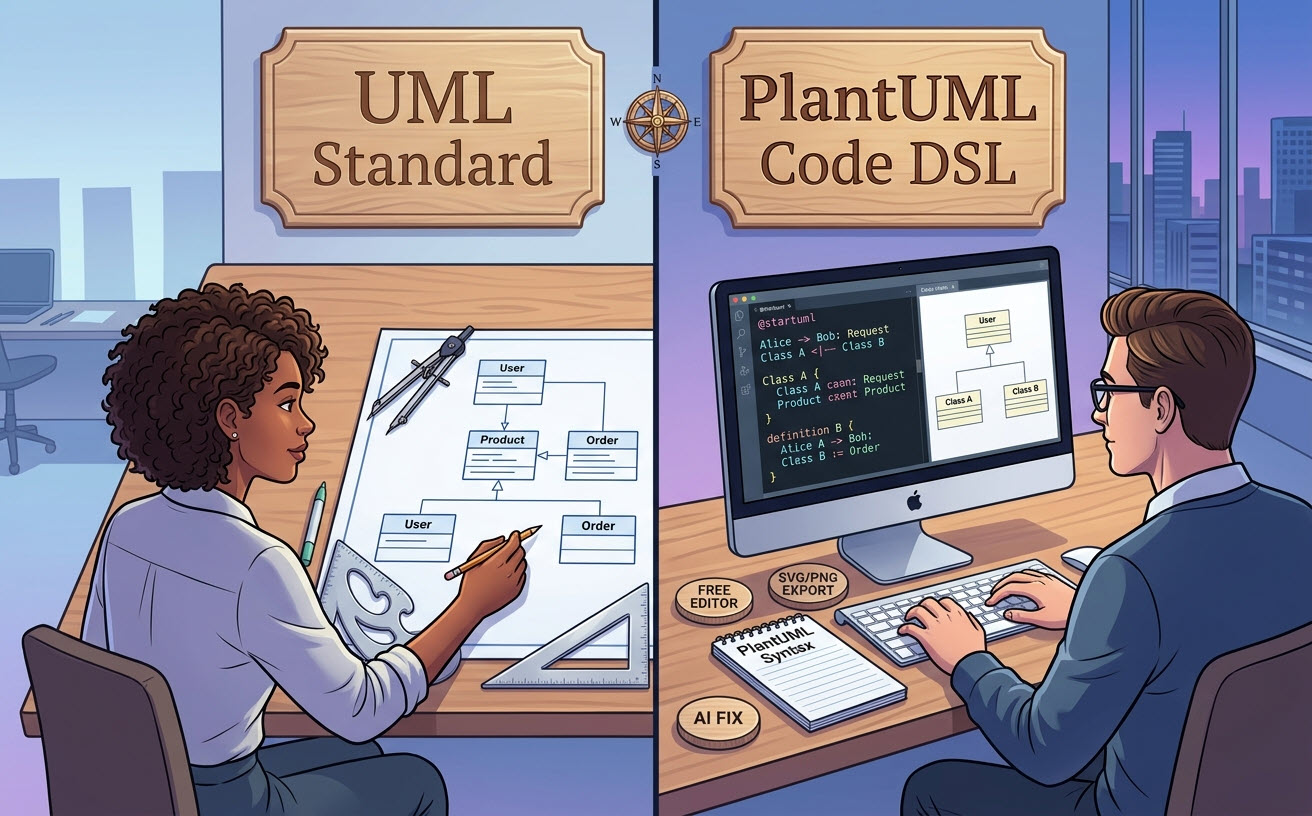
При моделировании архитектуры программного обеспечения разработчики и технические команды часто используют термины UML и PlantUML как взаимозаменяемые. Однако они представляют собой две фундаментально разные концепции:UML — это стандарт визуального языка моделирования, в то время как PlantUML — это инструмент на основе текста с открытым исходным кодом, который компилирует код в диаграммы UML. Выбор правильного редактора диаграмм как кода или бесплатного редактора UMLпозволяет техническим командам поддерживать точную архитектурную документацию непосредственно рядом с исходным кодом.
Основное различие: стандарт языка против инструментариума на основе текста
UML (Unified Modeling Language) — это стандартизированная визуальная спецификация, управляемая Группой по управлению объектами (OMG), предназначенная для визуализации программных систем.PlantUML — это движок выполнения языка предметной области (DSL), который автоматически генерирует визуальные диаграммы из обычных текстовых файлов.
Что такое UML? (Стандарт визуального моделирования)
UML определяет стандартизированную таксономию из 14 типов диаграмм, разделенных на структурные (например, Класс, Компонент, Развертывание) и поведенческие (например, Последовательность, Деятельность, Сценарий использования) представления. Оно устанавливает строгие графические правила для нотации, форм и стрелок, служа универсальной визуальной грамматикой для проектирования программного обеспечения независимо от метода создания.
Что такое PlantUML? (Движок диаграмм как кода)
PlantUML — это движок для преобразования текста в диаграммы, который превращает простой, понятный человеку текстовый разметочный код в визуальные изображения UML. Вместо ручного рисования фигур или перетаскивания соединителей разработчики описывают отношения с помощью операторов кода (например, Alice -> Bob: Запрос), что позволяет программно генерировать, обновлять и поддерживать диаграммы.
Сравнение ключевых функций и рабочих процессов
Понимание операционных компромиссов между традиционными стандартами визуального моделирования и движками на основе кода помогает командам выбрать правильный рабочий процесс.
| Функция / Измерение | UML (Стандартная концепция) | PlantUML (Движок на основе кода) |
|---|---|---|
| Основная природа | Спецификация графического моделирования и стандартная нотация | Движок текстового DSL, компилирующий скрипты в визуальные диаграммы |
| Метод создания | Визуальное перетаскивание или программная генерация | Простой текстовый разметочный код в редакторе или IDE |
| Контроль версий | Бинарные/XML-файлы (сложнее сравнивать в Git) | Текстовые файлы (нативная поддержка ветвления, диффов и pull-запросов в Git) |
| Кривая обучения | Высокая сложность нотации, охватывающая 14 стандартных типов | Низкая или умеренная кривая изучения синтаксиса DSL |
Когда использовать визуальное перетаскивание против подхода «диаграмма как код»
Почему программисты предпочитают PlantUML для документации
Современные инженерные команды отдают предпочтение PlantUML, поскольку определения в виде простого текста находятся непосредственно в репозиториях кода. Это обеспечивает ключевые преимущества:
- Нативная интеграция с Git: Храните диаграммы как
.pumlфайлы, отслеживайте точные изменения построчно и просматривайте обновления архитектуры во время pull-запросов. - Автоматическая компоновка: Движок автоматически вычисляет позиции и автоматически выравнивает линии маршрутизации, устраняя утомительную ручную настройку по пикселям.
- Единый стиль: Обеспечивает единый визуальный стиль во всех крупных кодовых базах без необходимости владения навыками графического дизайна.
Где чистые текстовые DSL уступают в планировании архитектуры
Несмотря на эффективность, использование сырого движка «текст-в-диаграмму» создаёт операционные трудности:
- Раздражение от синтаксиса: Отсутствие одного символа или скобки полностью нарушает рендеринг без чёткой обратной связи о выполнении.
- Настройка локальной среды: Локальный рендеринг через командную строку требует установки сред выполнения Java и зависимостей Graphviz.
- Сложная визуальная настройка:Алгоритмы автоматической компоновки могут создавать непредвиденные визуальные наложения в сложных системах, что требует extensive настройки макета.
Модернизация подхода «диаграммы как код» с помощью VPasCode
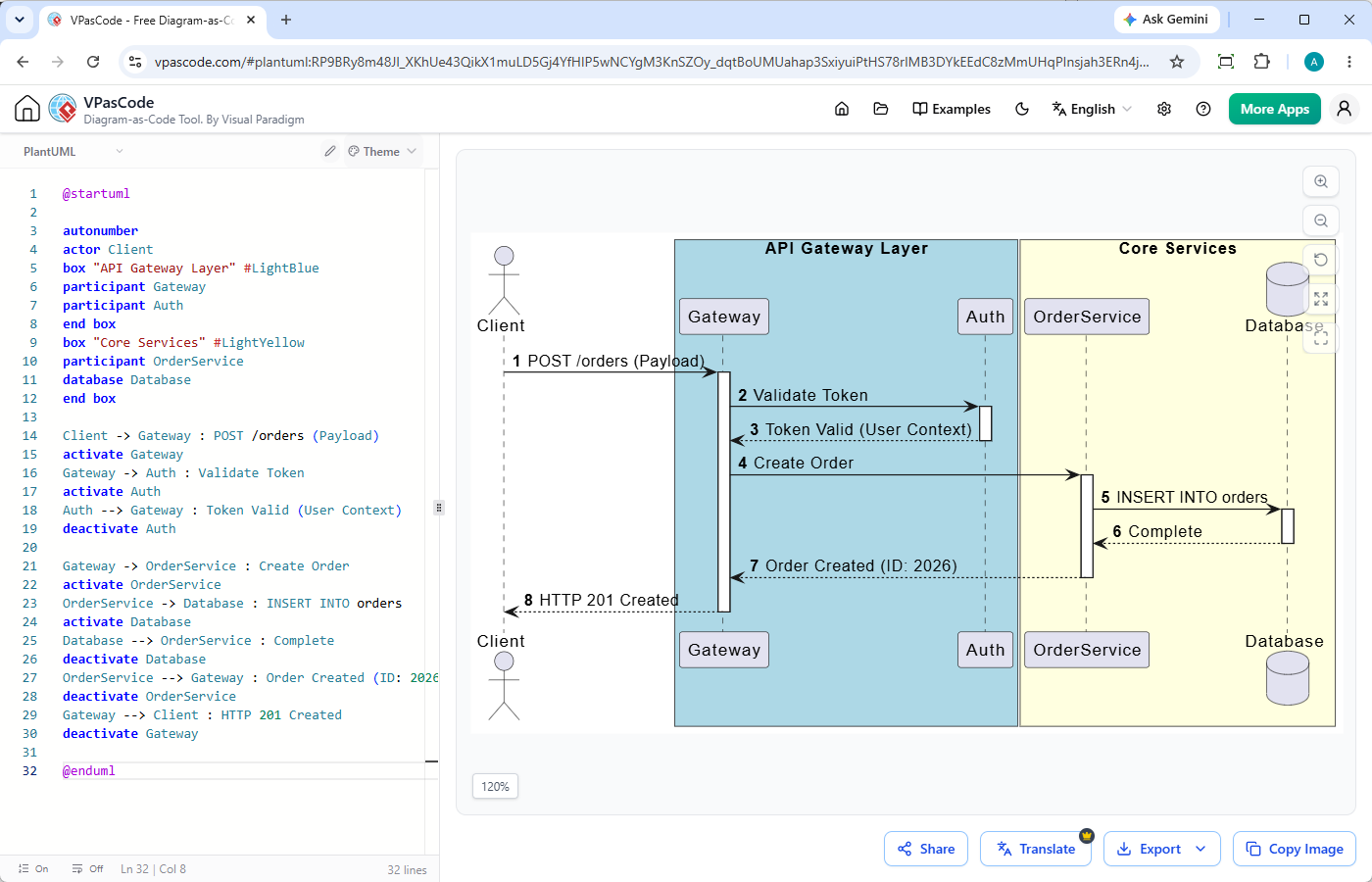
Чтобы преодолеть разрыв между скоростью, обеспечиваемой текстовым подходом, и ясностью визуального рендеринга, современные разработчики используют специализированные онлайн-инструменты, такие какVisual Paradigm VPasCode. Выступая в роли гибкого,бесплатного инструмента PlantUMLи мультиформатного рендерера, VPasCode полностью устраняет трение, связанное с локальной средой.
Мгновенный предпросмотр с автоматическим определением DSL
VPasCode обеспечивает опыт без настройки,редактора PlantUMLв вашем браузере. Благодаря автоматическому определению формата вы можете вставлять сырые скрипты PlantUML, Mermaid или Graphviz непосредственно в веб-интерфейс. Предпросмотр в реальном времени обновляется по мере ввода, рендеря масштабируемые векторные диаграммы без необходимости установки Java или Graphviz.
Устранение проблем с синтаксисом с помощью ИИ-исправления ошибок и сравнения (diff)
Отладка синтаксических ошибок в длинных текстовых скриптах часто останавливает рабочие процессы документации. VPasCode имеет встроенную функциюИИ-исправления ошибок в коде. Когда скрипт не рендерится, одним кликом автоматически исправляются синтаксические ошибки при одновременном отображении сравнения кода бок о бок. Это позволяет разработчикам видеть точные исправления, мгновенно устранять неработающие скрипты и быстрее изучать правила синтаксиса.
Как интегрировать диаграммы PlantUML в техническую документацию
Стандартные форматы экспорта: SVG, PNG и встраиваемые ссылки
После рендеринга диаграммы для последующего обмена требуются универсальные варианты экспорта. VPasCode позволяет мгновенно скачивать PNG-изображения высокого разрешения или масштабируемые векторные изображения SVG для производственной документации. Вы также можете генерировать прямые ссылки для общего доступа или QR-коды для совместной работы между инженерными командами без необходимости пересылки сырых файлов кода туда и обратно.
Централизация документации базы знаний с интеграцией OpenDocs
Для корпоративной архитектурной документации изолированных файлов диаграмм редко бывает достаточно. VPasCode интегрируется напрямую с Visual Paradigm OpenDocs, позволяя публиковать живые фрагменты «диаграмм как код» непосредственно в центральные технические базы знаний наряду со спецификациями систем и документацией API.
Резюме: Выбор правильного подхода для вашей команды
Используйтеспецификации UMLв качестве базового стандарта для архитектурной ясности и используйтеPlantUMLкогда вам нужна быстрая документация с контролем версий, которая находится в непосредственной близости от вашего кода. Чтобы устранить накладные расходы на настройку и трение при отладке синтаксиса, используйте бесплатный онлайн-редактор «диаграмм как код», такой какVPasCodeдля мгновенного редактирования, исправления и экспорта технических диаграмм.