


Có, PlantUML có thể vẽ sơ đồ ERD (Sơ đồ Thực thể-Mối quan hệ).Nó hỗ trợ bản địa việc mô hình hóa lược đồ cơ sở dữ liệu bằng ký hiệu Kỹ thuật Thông tin (chân quạ) tiêu chuẩn cũng như ký hiệu ERD Chen cổ điển. Sử dụng cú pháp dựa trên văn bản, các nhà phát triển và kiến trúc sư cơ sở dữ liệu có thể nhanh chóng tạo ra các sơ đồ ER sạch sẽ, có thể kiểm soát phiên bản mà không cần kéo thả các yếu tố trực quan thủ công.
Cho dù bạn cần ánh xạ các khóa chính, định nghĩa các ràng buộc khóa ngoại, hay trực quan hóa các mối quan hệ cơ sở dữ liệu phức tạp, PlantUML cung cấp một cách tiếp cận linh hoạt, ưu tiên mã. Trong hướng dẫn này, chúng tôi sẽ bao gồm cú pháp ERD của PlantUML, các lực lượng (cardinalities), và cách tối ưu hóa quy trình làm việc của bạn bằng một công cụ PlantUML miễn phívới khả năng xem trước thời gian thực.
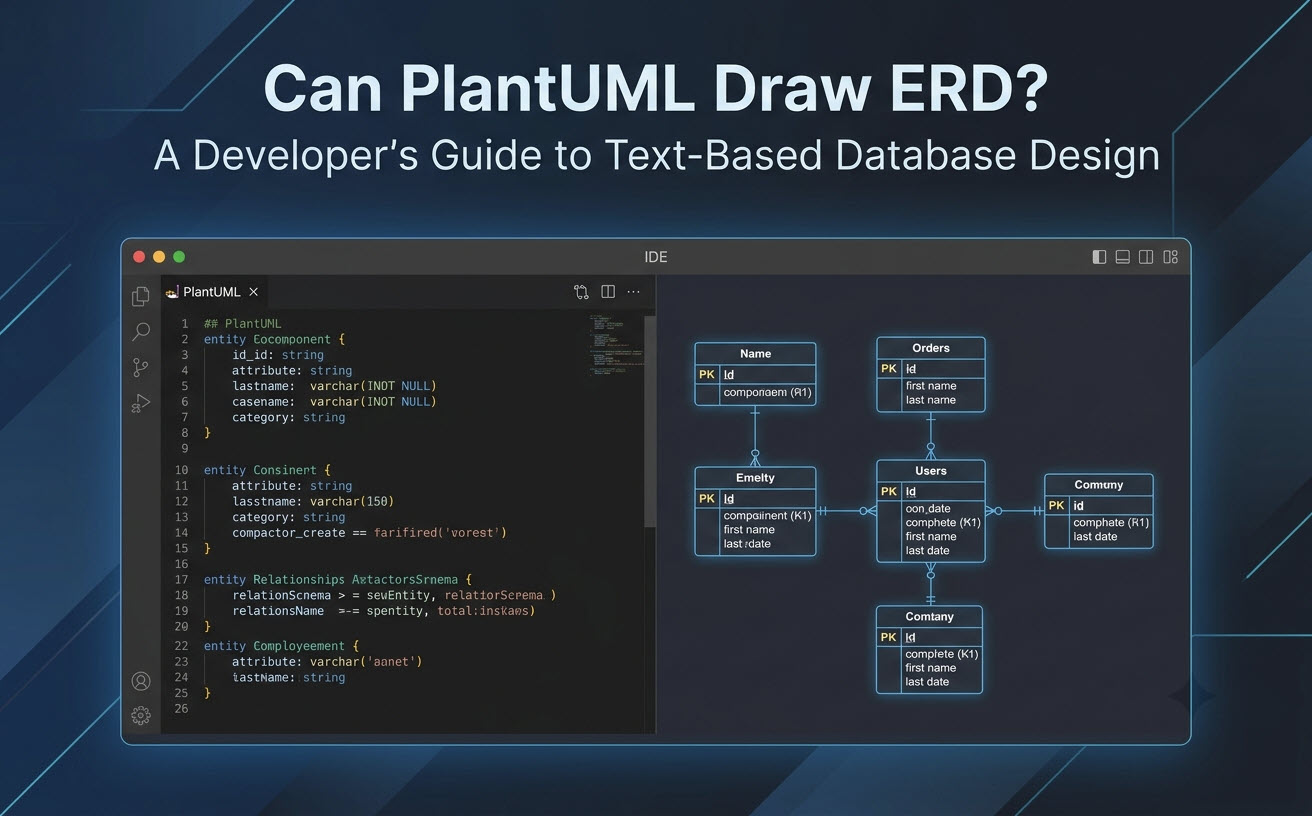
Có, PlantUML có thể vẽ ERD: Câu trả lời nhanh & Khả năng cốt lõi
PlantUML hỗ trợ tạo sơ đồ Thực thể-Mối quan hệ toàn diện ngay từ đầu bằng văn bản đánh dấu đơn giản. Bằng cách tận dụng các tiện ích mở rộng tiêu chuẩn, nó hiển thị các cấu trúc cơ sở dữ liệu một cách sạch sẽ và xác định.
Các ký hiệu ERD được hỗ trợ trong PlantUML (Tiêu chuẩn so với ERD Chen)
PlantUML cung cấp hai phong cách chính để hiển thị sơ đồ ER:
- Ký hiệu Kỹ thuật Thông tin (IE):Ký hiệu chân quạ tiêu chuẩn được sử dụng cho việc mô hình hóa cơ sở dữ liệu quan hệ, biểu diễn các thực thể dưới dạng cấu trúc bảng với các dấu hiệu khóa chính và khóa ngoại rõ ràng.
- Ký hiệu ERD Chen:Một phong cách mô hình hóa khái niệm biểu diễn các thực thể dưới dạng hình chữ nhật, các thuộc tính dưới dạng hình bầu dục, và các mối quan hệ dưới dạng hình thoi.
Cú pháp ERD cơ bản của PlantUML và ví dụ mã
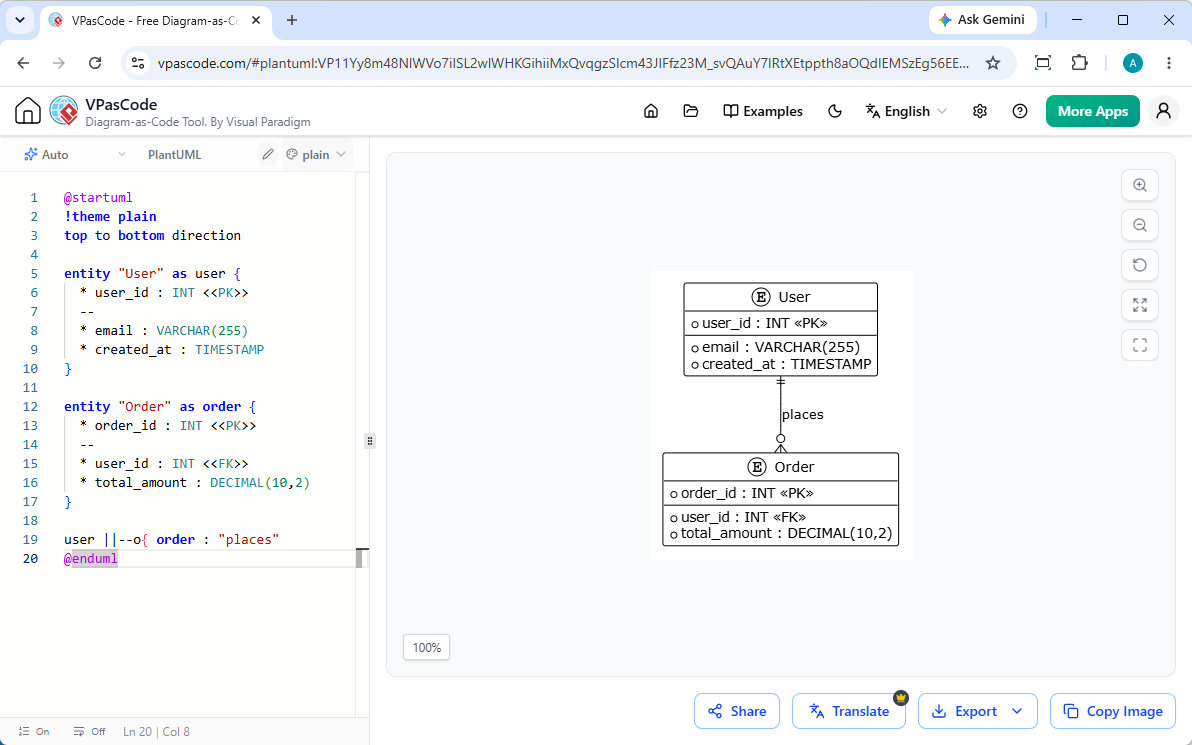
Dưới đây là một ví dụ làm việc tối thiểu về một sơ đồ ER quan hệ được viết bằng kịch bản PlantUML sử dụng ký hiệu chân quạ tiêu chuẩn:
@startuml
!theme plain
top to bottom direction

entity "User" as user {
    * user_id : INT <<PK>>
    --
    * email : VARCHAR(255)
    * created_at : TIMESTAMP
}

entity "Order" as order {
    * order_id : INT <<PK>>
    --
    * user_id : INT <<FK>>
    * total_amount : DECIMAL(10,2)
}

user ||--o{ order : "places"
@endumlĐây là hình ảnh ERD đã được hiển thị:
Hướng dẫn từng bước: Viết sơ đồ Thực thể-Mối quan hệ đầu tiên của bạn trong PlantUML
Xây dựng một sơ đồ ERD trong PlantUML yêu cầu định nghĩa các thực thể, gán các kiểu dữ liệu và ràng buộc, cũng như khai báo các mối quan hệ với các bộ nối lực lượng (cardinality) phù hợp.
Định nghĩa Thực thể, Thuộc tính và Khóa chính/Khóa ngoại
Các thực thể được khai báo bằng từ khóa entity keyword. Các thuộc tính được liệt kê bên trong dấu ngoặc nhọn. Bạn có thể tổ chức các thuộc tính bằng các dấu phân cách gạch ngang (--) để phân tách khóa chính, khóa ngoại và các cột chung.
- Khóa chính (PK): Được chỉ định bằng dấu sao (“
*) và được gắn thẻ với “<<PK>>. - Khóa ngoại (FK): Được đánh dấu bằng “
<<FK>>để biểu thị các tham chiếu quan hệ. - Trường bắt buộc: Được làm nổi bật bằng dấu sao (“
*) trước tên cột.
Ánh xạ lực lượng và các loại quan hệ (1:1, 1:N, N:M)
Các đường quan hệ xác định cách các bảng liên kết với nhau. PlantUML sử dụng các tổ hợp ký tự cụ thể để hiển thị các bộ nối dạng chân quạ:
| Cú pháp | Ý nghĩa ký hiệu | Loại quan hệ |
|---|---|---|
||--|| |
Chính xác một đến Chính xác một | Một-một (1:1) |
||--o{ |
Chính xác một đến Không hoặc Nhiều | Một-nhiều (1:N) |
}|--|{ |
Một hoặc Nhiều đến Một hoặc Nhiều | Nhiều-nhiều (N:M) |
|o--o{ |
Không hoặc Một đến Không hoặc Nhiều | Một-nhiều tùy chọn |
Khắc phục các điểm đau và hạn chế phổ biến của PlantUML ERD
Mặc dù PlantUML rất mạnh mẽ, việc làm việc với các công cụ CLI cục bộ hoặc cài đặt máy chủ thường gây ra sự cản trở trong quy trình làm việc của nhà phát triển.
Gỡ lỗi cú pháp và sửa lỗi được hỗ trợ bởi AI
Một dấu ngoặc bị thiếu hoặc cú pháp quan hệ không hợp lệ trong PlantUML có thể làm dừng quá trình hiển thị mà không cung cấp phản hồi gỡ lỗi rõ ràng. Việc tìm ra các lỗi chính tả trong các lược đồ cơ sở dữ liệu lớn có thể tốn kém thời gian phát triển quý giá.
Quản lý các lược đồ phức tạp và khả năng đọc bố cục
Khi các lược đồ mở rộng lên đến hàng chục bảng, các thuật toán tự động bố trí của Graphviz có thể tạo ra các đường quan hệ chồng chéo. Các nhà phát triển cần các công cụ cung cấp phản hồi trực quan tức thì để tinh chỉnh các chỉ dẫn bố cục một cách hiệu quả.
Tối ưu hóa quy trình làm việc PlantUML ERD với VPasCode & AI
Nếu bạn đang tìm kiếm một công cụ đáng tin cậybiên tập viên PlantUML ERD miễn phíloại bỏ các rắc rối khi cài đặt cục bộ,Visual Paradigm VPasCodecung cấp một giải pháp trực tuyến dựa trên trình duyệt toàn diện được hỗ trợ bởi các tính năng AI bản địa.
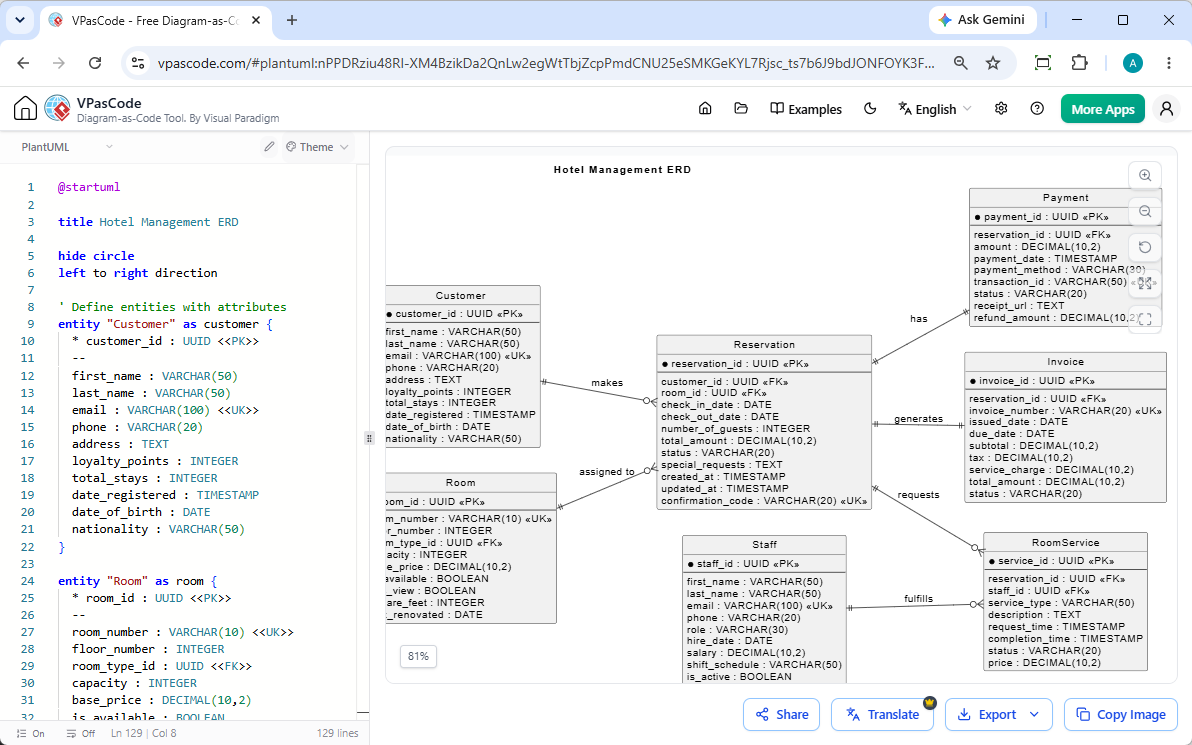
Tạo và chỉnh sửa sơ đồ AI tức thì
Như đã nêu trong bản cập nhật của chúng tôiCập nhật lớn VPasCode: Tạo và Chỉnh sửa Sơ đồ Tức thì với AI, bạn có thể bỏ qua việc lập trình thủ công bằng cách nhập các lệnh bằng ngôn ngữ tự nhiên—chẳng hạn như“Tạo một sơ đồ ERD trong PlantUML cho cơ sở dữ liệu thương mại điện tử”—cho phép bạn tạo và tái cấu trúc các lược đồ ngay bên trong trình biên tập chỉ trong vài giây.
Hiển thị dựa trên trình duyệt tức thì & Phát hiện định dạng tự động
VPasCode đóng vai trò là một công cụPlantUML miễn phí. Chỉ cần dán kịch bản của bạn hoặc nhập yêu cầu của bạn vào trình biên tập, và nền tảng sẽ tự động phát hiện cú pháp PlantUML để hiển thị sơ đồ ERD của bạn theo thời gian thực.
Sơ đồ đa ngôn ngữ với dịch AI
Khi làm việc với các nhóm kỹ thuật phân tán, tài liệu thường cần được địa phương hóa. VPasCode bao gồm các tính năng dịch AI bản địa, cho phép bạn dịch văn bản sơ đồ và nhãn thực thể sang nhiều ngôn ngữ trực tiếp bên trong trình biên tập chỉ với một cú nhấp chuột.
Xuất và nhúng ERD vào OpenDocs & Tài liệu Kỹ thuật
Khi sơ đồ ERD của bạn đã sẵn sàng, hãy xuất thiết kế của bạn dưới dạng tệp PNG độ phân giải cao hoặc SVG vector. Bạn cũng có thể tích hợp sơ đồ trực tiếp vào OpenDocs hoặc tạo các liên kết chia sẻ tức thì cho các yêu cầu kéo (pull requests) và đánh giá thiết kế.
(Lưu ý: Các tính năng tạo sơ đồ AI nâng cao, chỉnh sửa mã và sửa lỗi có sẵn trong Visual Paradigm Online Deluxe Edition / Visual Paradigm Desktop Professional Edition+).
PlantUML so với Mermaid so với SQL: Lựa chọn phương pháp Sơ đồ dưới dạng Mã phù hợp
Việc lựa chọn định dạng Sơ đồ dưới dạng Mã (DaC) phù hợp phụ thuộc vào công cụ hiện có của nhóm bạn và các yêu cầu của dự án.
Khi nào nên sử dụng PlantUML so với Mermaid cho các lược đồ cơ sở dữ liệu
- Chọn PlantUML: Khi bạn cần các khả năng mô hình hóa nâng cao, chủ đề tùy chỉnh, hỗ trợ Chen ERD hoặc các nhóm gói phức tạp.
- Chọn Mermaid: Khi bạn ưu tiên cú pháp đơn giản, nhẹ nhàng được hiển thị gốc bên trong các tệp GitHub Markdown.
Mẹo chuyên nghiệp: VPasCode hỗ trợ cả hai định dạng PlantUML và Mermaid một cách liền mạch. Bạn có thể chuyển đổi giữa các ngôn ngữ DSL trong cùng một trình soạn thảo mà không cần thay đổi quy trình làm việc của mình.
Hiển thị ERD trực tiếp từ các lược đồ SQL thô
Ngoài các ngôn ngữ DSL sơ đồ dưới dạng mã, VPasCode có thể phân tích trực tiếp các câu lệnh DDL SQL thô, cho phép bạn chuyển đổi trực tiếp các kịch bản di chuyển cơ sở dữ liệu hiện có thành các ERD trực quan đã được hiển thị mà không cần chuyển đổi thủ công.
Câu hỏi thường gặp (FAQ)
PlantUML có miễn phí để sử dụng cho việc tạo ERD không?
Có, PlantUML là mã nguồn mở. Hơn nữa, các nền tảng trực tuyến như VPasCode cung cấp quyền truy cập miễn phí vào việc chỉnh sửa mã dựa trên web, hiển thị trực tiếp và xuất hình ảnh.
PlantUML có thể tự động tạo ERD từ cơ sở dữ liệu không?
Bản thân PlantUML yêu cầu đầu vào là kịch bản, nhưng các công cụ cơ sở dữ liệu hoặc trình soạn thảo trực tuyến như VPasCode có thể nhận các kịch bản SQL, cấu trúc dữ liệu hoặc các lời nhắc AI bằng ngôn ngữ tự nhiên và tự động hiển thị chúng thành các sơ đồ ER trực quan.
Làm thế nào để biểu diễn các mối quan hệ khóa ngoại trong PlantUML?
Bạn có thể ký hiệu khóa chính và khóa ngoại bằng các biệt danh như <<PK>> và <<FK>> bên cạnh các định nghĩa thuộc tính, và kết nối các thực thể bằng cú pháp chân quạ như ||--o{.