Case Study: Accelerating Architecture Documentation with VPasCode
How a development team cut documentation lag by 60% using a live preview text to diagram workflow and AI-powered features with VPasCode.
The Documentation Challenge
Like many fast-moving development teams, the engineering group at a mid-sized fintech company faced a familiar problem: their architecture documentation was always lagging behind their actual codebase. Traditional visual editors made it difficult to convert text to diagram layouts quickly, creating significant maintenance friction.
“We were losing 15-20 hours per week just keeping our documentation current,” said the team’s lead architect. “And even then, the diagrams were often stale by the time they reached stakeholders.”
The documentation bottleneck: Manual updates and syntax errors consuming valuable development time
Discovering VPasCode
The team needed a solution that could streamline their diagram-as-code workflow while maintaining compatibility with their existing PlantUML and Mermaid syntax. That’s when they discovered VPasCode — Visual Paradigm’s unified text-to-diagram platform.
VPasCode offered everything they were looking for: support for multiple diagram formats including PlantUML, Mermaid.js, and Graphviz, combined with real-time preview and AI-powered assistance.
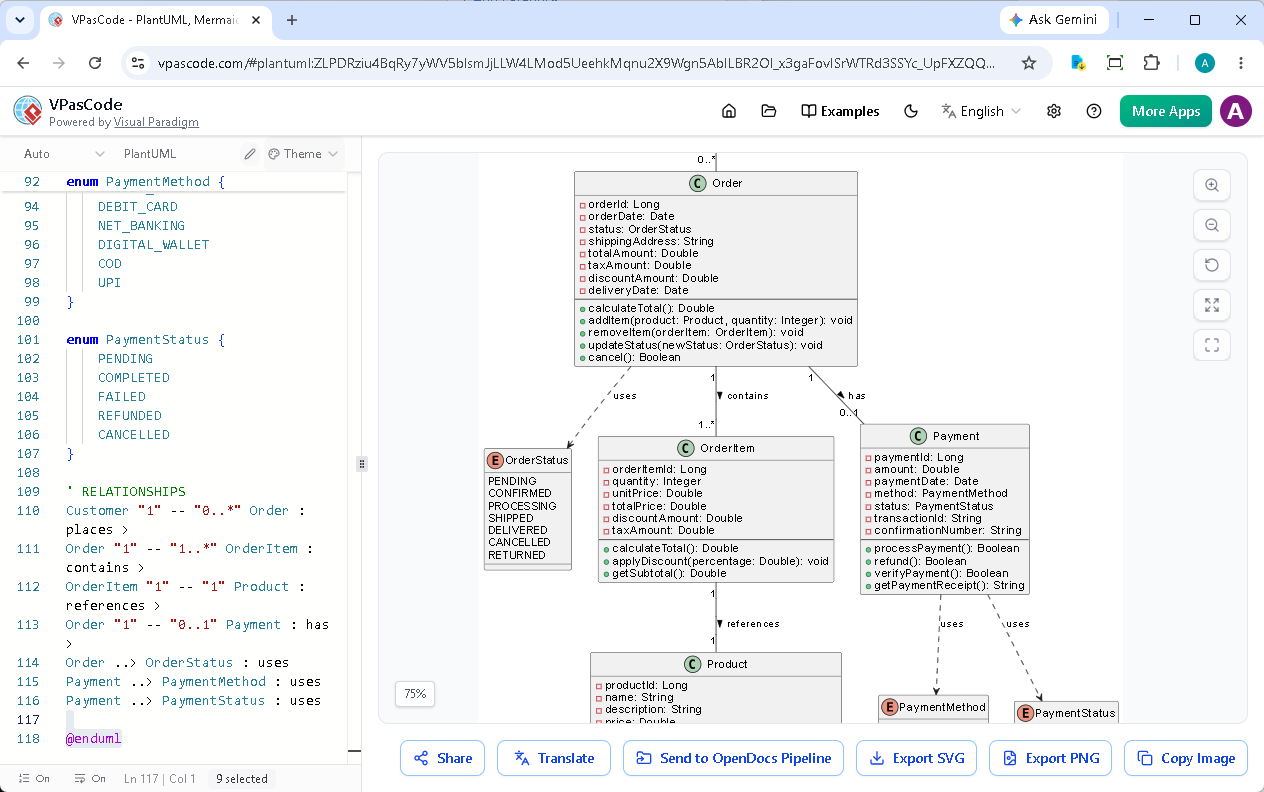
VPasCode’s intuitive interface with code editor and instant diagram rendering
Implementation Strategy
The team adopted VPasCode as their primary diagram-as-code tool to streamline their documentation process. Using simple code definitions, developers could quickly transform raw text to diagram visuals right inside their daily workflow.
Phase 1: Migration of Existing Diagrams
They started by migrating their existing sequence diagrams, class diagrams, and deployment diagrams to the VPasCode platform. The transition was seamless since VPasCode supports all standard PlantUML and Mermaid syntaxes out of the box.
Phase 2: Leveraging Live Preview
The real-time diagram preview feature immediately eliminated the guesswork. Developers could see their architecture diagrams update instantly as they typed, catching errors before they compounded.
Phase 3: AI-Powered Error Resolution
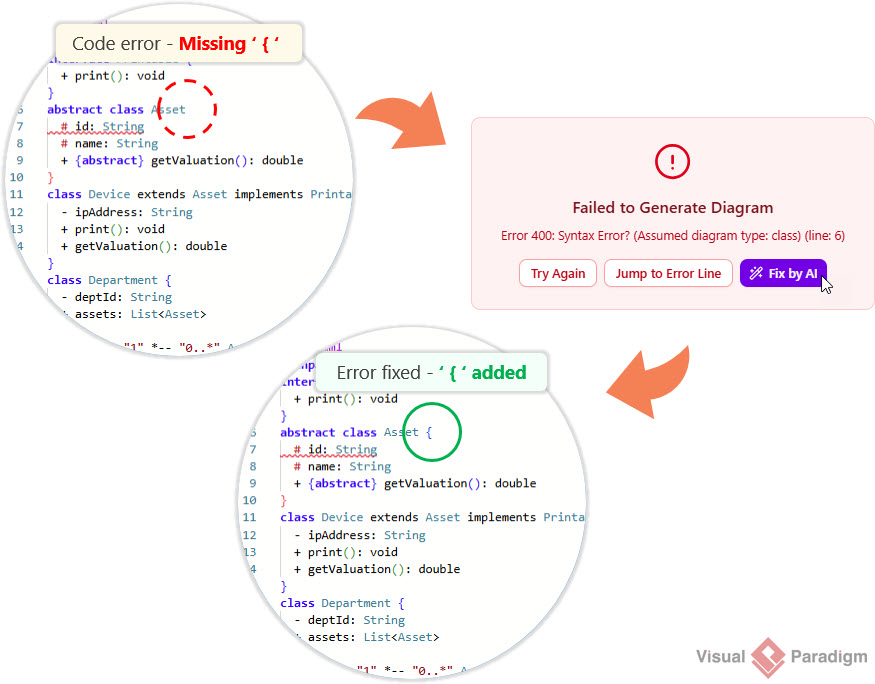
When syntax errors occurred, the team used VPasCode’s AI code error fixing feature. Instead of spending minutes or hours debugging, they could click “Fix by AI” and get instant corrections with explanations.
AI code error fixing not only resolves issues but explains the changes for continuous learning
Key Features That Transformed Their Workflow
1. Multi-Format Support
VPasCode’s support for PlantUML, Mermaid, and Graphviz meant the team could use their preferred syntax without learning new tools. They created everything from C4 architecture diagrams to Gantt charts and mind maps in one unified environment.
2. Instant Visual Feedback
The live rendering engine provided immediate visual feedback, allowing developers to iterate quickly on their architecture documentation. No more waiting for external renderers or switching between multiple tools.
3. AI-Assisted Development
Beyond error fixing, the team utilized VPasCode’s AI translation feature to localize their documentation for international stakeholders, breaking down language barriers without manual rewrites.
4. Seamless Integration
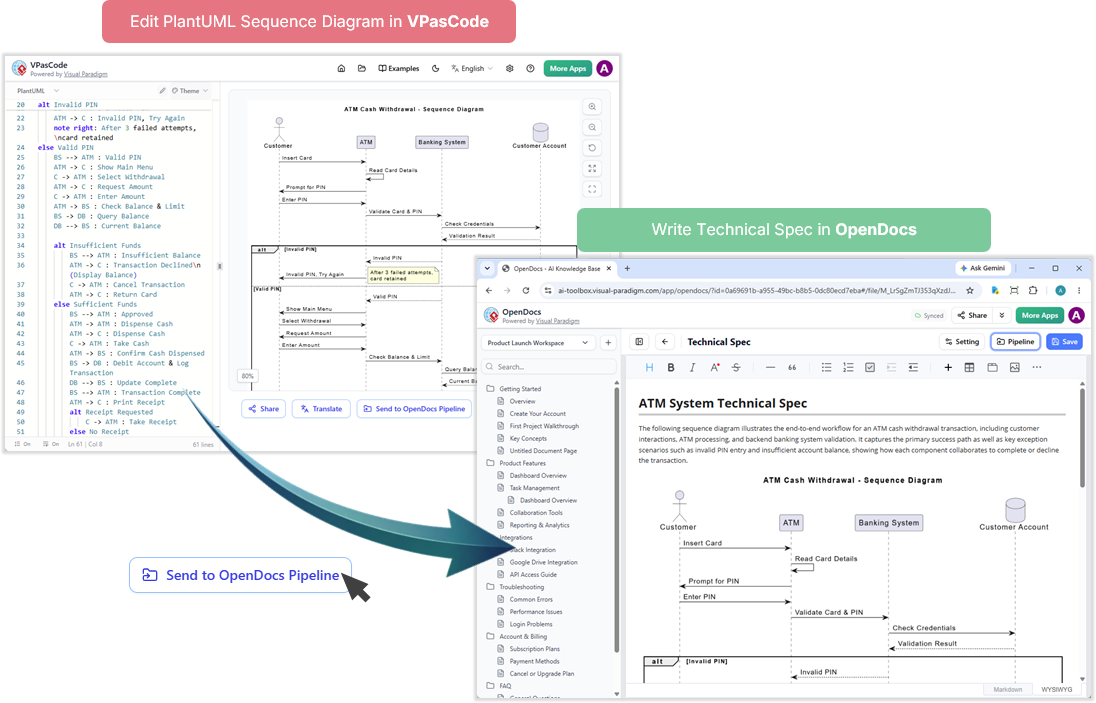
The ability to send diagrams directly to Visual Paradigm OpenDocsstreamlined their documentation pipeline. Architecture diagrams flowed naturally into comprehensive technical documentation without export/import hassles.
Sending a PlantUML sequence diagram from VPasCode to OpenDocs: VPasCode handles documentation needs
Measurable Results
After three months of using VPasCode, the team documented impressive improvements:
60% reduction in documentation update time
85% decrease in syntax-related debugging sessions
Real-time collaboration with stakeholders through shareable URLs
100% diagram accuracy with live preview eliminating render surprises
Zero licensing costs for basic diagram editing, preview, and export features
“VPasCode transformed our documentation from a burden into a seamless part of our development workflow. The AI features alone saved us countless hours, and the live preview means our diagrams are always accurate.”
— Lead Architect, Fintech Development Team
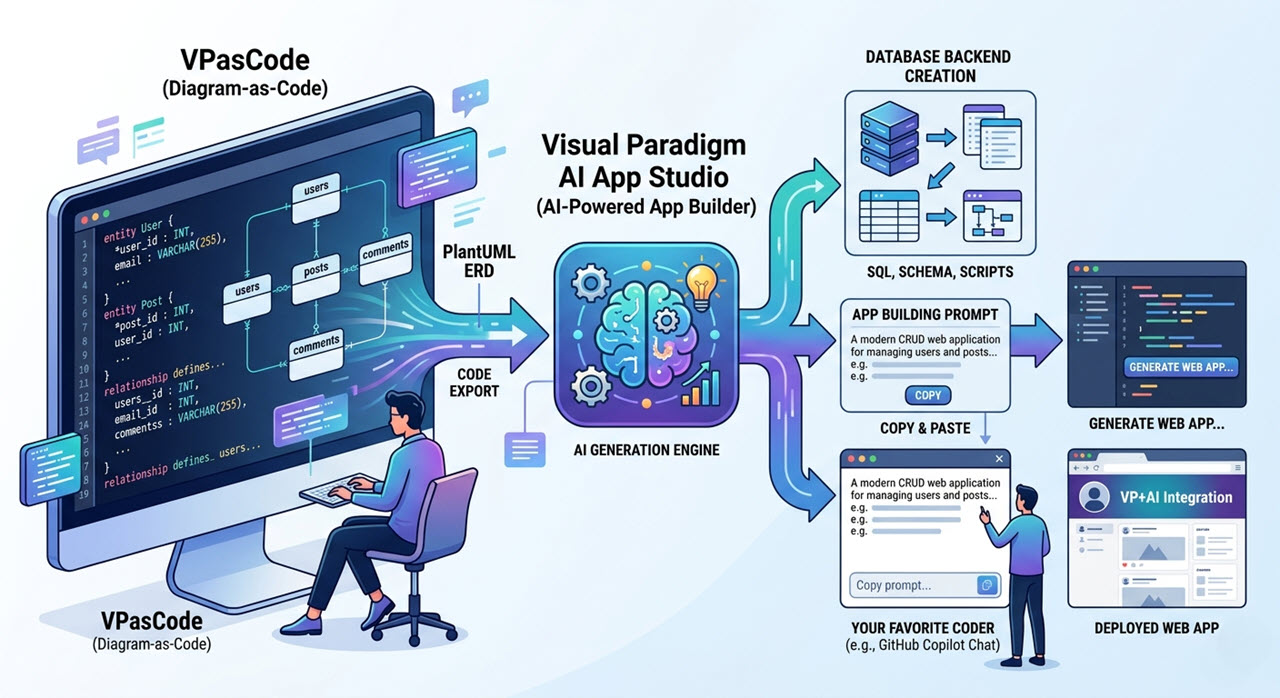
Extending the Ecosystem with Visual Paradigm AI App Studio
The team’s success demonstrates how adopting a modern diagram-as-code tool and text to diagram platform can accelerate software architecture documentation. Whether you’re working with PlantUML sequence diagrams, Mermaid flowcharts, or Graphviz organization charts, this text to diagram solution provides everything needed to create, edit, and share diagrams efficiently.
Getting Started with VPasCode
The team’s success demonstrates the power of modern text-to-diagram platforms in accelerating software architecture documentation. Whether you’re working with PlantUML sequence diagrams, Mermaid flowcharts, or Graphviz organization charts, VPasCode provides the tools to create, edit, and share diagrams efficiently.
Free features include:
Diagram editing with live rendering
Export as SVG vector images or PNG
Shareable diagram URLs
Support for PlantUML, Mermaid.js, and Graphviz
Advanced features (available with Visual Paradigm Online Combo Edition or Visual Paradigm Desktop Professional Edition with active maintenance) include AI code error fixing, AI translation, and OpenDocs integration.
Ready to accelerate your architecture documentation? Start creating diagrams with code at vpascode.com.
Conclusion
The fintech development team’s 60% reduction in documentation time proves that the right tools can transform architecture documentation from a bottleneck into a competitive advantage. By combining VPasCode’s live preview, AI-powered assistance, and multi-format support, teams can maintain accurate, up-to-date diagrams without sacrificing development velocity.
As software systems grow more complex, choosing the right diagram-as-code tool becomes increasingly critical. VPasCode provides the ultimate text to diagram solution, bridging code and visualization to make diagram-as-code workflows accessible, efficient, and intelligent.
Accelerate Your Architecture Documentation
Streamline your documentation workflow with our powerful diagram-as-code tool. Convert text to diagram instantly with AI assistance, live previews, and multi-format support.
Start Diagram-as-Code for FREE