


When working with complex API payloads, application configuration files, or database responses, reading hundreds of lines of raw text can quickly become overwhelming. The JSON Visualizer provides a clear, tree-structured diagrammatic view of key-value pairs, nested objects, and arrays. Modeled after modern visual node graphs and interactive data maps, visualizing JSON structure lets developers and data engineers quickly inspect application state, spot missing keys, and document data pipelines at a glance.
The Mechanics of JSON Visualizations
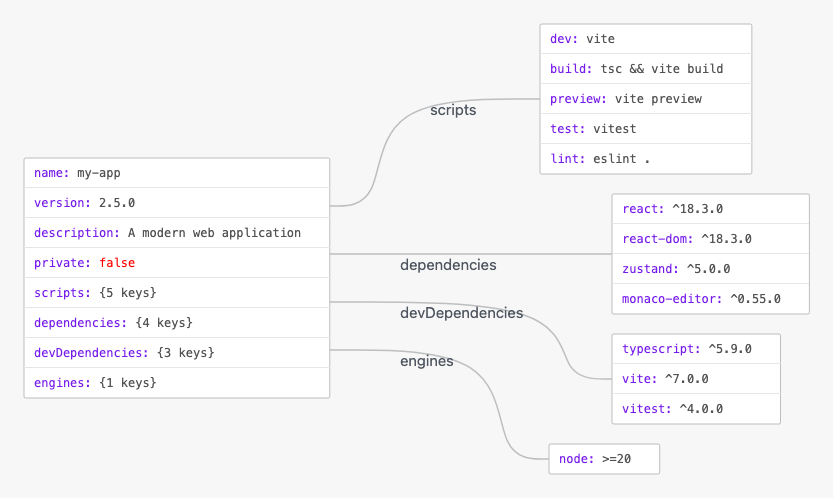
In VPasCode, JSON rendering automatically parses plain-text payloads into interactive, node-based diagrams. Keys serve as structural parents, primitives render as values, and nested objects or arrays branch out into organized sub-trees.
1. Essential Setup
To visualize a standard JSON document, define standard key-value pairs enclosed in curly braces. Standard data types such as strings, booleans, and nested scripts or dependencies are instantly represented:
{
  "name": "my-app",
  "version": "2.5.0",
  "description": "A modern web application",
  "private": false,
  "scripts": {
    "dev": "vite",
    "build": "tsc && vite build",
    "preview": "vite preview",
    "test": "vitest",
    "lint": "eslint ."
  },
  "dependencies": {
    "react": "^18.3.0",
    "react-dom": "^18.3.0",
    "zustand": "^5.0.0",
    "monaco-editor": "^0.55.0"
  },
  "devDependencies": {
    "typescript": "^5.9.0",
    "vite": "^7.0.0",
    "vitest": "^4.0.0"
  },
  "engines": {
    "node": ">=20"
  }
}
Advanced Structural Techniques
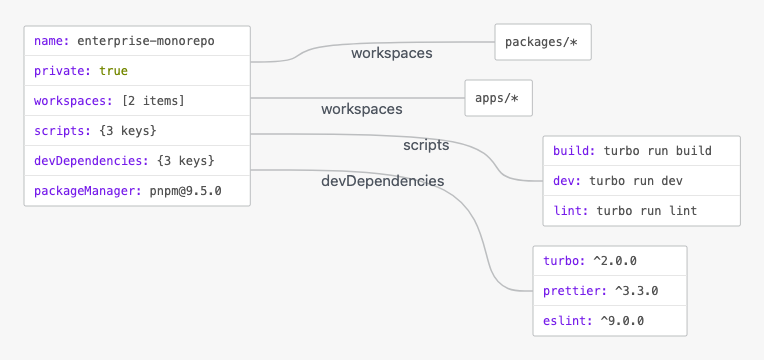
JSON visualizations excel at exposing multi-tiered application environments, workspace configurations, and multi-package setups.
1. Monorepo Configuration Payload
By nesting objects within arrays and mapping complex package trees, VPasCode cleanly breaks down deep workspace hierarchies into intuitive visual branches:
{
  "name": "enterprise-monorepo",
  "private": true,
  "workspaces": [
    "packages/*",
    "apps/*"
  ],
  "scripts": {
    "build": "turbo run build",
    "dev": "turbo run dev",
    "lint": "turbo run lint"
  },
  "devDependencies": {
    "turbo": "^2.0.0",
    "prettier": "^3.3.0",
    "eslint": "^9.0.0"
  },
  "packageManager": "[email protected]"
}
Structuring Tooling and Environment Settings
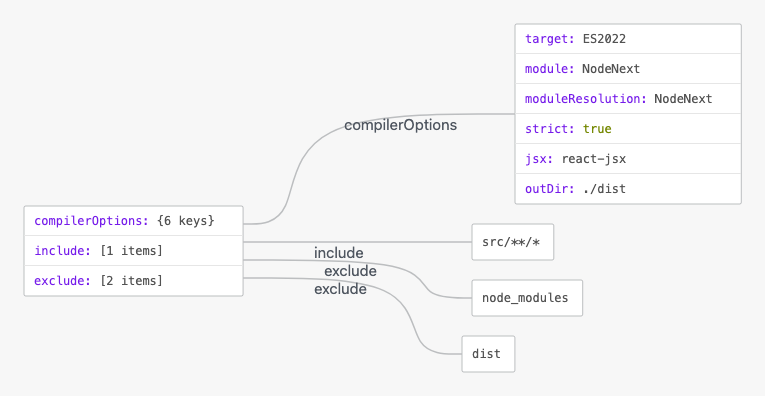
Organizing configuration files into defined sub-objects keeps complex setups readable and prevents cluttered visual hierarchies.
1. Tooling Configuration
Group compiler parameters and file rules into nested blocks so the renderer generates clean, logical sub-trees:
{
  "compilerOptions": {
    "target": "ES2022",
    "module": "NodeNext",
    "moduleResolution": "NodeNext",
    "strict": true,
    "jsx": "react-jsx",
    "outDir": "./dist"
  },
  "include": [
    "src/**/*"
  ],
  "exclude": [
    "node_modules",
    "dist"
  ]
}
Strategic Best Practices
- Maintain Valid JSON Syntax: Always enclose object keys in double quotes and ensure no trailing commas remain at the end of objects or arrays.
- Group Related Fields into Sub-Objects: Combine logical properties (such as scripts, dependencies, or compiler options) inside named nested objects to prevent flat, cluttered diagram nodes.
- Keep Key Names Clear and Concise: Use consistent naming conventions (like camelCase or kebab-case) to maintain clean label formatting across generated node trees.