


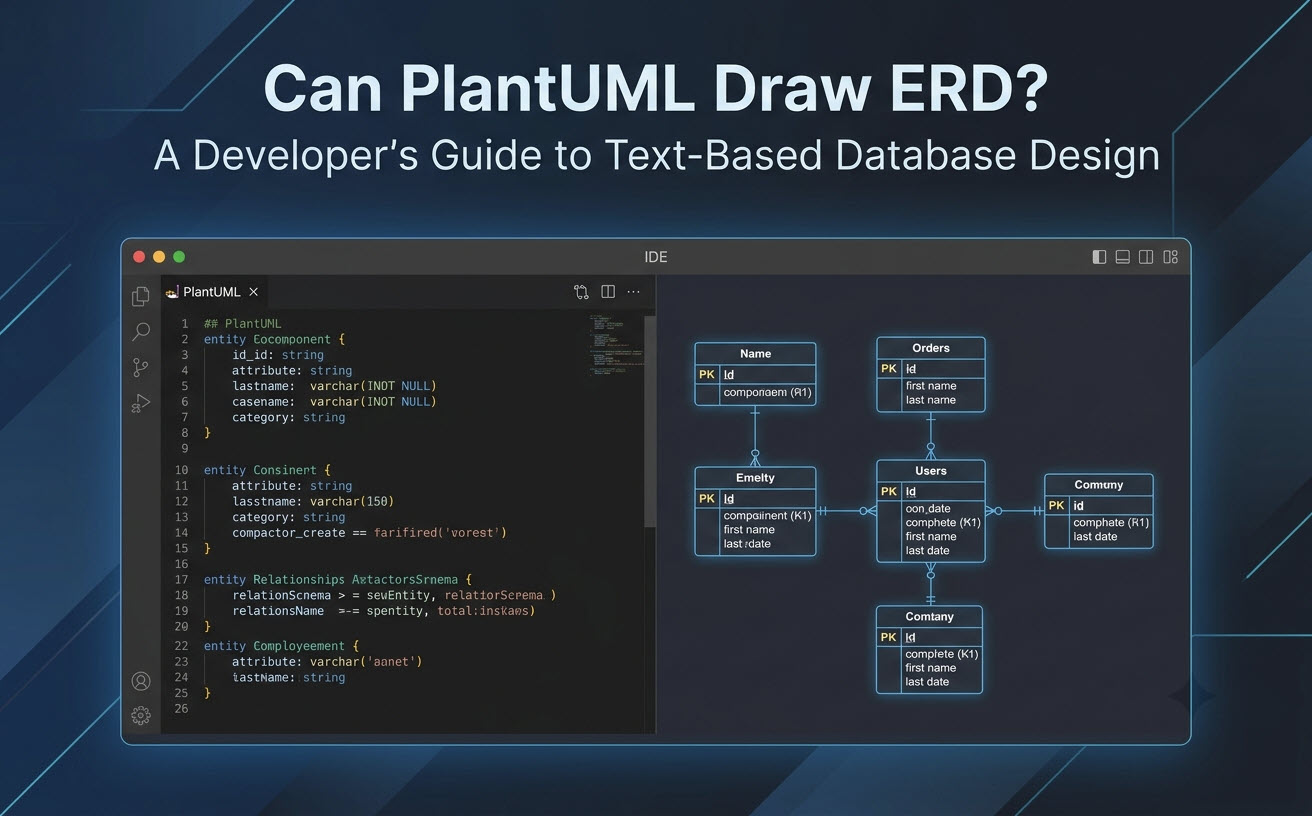
Yes, PlantUML Can Draw ERDs: Quick Answer & Core Capabilities
PlantUML supports comprehensive Entity-Relationship Diagram creation out of the box using simple markup text. By leveraging standard extensions, it renders database structures cleanly and deterministically.Supported ERD Notations in PlantUML (Standard vs. Chen ERD)
PlantUML offers two primary styles for rendering ER diagrams:- Information Engineering (IE) Notation: The standard crow’s foot notation used for relational database modeling, depicting entities as table structures with explicit primary and foreign key markers.
- Chen ERD Notation: A conceptual modeling style that represents entities as rectangles, attributes as ovals, and relationships as diamonds.
Basic PlantUML ERD Syntax and Code Example
Below is a minimal working example of a relational ERD written in PlantUML script using standard crow’s foot notation:
PlantUML
Edit PlantUML in VPasCode
@startuml
!theme plain
top to bottom direction

entity "User" as user {
    * user_id : INT <<PK>>
    --
    * email : VARCHAR(255)
    * created_at : TIMESTAMP
}

entity "Order" as order {
    * order_id : INT <<PK>>
    --
    * user_id : INT <<FK>>
    * total_amount : DECIMAL(10,2)
}

user ||--o{ order : "places"
@enduml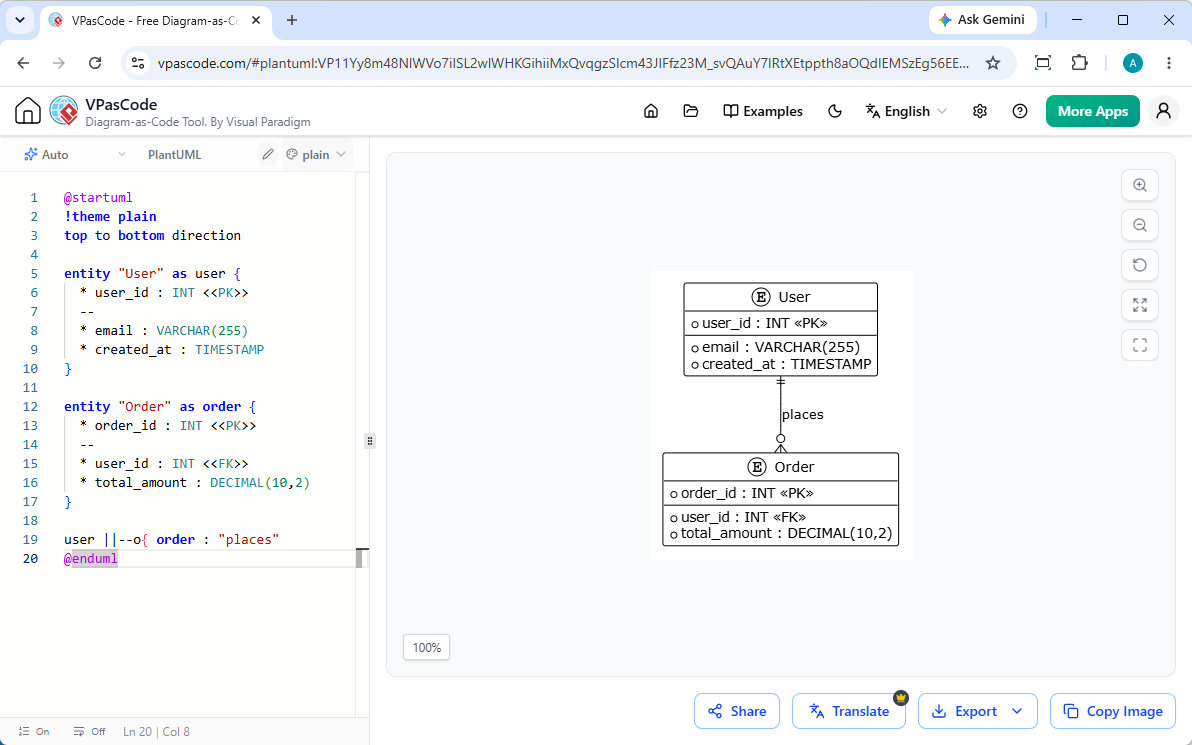
Step-by-Step Tutorial: Writing Your First Entity-Relationship Diagram in PlantUML
Building an ERD in PlantUML requires defining entities, assigning data types and constraints, and declaring relationships with appropriate cardinality connectors.Defining Entities, Attributes, and Primary/Foreign Keys
Entities are declared using theentity keyword. Attributes are listed inside curly braces. You can organize attributes using dashed separators (--) to separate primary keys, foreign keys, and general columns.
- Primary Keys (PK): Indicated with an asterisk (
*) and tagged with<<PK>>. - Foreign Keys (FK): Marked with
<<FK>>to represent relational references. - Mandatory Fields: Highlighted using an asterisk (
*) before the column name.
Mapping Cardinality and Relationship Types (1:1, 1:N, N:M)
Relationship lines determine how tables link together. PlantUML uses specific character combinations to render crow’s foot connectors:| Syntax | Notation Meaning | Relationship Type |
|---|---|---|
||--|| |
Exactly one to Exactly one | One-to-One (1:1) |
||--o{ |
Exactly one to Zero or More | One-to-Many (1:N) |
}|--|{ |
One or More to One or More | Many-to-Many (N:M) |
|o--o{ |
Zero or One to Zero or More | Optional One-to-Many |
Overcoming Common PlantUML ERD Pain Points & Limitations
While PlantUML is powerful, working with local CLI tools or server installations often introduces friction into developer workflows.Syntax Troubleshooting and AI-Powered Error Fixing
A missing bracket or invalid relationship syntax in PlantUML can halt rendering without offering clear debugging feedback. Finding typos in large database schemas can cost valuable development time.Managing Complex Schemas and Layout Readability
As schemas expand to dozens of tables, Graphviz auto-layout algorithms can produce overlapping relationship lines. Developers need tools that provide instantaneous visual feedback to refine layout directives efficiently.Streamlining PlantUML ERD Workflows with VPasCode & AI
If you are looking for a reliable free PlantUML ERD editor that eliminates local setup hassles, Visual Paradigm VPasCode offers a complete online browser-based solution powered by native AI features.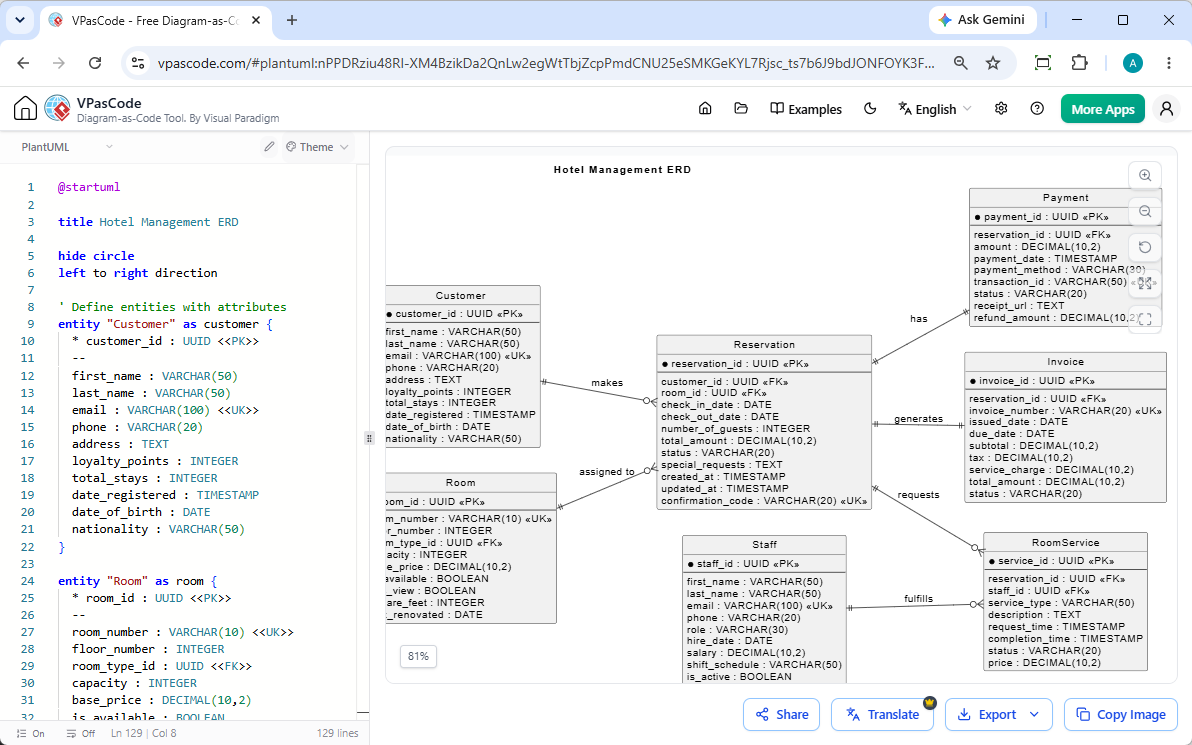
Instant AI Diagram Generation & Modification
As highlighted in our Major VPasCode Update: Generate and Modify Diagrams Instantly with AI, you can bypass manual coding by entering natural language prompts—such as “Generate an ERD in PlantUML for an e-commerce database”—allowing you to create and refactor schemas natively inside the editor in seconds.Instant Browser-Based Rendering & Auto-Format Detection
VPasCode serves as an intuitive, zero-installation free PlantUML tool. Simply paste your script or prompt your request into the editor, and the platform automatically detects PlantUML syntax to render your ERD in real time.Multi-Language Diagrams with AI Translation
When working with distributed engineering teams, documentation often needs to be localized. VPasCode includes native AI translation features, letting you translate diagram text and entity labels into multiple languages directly inside the editor with a single click.Exporting and Embedding ERDs into OpenDocs & Technical Specs
Once your ERD is ready, export your design as high-resolution PNG or vector SVG files. You can also integrate diagrams directly into OpenDocs or generate instant shareable links for pull requests and design reviews. (Note: Advanced AI diagram generation, code modification, and error-fixing features are available in Visual Paradigm Online Deluxe Edition / Visual Paradigm Desktop Professional Edition+).PlantUML vs. Mermaid vs. SQL: Choosing the Right Diagram-as-Code Approach
Choosing the right Diagram-as-Code (DaC) format depends on your team’s existing tooling and project requirements.When to Use PlantUML vs. Mermaid for Database Schemas
- Choose PlantUML: When you need advanced modeling capabilities, custom styling themes, Chen ERD support, or complex package groupings.
- Choose Mermaid: When you prefer simple, lightweight syntax natively rendered inside GitHub Markdown files.
Pro Tip: VPasCode supports both PlantUML and Mermaid formats seamlessly. You can switch between DSLs in the same editor without changing your workflow.
Rendering ERDs Directly from Raw SQL Schemas
In addition to Diagram-as-Code DSLs, VPasCode can parse raw SQL DDL statements directly, allowing you to convert existing database migration scripts directly into rendered visual ERDs without manual conversion.Frequently Asked Questions (FAQ)
Is PlantUML free to use for ERD generation?
Yes, PlantUML is open-source. Furthermore, online platforms like VPasCode provide free access to web-based code editing, live rendering, and image exporting.Can PlantUML generate ERDs automatically from a database?
PlantUML itself requires script input, but database tools or online editors like VPasCode can take SQL scripts, data structures, or natural language AI prompts and render them into visual ER diagrams automatically.How do I represent foreign key relationships in PlantUML?
You can denote primary and foreign keys using stereotypes like<<PK>> and <<FK>> next to attribute definitions, and connect entities using crow’s foot syntax such as ||--o{.