


Quick Answer & A Basic PlantUML Sequence Diagram Example
PlantUML creates sequence diagrams by defining participants and message passing using simple arrows (e.g.,-> for synchronous calls and --> for response messages).
Here is a basic PlantUML script illustrating an authentication flow:
@startuml
actor User
participant "Web App" as App
database Database

User -> App: POST /login (credentials)
App -> Database: Query User Record
Database --> App: User Found & Verified
App --> User: 200 OK (JWT Token)
@enduml
PlantUML Sequence Diagram Syntax Basics
- Participants & Actors: Declare entities using
actor,participant,boundary,control,entity, ordatabase. - Synchronous Messages (
->): Solid arrows represent direct execution calls. - Asynchronous & Response Messages (
-->): Dotted lines represent returned data or async signals. - Aliases (
as): Simplify long participant names into short identifiers (e.g.,participant "Payment Gateway Service" as PG).
Advanced PlantUML Sequence Features: Loops, Conditions, and Parallel Logic
Real-world microservices and API workflows require conditional paths, retries, and parallel actions. PlantUML natively supports complex logic frames directly in text.- Conditionals:
alt / else / end(Handling successful payments vs. declined transactions) - Optional Paths:
opt / end(Executing optional steps, like sending an email notification) - Loops:
loop / end(Polling an API endpoint until a task finishes) - Parallel Execution:
par / else / end(Triggering multiple background services simultaneously)
Structuring Complex Microservice & API Flows
To explicitly show active processing windows, useactivate and deactivate (or append ++ and -- to message targets). This visually clarifies execution life cycles and avoids confusion in multi-tier architecture diagrams.
PlantUML
Edit PlantUML in VPasCode
@startuml
Client -> API: Request Order
activate API
API -> Service: Process Payment
activate Service
alt Payment Success
    Service --> API: Payment Verified
    API --> Client: Order Confirmed
else Payment Failed
    Service --> API: Insufficient Funds
    API --> Client: Order Declined
end
deactivate Service
deactivate API
@enduml
Common PlantUML Syntax Errors (And How to Fix Them)
When writing syntax by hand, small typos can prevent diagrams from rendering. Typical friction points include:- Unclosed Logic Blocks: Forgetting to end an
alt,loop, oroptblock withend. - Incorrect Arrow Notation: Using invalid arrow lengths or mismatched characters (e.g., mixing up
->>and->). - Unescaped Special Characters: Omitting quotes around participant labels containing spaces or non-alphanumeric characters.
Troubleshooting and Real-Time Syntax Repair with AI
Instead of manually searching for broken lines in long scripts, you can streamline your workflow using Visual Paradigm VPasCode. Acting as a dedicated free Sequence Diagram tool, VPasCode automatically detects your code format and renders your changes in real time. If a syntax error occurs, its built-in Fix by AI feature repairs broken script structures instantly while showing a transparent side-by-side code diff so you can catch mistakes fast.How to Render, Generate, and Export PlantUML Sequence Diagrams Effortlessly
Setting up local Java runtime environments, Graphviz dependencies, or complex IDE extensions just to view a diagram can slow down technical teams. Modern documentation workflows benefit significantly from web-based rendering solutions powered by native AI capabilities.Instant AI Diagram Generation & Modification
As highlighted in our Major VPasCode Update: Generate and Modify Diagrams Instantly with AI, you can bypass manual coding altogether by entering natural language prompts—such as “Generate a sequence diagram in PlantUML for an OAuth login flow”—allowing you to create and refactor sequence flows natively inside the editor in seconds.Instant Browser Rendering and Vector Export via VPasCode
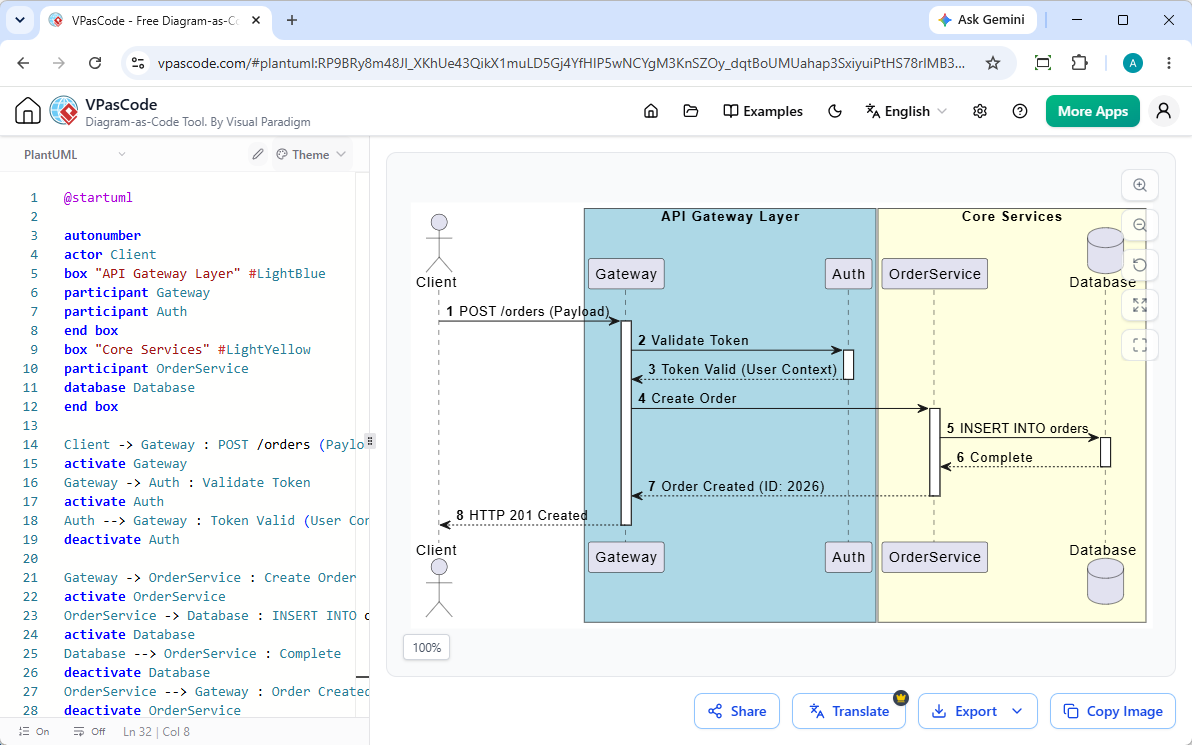
- Export crisp, scalable vector graphics (SVG) or high-resolution raster images (PNG).
- Share live diagrams instantly via public URLs or QR codes.
- Integrate outputs smoothly into team documentation platforms like OpenDocs.