


eventmodeling engine automatically categorizes your layout definitions into three isolated visual swimlanes: UI/Automation, Command/Read Model, and Events.
Understanding the System Swimlanes
When you define elements on your timeline, Mermaid assigns them to specific horizontal tracks based entirely on the underlying entity types:- UI/Automation Lane: Holds user interfaces (
ui) and backend background processors (pcr/processor). Represents how actions are triggered or visualized. - Command/Read Model Lane: Holds commands (
cmd/command) that intend to alter system state, or read models (rmo/readmodel) that hold structured query data. - Events Lane: Holds historical domain events (
evt/event). This track captures the absolute source of truth regarding what has occurred in the past.
Basic Syntax Structure (Compact vs. Relaxed)
Every diagram begins with theeventmodeling declaration. You can map out your timeline using either a compact syntax (using short structural tokens like tf, ui, cmd, evt) or a descriptive relaxed syntax (using timeframe, command, readmodel). Both styles can be mixed interchangeably.
1. Compact Syntax Blueprint
Mermaid
Edit Mermaid in VPasCode
eventmodeling
tf 01 ui LoginScreen
tf 02 cmd SubmitCredentials
tf 03 evt UserAuthenticated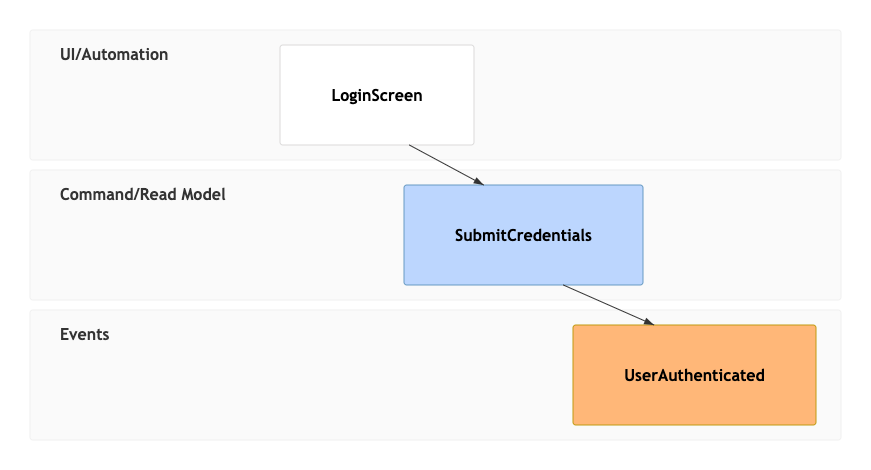
2. Relaxed Syntax Blueprint
Mermaid
Edit Mermaid in VPasCode
eventmodeling
timeframe 01 ui LoginScreen
timeframe 02 command SubmitCredentials
timeframe 03 event UserAuthenticated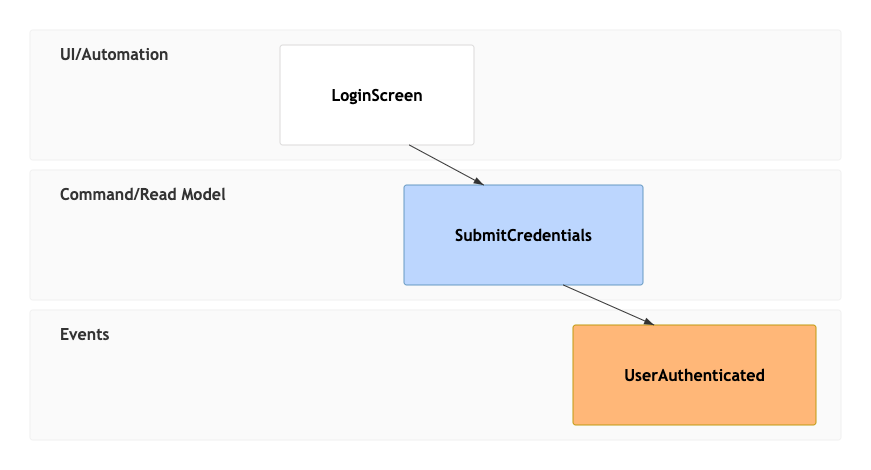
Syntax Reference
The table below breaks down the primary data components, formatting keywords, and shortcut tokens used to establish Event Modeling frames inside the Mermaid runtime interpreter.| Compact Token | Relaxed Keyword | Swimlane Allocation | Description & Rules |
|---|---|---|---|
tf |
timeframe |
N/A (Grid Header) | Declares a sequential timeline column frame slot. Must be followed by a unique sequence number (e.g., 01). |
rf |
resetframe |
N/A (Grid Header) | Resets the column position index back or creates out-of-band automated flow lines. |
ui |
ui |
UI/Automation | Maps a graphical interface panel or page that a human views or interacts with. |
pcr |
processor |
UI/Automation | Defines an automated background processor, cron mechanism, or saga. |
cmd |
command |
Command/Read Model | Represents an explicit action intent or request to modify state variables. |
rmo |
readmodel |
Command/Read Model | Defines structured, read-only cache views or lookup projection tables. |
evt |
event |
Events Track | An immutable historical record documenting an activity that successfully executed. |
Documenting Context Data Projections
To provide high-density information layouts, Mermaid permits embedding explicit data schemas or state mockups directly into your timeline frames. You can implement this using either inline fields or external structural data blocks.1. Inline Data Definitions
For brief parameter definitions, append an explicit data map surrounded by curly brackets ({ }) directly on the active timeframe line statement:
Mermaid
Edit Mermaid in VPasCode
eventmodeling
tf 01 cmd AddToCart { itemSku: string, count: int }
tf 02 evt ItemAdded { itemSku: string }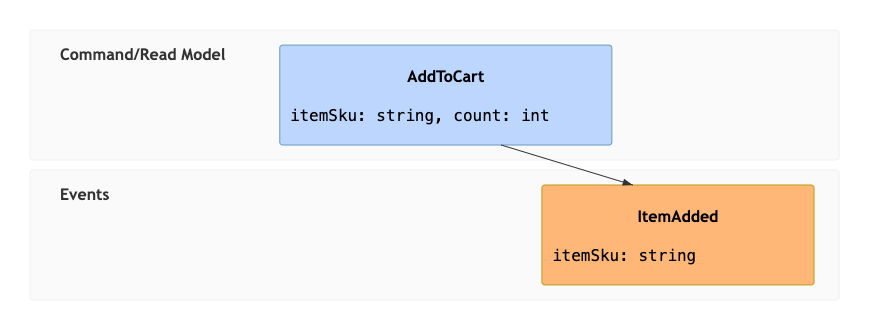
2. Separate Data Blocks (Double Square Brackets)
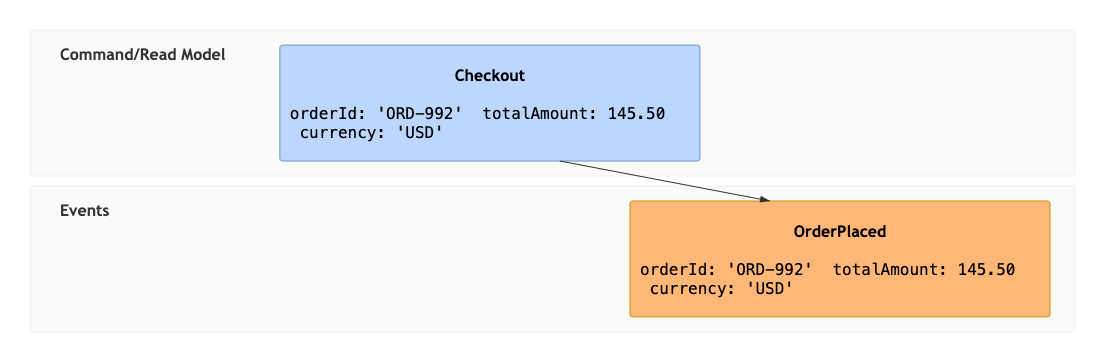
When handling complex object matrices or reusing matching properties across different frames, map an external descriptor. Place a pointer reference enclosed within double square brackets ([[BlockID]]) on the timeframe line, and detail the object components separately at the bottom of the script via the data keyword:
Mermaid
Edit Mermaid in VPasCode
eventmodeling
tf 01 cmd Checkout [[OrderData01]]
tf 02 evt OrderPlaced [[OrderData01]]

data OrderData01 {
  orderId: 'ORD-992'
  totalAmount: 145.50
  currency: 'USD'
}
Real-World Blueprint: E-Commerce Inventory Automation
This comprehensive, multi-lane blueprint showcases an advanced architectural e-commerce workflow. It maps out sequential front-end user actions, transitions through processing commands, tracks historical event footprints, implements an automated background microservice processor via aresetframe (rf), and provides isolated data block models.
Mermaid
Edit Mermaid in VPasCode
eventmodeling
%% Phase 1: User Cart Interaction
tf 01 ui ProductCatalogView
tf 02 cmd AddItemToCart [[CartCommand]]
tf 03 evt Cart.ItemAdded [[CartEvent]]
tf 04 rmo ActiveMiniCartView [[CartPayload]]

%% Phase 2: Automated Background Inventory Validation
rf 05 evt Cart.ItemAdded
tf 06 pcr ReservationProcessor
tf 07 cmd AllocateWarehouseStock { sku: string, qty: int }
tf 08 evt Inventory.StockReserved { reservationId: uuid }

%% External Data Scheme Specifications
data CartCommand {
  productId: 'PROD-402'
  quantity: 1
}
data CartEvent {
  productId: 'PROD-402'
  quantity: 1
  timestamp: 1718544000
}
data CartPayload {
  totalItems: 1
  cartSubtotal: 24.99
}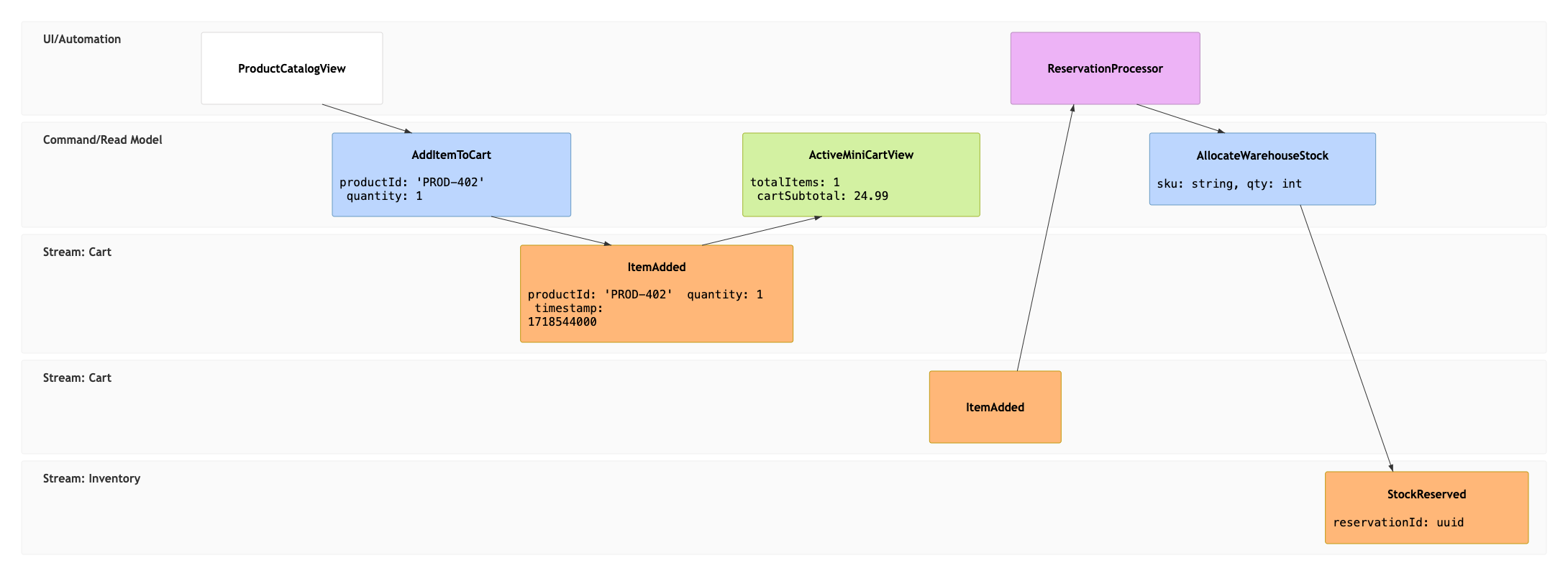
Syntax Tip: To create cleanly organized secondary swimming tracks under the main lanes or to isolate multiple sub-systems, you can prepend a dot-separated namespace qualifier string onto your entity labels (for example:
evt Cart.ItemAdded vs. evt Inventory.StockReserved). The engine will automatically generate distinct subgroup lines for those entities.
Common Syntax Pitfalls & System Constraints
When engineering highly dense time-series behavior blocks, keep these formatting validation rules in mind to prevent compiling faults:- Timeframe Tracking Sequence numbers: Every
tfortimeframeassignment requires an explicit numerical identifier slot token immediately following it. Writing a token definition liketf ui ProductViewwithout an intermediate number index will halt system parsing. - Whitespace and Object Formatting: Inside JSON-style data maps or standalone
datadeclarations, maintain clean assignments. Forgetting an opening brace or trailing brackets can lead to unresolved grid layouts. - Differentiating Timeframes vs. Resetframes: Use
tffor forward-moving, human-driven operations. Userf/resetframeintentionally when you need to illustrate out-of-band triggers, such as a background cron job processing an event that happened previously. - Immutable Data Re-use: When referencing the exact same data payload layout across multiple timeline steps, preserve identical naming matches across your data pointer hooks to prevent duplicate node generation.