


Basic Syntax Structure
Sankey layout definitions are built upon an optimized, 3-column CSV (Comma-Separated Values) structural format. Every file begins with either thesankey or sankey-beta type declaration header, followed by individual flow lines tracking a strict Source,Target,Value pattern.
Mermaid
Edit Mermaid in VPasCode
sankey
Source Node,Destination Target,150.50
Destination Target,Final Output Node,90.25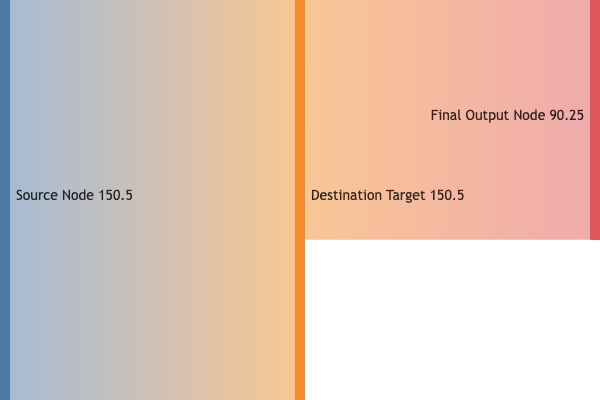
Syntax Reference
The table below breaks down the primary data rules and parameters required to parse a Sankey chart correctly in Mermaid.js.| Syntax Element | Type Requirement | Description & Usage Rules |
|---|---|---|
| Declaration | Keyword Identifier | Initializes the stream rendering layout engine. Accepts sankey or the backwards-compatible sankey-beta string. |
| Source Node | String Label | The originating category where the resource flow starts. case-sensitive identifier. |
| Target Node | String Label | The recipient node where the specific link volume terminates. |
| Value | Positive Float / Integer | The numeric weight of the flow. The thickness of the rendered path is directly calculated relative to this value. |
| Comment Line | Syntax Indicator | Any text preceded by a double percentage sign (%%) is ignored by the compiler, allowing for clean data annotations. |
Handling Specialized Characters in Node Labels
Because commas and quotation marks serve as structural system delimiters within the layout engine, specialized naming inputs require specific escaping techniques to ensure they display properly on the frontend canvas.1. Commas in Names
If a specific node label requires a literal comma, wrap the entire node string container within a pair of standard double quotation marks:
Mermaid
Edit Mermaid in VPasCode
sankey
Budget Pool,"Operations, Payroll & Admin",45000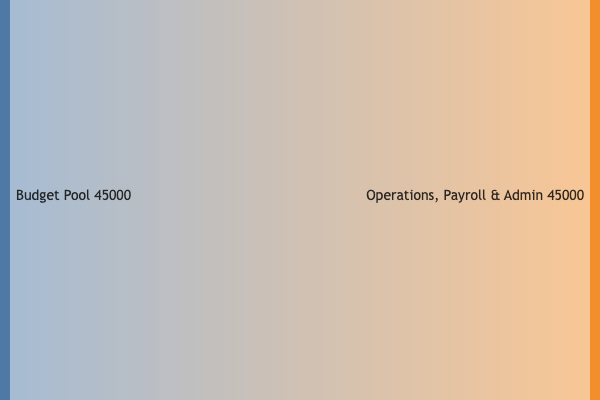
2. Quotation Marks in Names
To explicitly render double quotes inside a label name, wrap the overall parameter in outer quotes, and use a duplicated pair of double quotes ("") inside the target value string:
Mermaid
Edit Mermaid in VPasCode
sankey
Server Clusters,"Internal ""Edge"" Node",850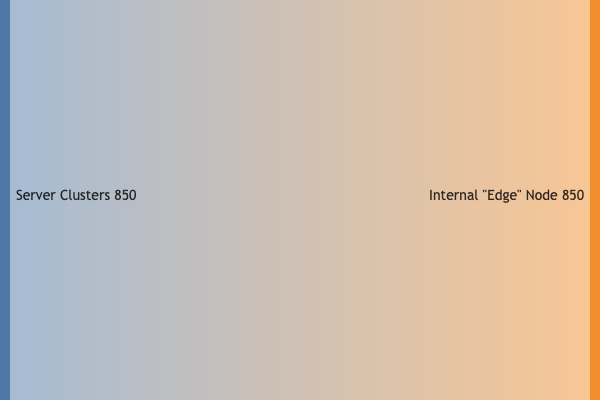
Advanced Theme Configuration (Directives)
You can fine-tune your diagram’s presentation by passing an frontmatter configuration block at the top of your document snippet. This allows you to control link styles, layout padding, text styles, and element alignments directly from your raw text editor.Sankey Configuration Attribute Matrix
| Property Name | Accepted Values | Visual Result |
|---|---|---|
showValues |
true | false |
Toggles whether the numeric flow value text prints directly inside the node label boxes. |
linkColor |
'source' | 'target' | 'gradient' | '#hex' |
Determines link paths color mapping. 'gradient' blends colors smoothly between connecting entities. |
nodeAlignment |
'justify' | 'left' | 'right' | 'center' |
Aligns structural columns across the canvas space grid. |
labelStyle |
'legacy' | 'outlined' |
'outlined' adds a background stroke mask behind text to guarantee high scannability over complex layouts. |
nodeWidth |
Integer (Pixels) | Sets the width of the node rectangles (Default: 10). |
nodePadding |
Integer (Pixels) | Sets vertical separation spacing parameters between stacked rows (Default: 12). |
Real-World Blueprint: Clean Energy Grid Distribution
This comprehensive blueprint tracks an infrastructure power grid management system. It showcases frontmatter configurations—setting smooth link color gradients, outline typography styles, and disabling inline metric counts—paired with a multi-tiered layout structure.
Mermaid
Edit Mermaid in VPasCode
---
config:
  sankey:
    showValues: false
    linkColor: 'gradient'
    nodeAlignment: 'justify'
    labelStyle: 'outlined'
    nodeWidth: 15
    nodePadding: 18
---
sankey
%% Source Data Rows
Solar Farm,Power Storage Grid,120.50
Wind Turbines,Power Storage Grid,180.75
Hydroelectric Dam,Direct Industrial Line,210.00
Biofuel Imports,Thermal Backup Station,45.25

%% Distribution Nodes
Power Storage Grid,Residential Consumer Lines,145.00
Power Storage Grid,Direct Industrial Line,110.25
Power Storage Grid,System Losses & Dissipation,46.00

%% Final Delivery Termination Nodes
Direct Industrial Line,Heavy Manufacturing Hub,295.00
Direct Industrial Line,Commercial Retail Sectors,25.25
Thermal Backup Station,Commercial Retail Sectors,45.25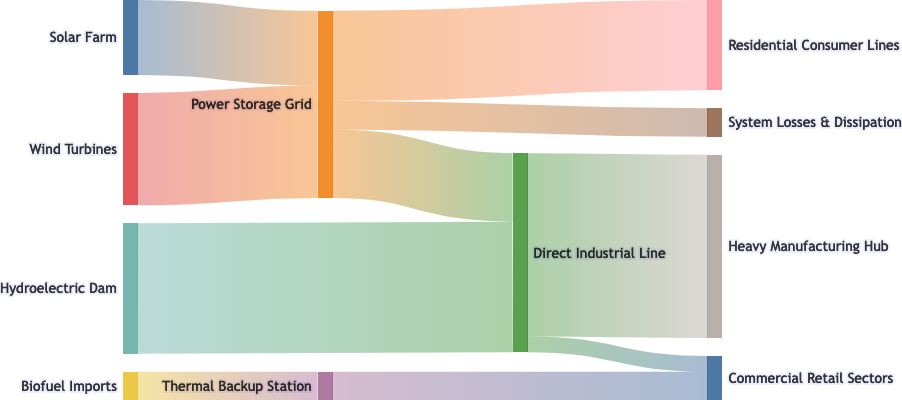
Common Syntax Pitfalls & System Constraints
When compiling highly dense data arrays, a few subtle configuration errors will trigger layout parsing breaks. Keep these troubleshooting rules in mind:- Exact Column Verification: Every single item line following the main header declaration must contain precisely three comma-separated parameters. Adding a fourth column or missing a value weight will completely halt diagram compilation.
- Empty Line Allowances: Unlike traditional rigid data parsing rules, Mermaid allows you to add empty, clean lines inside the code block to logically separate different tiers or processing phases of your model data.
- Circular Loop Blocks: Sankey structures are designed strictly around Directed Acyclic Graphs (DAGs). If you connect Node A to Node B, and then attempt to write a row path connecting Node B back into Node A, the layout engine math will experience a feedback break and error out.
- Value Data Constraints: Value fields can only parse positive numbers. Negative values or raw alphabetic characters cannot be rendered into width parameters.