


The Mechanics of JSONL / NDJSON Visualizations
In VPasCode, JSONL rendering parses each non-empty, newline-separated line as a distinct, self-contained JSON record. Structural keys within each line serve as parent nodes, values display as leaf nodes, and consecutive records generate side-by-side or stacked visual tree representations for stream analysis.1. Essential Setup
To visualize a standard JSONL document, place exactly one valid JSON object or array per line, without trailing commas or outer array brackets:
JSONL
Edit JSONL in VPasCode
{"timestamp":"2026-07-28T10:00:00Z","level":"info","event":"user_login","userId":101,"ip":"192.168.1.1"}
{"timestamp":"2026-07-28T10:01:15Z","level":"warn","event":"rate_limit_exceeded","userId":102,"ip":"192.168.1.45"}
{"timestamp":"2026-07-28T10:02:30Z","level":"error","event":"db_connection_timeout","retryCount":3}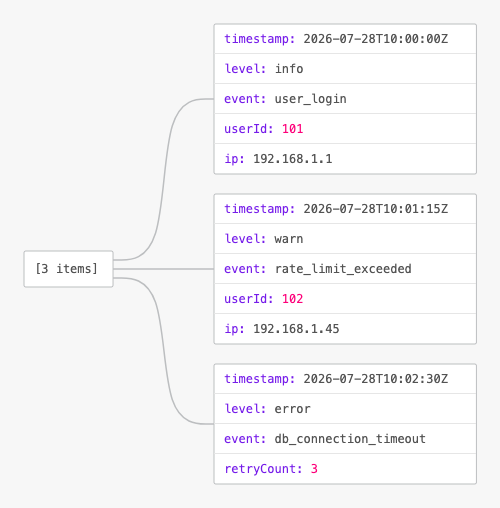
Advanced Structural Techniques
JSONL visualizations excel at rendering streaming data events, analytical transaction records, and database row exports that contain nested fields and metadata arrays.1. E-Commerce Transaction Event Stream
By organizing structured order events into individual rows, VPasCode cleanly breaks down nested items, buyer details, and payment statuses into individual record branches:
JSONL
Edit JSONL in VPasCode
{"orderId":"ord-9901","customer":{"id":"c-404","email":"[email protected]"},"items":[{"sku":"item-a","qty":2,"price":29.99}],"total":59.98,"status":"completed"}
{"orderId":"ord-9902","customer":{"id":"c-405","email":"[email protected]"},"items":[{"sku":"item-b","qty":1,"price":149.00}],"total":149.00,"status":"pending"}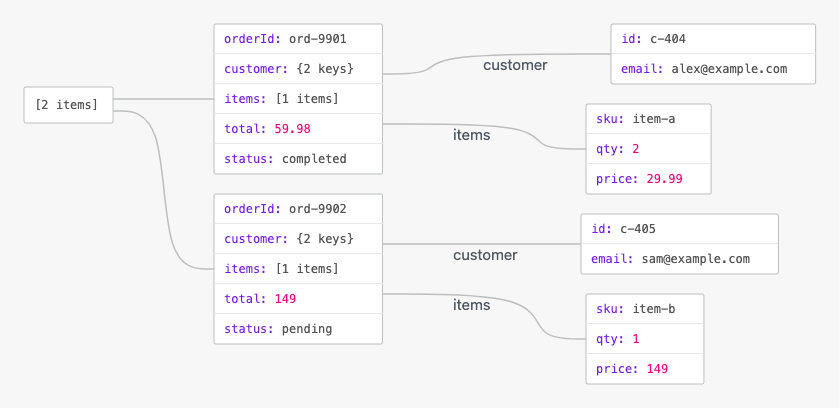
Structuring Telemetry and Metric Pipelines
Using NDJSON for system metrics or IoT telemetry allows each sensor reading or time-series data point to be parsed and rendered independently.1. IoT Sensor Reading Stream
Group device identifiers, environmental metrics, and status flags into discrete line objects for clean visual evaluation:
JSONL
Edit JSONL in VPasCode
{"deviceId":"sensor-alpha","readings":{"tempC":22.4,"humidityPct":45},"batteryPct":98,"status":"active"}
{"deviceId":"sensor-beta","readings":{"tempC":28.1,"humidityPct":62},"batteryPct":34,"status":"active"}
{"deviceId":"sensor-gamma","readings":{"tempC":0.0,"humidityPct":0},"batteryPct":0,"status":"offline"}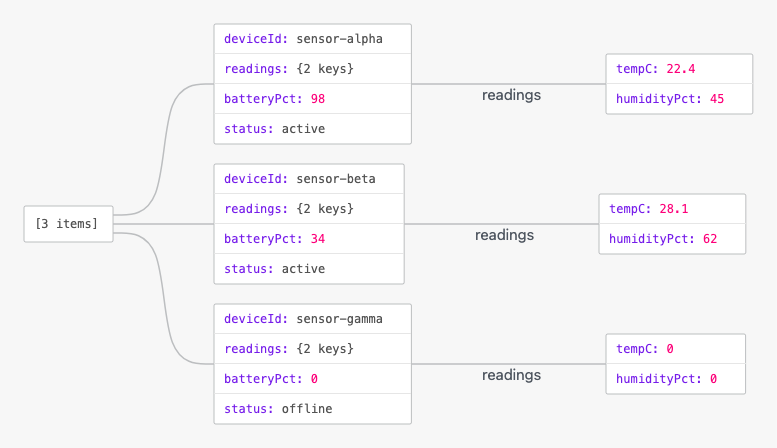
Strategic Best Practices
- Strict One Record Per Line: Every record must be a complete, valid JSON value terminated by a newline character (
\nor\r\n). - No Commas Between Lines: Do not place commas at the end of lines or wrap lines in array brackets (
[]), as each line represents an independent entity. - Use UTF-8 Encoding: Ensure files are formatted in UTF-8 to prevent string decoding issues when parsing multi-line stream files across different environments.