


Tip: D2 syntax is built to be simple and easy to read. Shapes, connections, labels, and groups can all be written using basic text lines without complex setups.
1. Basic Shapes & Connections
To create shapes, simply type their names. To link shapes, use an arrow (-> for one-way or <-> for two-way).
# Simple Connection
User -> Web Server: HTTP Request
Web Server -> Database: Fetch Data
Database -> Web Server: Return Results
Web Server <-> Cache: Read/Write Sync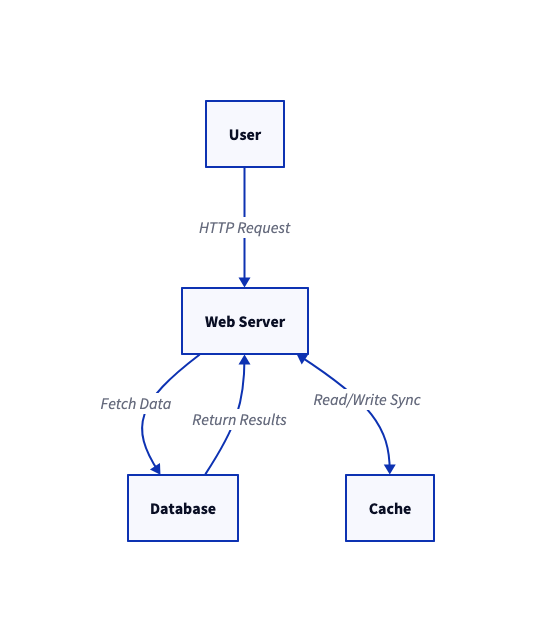
2. Shape Types & Custom Labels
By default, shapes appear as standard boxes. You can easily change a shape’s icon type or set a custom label using theshape property.
# Defining Shape Types
Client: {
  shape: person
}

Cloud Services: {
  shape: cloud
}

Main DB: {
  shape: cylinder
  label: "Primary Database (PostgreSQL)"
}

Client -> Cloud Services -> Main DB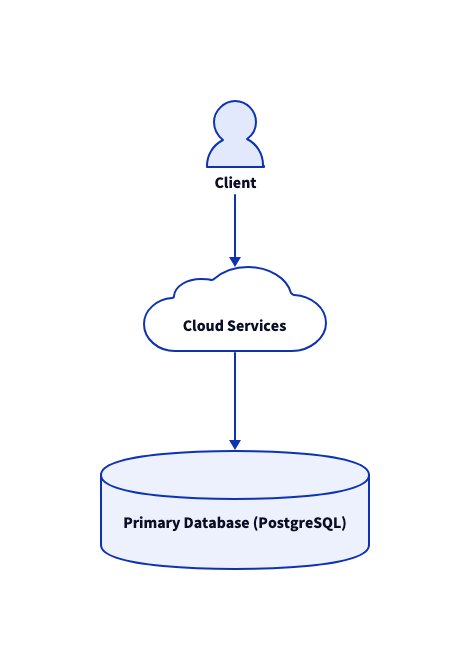
3. Class Definitions
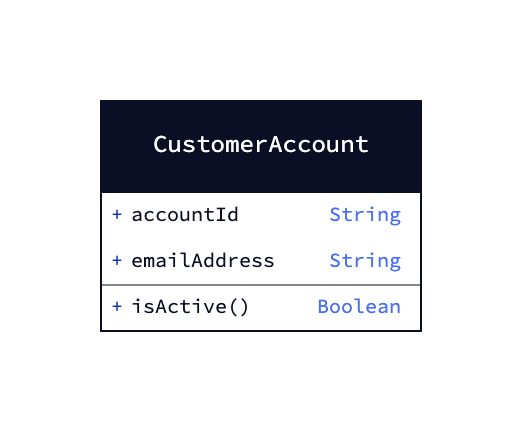
D2 natively supports object-oriented structure design using theclass shape.
CustomerAccount: {
  shape: class

  accountId: String
  emailAddress: String

  isActive(): Boolean
}
4. Nested Containers (Grouping)
D2 makes it easy to group items together inside containers using standard curly braces ({}). You can also link elements across different groups using dot notation.
# Grouping with Containers
Frontend Application: {
  React UI -> State Manager
}

Backend Infrastructure: {
  API Gateway -> Auth Microservice
  API Gateway -> Order Microservice
}

# Cross-group connection
Frontend Application.State Manager -> Backend Infrastructure.API Gateway: REST Call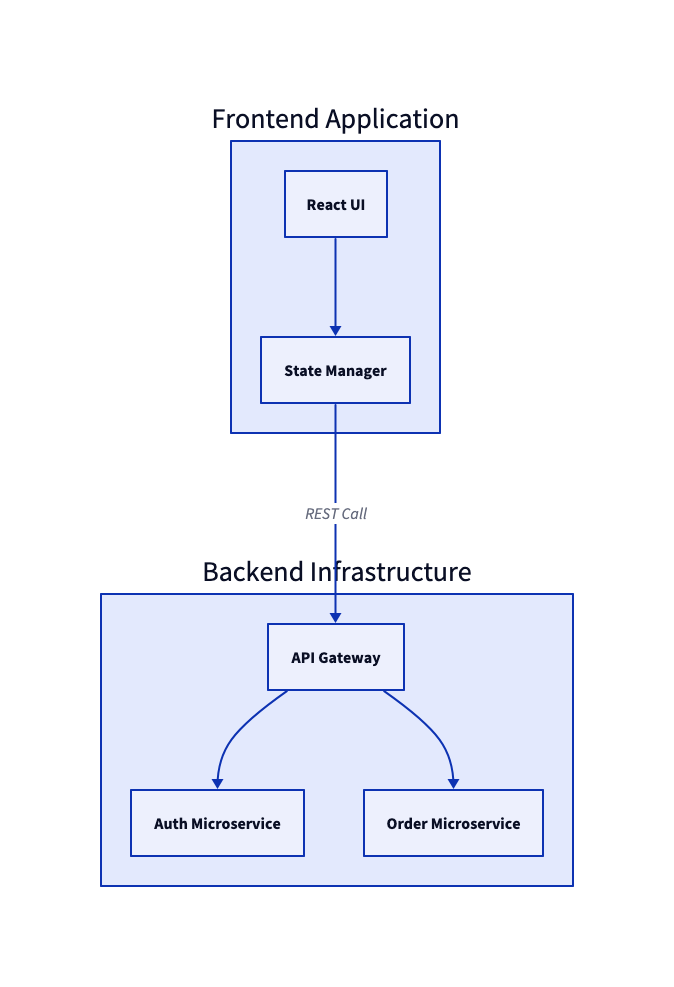
5. Styling & Colors
Custom background colors, stroke colors, and font styles can be customized directly within the block using thestyle keyword.
Service A: {
  style: {
    fill: "#e0e7ff"
    stroke: "#4338ca"
    border-radius: 8
  }
}

Service B: {
  style: {
    fill: "#fef3c7"
    stroke: "#d97706"
  }
}

Service A -> Service B: Send Message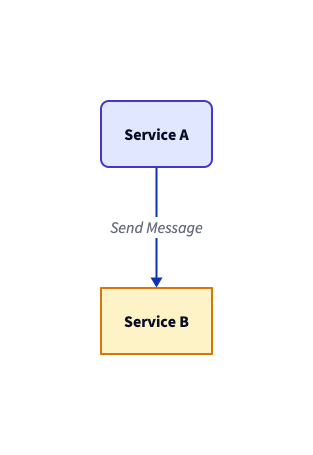
6. Quick Syntax Cheat Sheet
| Concept | Code Example | What it Does |
|---|---|---|
| Directed Connection | A -> B |
Draws an arrow pointing from A to B. |
| Line Label | A -> B: Send Data |
Adds text on top of the connection arrow. |
| Bi-directional Arrow | A <-> B |
Draws an arrow pointing both ways. |
| Containers / Groups | Server: { ... } |
Groups multiple shapes into a single box. |
| Shape Selection | shape: cylinder |
Changes standard box into a database icon, person, cloud, class, etc. |
| Comments | # My comment |
Single-line comments ignored during rendering. |