What is a Mind Map Diagram?
A Mind Map Diagram is a visual technique for organizing thoughts, brainstorming ideas, mapping knowledge domains, and structuring complex information around a central concept. It breaks ideas into radial branches, moving from high-level categories to detailed sub-topics. With VPasCode, you can instantly turn plain text into publication-ready Mind Maps using standard PlantUML syntax. This lets you map ideas quickly without fighting drag-and-drop alignment on a visual canvas.Core Syntax Guide: Elements and Constructs
Building a Mind Map in VPasCode uses arithmetic notation (*, **, ***) or block brackets wrapped inside standard @startmindmap and @endmindmap tags.
1. Declaring Central Topics and Sub-Branches
Define the central topic with a single asterisk (*), and add asterisks for each subordinate branch level:
PlantUML
Edit PlantUML in VPasCode
@startmindmap
* Product Strategy 2026
** User Research
*** Interviews
*** Surveys
** Feature Roadmap
*** Dashboard V2
*** Mobile App
@endmindmap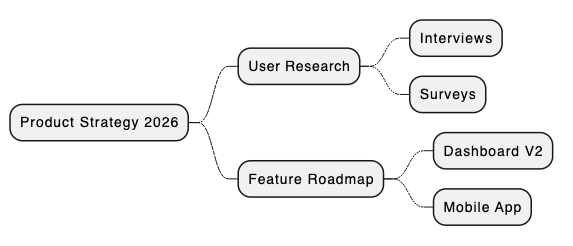
2. Controlling Branching Direction (Left vs. Right)
By default, PlantUML places branches on both sides. You can explicitly force a branch to extend to the left using the hyphen notation (-, --, ---):
PlantUML
Edit PlantUML in VPasCode
@startmindmap
* Central Topic
** Right Branch 1
*** Right Sub-topic
-- Left Branch 1
--- Left Sub-topic
@endmindmap
Pro Tip: Use asterisks (*) for branches growing to the right, and hyphens (-) for branches growing to the left.
3. Customizing Colors and Font Formatting
Apply custom background colors to node boxes using color brackets ([#Color]) and style text using PlantUML native font directives (like <color:white>...</color>):
PlantUML
Edit PlantUML in VPasCode
@startmindmap
*[#Yellow] Digital Marketing Strategy
**[#LightGreen] Content Marketing
***[#LightGreen] Blog Posts
***[#LightGreen] Video Tutorials
--[#LightSkyBlue] Paid Advertising
---[#LightSkyBlue] Search Ads
---[#LightSkyBlue] Social Media Ads
@endmindmap
4. Changing Node Box Shapes and Styles
You can adjust node box borders and appearance using underscores or style tags:
PlantUML
Edit PlantUML in VPasCode
@startmindmap
* Central Idea
**_ Boxless Branch
*** Sub-item 1
*** Sub-item 2
@endmindmap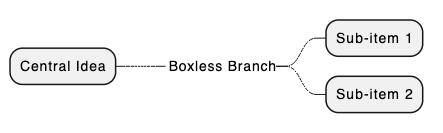
Best Practices for Clean Layouts
- Keep Core Ideas Balanced: Distribute main categories evenly between left (
--) and right (**) branches for a clean visual layout. - Color-Code Primary Branches: Assign distinct background colors to top-level branches so sub-topics are easily distinguishable at a glance.
- Use Short, Actionable Labels: Keep node text concise (1–4 words) to prevent wide, stretched boxes.
Real-World PlantUML Mind Map Examples
Copy and paste these blueprints directly into your VPasCode editor panel to see them render in real time.Example 1: Product Marketing Strategy Blueprint
This blueprint organizes a comprehensive SaaS product launch strategy across branding, inbound content, paid channels, and product analytics.
PlantUML
Edit PlantUML in VPasCode
@startmindmap
caption SaaS Product Launch Mind Map

*[#Orange] Product Launch Strategy

**[#MediumSeaGreen] Content & SEO
*** Keyword Research
*** Documentation & Tutorials
*** Blog Announcement

**[#Khaki] Product & UX
*** Onboarding Checklist
*** Feature Highlights
*** Interactive Demos

--[#CornflowerBlue] Paid Channels
--- Google Search Ads
--- LinkedIn Sponsored Posts
--- Retargeting Campaigns

--[#Plum] Customer Success
--- Support Knowledge Base
--- Community Webinars
--- Feedback Surveys
@endmindmap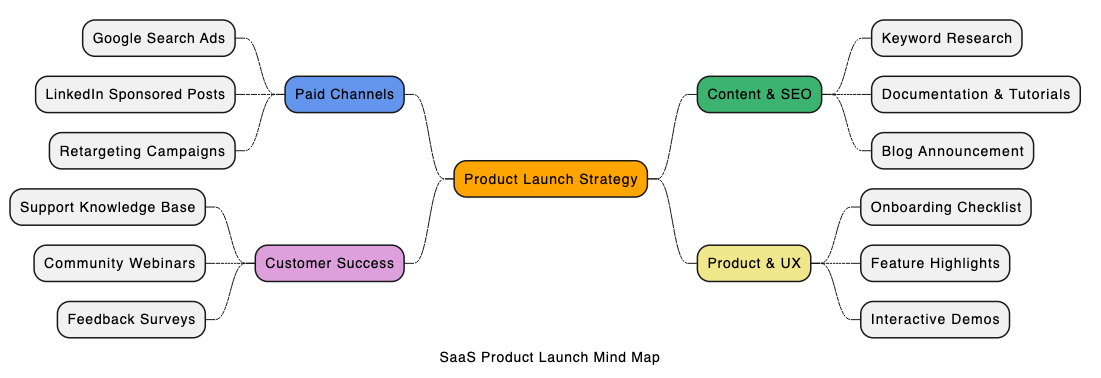
** for right-hand branches and -- for left-hand branches, combined with custom node background colors.
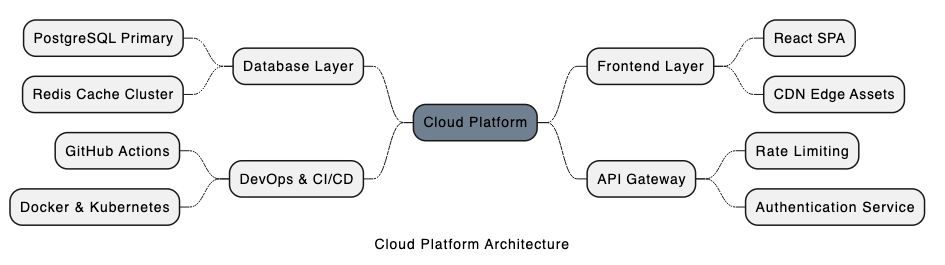
Example 2: Software System Architecture Exploration
This blueprint maps out core technical components for a cloud platform backend.
PlantUML
Edit PlantUML in VPasCode
@startmindmap
caption Cloud Platform Architecture

*[#SlateGray] Cloud Platform

** Frontend Layer
*** React SPA
*** CDN Edge Assets

** API Gateway
*** Rate Limiting
*** Authentication Service

-- Database Layer
--- PostgreSQL Primary
--- Redis Cache Cluster

-- DevOps & CI/CD
--- GitHub Actions
--- Docker & Kubernetes
@endmindmap