


The Mechanics of Sunburst Charts
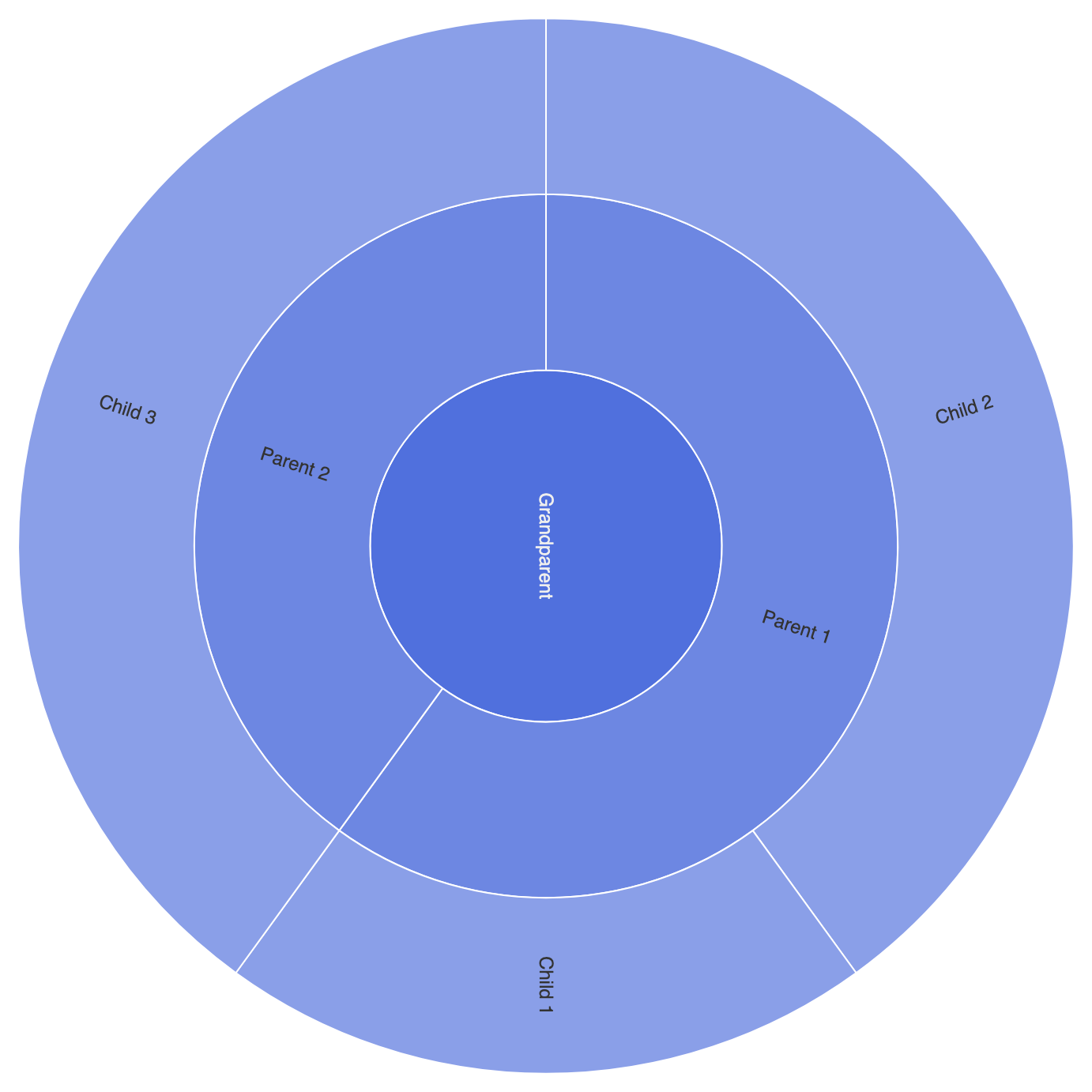
In Apache ECharts, sunburst charts usetype: 'sunburst'. Similar to treemaps, the series expects a nested tree structure in the data array where parent objects contain children arrays. The engine renders the root node or top-level categories in the innermost circle and expands sub-categories outward across concentric ring layers.
1. Essential Setup
To construct a basic sunburst chart, supply a nested tree dataset and settype: 'sunburst' inside your series object:
ECharts
Edit ECharts in VPasCode
option = {
    tooltip: {
        trigger: 'item',
        formatter: '{b}: {c}'
    },
    series: [
        {
            type: 'sunburst',
            data: [
                {
                    name: 'Grandparent',
                    children: [
                        {
                            name: 'Parent 1',
                            value: 15,
                            children: [
                                { name: 'Child 1', value: 5 },
                                { name: 'Child 2', value: 10 }
                            ]
                        },
                        {
                            name: 'Parent 2',
                            value: 10,
                            children: [
                                { name: 'Child 3', value: 10 }
                            ]
                        }
                    ]
                }
            ],
            radius: [0, '90%'],
            label: {
                rotate: 'radial'
            }
        }
    ]
};
Advanced Structural Techniques
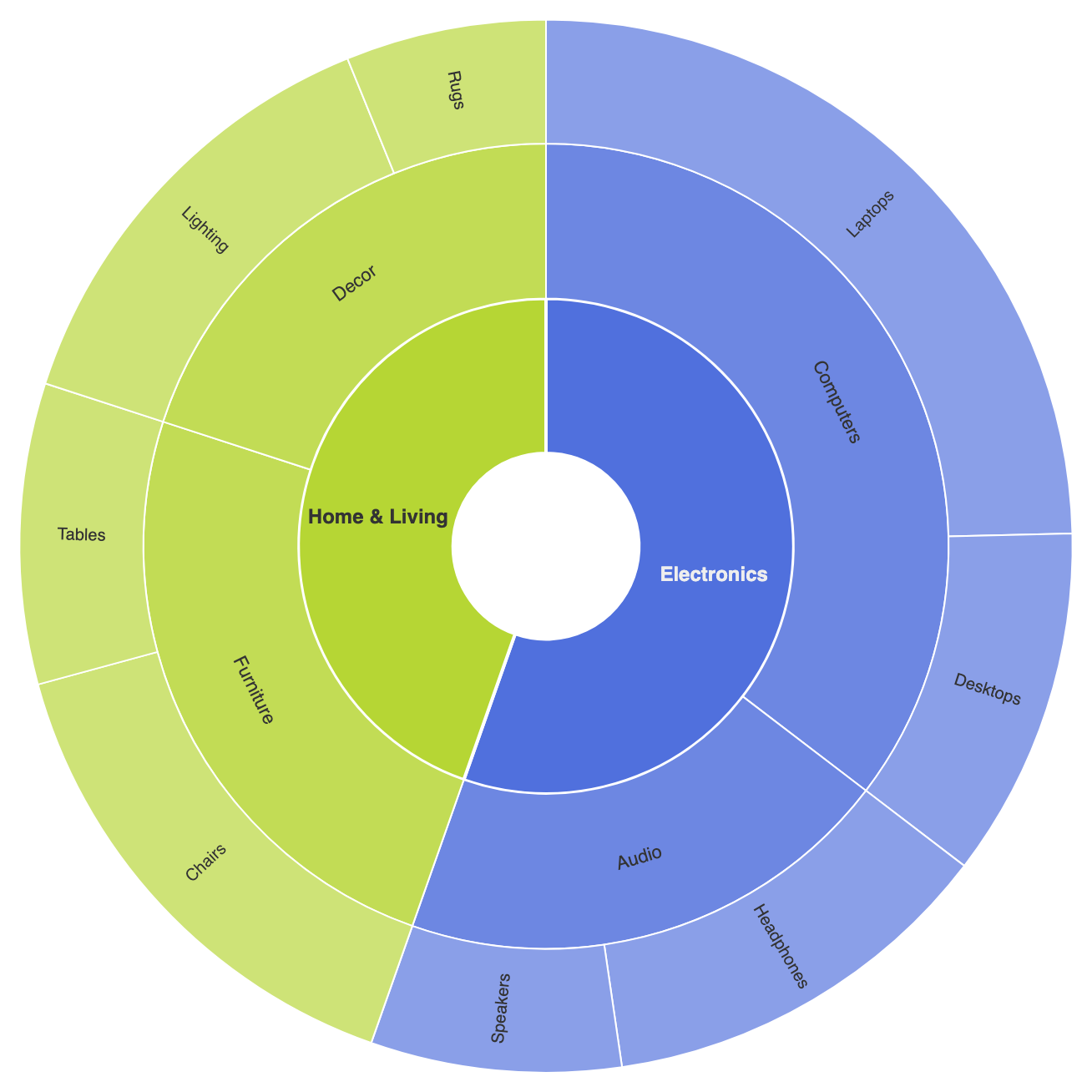
Sunburst charts can be customized with ring-level styling rules, color inheritance, and click-to-zoom interactive drill-downs.1. Level-Specific Ring Customization and Drill-Down
Use thelevels array to define distinct radii, label behaviors, and item styles for each concentric ring layer from the center outward:
ECharts
Edit ECharts in VPasCode
option = {
    tooltip: {
        trigger: 'item'
    },
    legend: {
        top: '2%',
        left: 'center',
        data: ['Electronics', 'Home & Living']
    },
    series: [
        {
            type: 'sunburst',
            center: ['50%', '55%'],
            radius: ['10%', '85%'],
            nodeClick: 'rootToNode', // Enables drill-down when clicking node
            levels: [
                {},
                {
                    // Inner ring (Top-level categories)
                    r0: '15%',
                    r: '40%',
                    label: { rotate: 0, fontWeight: 'bold' },
                    itemStyle: { borderWidth: 2 }
                },
                {
                    // Middle ring (Sub-categories)
                    r0: '40%',
                    r: '65%',
                    label: { rotate: 'tangential', fontSize: 11 }
                },
                {
                    // Outer ring (Leaf products)
                    r0: '65%',
                    r: '85%',
                    label: { rotate: 'radial', fontSize: 10 }
                }
            ],
            data: [
                {
                    name: 'Electronics',
                    children: [
                        {
                            name: 'Audio',
                            children: [
                                { name: 'Headphones', value: 40 },
                                { name: 'Speakers', value: 25 }
                            ]
                        },
                        {
                            name: 'Computers',
                            children: [
                                { name: 'Laptops', value: 80 },
                                { name: 'Desktops', value: 35 }
                            ]
                        }
                    ]
                },
                {
                    name: 'Home & Living',
                    children: [
                        {
                            name: 'Furniture',
                            children: [
                                { name: 'Chairs', value: 50 },
                                { name: 'Tables', value: 30 }
                            ]
                        },
                        {
                            name: 'Decor',
                            children: [
                                { name: 'Lighting', value: 45 },
                                { name: 'Rugs', value: 20 }
                            ]
                        }
                    ]
                }
            ]
        }
    ]
};
Fine-Tuning Layout and Label Alignment
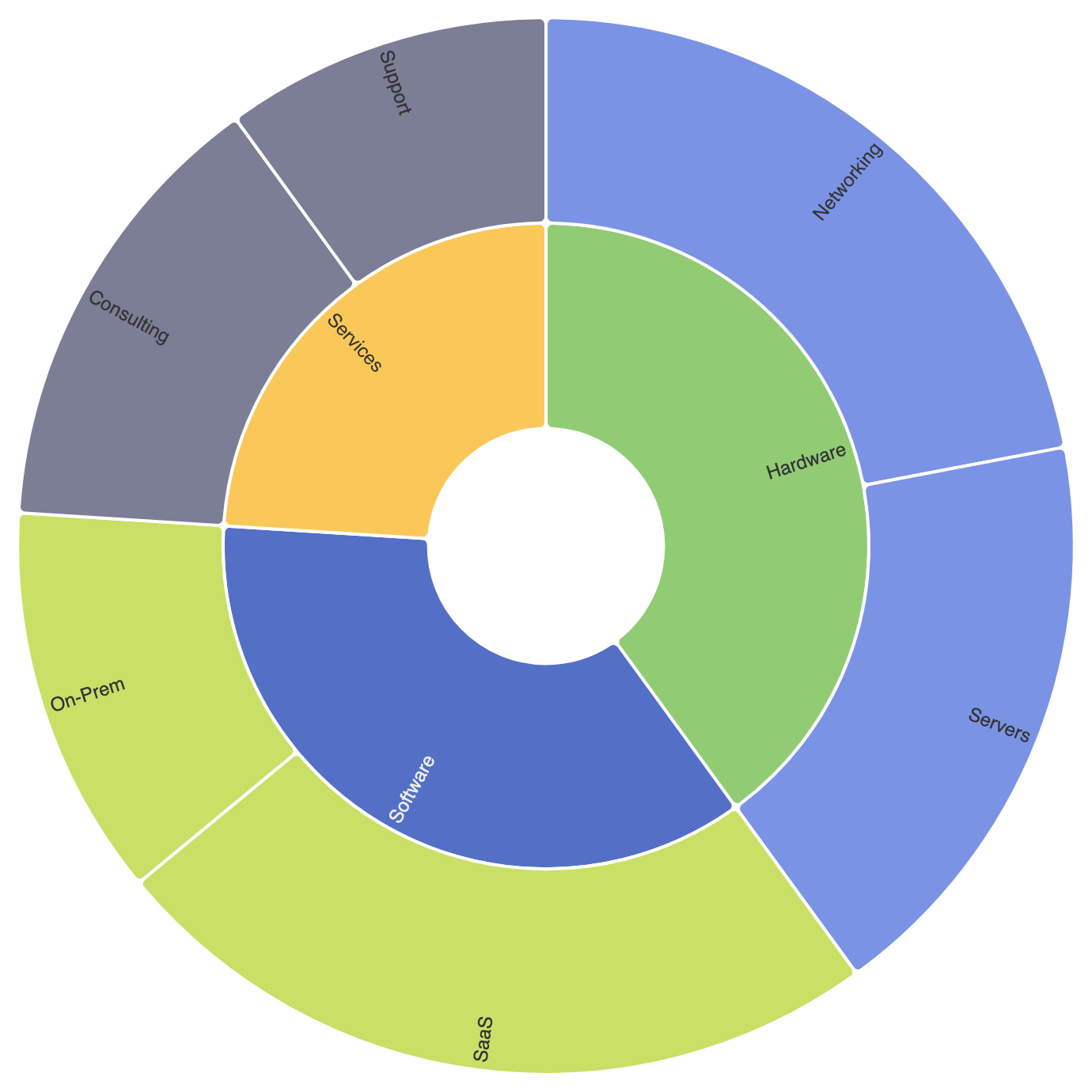
Controlling label rotation modes (radial vs tangential) keeps text readable as sectors narrow toward outer rings.
1. Custom Sector Separations and Radial Labels
Apply item borders and setrotate: 'radial' to align text along sector radii neatly:
ECharts
Edit ECharts in VPasCode
option = {
    series: [
        {
            type: 'sunburst',
            radius: ['20%', '90%'],
            itemStyle: {
                borderRadius: 4,
                borderColor: '#ffffff',
                borderWidth: 2
            },
            label: {
                show: true,
                rotate: 'radial',
                align: 'right'
            },
            data: [
                {
                    name: 'Software',
                    itemStyle: { color: '#5470c6' },
                    children: [
                        { name: 'SaaS', value: 120 },
                        { name: 'On-Prem', value: 60 }
                    ]
                },
                {
                    name: 'Hardware',
                    itemStyle: { color: '#91cc75' },
                    children: [
                        { name: 'Servers', value: 90 },
                        { name: 'Networking', value: 110 }
                    ]
                },
                {
                    name: 'Services',
                    itemStyle: { color: '#fac858' },
                    children: [
                        { name: 'Consulting', value: 70 },
                        { name: 'Support', value: 50 }
                    ]
                }
            ]
        }
    ]
};
Strategic Best Practices
- Match Label Rotation to Ring Depth: Use horizontal (
rotate: 0) or tangential labels for wide inner rings, and switch toradiallabels for narrow outer sectors. - Enable
nodeClick: 'rootToNode': Interactive zoom allows users to click any parent arc to focus directly on its sub-tree without visual clutter. - Use Color Inheritance: Allow child sectors to inherit base hues from their parent node with varying lightness/saturation to maintain clear visual grouping across levels.