


requirementDiagram engine allows you to link abstract design requirements directly to physical system components and test cases using text-based declarations.
Understanding Requirement Diagram Elements
A Requirement Diagram consists primarily of two distinct structural building blocks: Requirement Blocks (which specify the rules) and Element Blocks (which model the code, hardware, or test scripts). Relationships are then drawn between these blocks to create a clear traceability matrix.Basic Syntax Structure
Every diagram starts with therequirementDiagram declaration header. This is followed by defining requirement blocks with nested properties, element blocks, and directional relationship lines.
Mermaid
Edit Mermaid in VPasCode
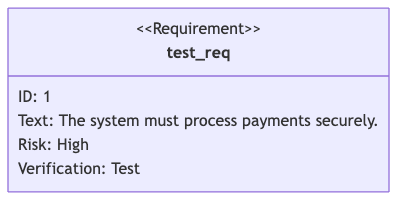
requirementDiagram
  requirement test_req {
    id: 1
    text: "The system must process payments securely."
    risk: high
    verifymethod: test
  }
The Complete Requirement Type Taxonomy
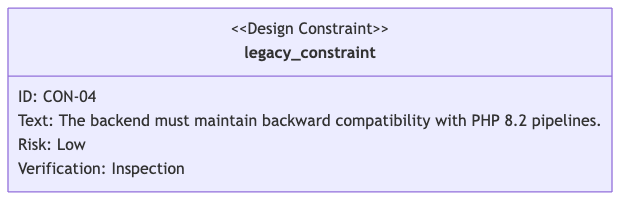
Not all engineering requirements are created equal. The engine provides six distinct block keywords to classify your specifications visually and semantically. Each type alters the header label displayed inside the rendered diagram box:requirement: A standard or general system specification.functionalRequirement: Specifies an action or behavioral capability the system must execute.interfaceRequirement: Defines connection points, data exchanges, or communication protocols between components.performanceRequirement: Sets measurable execution metrics, such as speed, scalability, throughput, or capacity.physicalRequirement: Dictates material constraints, dimensions, weight, or hardware limitations.designConstraint: Restricts software choices, architectural styles, frameworks, or compliance standards.
Mermaid
Edit Mermaid in VPasCode
requirementDiagram
  designConstraint legacy_constraint {
    id: "CON-04"
    text: "The backend must maintain backward compatibility with PHP 8.2 pipelines."
    risk: low
    verifymethod: inspection
  }
Syntax Reference: Requirement Elements & Modifiers
The table below breaks down the primary semantic keywords, required attributes, and classification structures natively recognized by the requirement interpreter.| Syntax Component | Type Requirement | Description & Supported System Attributes |
|---|---|---|
| Declaration | Keyword Identifier | Initializes the SysML requirements workspace canvas. Must use the exact requirementDiagram block header. |
| Unique ID Attribute | id: String / Integer |
A mandatory nested parameter that provides a tracking index or unique alphanumeric reference code inside your tracking framework. Mixed spaces are allowed. |
| Text Attribute | text: Quoted String |
A mandatory descriptive string detailing the actual specification or behavioral constraint of the item. Always wrap in double quotes. |
| Risk Attribute | risk: Severity Flag |
An optional marker tracking architectural risk severity. Accepts low-level tokens: low, medium, or high. |
| Verification Attribute | verifymethod: Method Tag |
An optional parameter declaring how the rule will be proved. Accepts standard engineering values: analysis, demonstration, inspection, or test. |
| System Element | element Block |
Declares a physical component, software component, or test script using the syntax: element element_name { type: "component_type" }. |
Advanced Relationships & Traceability Links
The primary power of a requirement diagram lies in connecting requirements to real systems. Links are drawn using specialized, typed arrow connectors (e.g.,- satisfies ->) that establish clear structural intent.
Supported Relationship Operators
| Relationship Syntax Token | Strategic Engineering Meaning | Directional Flow Rule |
|---|---|---|
source - contains -> target |
Decomposes a broad parent requirement into a smaller, nested sub-requirement. | Points from Parent Requirement block down to Sub-Requirement block. |
element - satisfies -> requirement |
Proves that a physical software or hardware component successfully fulfills a rule. | Points from the element block toward the targeted requirement block. |
element - verifies -> requirement |
Indicates that a specific testing script or test case checks the accuracy of a rule. | Points from the testing element block toward the targeted requirement block. |
source - copies -> target |
Indicates a duplicate requirement that maps completely to a master requirement located elsewhere. | Points from the duplicate copy toward the master original block. |
source - traces -> target |
Establishes a broad dependency or historical relationship between two separate requirements. | Points from the dependent requirement toward the primary target block. |
source - derives -> target |
Indicates that a requirement was calculated or spun up as a direct result of another requirement. | Points from the derived child block toward the source parent block. |
source - refines -> target |
Adds extra nuance or clarity to a highly complex, higher-level technical specification. | Points from the refined specification toward the baseline target block. |
User-Defined Elements & Extended Attributes
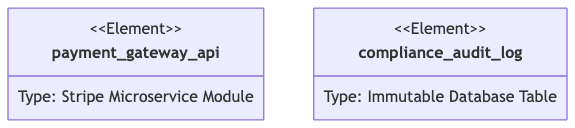
In addition to standard requirements, theelement keyword allows you to map specific application scripts, hardware items, or third-party packages into your trace paths. Every element block can store custom key-value metadata properties by utilizing the type: schema inside its curly brackets.
Mermaid
Edit Mermaid in VPasCode
requirementDiagram
  element payment_gateway_api {
    type: "Stripe Microservice Module"
  }

  element compliance_audit_log {
    type: "Immutable Database Table"
  }
Real-World Blueprint: Complex E-Commerce Security Infrastructure
This comprehensive blueprint tracks a complete production compliance ecosystem. It demonstrates decomposition viacontains, maps performance constraints, hooks up software modules through satisfies, and maps integration test cases using verifies loops.
Mermaid
Edit Mermaid in VPasCode
requirementDiagram

  %% Requirement Hierarchy Layer
  requirement security_master_req {
    id: "SEC-001"
    text: "The application platform must maintain strict PCI-DSS standard compliance."
    risk: high
    verifymethod: test
  }

  performanceRequirement checkout_speed_req {
    id: "PERF-22"
    text: "MFA cryptographic authentication handshakes must compile in under 200ms."
    risk: medium
    verifymethod: analysis
  }

  interfaceRequirement secure_token_req {
    id: "INT-09"
    text: "API data transmissions must utilize encrypted JSON Web Tokens (JWT)."
    risk: high
    verifymethod: test
  }

  %% System Elements Layer
  element auth_service_code {
    type: "Go Backend Microservice"
  }

  element load_tester_script {
    type: "K6 Performance Script"
  }

  element jwt_validator_test {
    type: "Jest Integration Unit Suite"
  }

  %% Architectural Relationship Paths
  security_master_req - contains -> checkout_speed_req
  security_master_req - contains -> secure_token_req

  auth_service_code - satisfies -> secure_token_req
  load_tester_script - verifies -> checkout_speed_req
  jwt_validator_test - verifies -> secure_token_req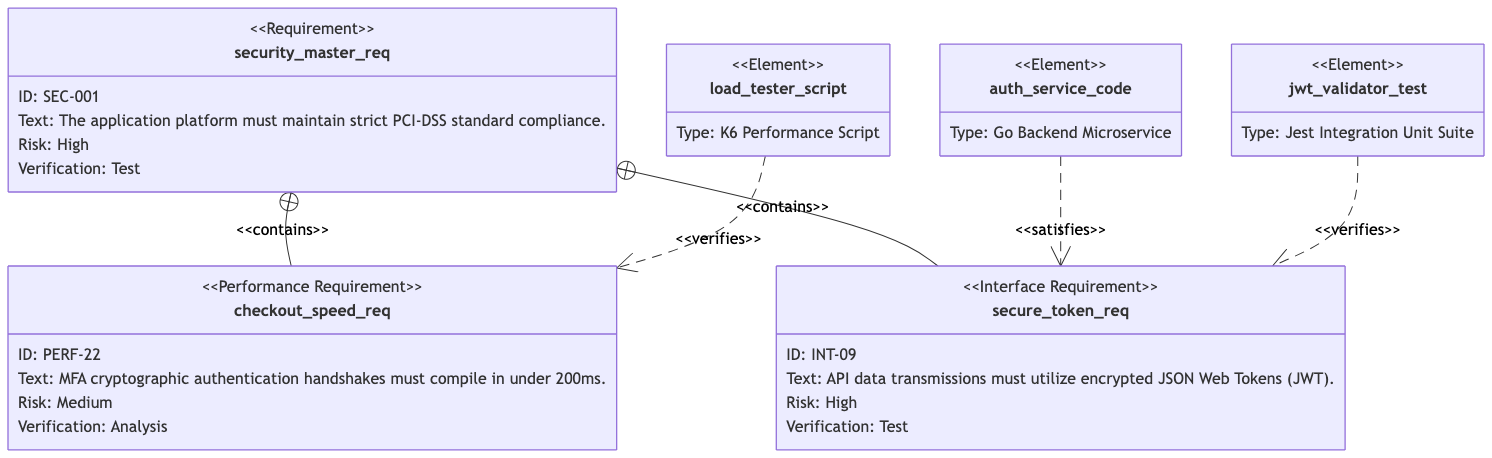
Common Syntax Pitfalls & System Constraints
When compiling precise engineering maps, keep these validation parameters in mind to prevent parsing faults:- Mandatory Double Quotes for Strings: Text blocks and types (e.g.,
text: "Description",type: "Component") *must* be wrapped in double quotation marks. Using single quotes or leaving strings unquoted will crash the compiler. - Strict Attribute Syntax: Attributes inside braces must use colons followed directly by values (e.g.,
id: 1). Forgetting the colon or writing them on the same line without proper indentation spacing can throw errors. - Limited Value Choices: The
riskandverifymethodparameters only accept explicit system tokens (e.g.,low,medium,highfor risk;analysis,demonstration,inspection,testfor verifymethod). Typing custom values likerisk: extremewill break the layout builder. - Arrow Spacing Integrity: Directional lines must be typed with space spacing surrounding the operators (e.g.,
A - satisfies -> B). Compacting the string intoA-satisfies->Bwill drop system processing exceptions.